Accessing and Managing Search Settings
Managing Search on the website
Updated
To make it easier for customers to find trips directly from the homepage, you can add a search bar. With this feature, visitors can search for trips based on location, theme, and more.
Steps to Enable Advanced Search
To enable Advanced Search: Log in to your Vacation Labs account > Go to Website > Click on Search Settings > Toggle Advanced Search.
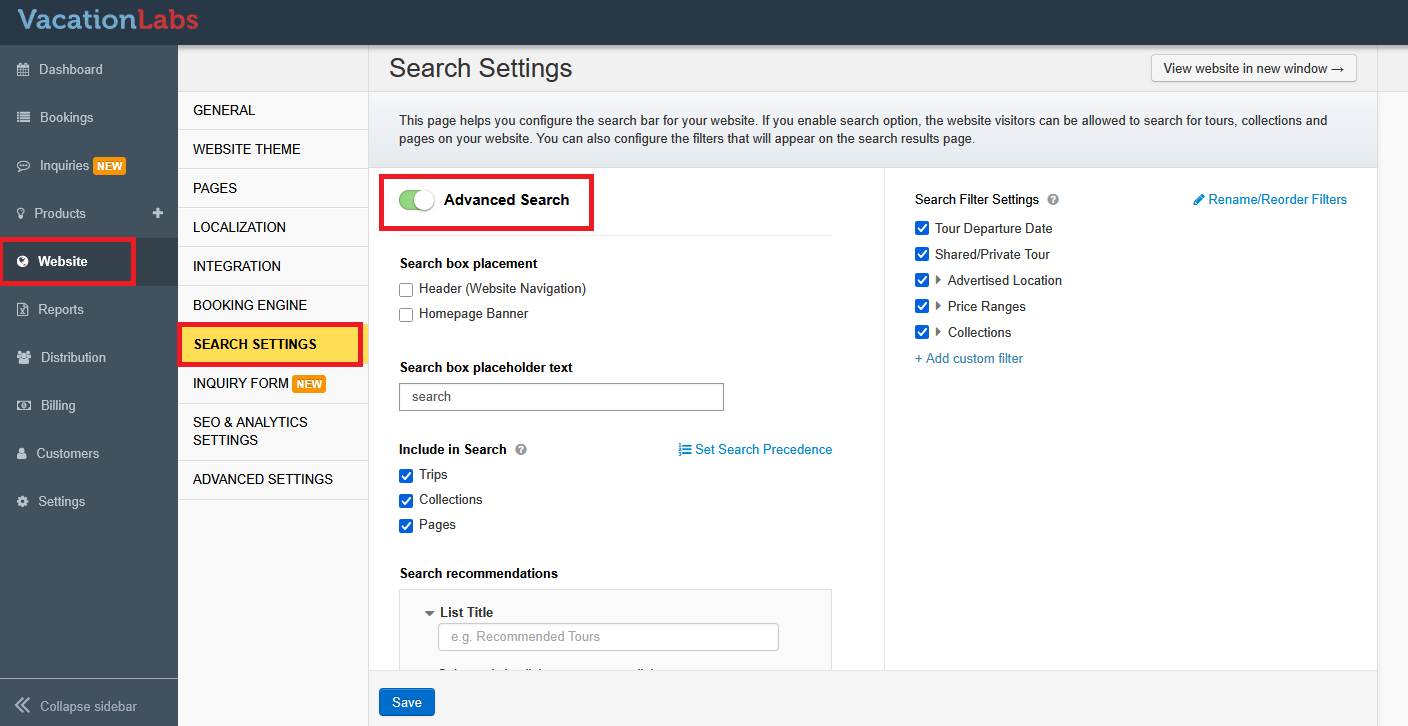
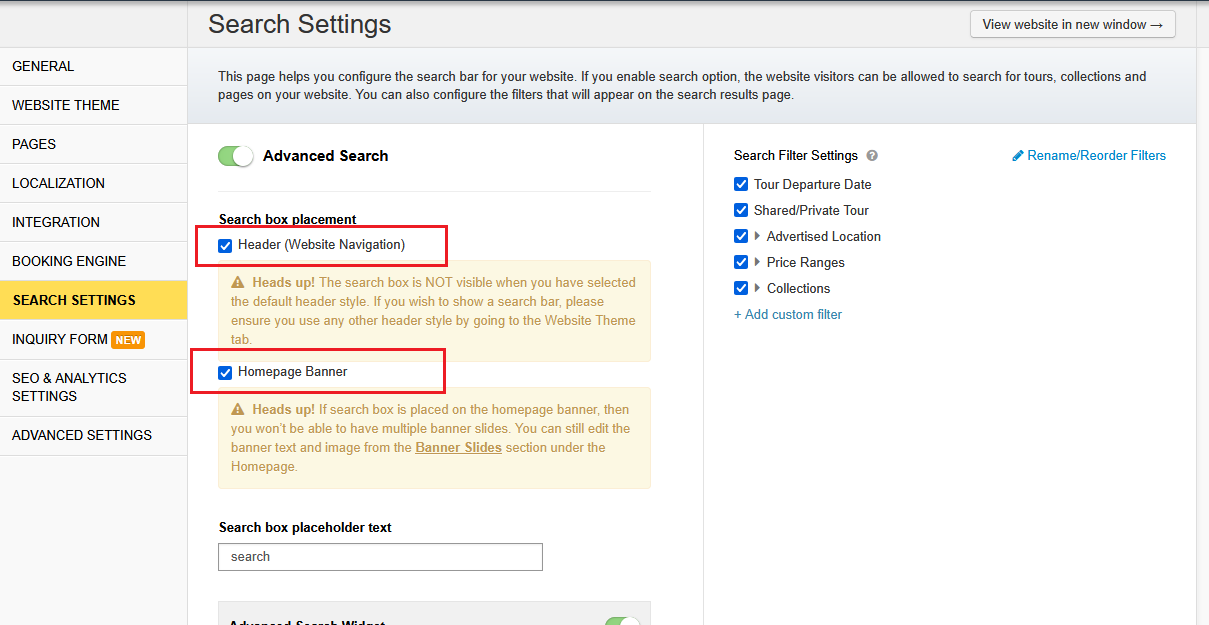
Next, under Search Box Placement, you can choose where the search option appears on your website - either in the Header (Website Navigation) or in the Homepage Banner.
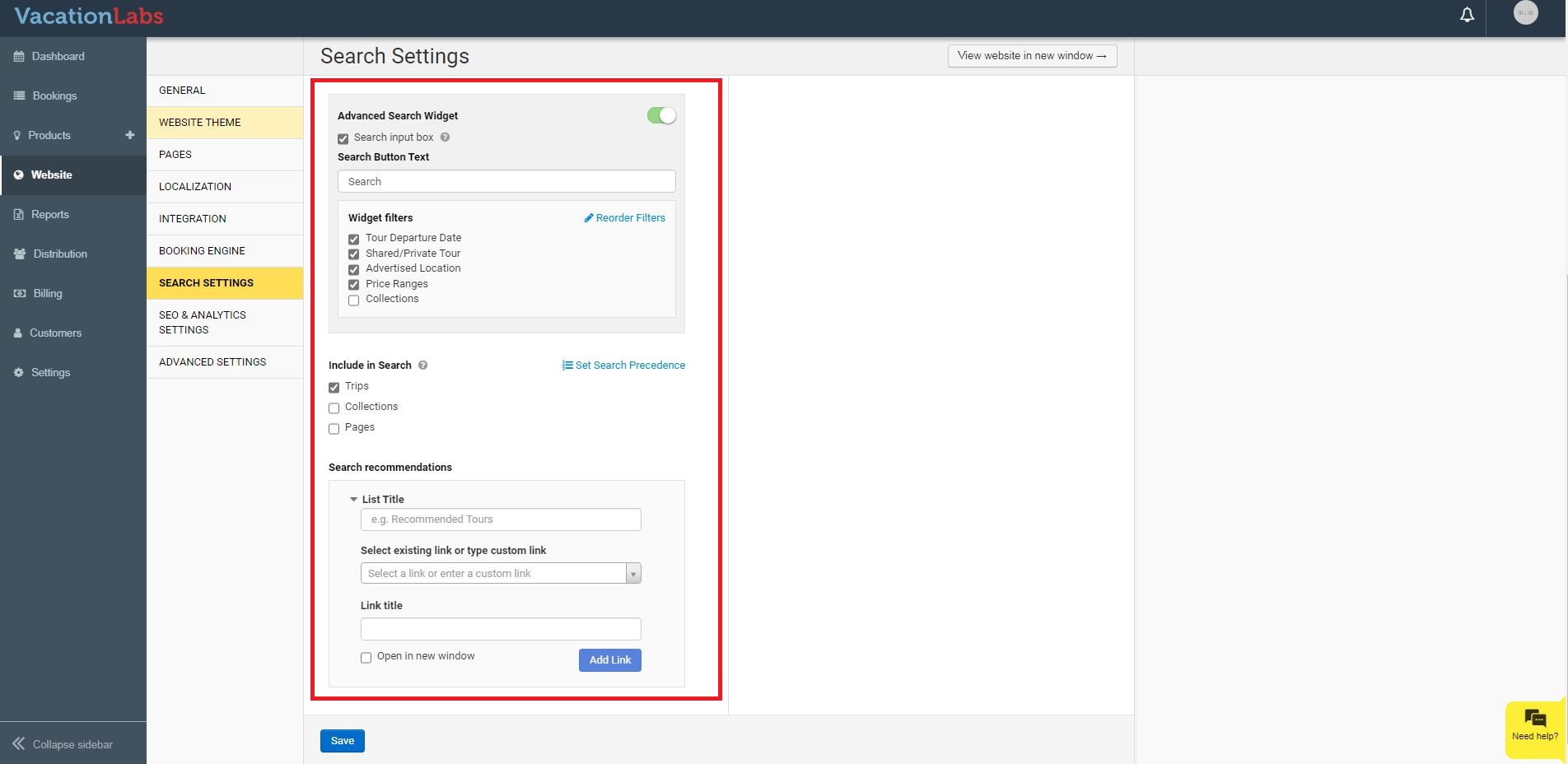
Additionally, you can configure the search box by selecting which filters to display and deciding whether the results should include trips, collections, and/or webpages.
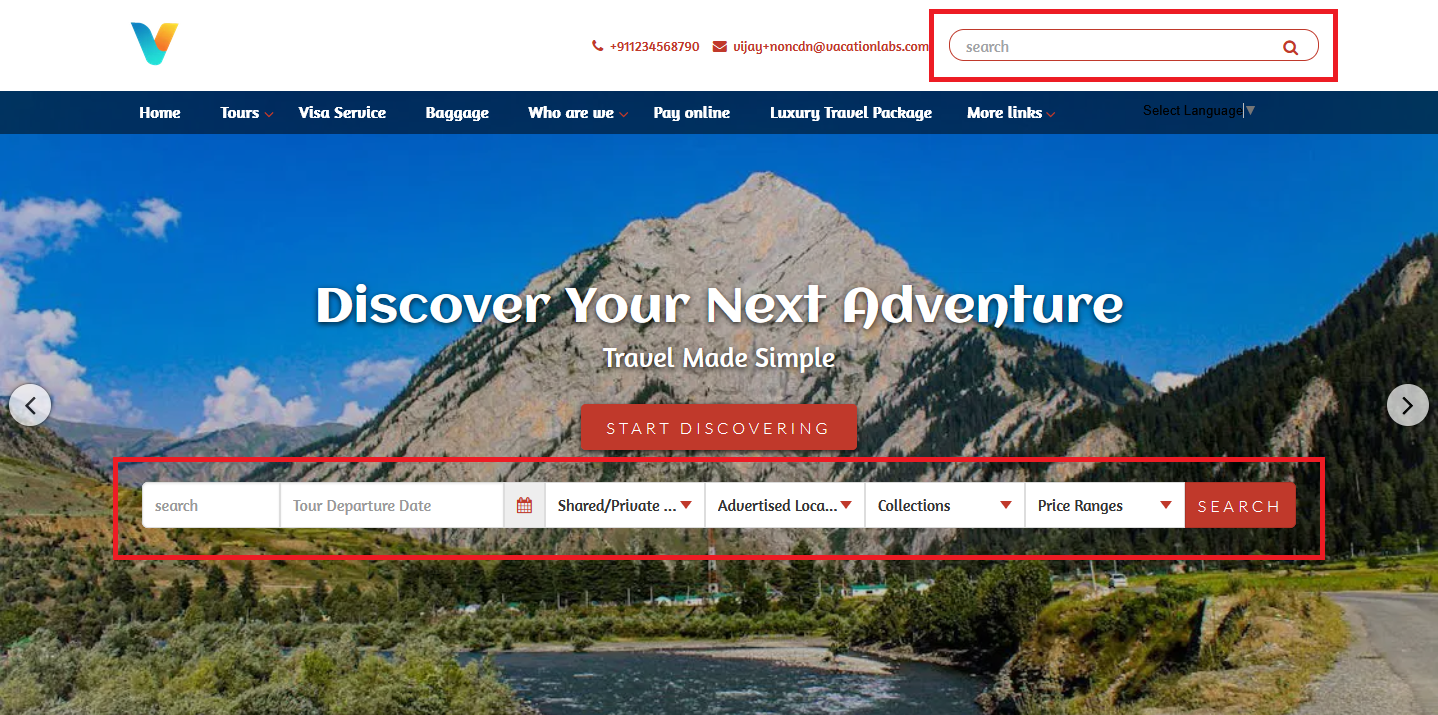
How the Advanced Search Looks
- The search box can appear in the website navigation.
- The search widget can be placed in the homepage banner.
Tip
For customized filters, check our article: Creating Custom Search Filters