Adding a Basic WhatsApp widget to the website
Advanced Settings
Updated
How to Configure on the VL Website
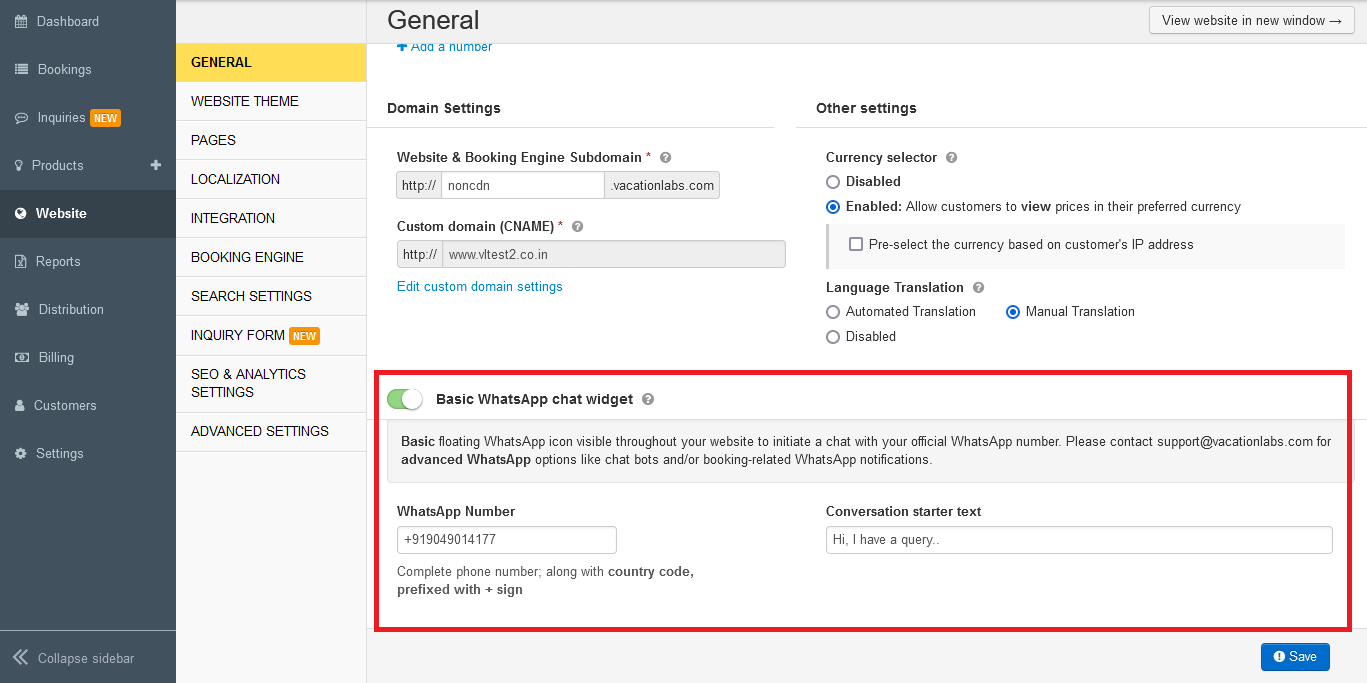
To add a Basic WhatsApp chat widget to your website, navigate to Website > General > Basic WhatsApp chat widget. Here, enable the Basic WhatsApp widget on your website. Add your Phone Number (including country code) and a Conversation starter text. Finally, save the changes.
How it appears on Desktop and its functionality upon icon click
The WhatsApp widget appears on desktop, as shown in the screenshot below.

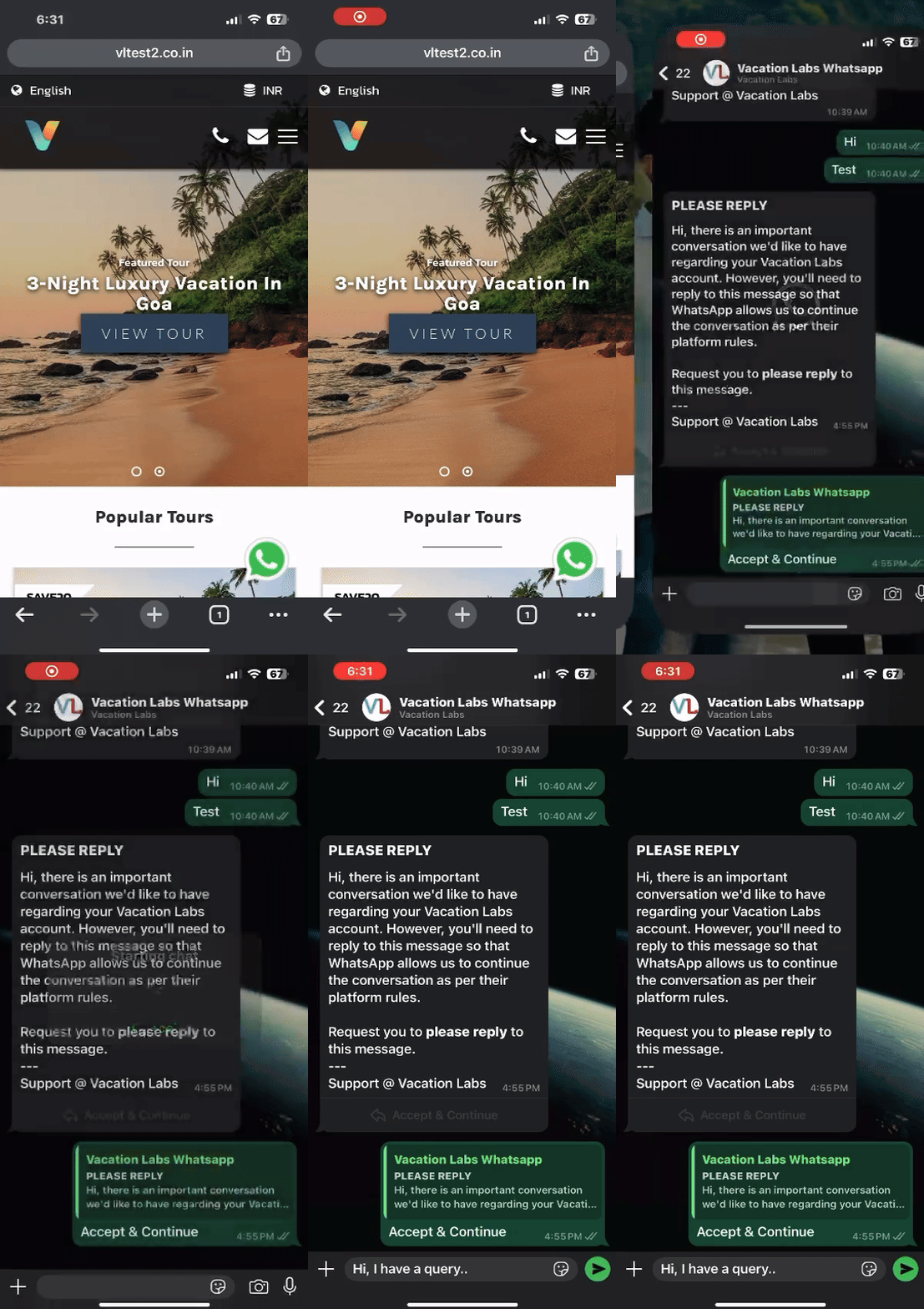
The functionality upon clicking the widget is shown below.

How it appears on Mobile and its functionality upon icon click
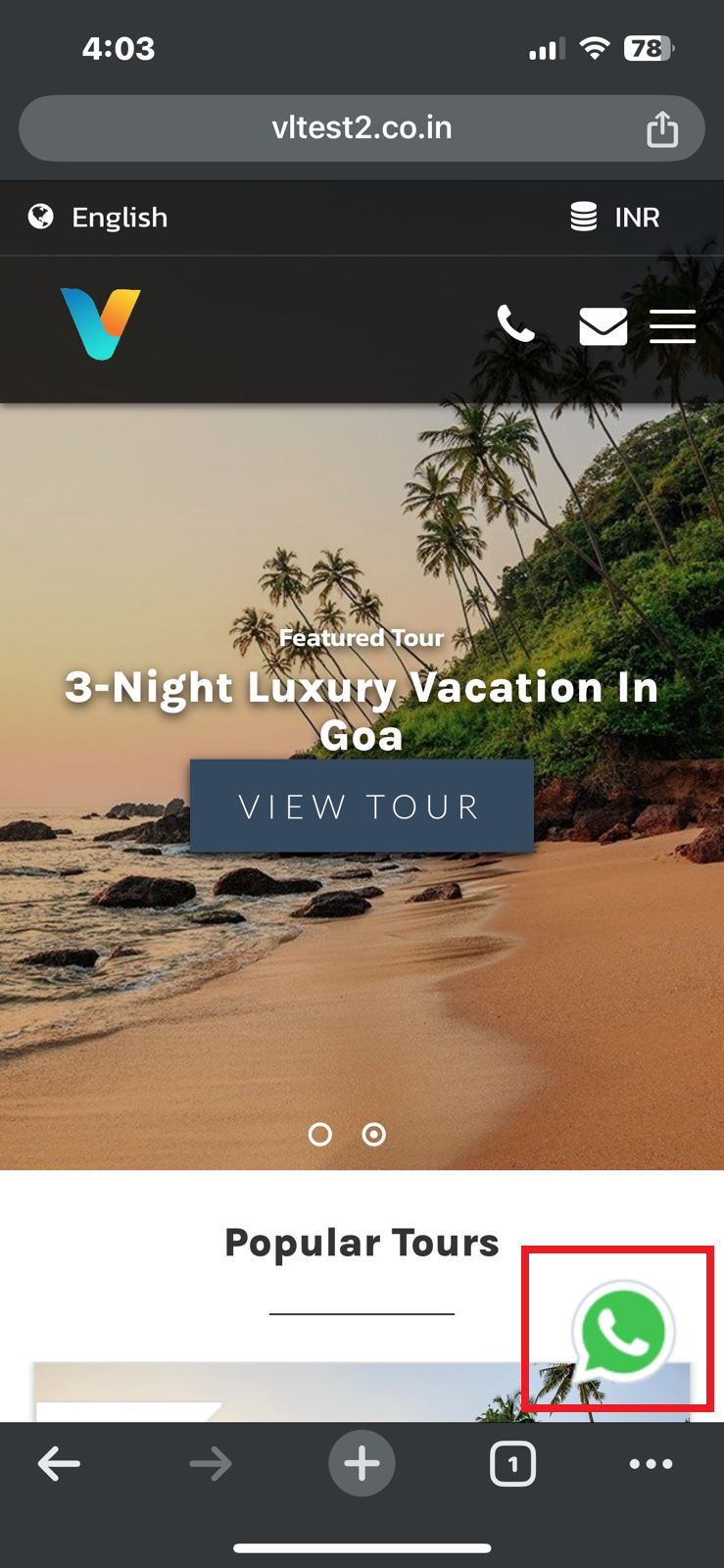
The WhatsApp widget appears on Mobile, as shown in the screenshot below.
The functionality upon clicking the widget is shown below.