Adding a chat widget to the website
Overview
There are two options to add a chat widget to the website:
- If you are operating in a market where WhatsApp is prevalent, you can try adding a basic WhatsApp chat widget to your website (this is built into the Vacation Labs platform). PREFERRED
- Alternatively, you can add any third-party chat / messenger widget using the instructions given below.
Adding the built-in WhatsApp widget to your website
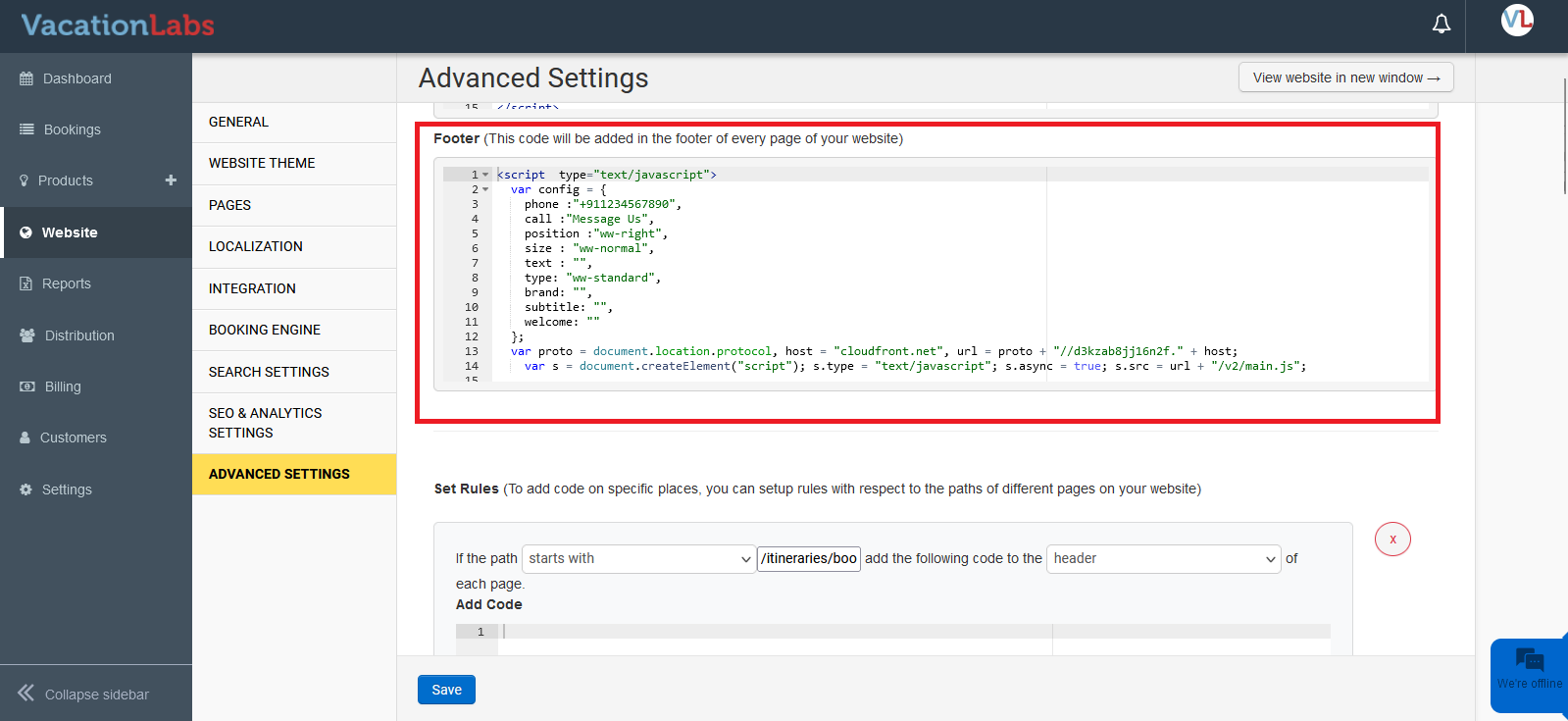
If you have a third-party/custom WhatsApp script, you can add it into the website by adding the script following the steps mentioned above.
Info
If you prefer to use Vacation Labs’ built-in WhatsApp widget, please CLICK HERE to learn how to enable it.
Adding a third-party chat / messenger widget on your website
Warning
Heads up! A floating chat / WhatsApp / messenger widget will overlap with existing buttons and links on the page, especially in mobile view. Please test the placement of the widget on various pages (especially on mobile) before making it live on your website.
To add a floating chat/WhatsApp/messenger widget, please paste the script by navigating to Website > Advanced Settings > Header/Footer. Here, you can paste the script obtained from any chat / messenger platform.