Adding Multiple Sections to your Website
You add multiple sections on any static page to show more content with different styles and layouts. For example: you may want to display more than 2 carousels for the Tour cards, or collection cards, etc.
Please follow the below steps to add multiple sections
-
Login into Vacation Labs
-
Click on **Website
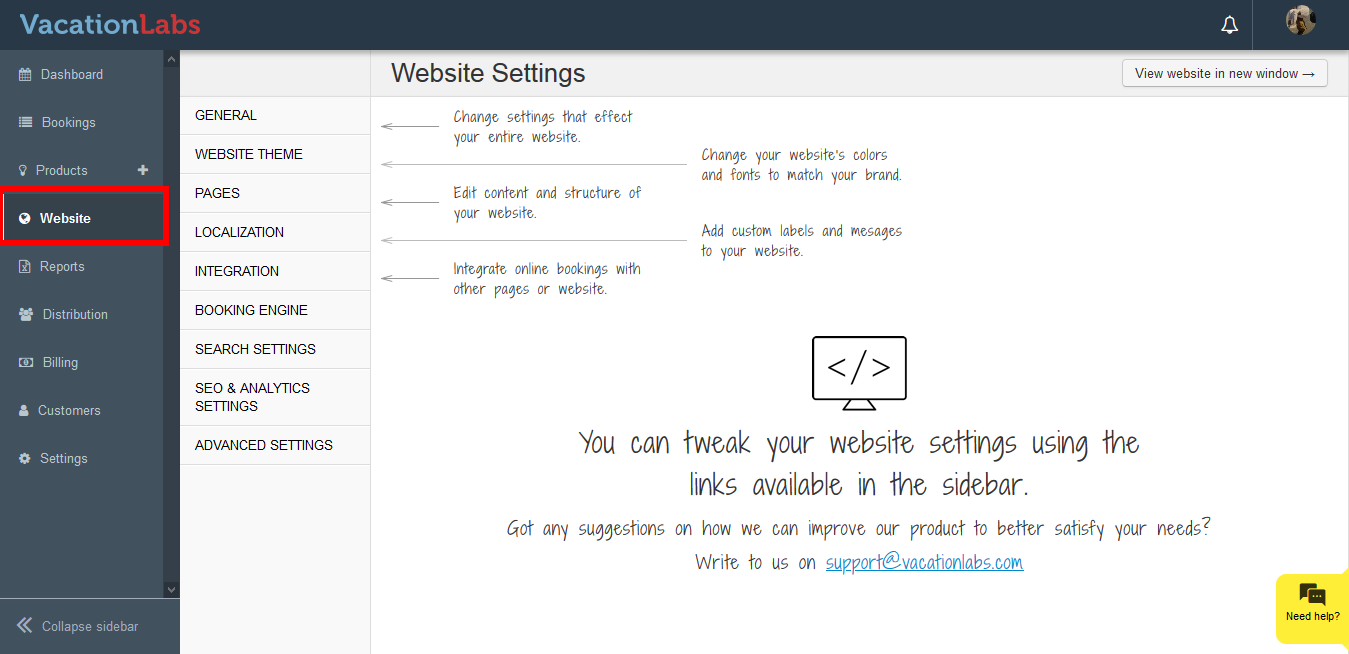 **
** -
Click on **Pages
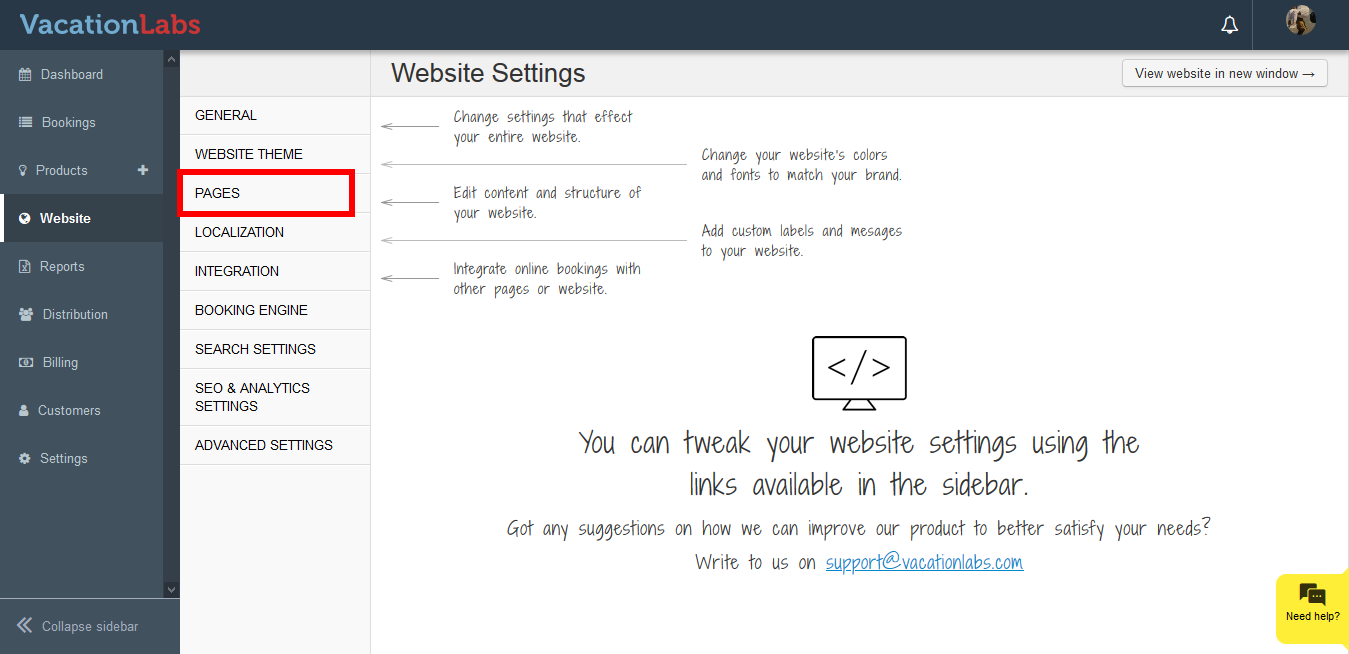 **
** -
Select the page (Homepage, static page, about us,etc) where you wish to add a section (Tour card, collection card, testimonial, etc)
-
Click on **Select a Section
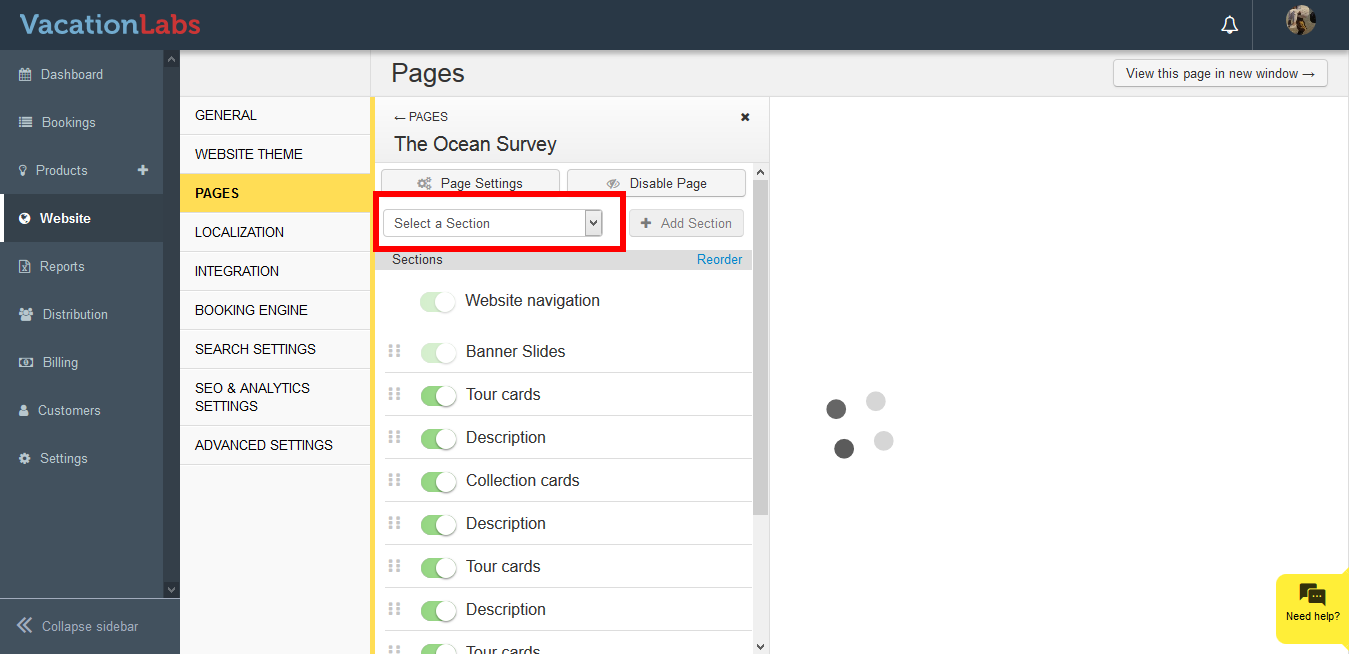 **
** -
Select the section from the drop down
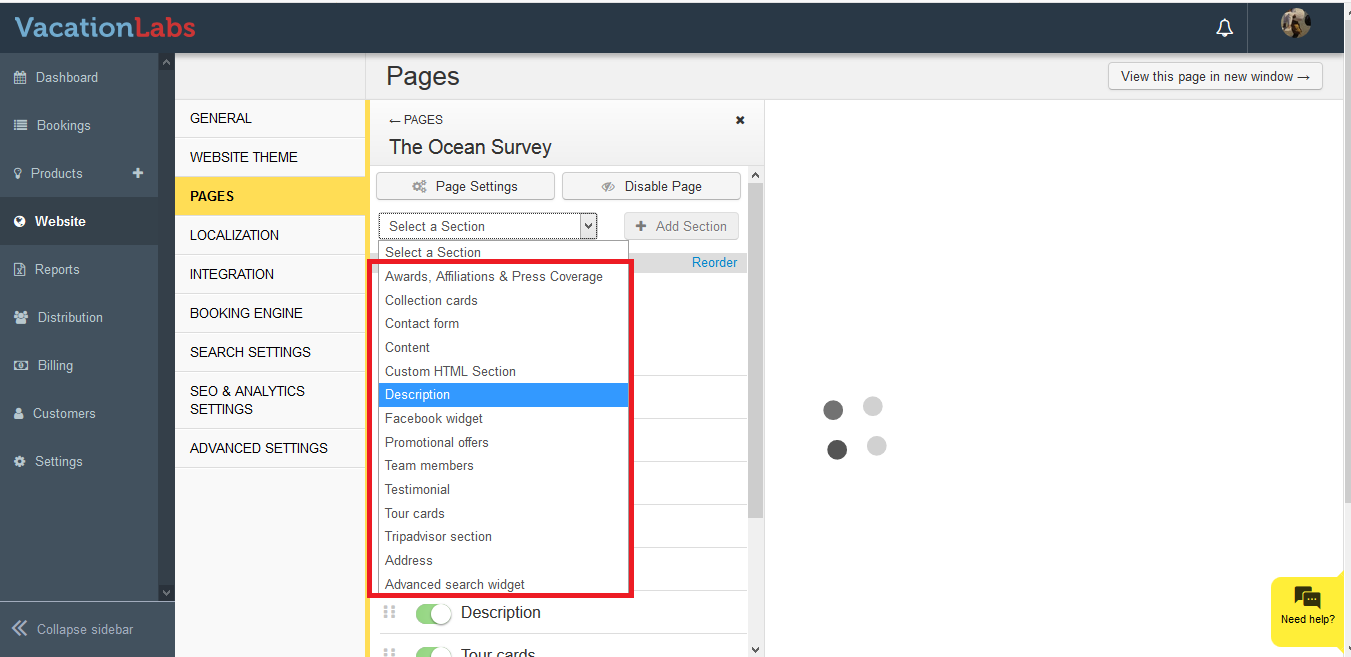
-
Click on **+ Add Section
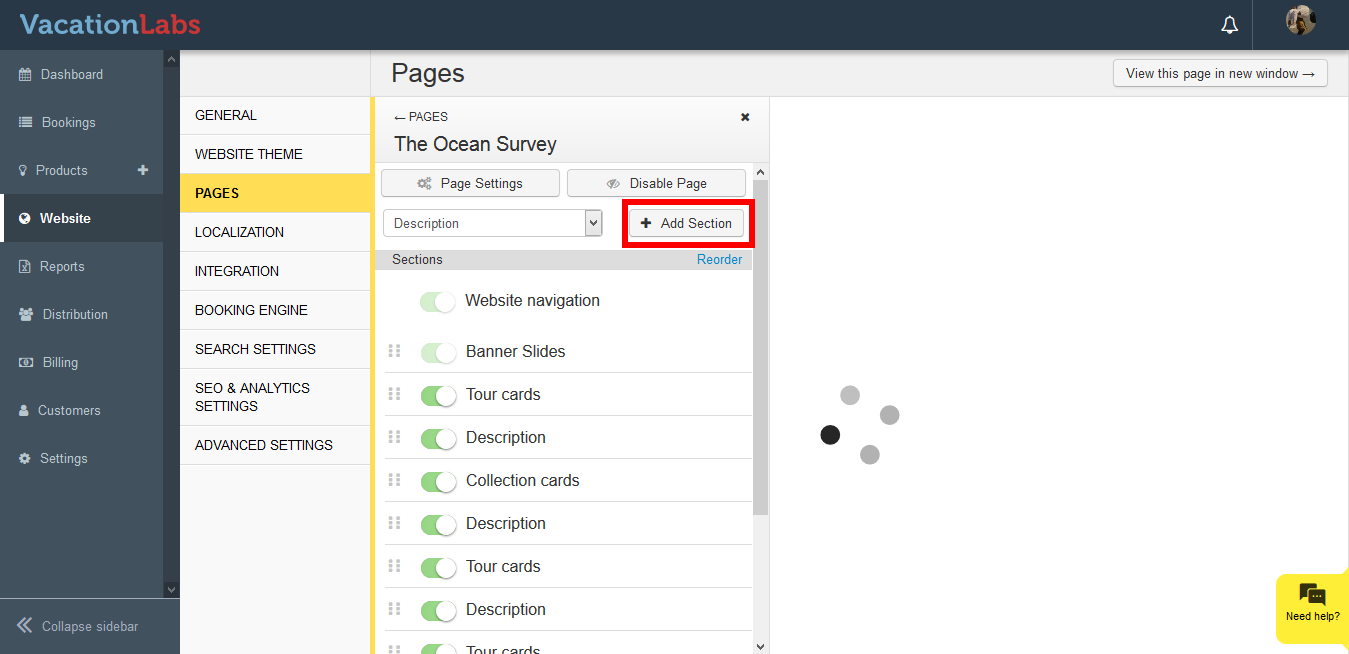 **
** -
Click on the Toggle button to activate the section
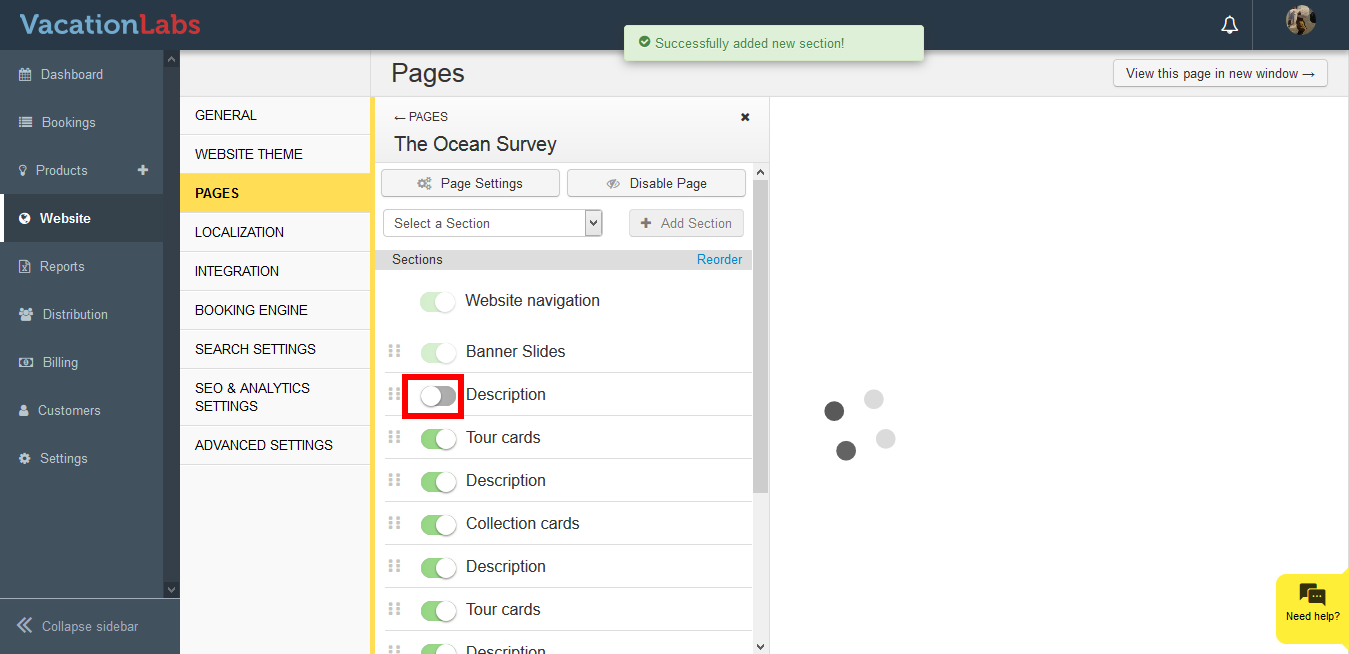
-
Click on the Section to customize it further
-
You can also drag and drop the section to reorder the same.
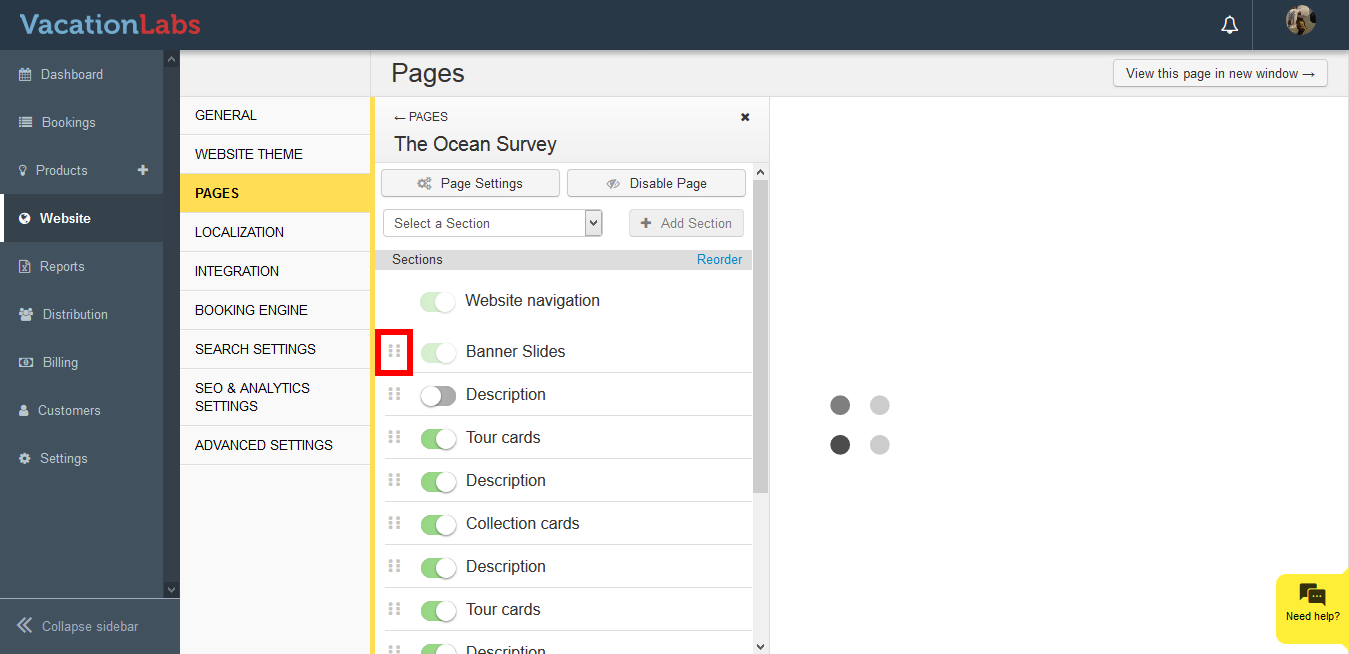
What’s Next?
Planning to delete or remove a section from your website? We would recommend you to read our article on Deleting the website section.