Availability and Rates of trips in Viator
Managing rates and availability in Viator
Inside the products (in Viator) there is a section called Schedules & Prices (refer screenshot below)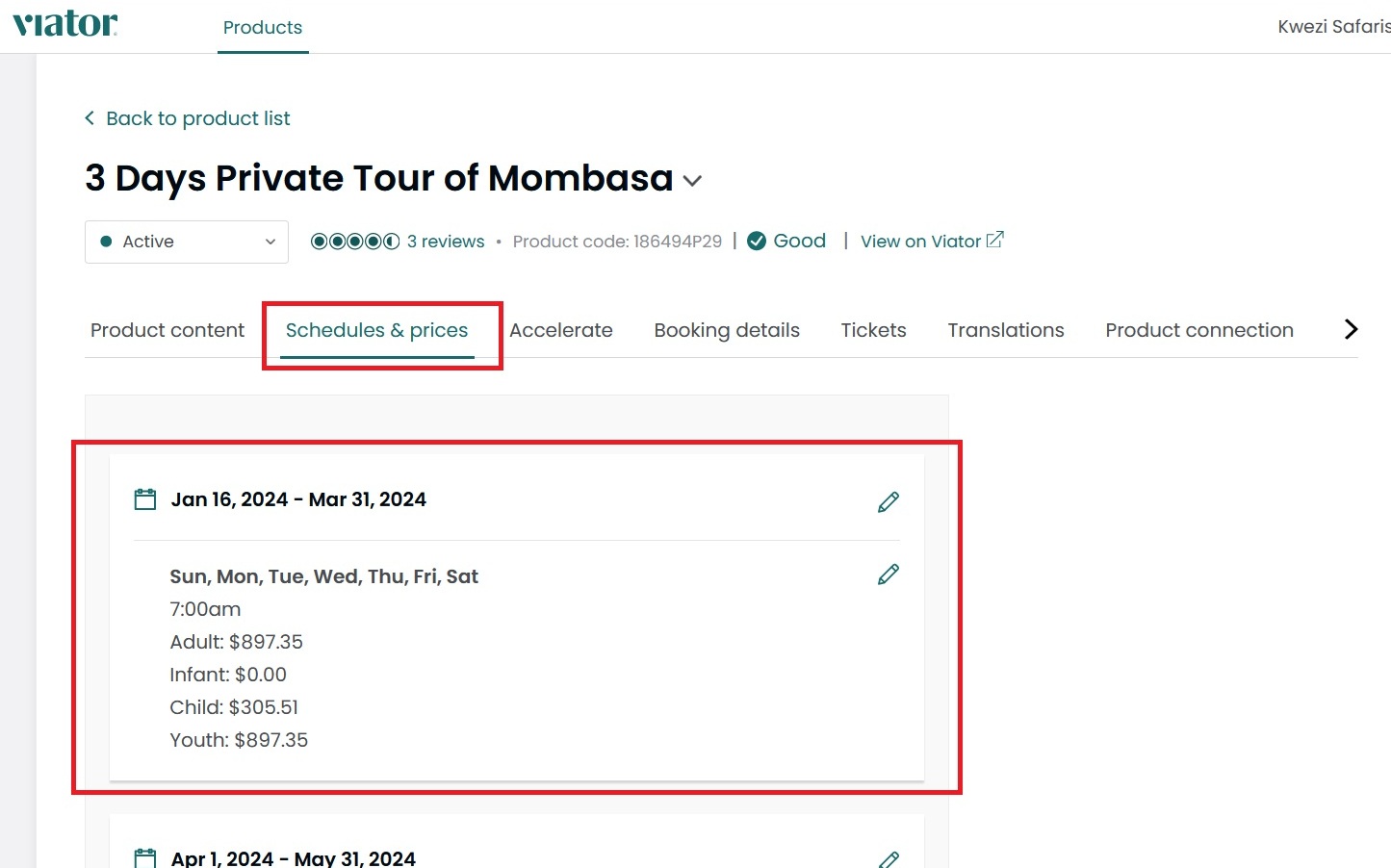
For Schedule
The schedule of the trips (the open dates for the trip) will get pushed from the Vacation Labs system to Viator and you need to only open the Dates in the Vacation Labs system.
For Rates
Please note Vacation Labs does not support product pricing via API. You can change or set your pricing in the Management Center of Viator
To do this please follow the steps below:
-
Go into the Products section and click on Manage for the product you want to change/set price
-
Go into Schedules & Rates section
-
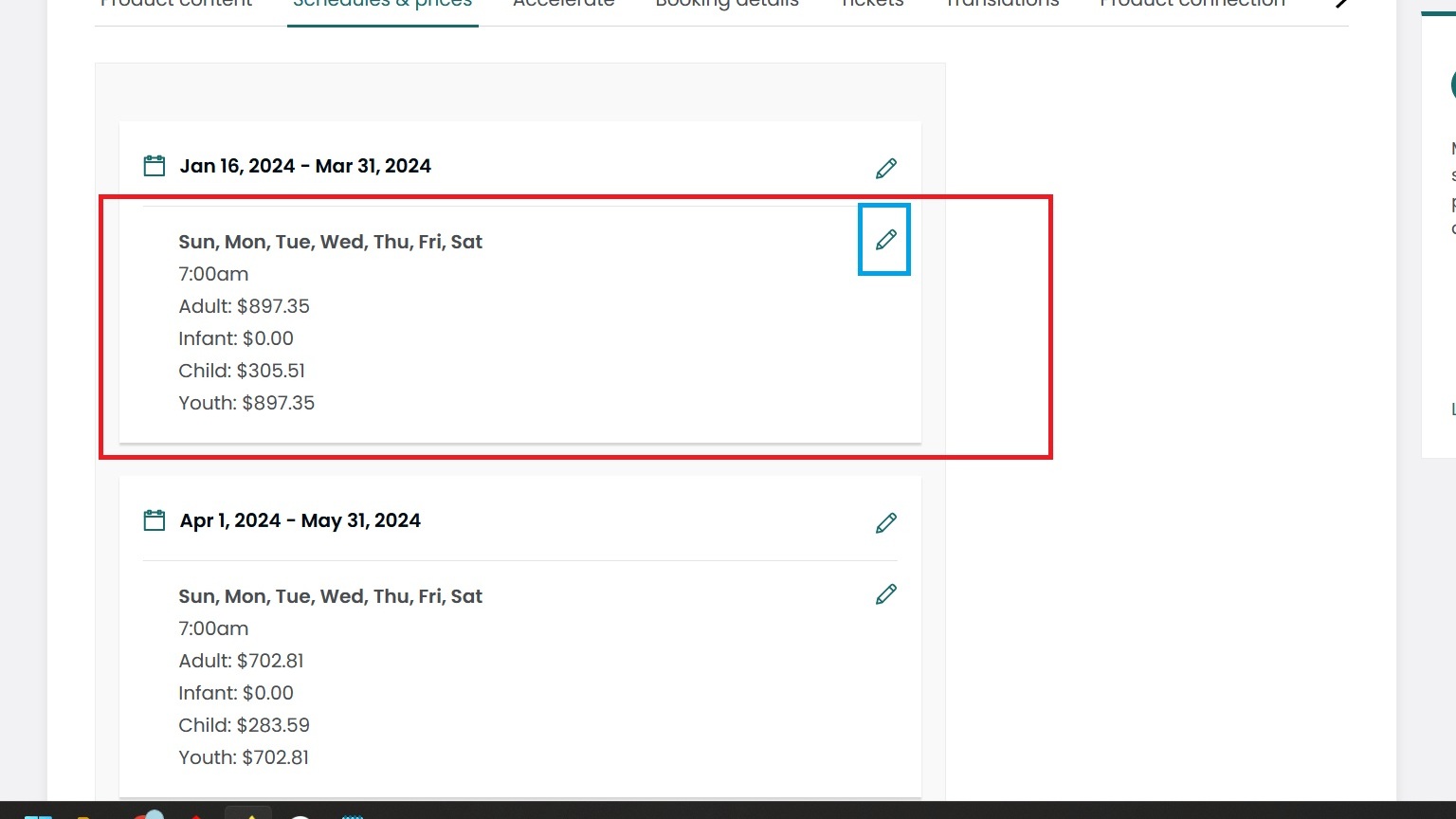
Click on the Edit icon next to the prices (refer screenshot below)
-
Save the changes you have made.
Tip
Additionally you can set pricing schedule as well (different pricing for different time/period ranges).
Please make sure that the trip has the same pricing category and rates on both the platforms i.e, Vacation Labs and Viator
Please check out this article for detailed guide on connecting Vacation Labs and Viator