Changing Page Breadcrumbs settings
What is a Breadcrumb?
Breadcrumbs are a very important part of the website which help your user understand the flow of pages and the structure of your website.
Besides the fact that Breadcrumbs help your users navigate through the pages, they also give you added advantage in SEO. If you have enabled Breadcrumbs on your website, Google also shows them in the search results. Read more about Breadcrumb here Please follow below steps to modify the Breadcrumbs format,
-
Login into Vacation Labs
-
Click on Website
-
Click on SEO & Analytics
-
Under Page Breadcrumbs **Select how you want to display bread crumbs for Tour pages
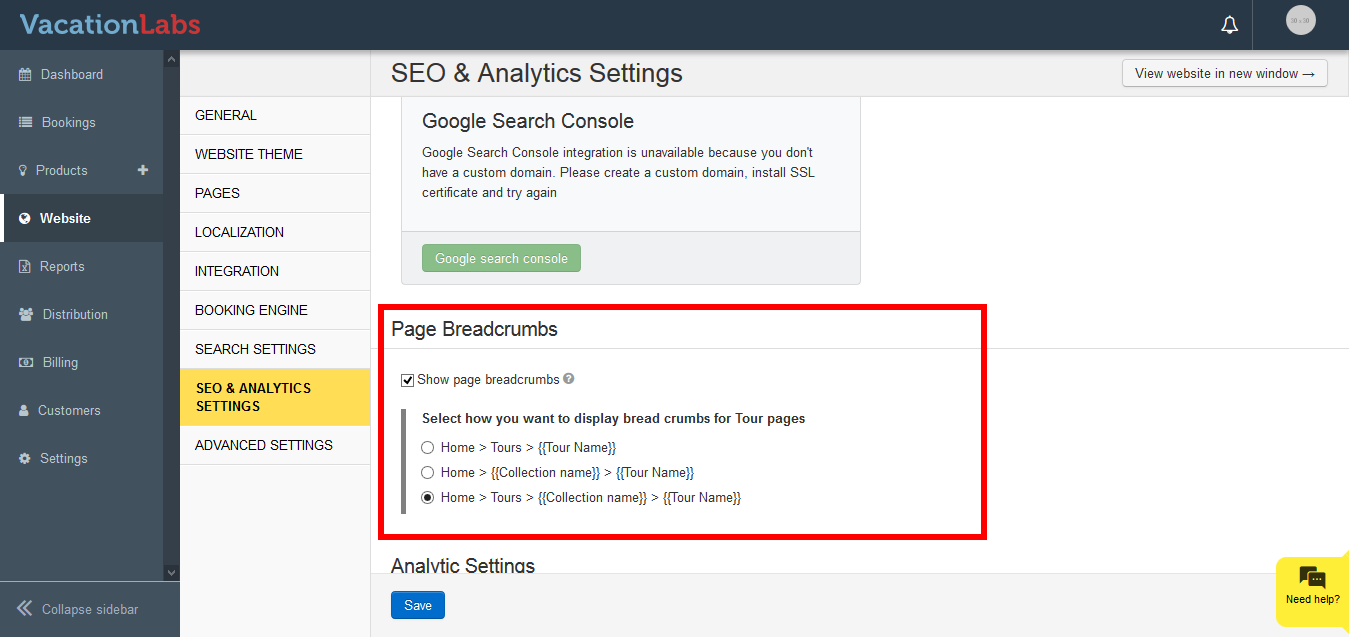 **
** -
Depending upon how you would like your consumers to look at the flow your website or navigate through the pages, you can choose any one of the following 3 formats:
-
Home > Tours > {{Tour Name}}
-
Home > {{Collection name}} > {{Tour Name}}
-
Home > Tours > {{Collection name}} > {{Tour Name}}
-
Once enabled, make sure you click on SAVE to apply the changes.