Disconnecting/Removing trips from Viator Distribution panel
Viator
Updated
You can easily disconnected/remove the trips that are connected to your Viator account.
Please follow the below steps to disconnect trips from Viator,
-
Log in into Vacation Labs
-
Click on Distribution
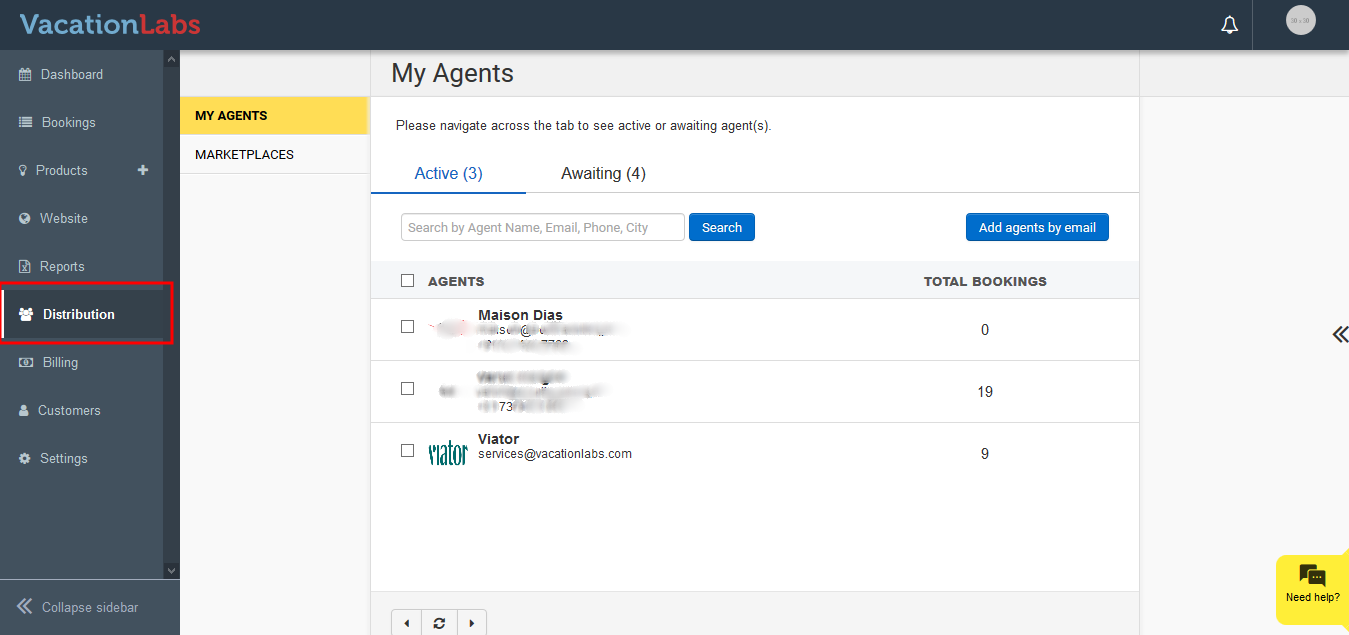
-
Click on Marketplaces
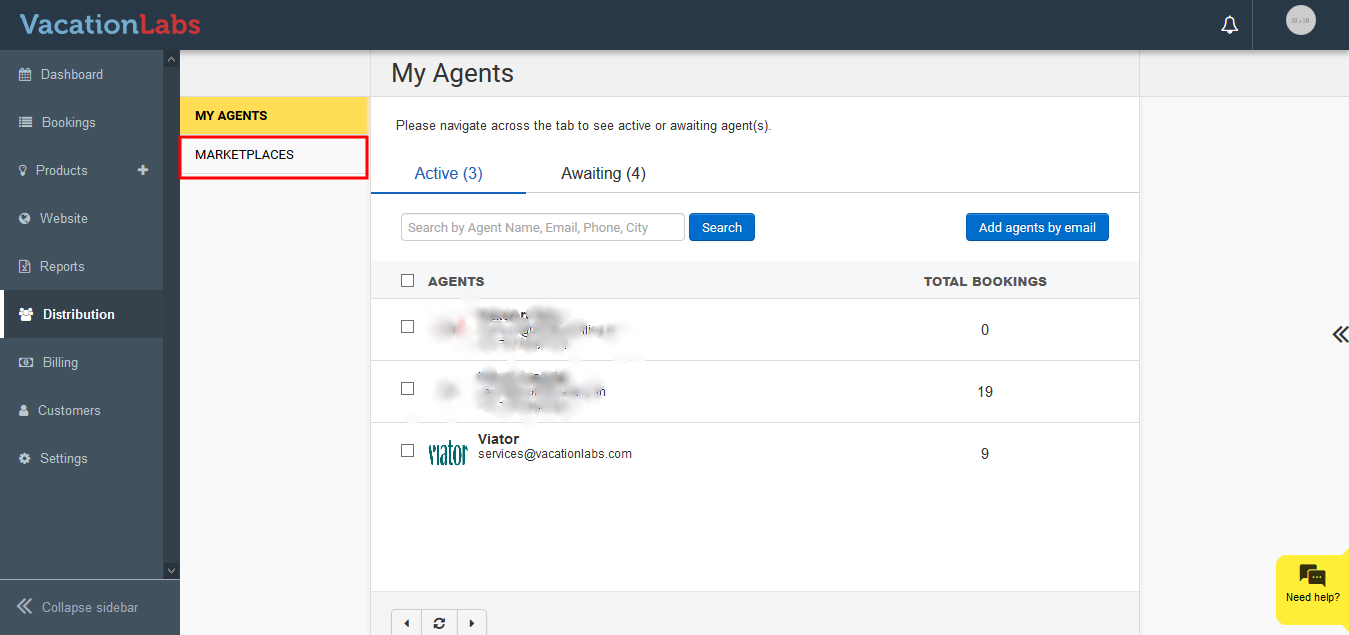
-
Now click on Details under Viator
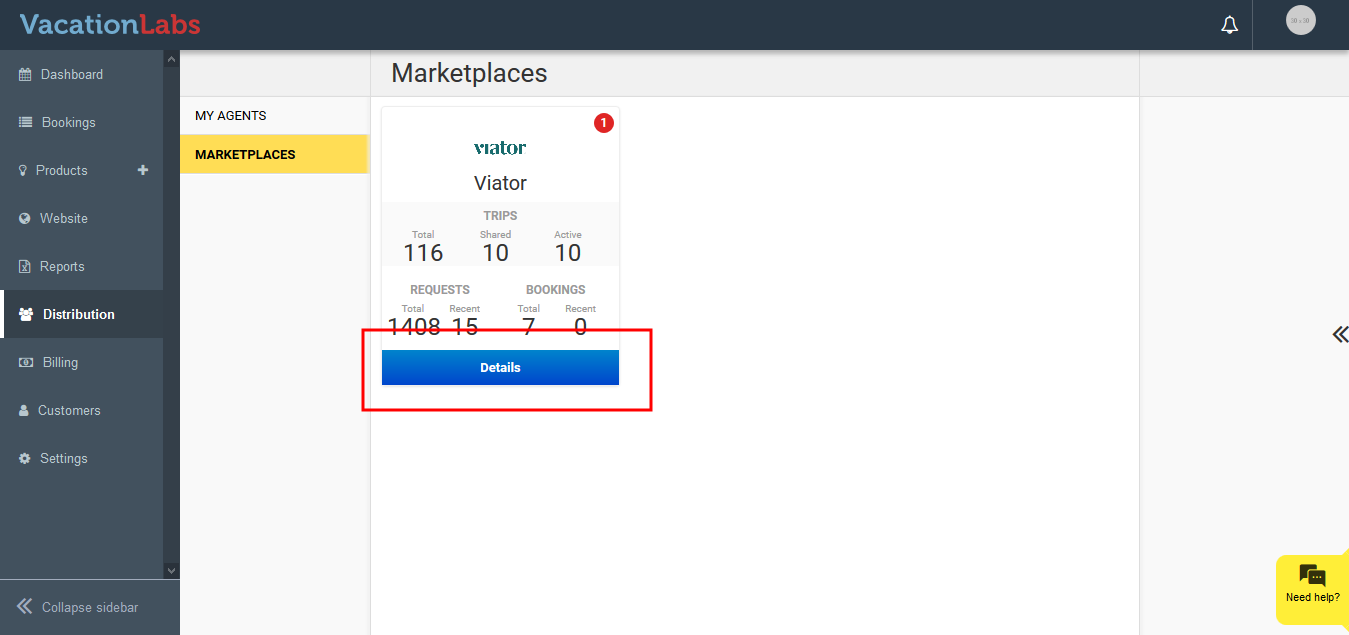
-
Click on Share More Tours
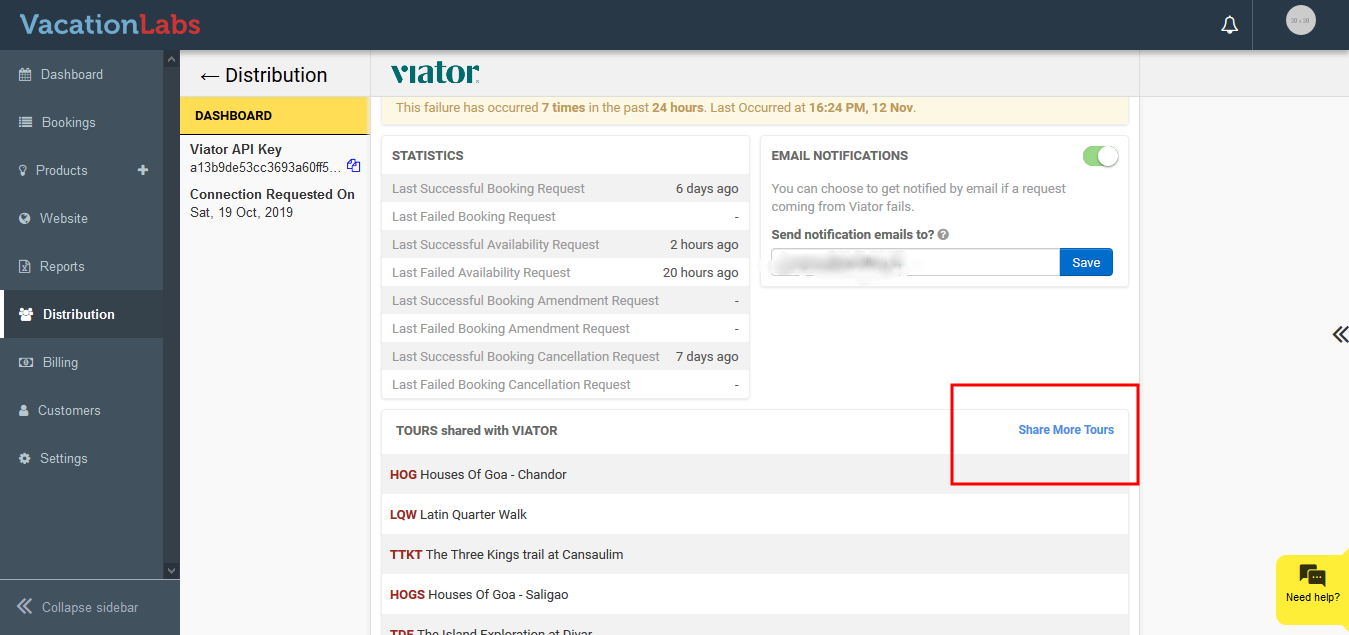
-
Click on X symbol
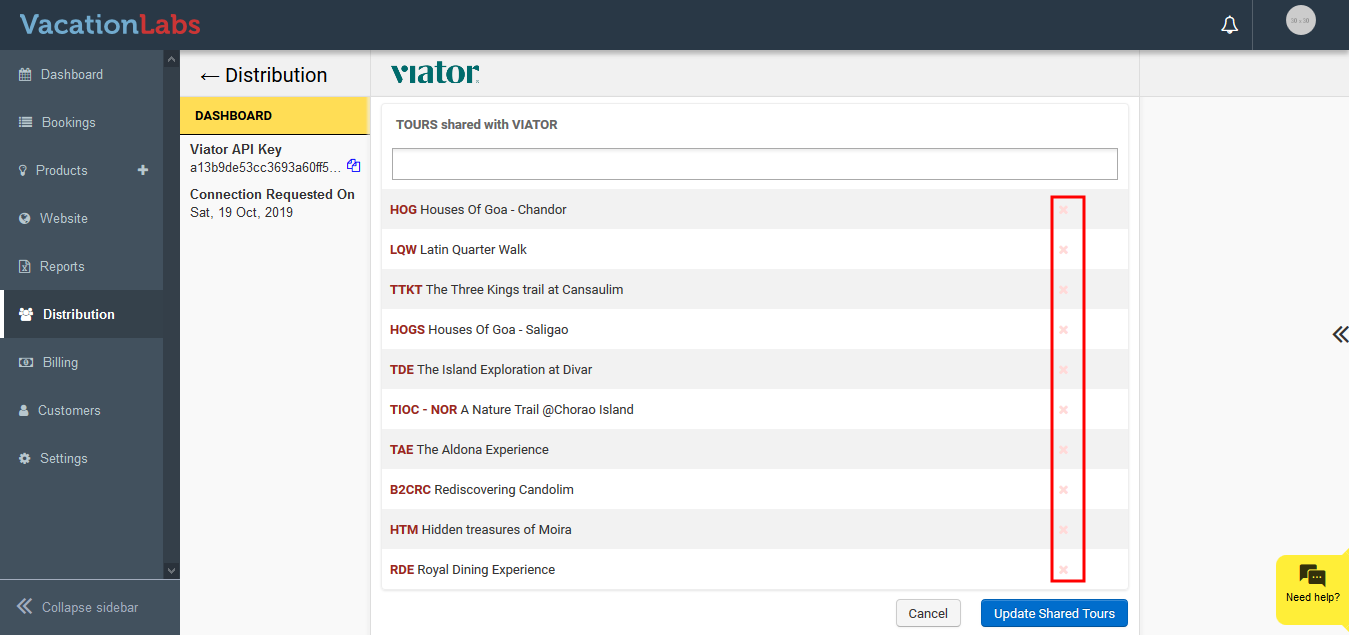
-
After removing the required tours, click on Update Shared Tours
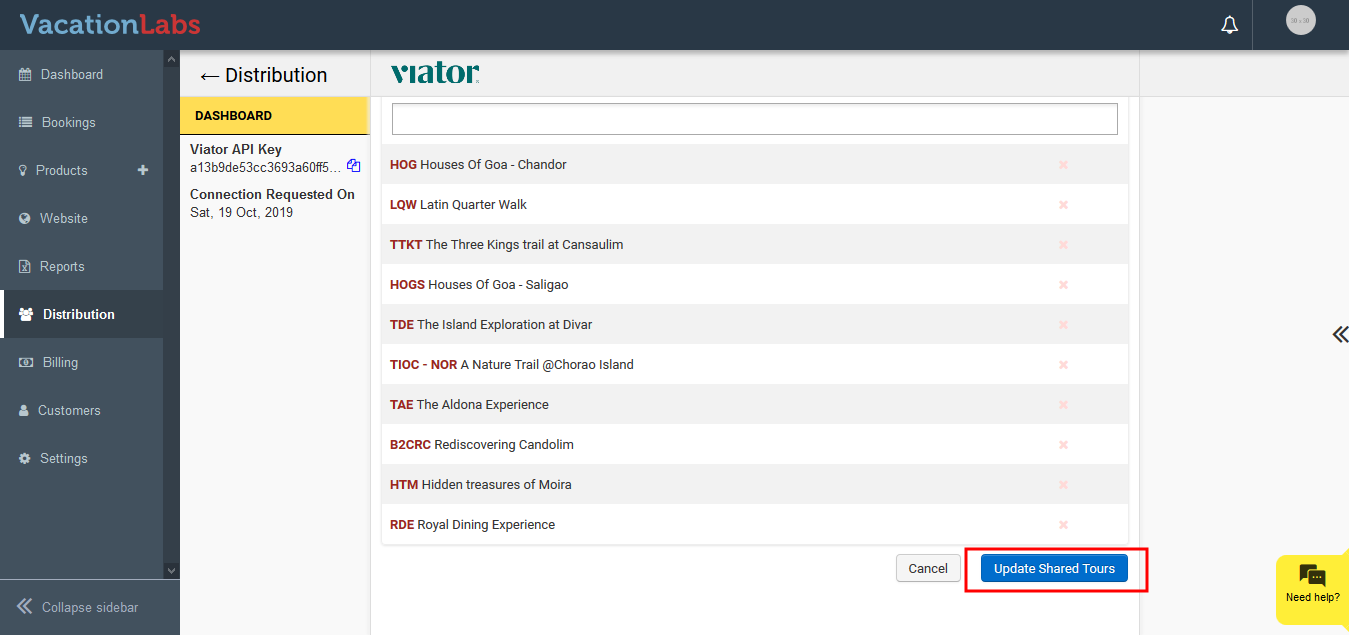
Please Note: You will need to remove the Product mapping in the Viator Product Management section as well (refer screenshot below)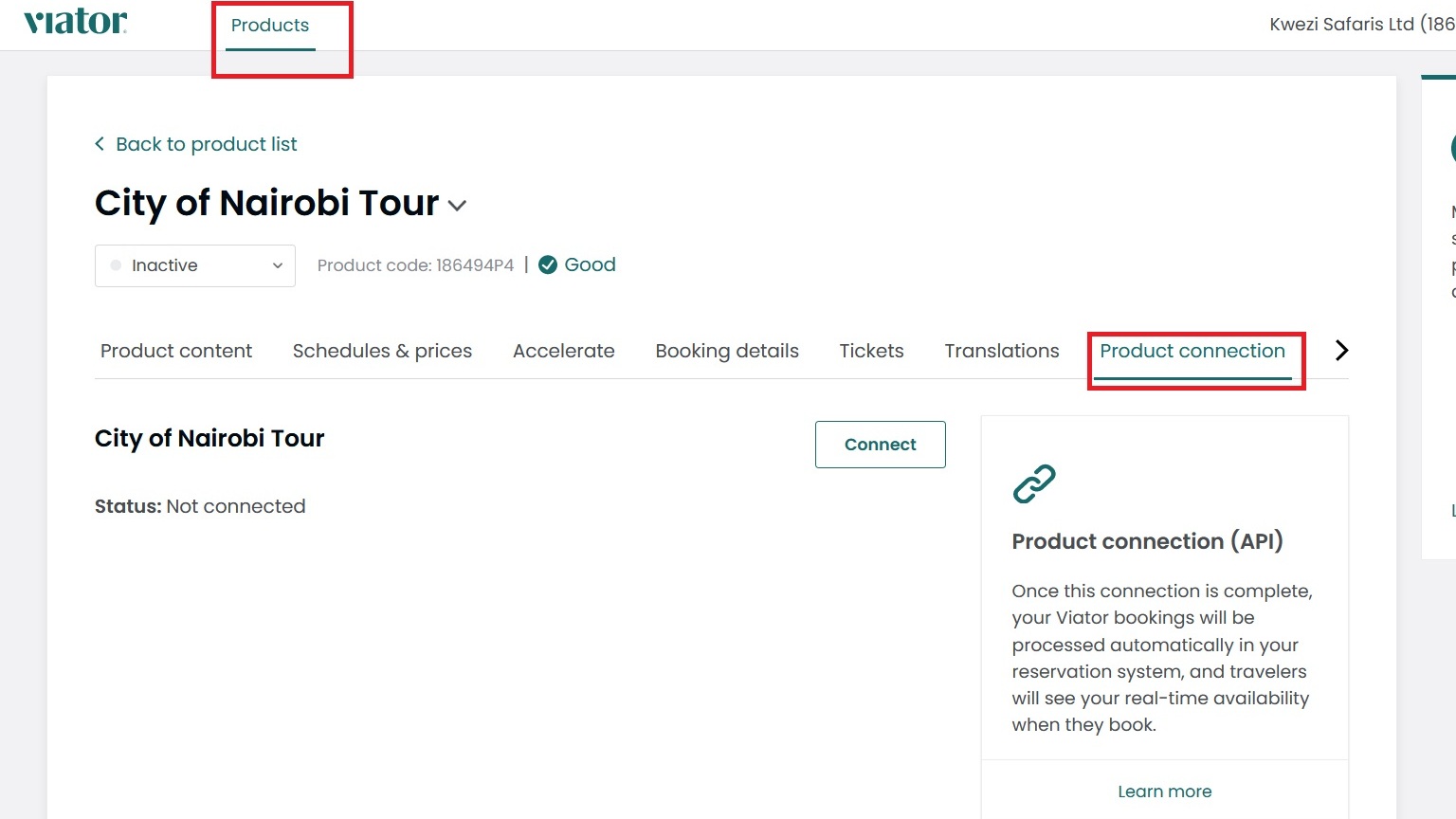
Please check out this article for detailed guide on Connecting Vacation Labs to Viator: