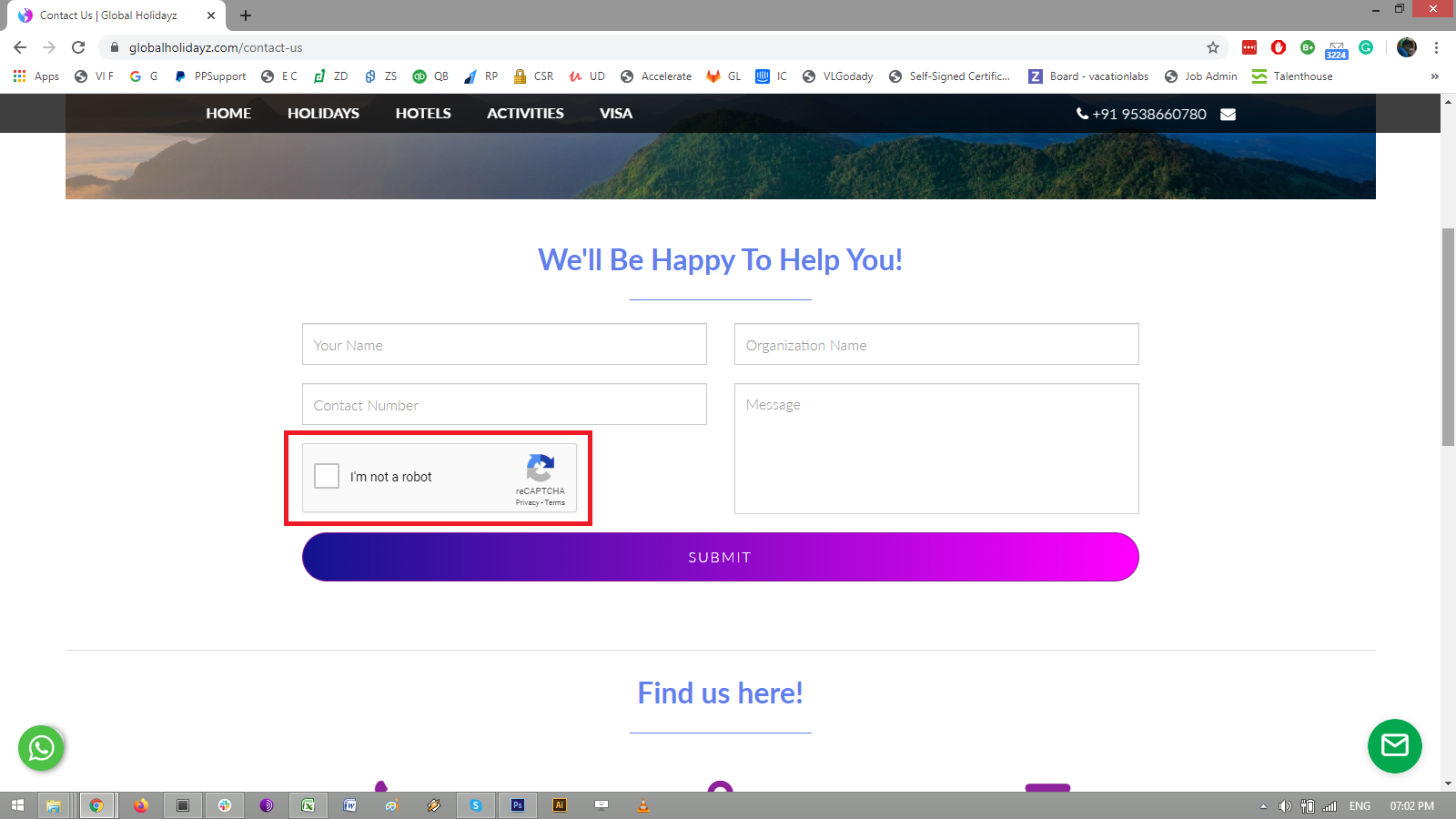
How to enable Captcha on Contact form?
FAQs
Updated
Please follow these steps to enable Captcha on the Contact us form:
-
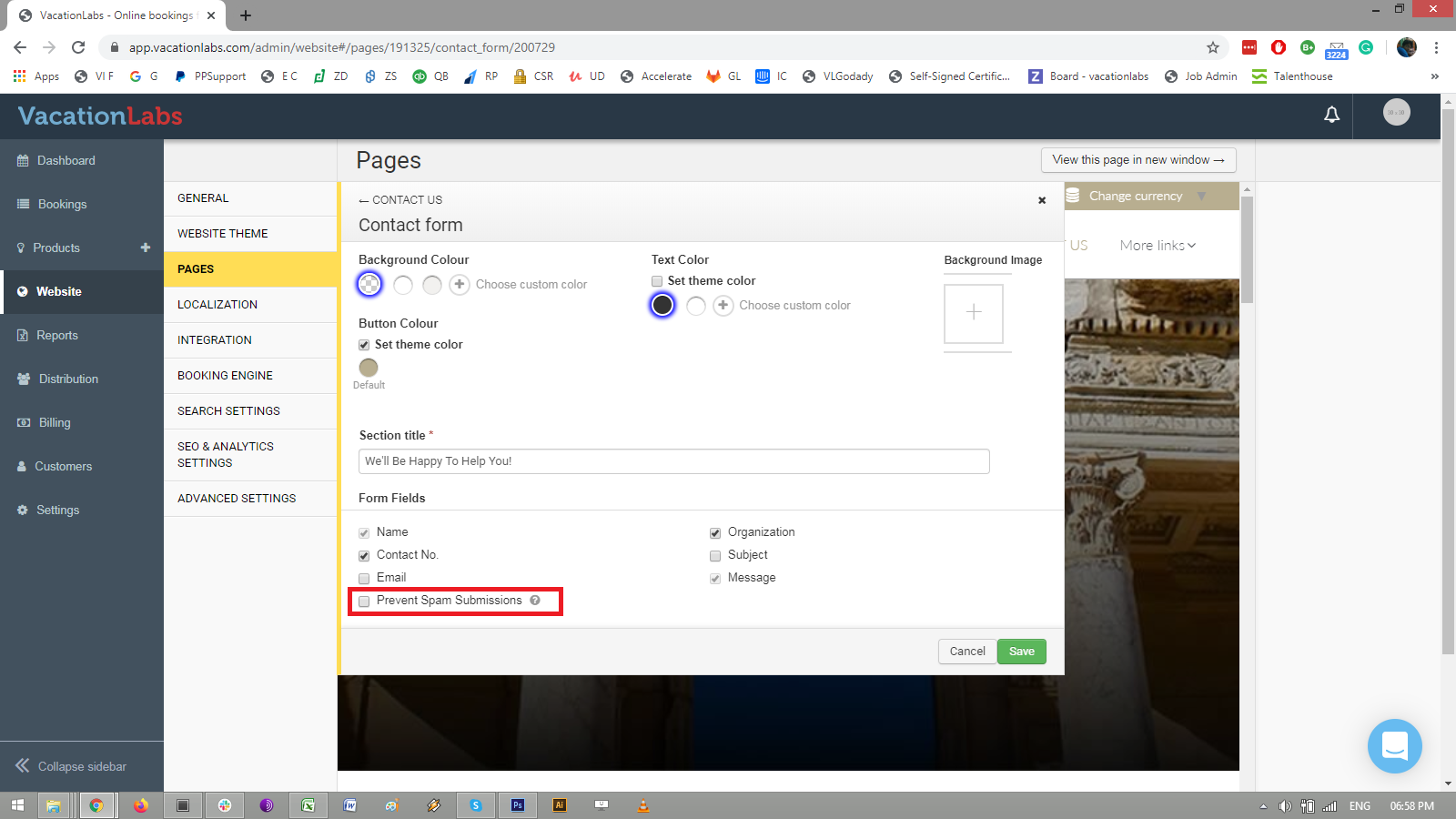
Go to WEBSITE > PAGES > CONTACT US > choose CONTACT FORM
-
click on the check box: PREVENT SPAM SUBMISSIONS
-
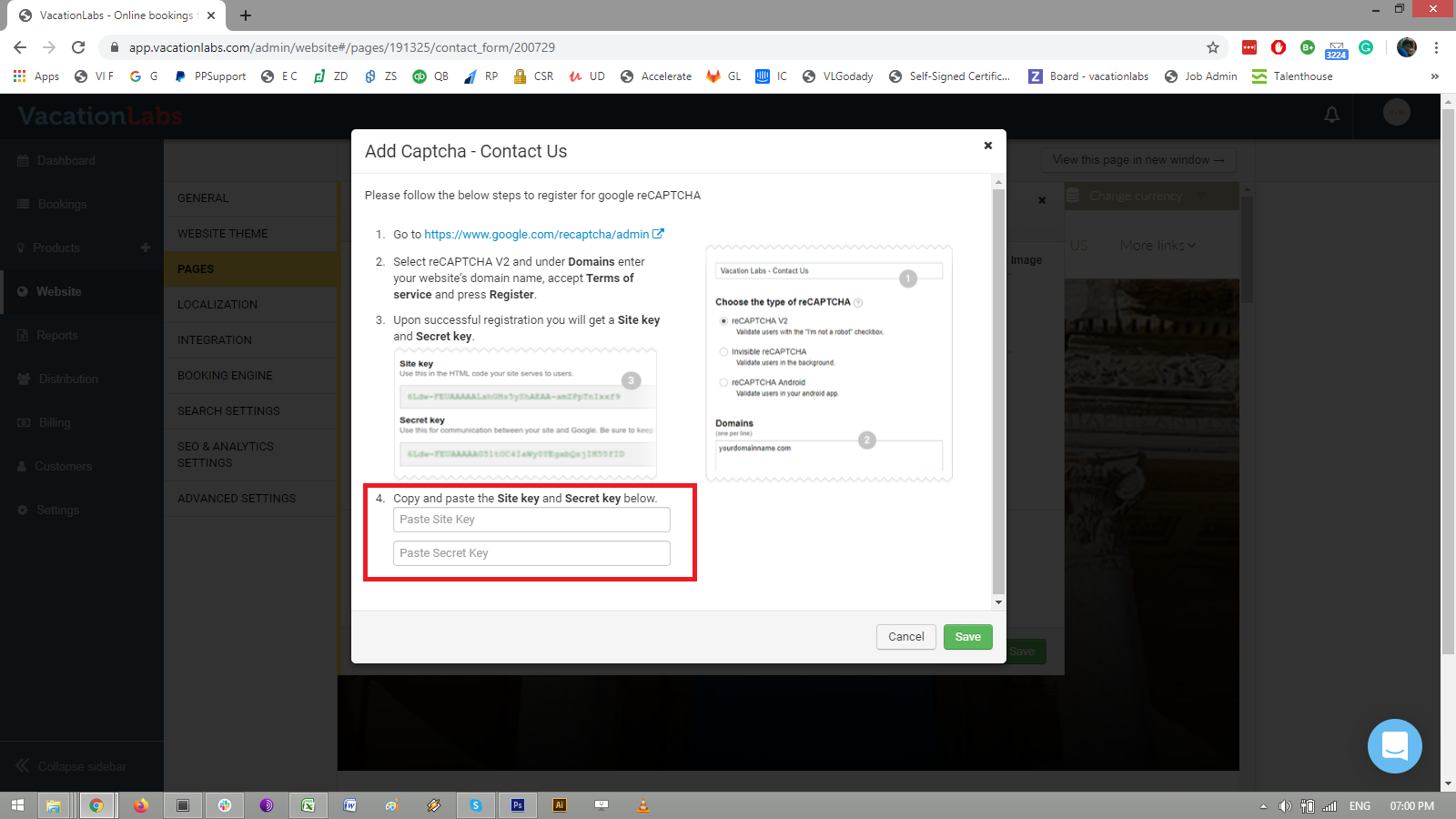
Select reCAPTCHA V2 and under Domains enter your website’s domain name, accept Terms of service and press Register.
-
Upon successful registration you will get a Site key and Secret key.
-
Copy and paste the Site key and Secret key in the fields highlighted in the screenshot below:
-
Once you SAVE it, check on the Contact form and in a few minutes you will be able to see checkbox Captcha enabled on the form.