How to activate Viator API connection ?
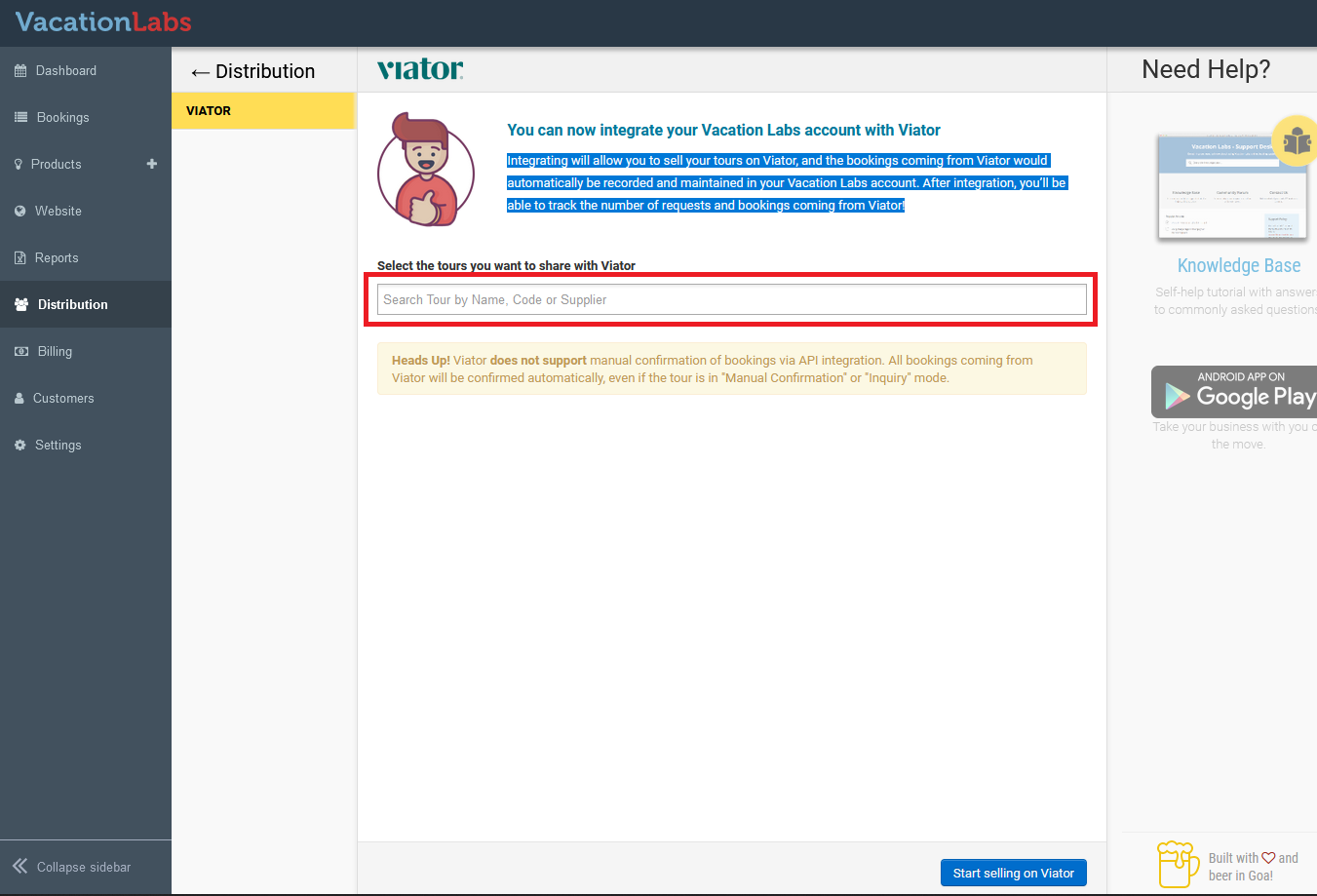
Integrating will allow you to sell your tours on Viator, and the bookings coming from Viator would automatically be recorded and maintained in your Vacation Labs account. After integration, you’ll be able to track the number of requests and bookings coming from Viator!
You can very easily activate the API connection with Viator by following these steps:
-
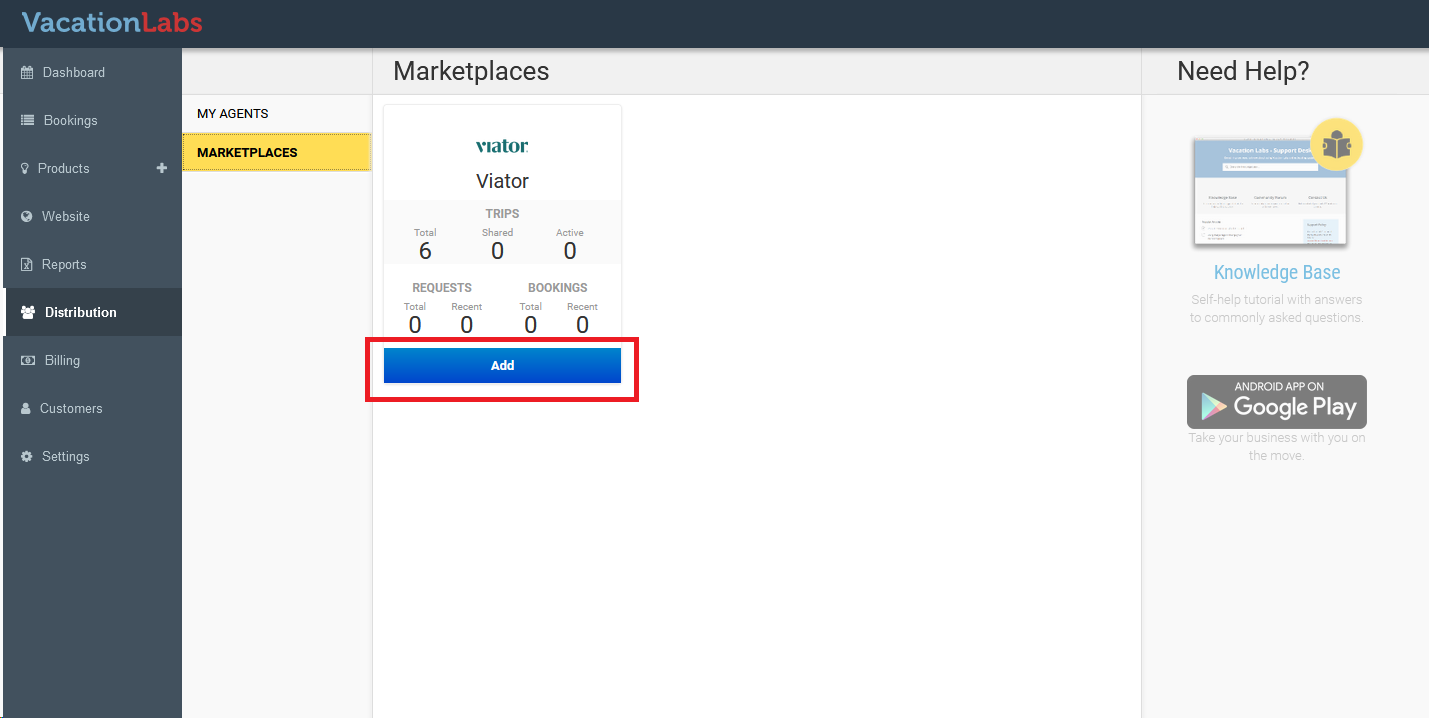
Login to your Vacation Labs Dashboard and go to Distribution-> Marketplaces and Click on ADD
-
Once you click on ADD you will see the following page from where you must choose the trips that you wish to connect with Viator:
-
Choose the trips:
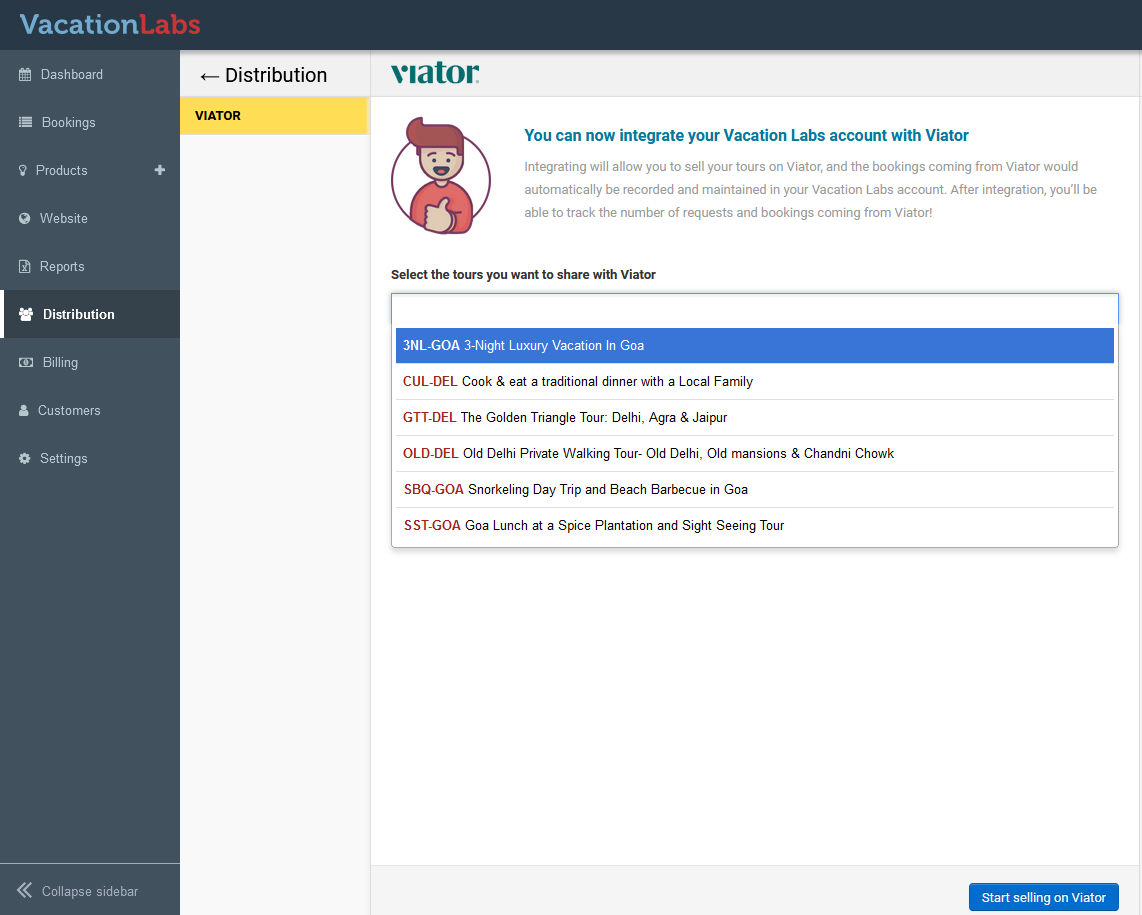 Please note you will need to add location to the trips or else you won’t be able to share them with Viator, Please**CLICK HERE**to get detailed instructions on how to add location to a trip
 -
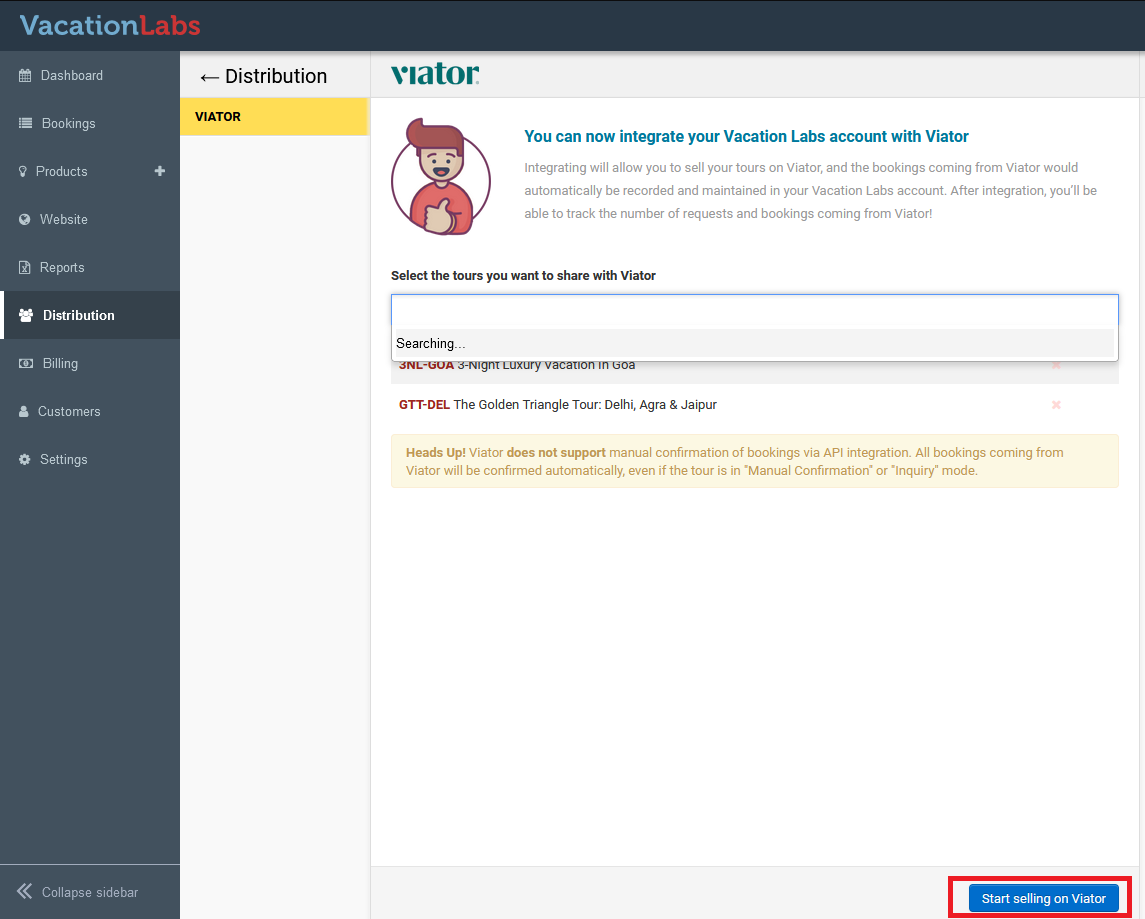
After selecting the trips click on the button: **Start selling on Viator
 **
** -
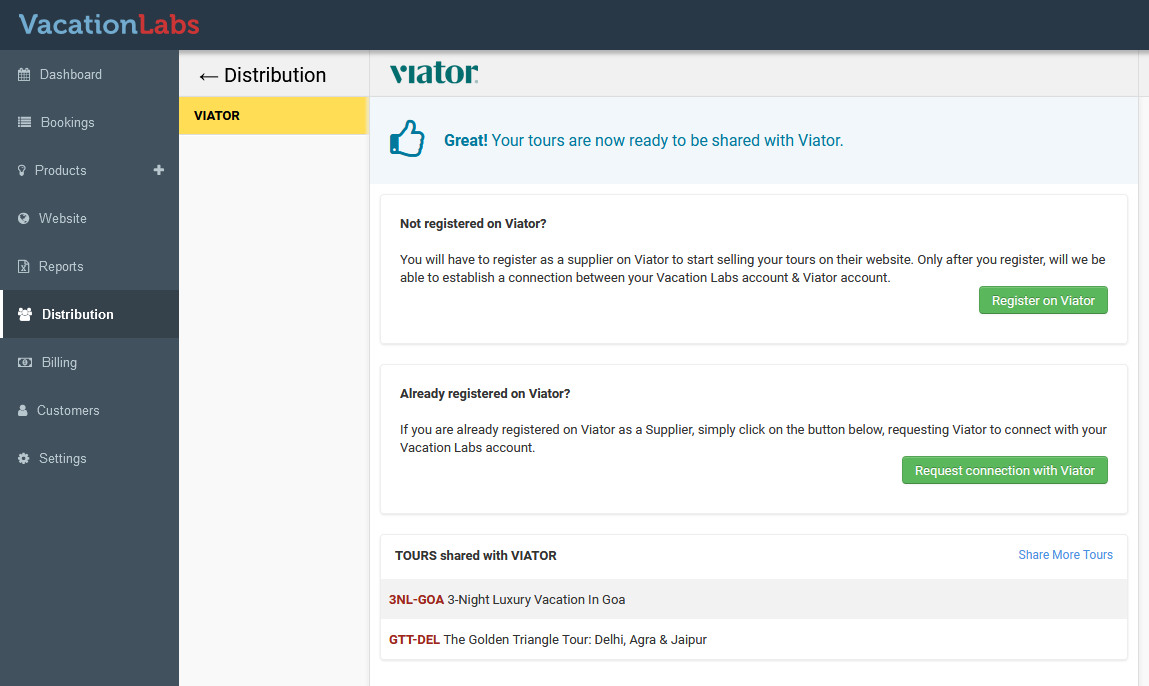
If you already have a Viator account then please choose: Request connection with Viator. If you do not have an account on Viator please choose: Register on Viator. You will be redirected to the Viator SignUp form, where you must complete the sign up process. After the Viator account has been created please come back to the Vacation Labs dashboard and choose: ****Request connection with Viator **
 **
** -
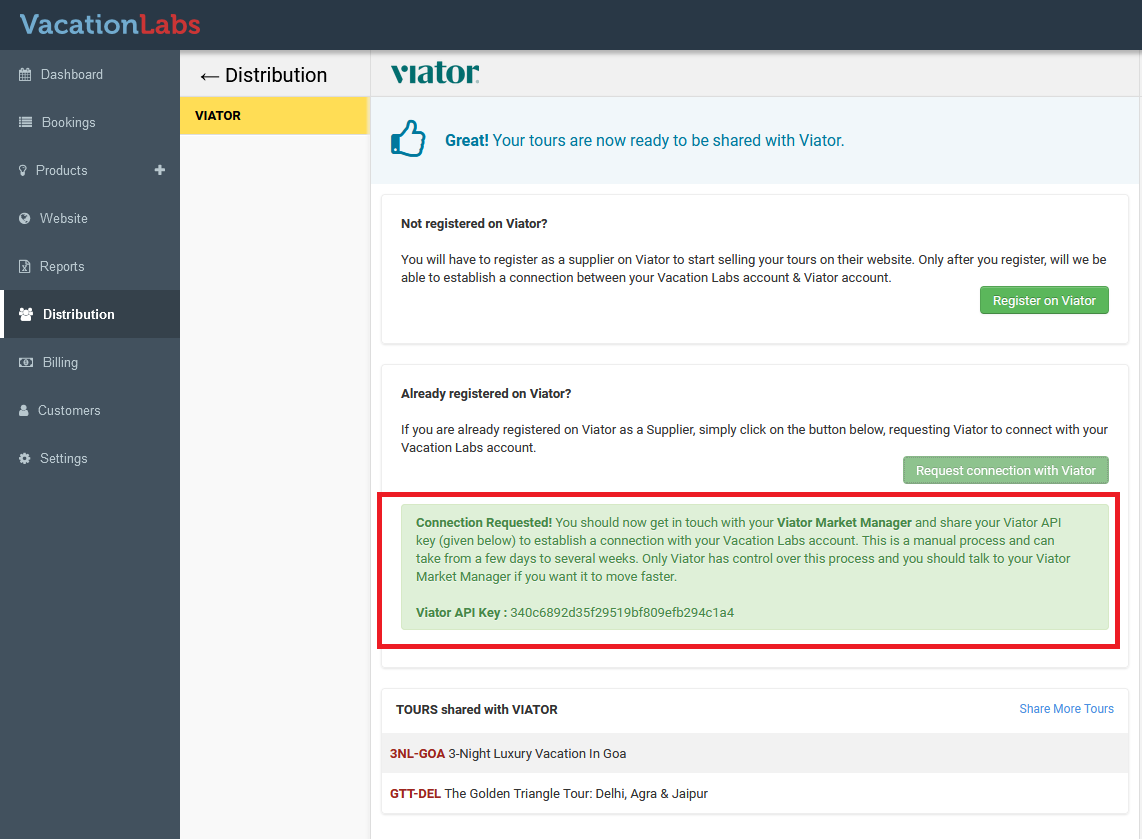
Once you choose to to Request connection with Viator your Viator API key is automatically generated and displayed in the following format:
-
At this time a notification has been triggered to the Vacation Labs support team and the Viator Support team. Within 24-48 hours your Viator API key will be automatically activated after which you will be able to sync/map your tours on Vacation Labs with your tours on Viator.
Warning
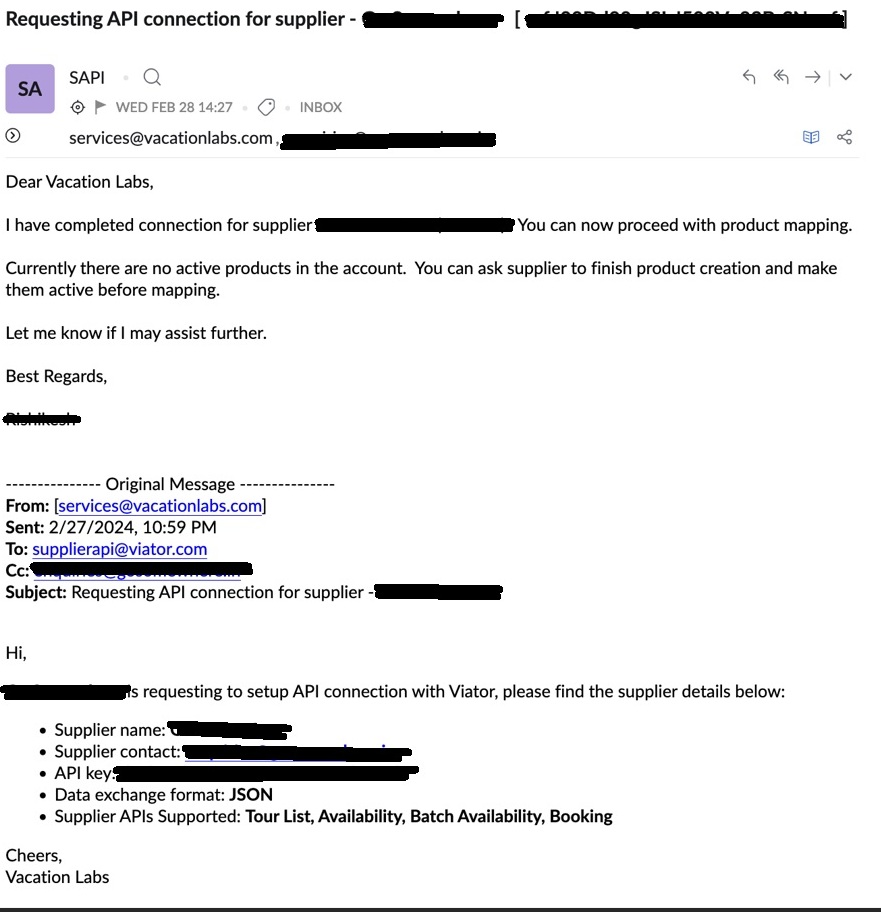
Please note, till the Viator team replies and confirms on email that they have setup the API connection, you will be unable to complete the next step, i.e. mapping trips from the Viator dashboard
Please refer screenshot below, it shows the mail you will receive once the API connection has been successfully set up
Heads Up! Viator does not support manual confirmation of bookings via API integration. All bookings coming from Viator will be confirmed automatically, even if the tour is in “Manual Confirmation” or “Inquiry” mode.
Check out this support article for detailed integration guide: