How to delete or disable a page on website
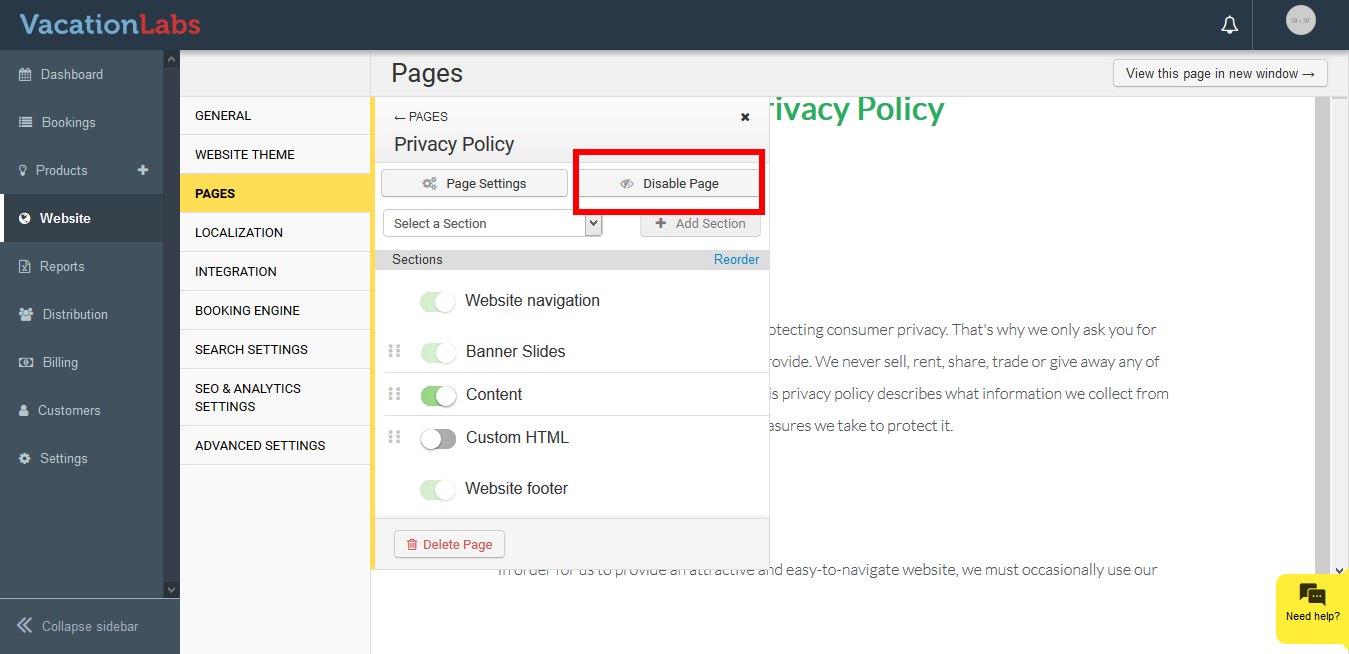
You can always disable or delete a webpage if you wish to remove it from your website. If you wish to hide the page and don’t want the visitor to visit the webpage for sometime then you can use the Disable option. Once the page is disabled it shows an 404 error if someone visits the page.
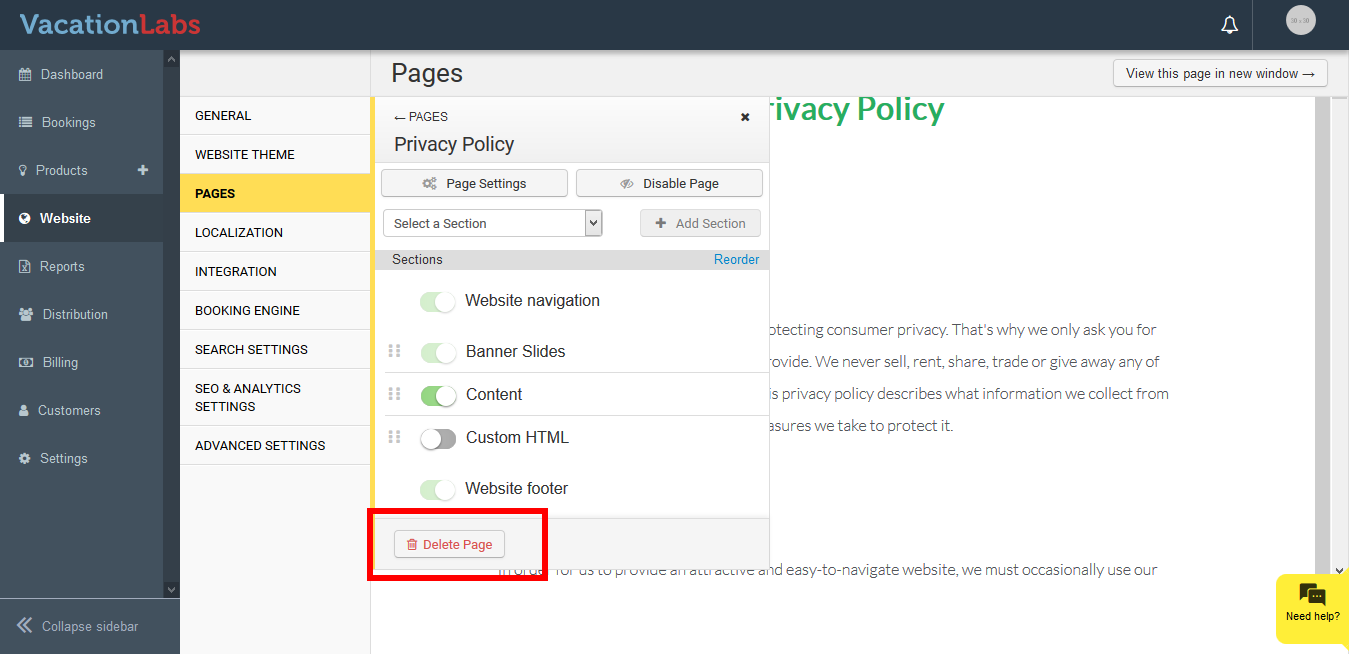
Additionally if you wish to completely delete the page from your website, you can always opt for Delete option. This will delete the page entirely from your website and Back office.
Please note; Once a page is deleted it can’t be recovered in any way. The essential pages like Homepage, About Us, Contact Us can’t be deleted.
Please follow the below steps,
-
Login into vacation Labs
-
Click on Website
-
Click on Pages
-
Select the page which you wish to delete or disable
-
Click on Disable Button to Disable page
-
Click on Delete Page to Delete the Page permanently