How to Disable Search feature from your website?
Managing Search on the website
Updated
The search option is primarily displayed in 3 locations i.e Header, Homepage Banner Image and the Search widget section.
To Disable search globally (on Header, Banner Image) follow the steps below:
-
Login into Vacation Labs
-
Click on Website
-
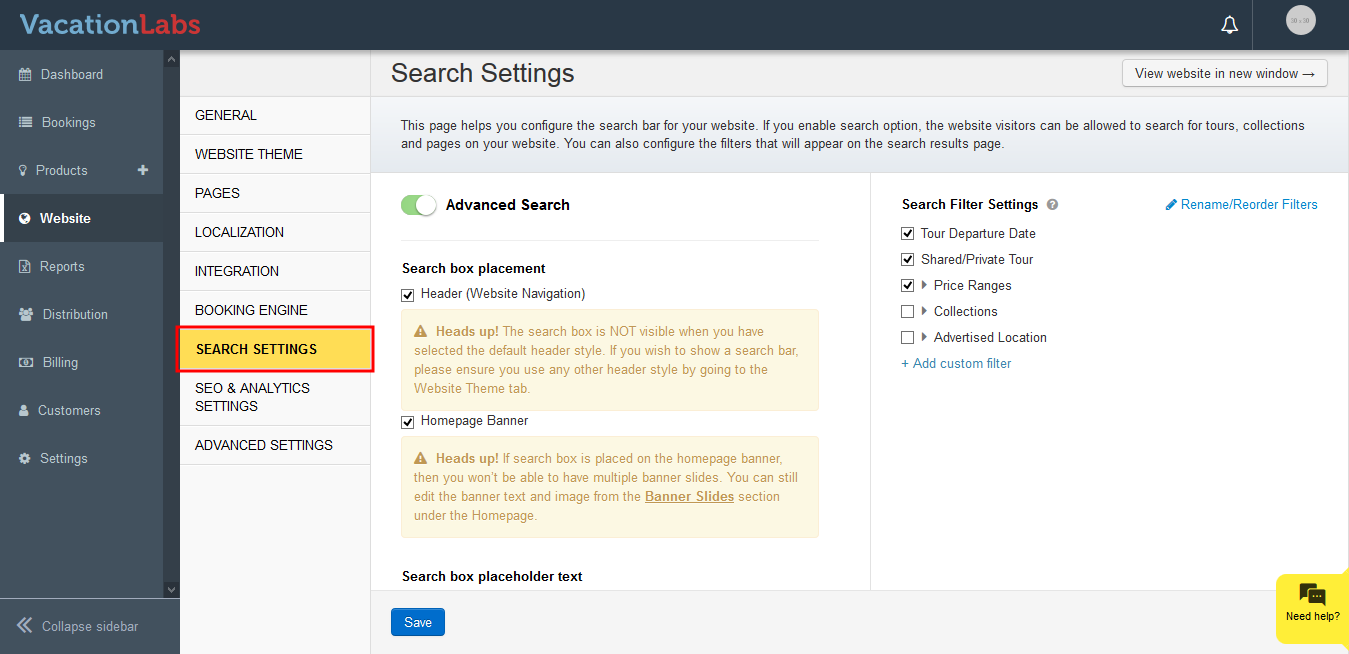
Click on Search Settings
-
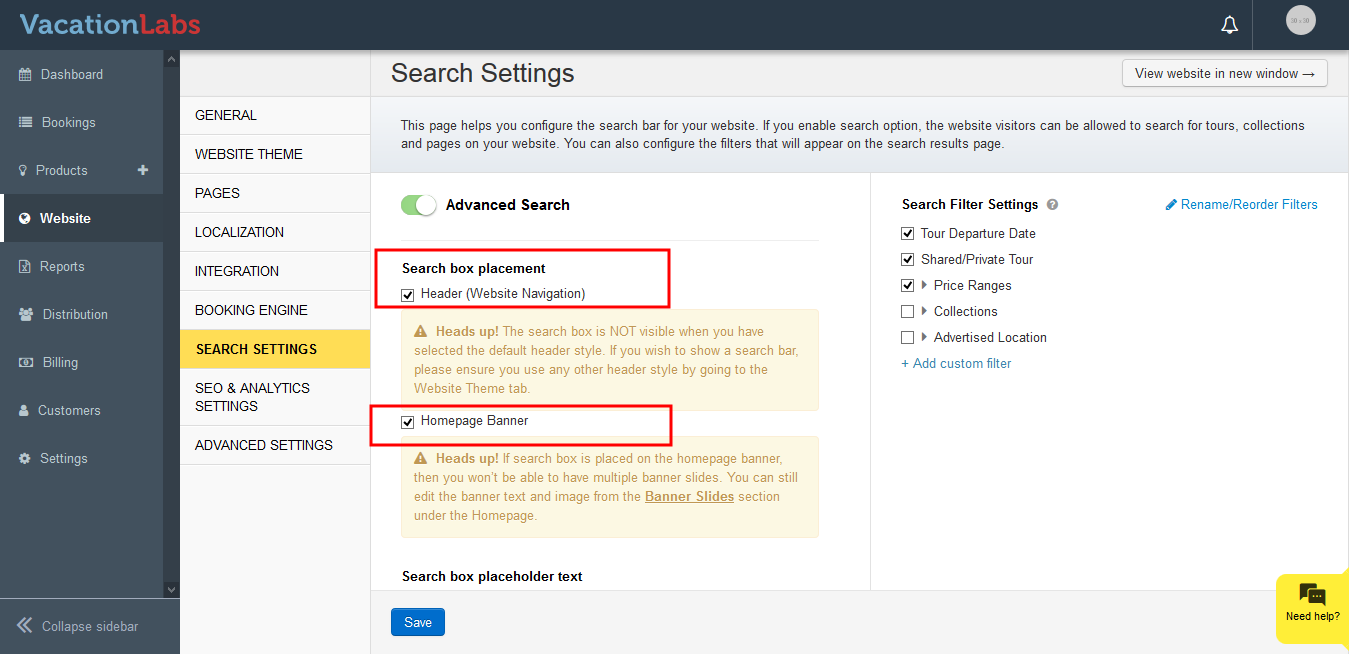
Uncheck the Header, Homepage banner search to disable search
-
Click on Save
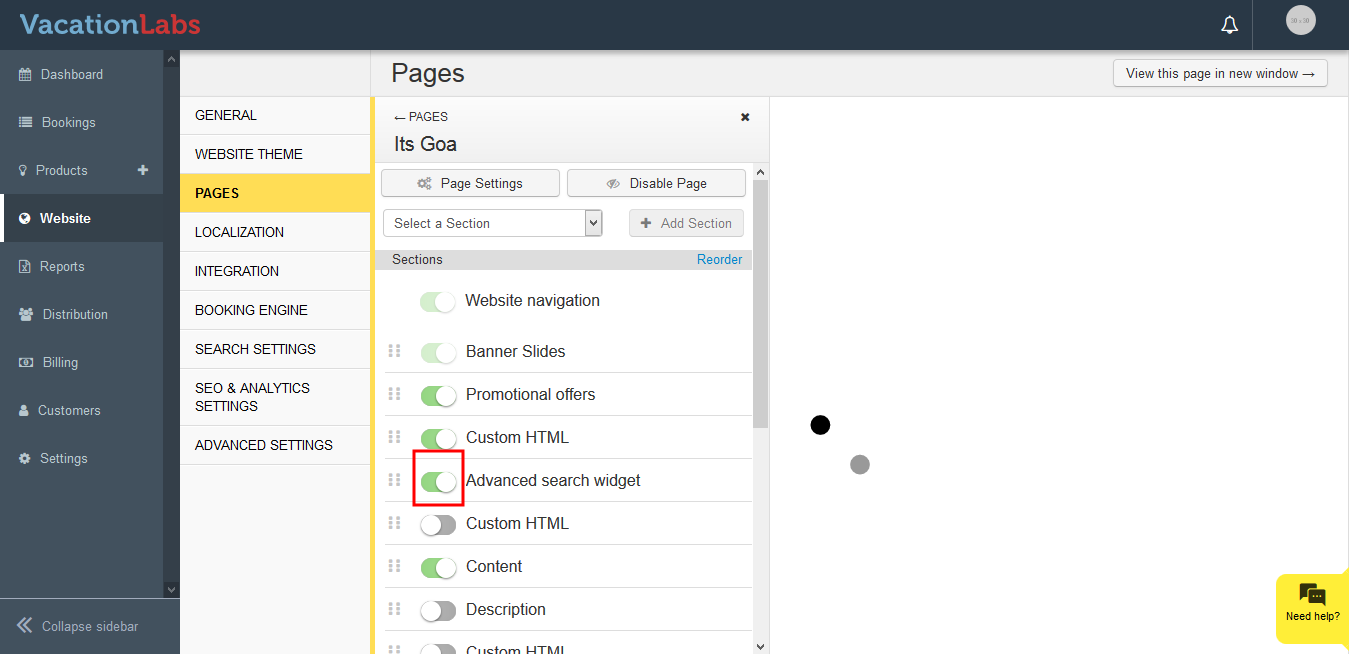
To Disable search widget displayed as a section follow the below steps,
-
Login into Vacation Labs
-
Click on Website
-
Click on Pages
-
Select the page on which the Search widget is currently displayed
-
Click on the toggle button besides the Advanced Search Widget