Editing content for multiple tours via Accelerate
Overview
You can add/edit/remove content for the tours via accelerate.
Please Note: You cannot create new trips via Accelerate, you can only edit the content of the existing tours
- Before your start
- Adding/modifying/removing content of a tour
- Important points about content formatting in the Google Sheet
Before you start
Please make sure that you have fetched the correct tour details,
Info
Check out this support article for guide: Importing correct tours
Adding Content
After you have imported the correct tour data, go to the TripContent Sheet and find the field for which you want to add content, such as in the screenshot below: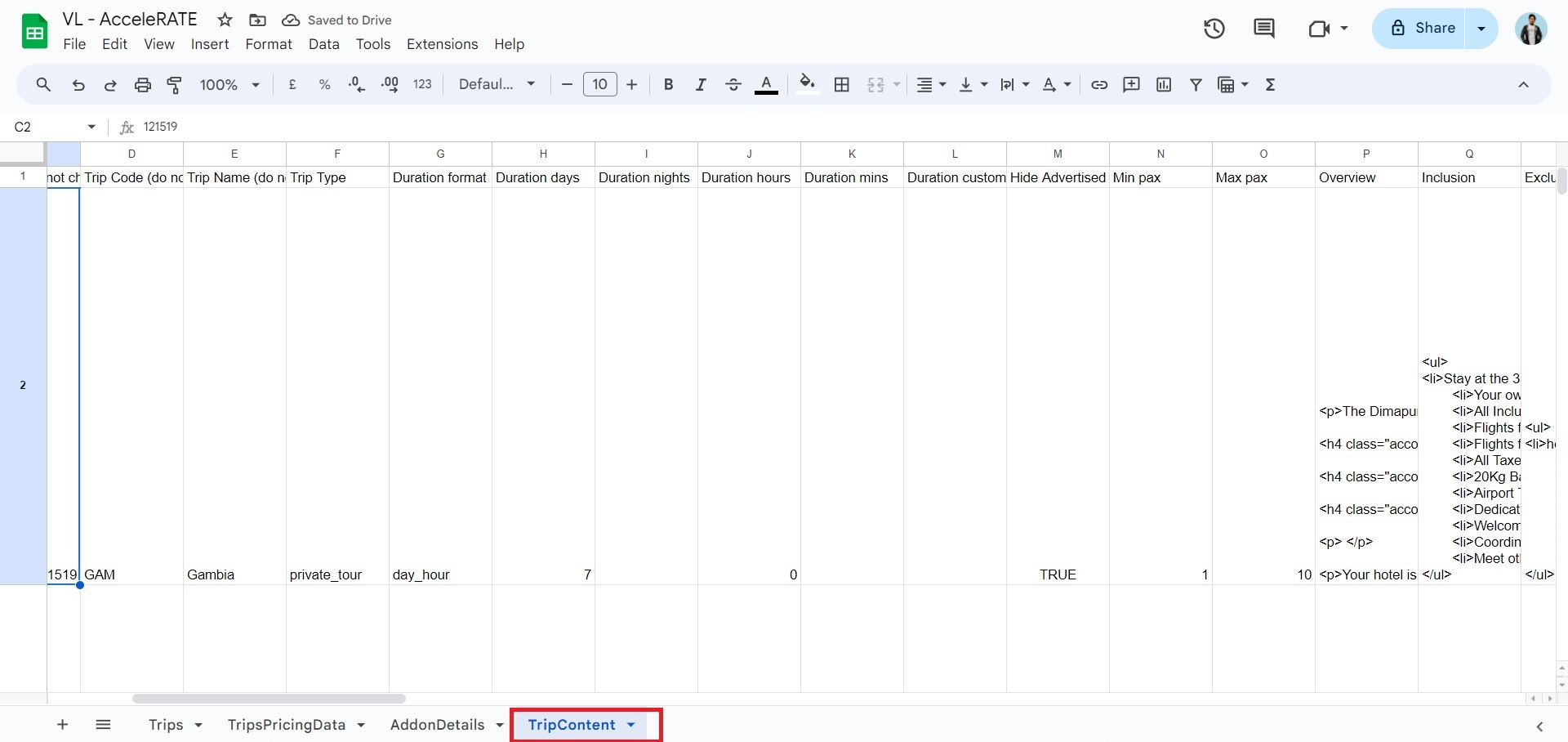
Then change the content as you wish in the appropriate column, in this example we want to add content in Overview so we will add the text in Column P (refer screenshot below)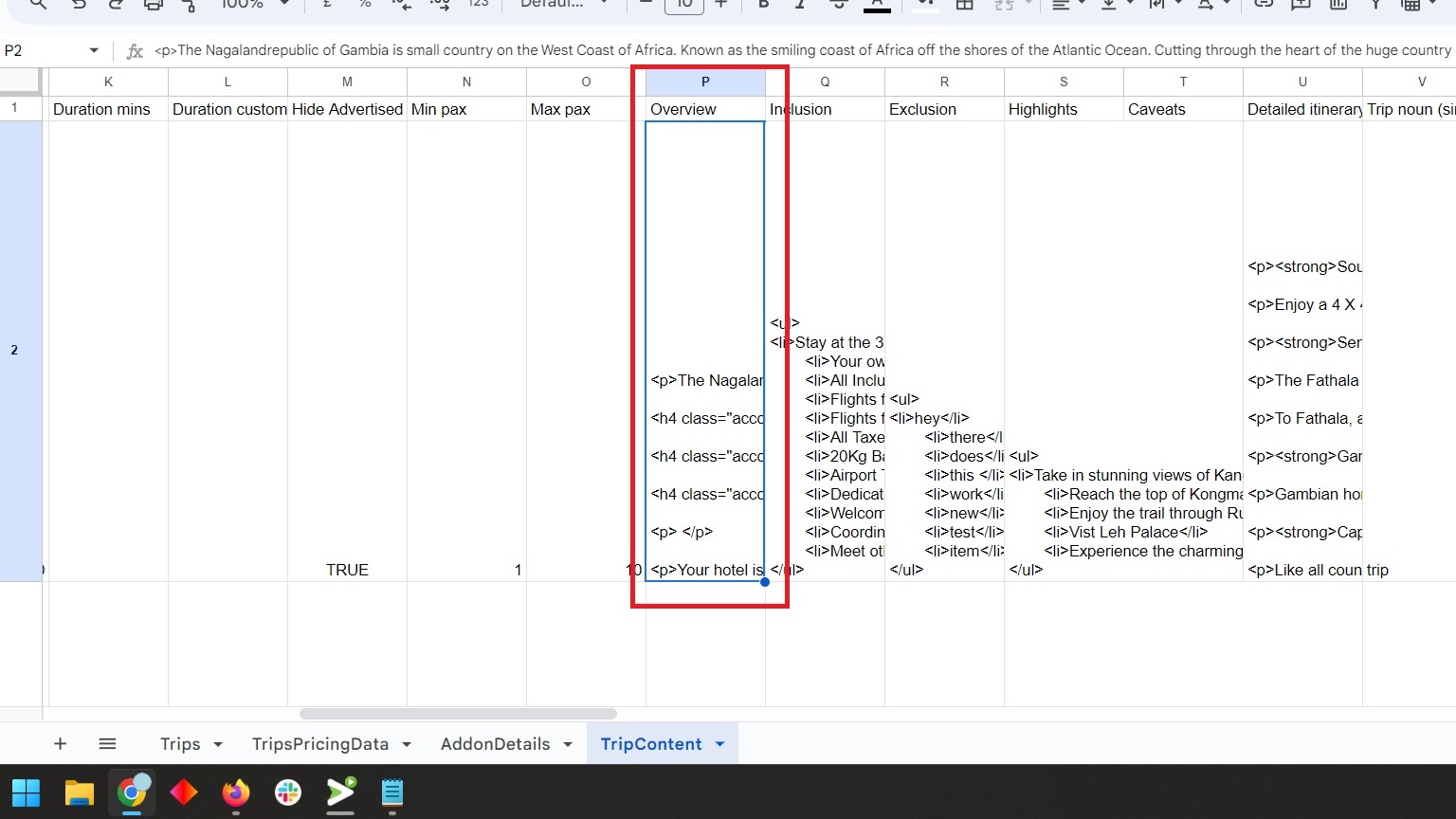
Once you have made the desired changes, go to column B (content action) and change the text from skip to Edit (refer screenshot below)
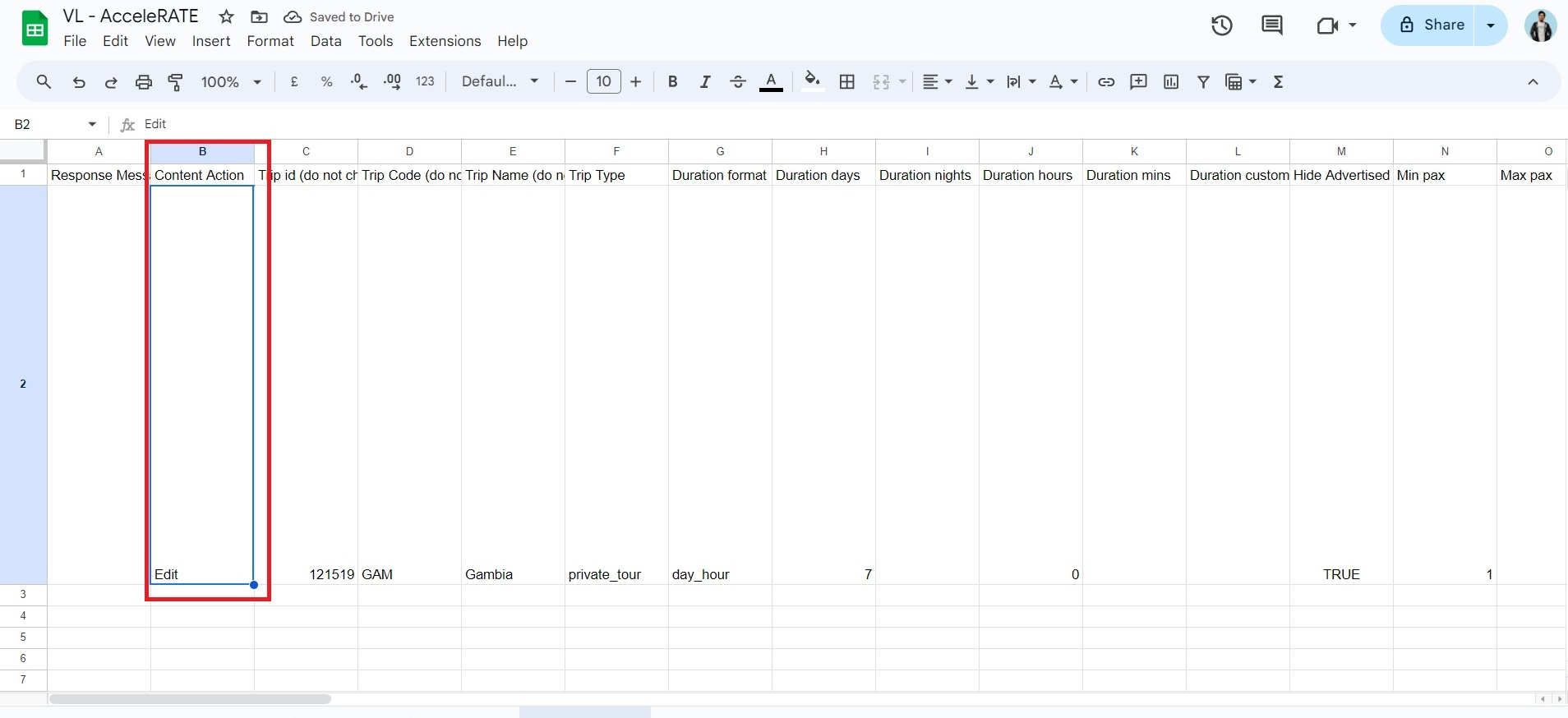
Then go the accelerate plugin page and click on Update Trip Data (refer screenshot below)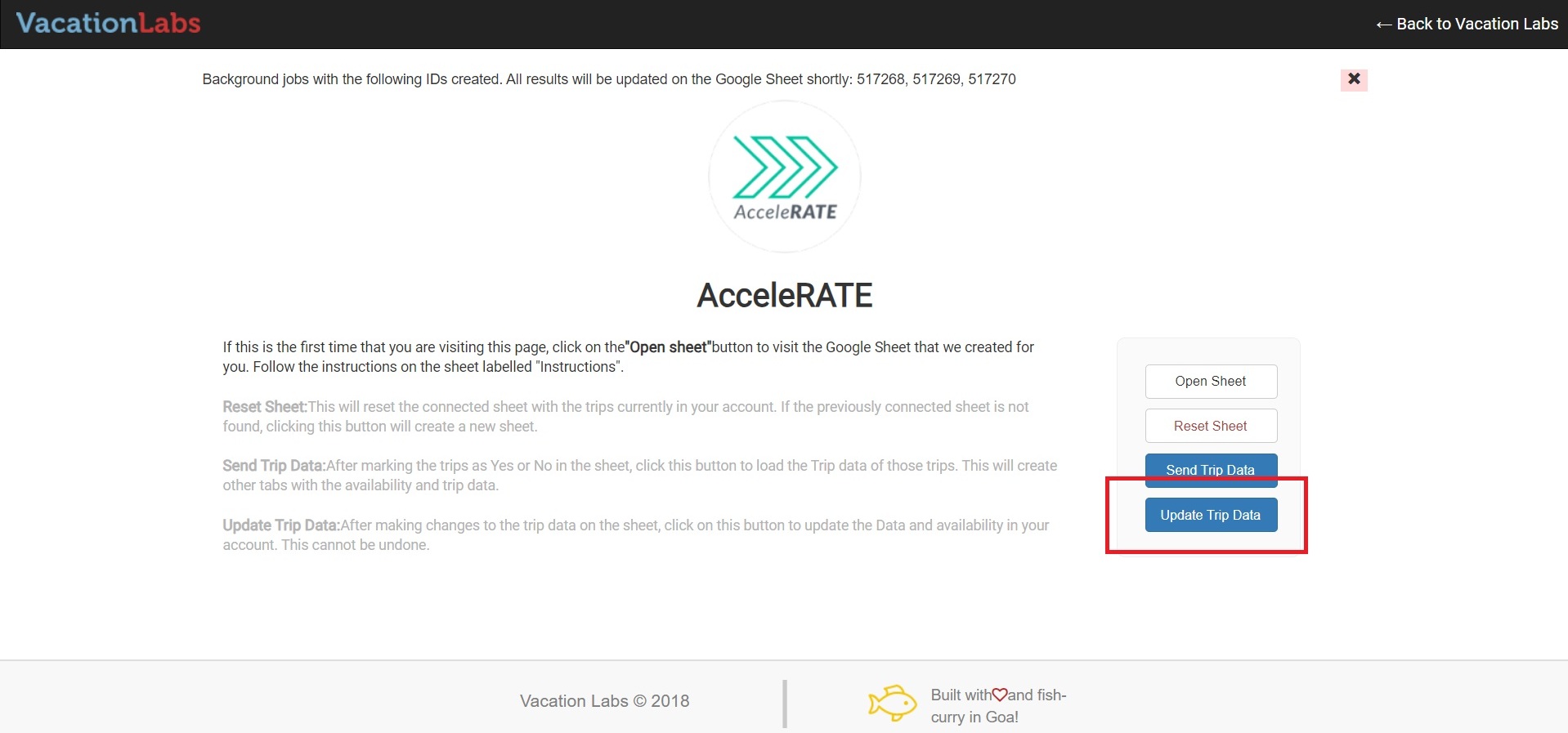
Go to the Sheet again and check Column A (titled Response Message) if the change is pushed successfully then it will show a updated text (refer screenshot below)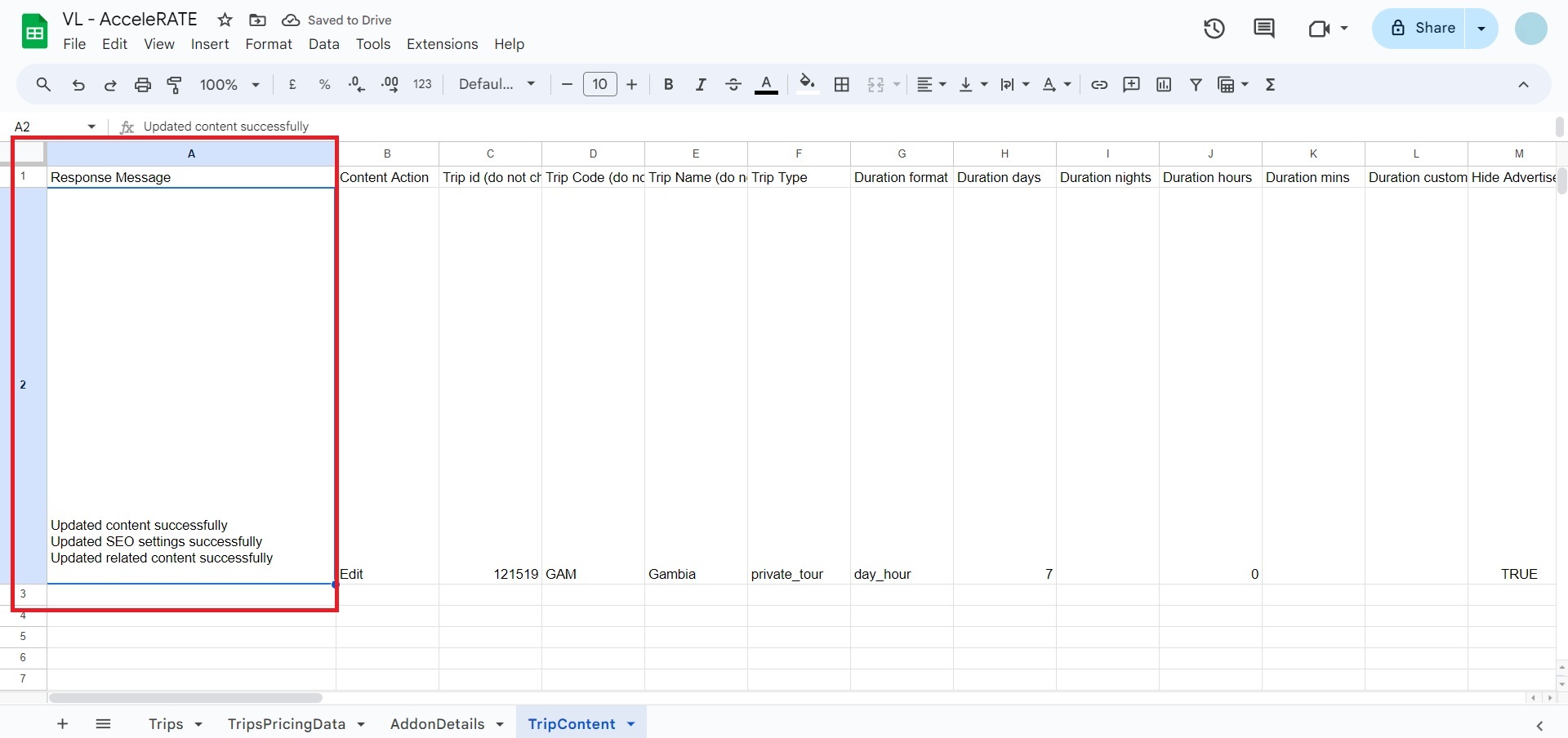
Important points about content formatting on Google Sheets
The fields (referred to as rich text fields) require extra attention to spacing and heading tags. Rich-text fields can contain HTML markup for headings, paragraphs, lists, and other formatting elements. When editing these fields, ensure that the HTML tags are syntactically correct and are closed properly. For example in the screenshot below you can see that columns, such as, Overview, Inclusions, Exclusions, Highlights, Detailed Itinerary (columns P,Q,R,S,U) are all rich text fields and allow the use of HTML tags (refer screenshot below) 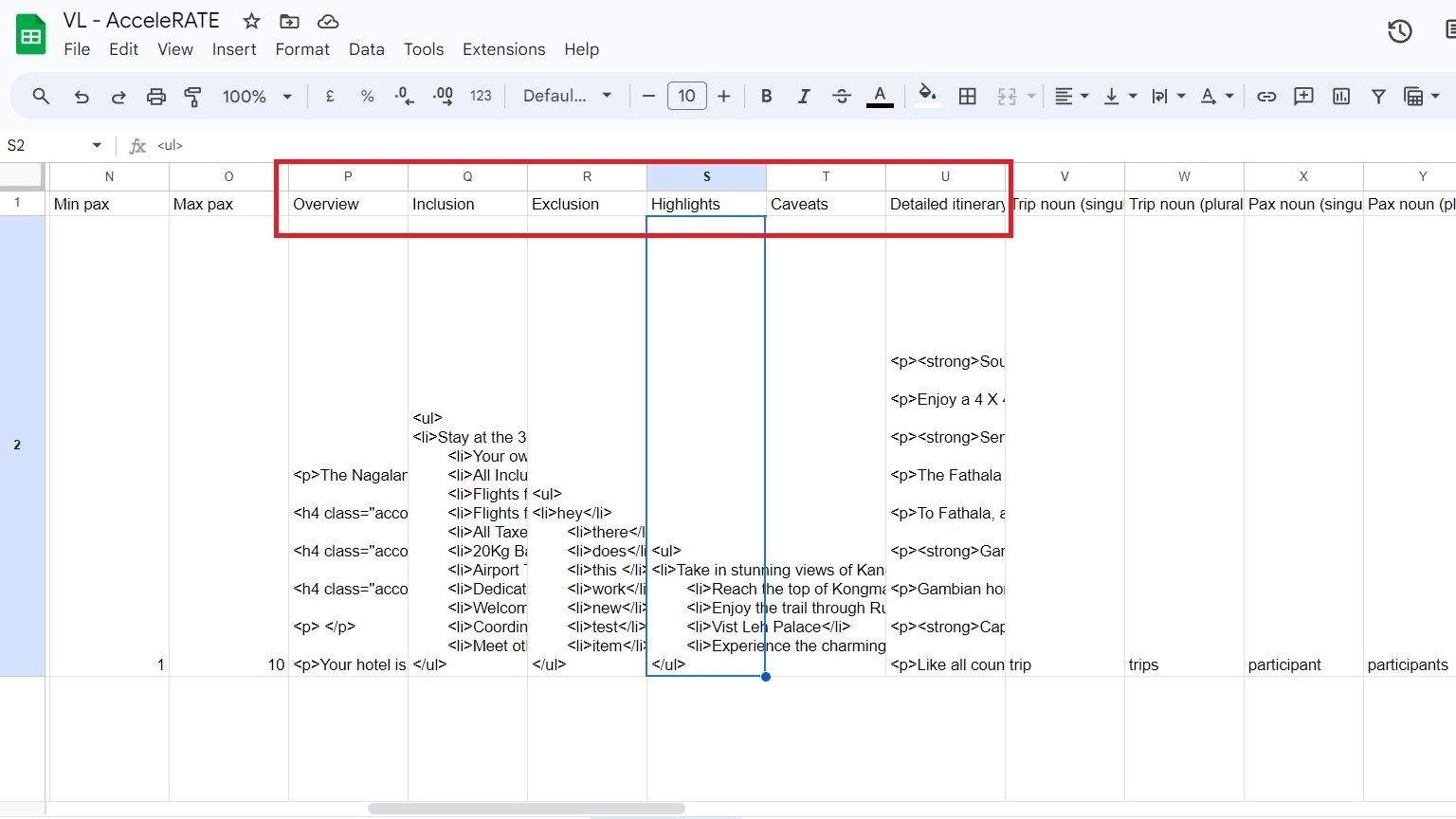
Info
Please note: you can make the custom added trip fields as rich text fields as well
Please check out this article for complete guide on Accelerate
[
Info
How to use Accelerate
](/help/how-to-use-accelerate-plugin/)