How to install custom CSS in Vacation Labs and its caveats
Important caveats - before you begin
Warning
There is no support for custom CSS and there is no guarantee that your custom CSS will continue to work as the platform evolves and new features are released.
Since Custom CSS scripts are installed by customers directly, and are not part of the core platform, they do not undergo any testing / verification by our QA team. Therefore, we will be unable to support, debug, or solve any unintended consequences of this CSS on the core functionality of the website / platform. Further, as the new features are released and the platform evolves, the underling HTML structure and/or class names may change. Therefore, there is not guarantee that your custom CSS will continue to work.
Adding a custom CSS script
Custom CSS can be added by navigating to Website > Advanced Settings and pasting it into the Header section and SAVE the changes.
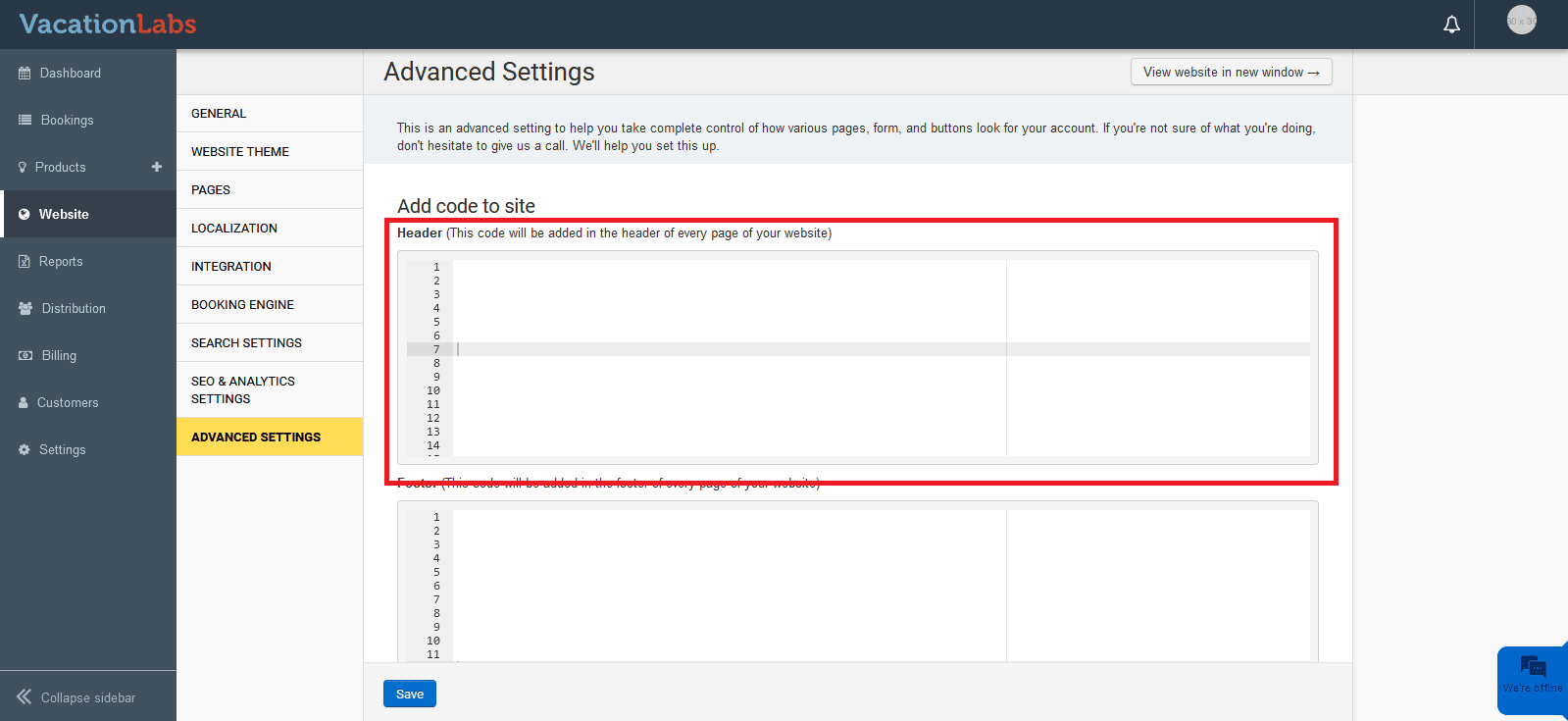
This will add the CSS to all pages on your website. However, if you want to add the CSS only to specific pages, please read how to add a script/code on specific pages
Info
Here are some commonly requested CSS tweaks