How to send Payment Links or request online payment from customers?
FAQs
Updated
For bookings created directly in the backoffice or bookings with a pending balance, you can send a payment link to customers from the Bookings section so they can pay online.
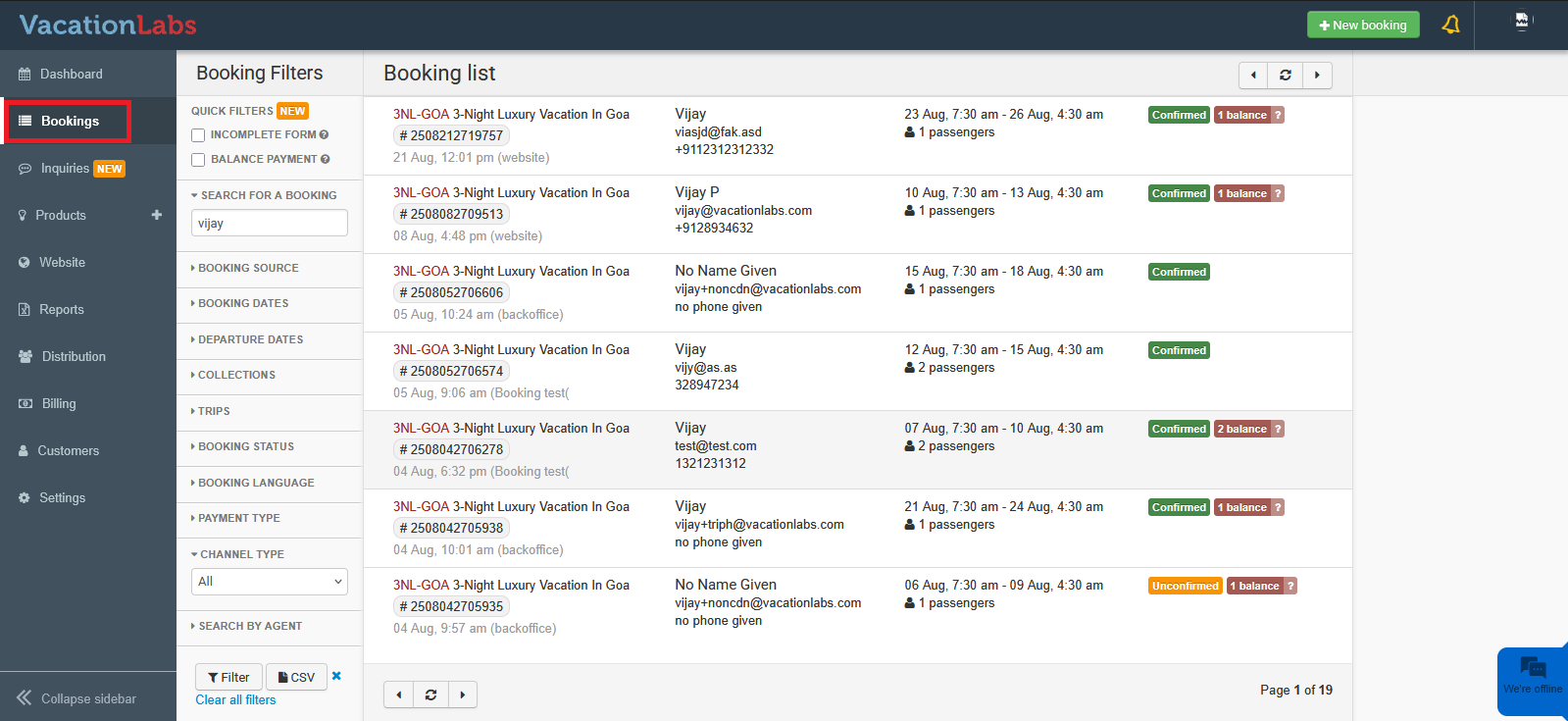
To send a payment link, go to Bookings and open the booking for which you want to request payment.
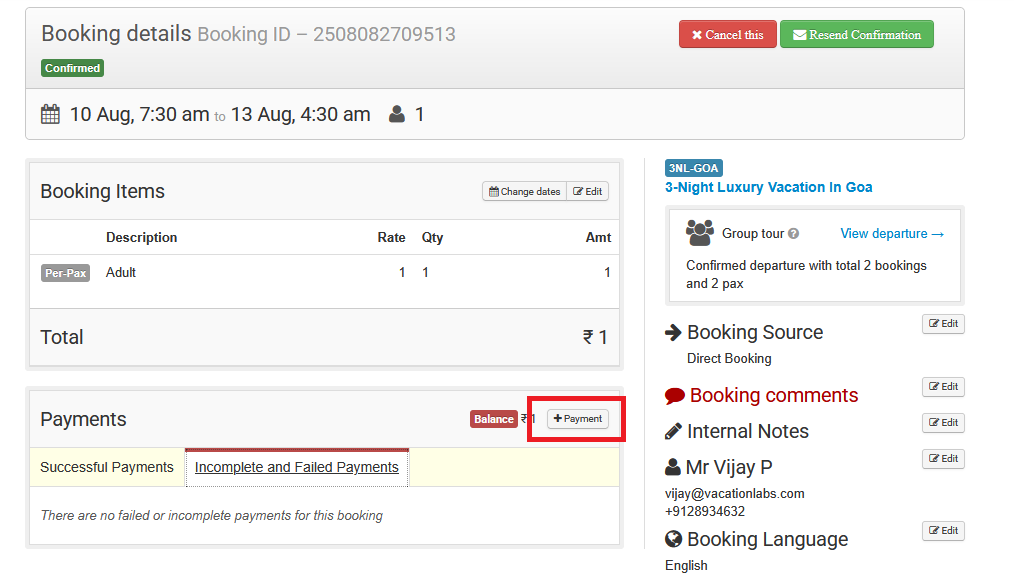
Click on the +Payment button
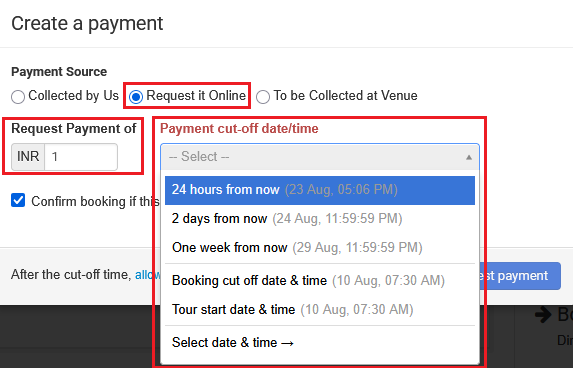
Click on +Payment > select Request it Online > adjust the auto-filled balance if needed > set the payment cut-off date/time.
(Optional) If the booking is in an Unconfirmed state, check Confirm booking if this payment is made so the booking automatically updates to Confirmed once payment is received.
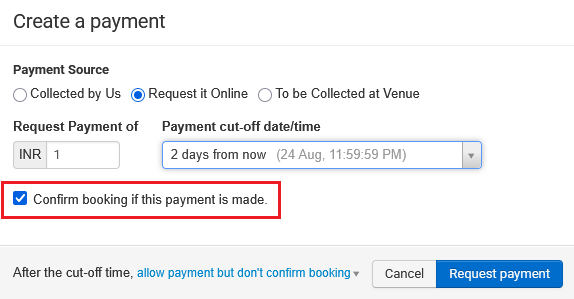
Finally, click on Request Payment