How to Set up Tracking Codes?
A tracking code is a snippet of JavaScript that sends traffic data related to website visitor sessions to Analytics Dashboard.
A tracking can be added to analyze the traffic of particular pages.
Follow the below mentioned steps to add a Tracking Script for a particular page:
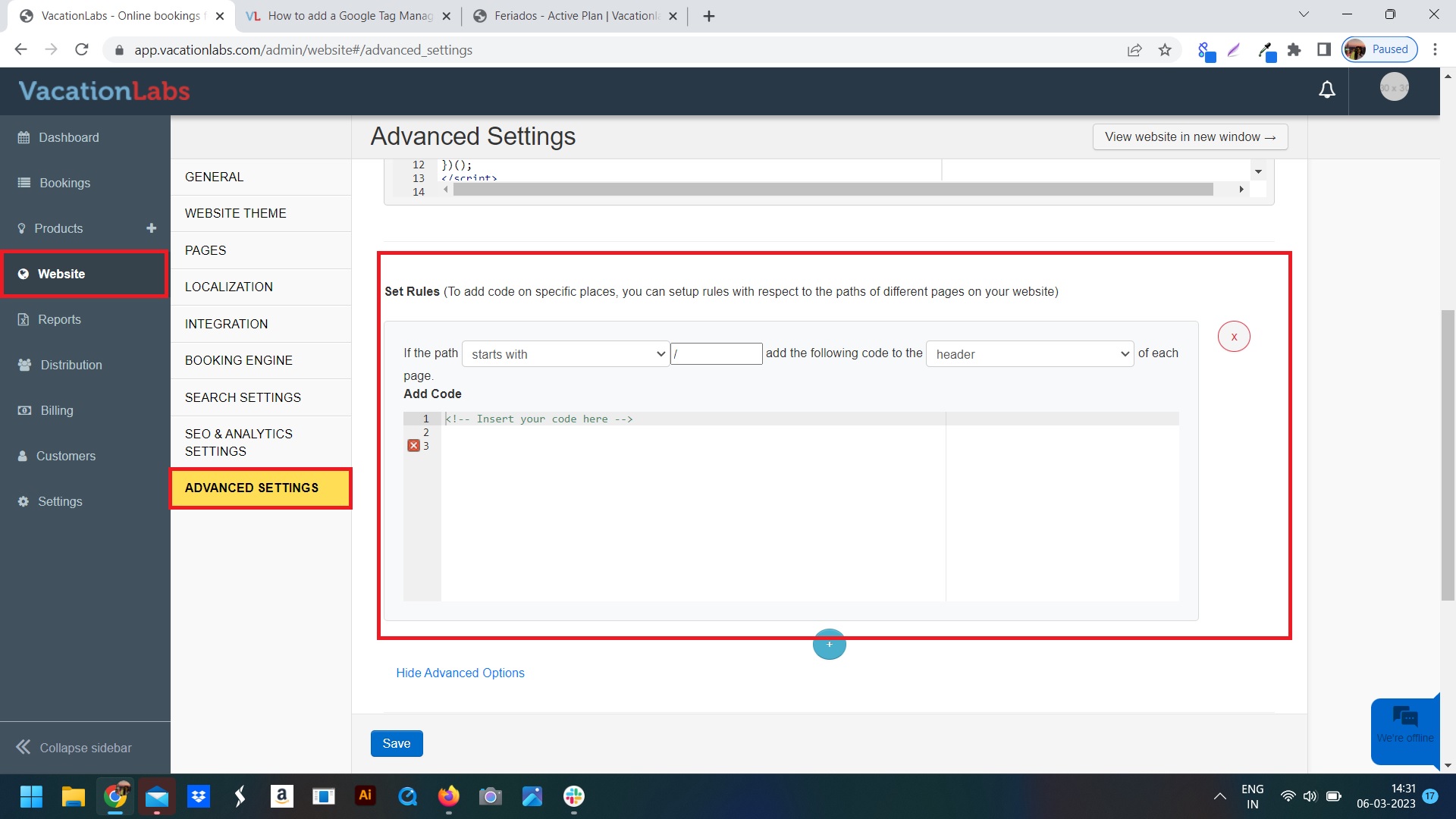
1. Go to Website > Advanced Settings, scroll down till you find the Set Rules section (see screenshot below for reference)
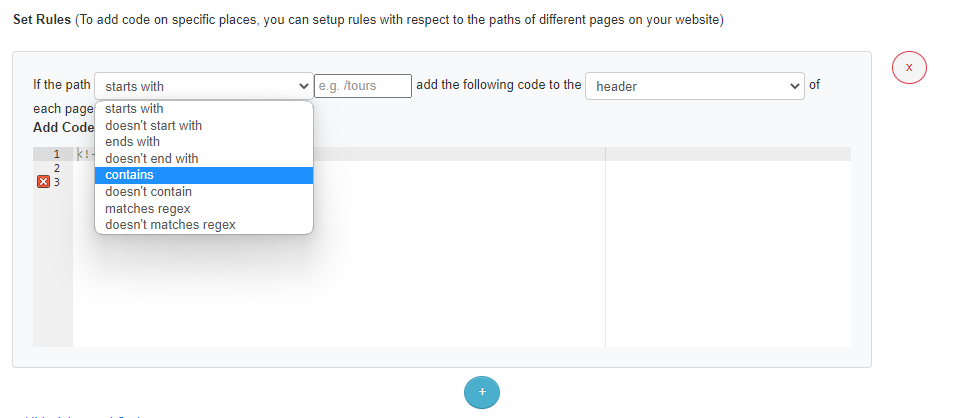
2. Choose the option if path CONTAINS as shown in the screenshot below:
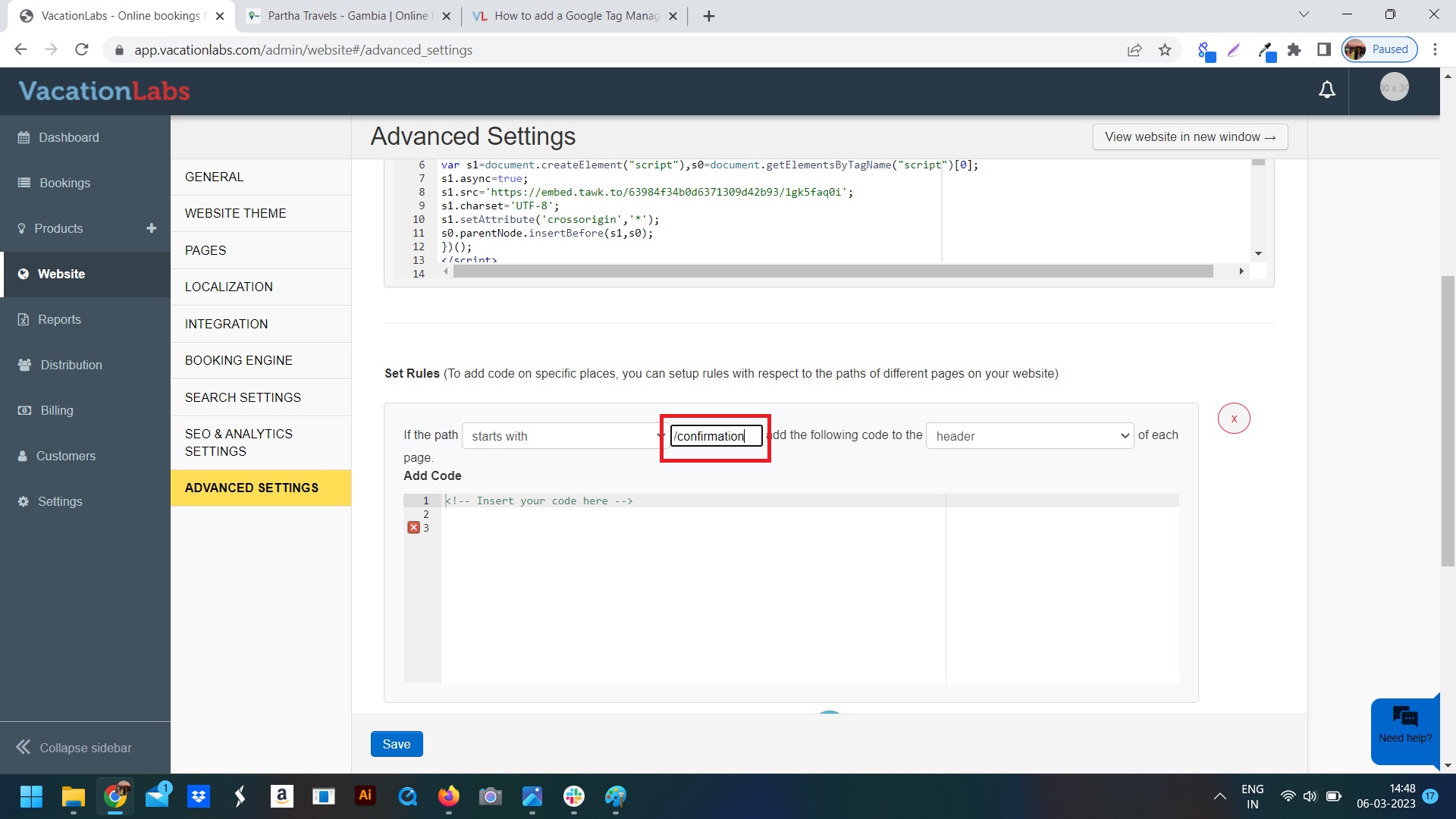
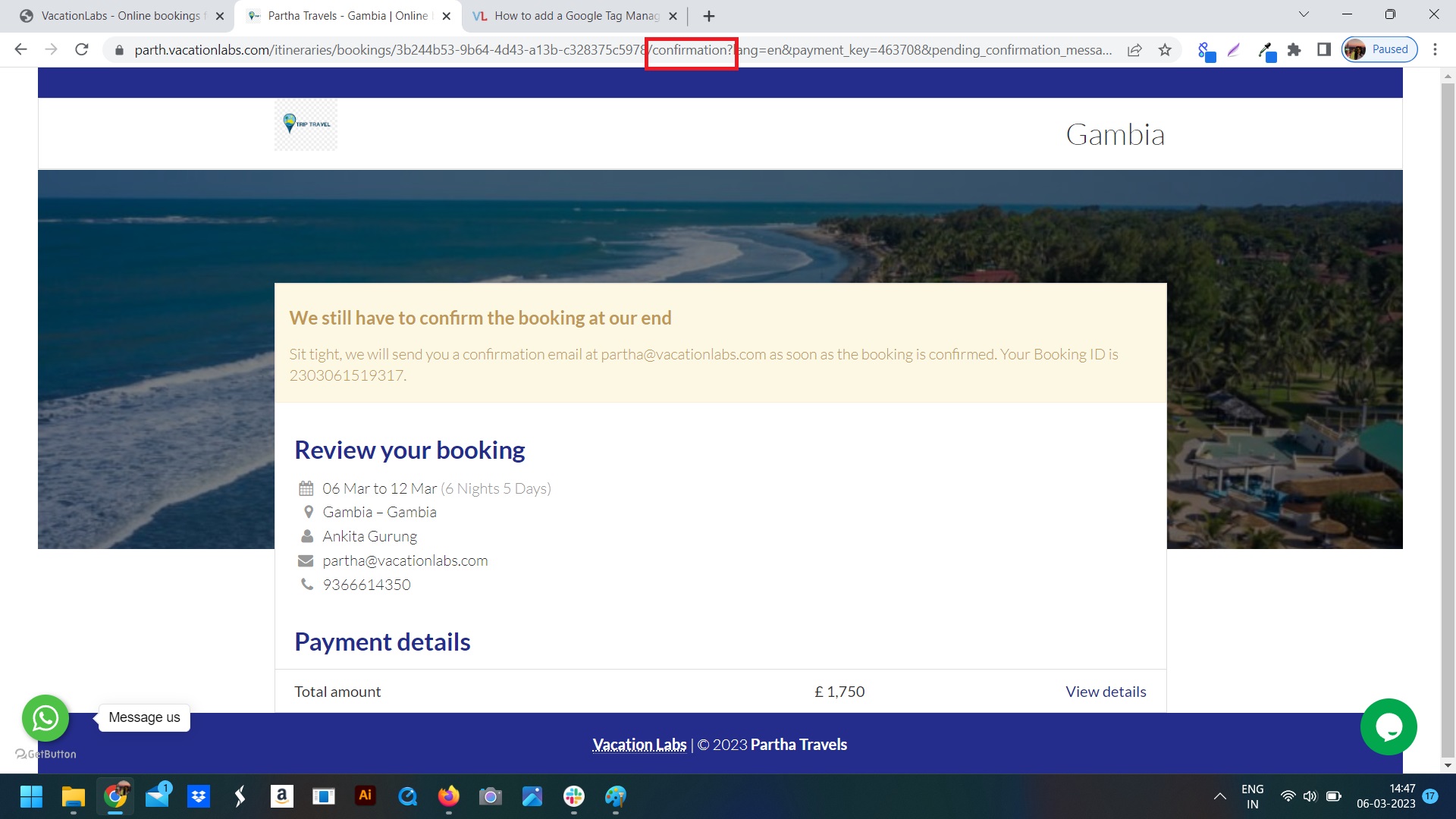
3. Adding a keyword. A keyword is a word which is unique to a particular type of page. Such as for a confirmation page the URL contains the word CONFIRMATION which is a word unique to the confirmation pages only. Refer screenshot below
4. You can control if you want to paste the code in the HEADER or FOOTER (if specified by the provider of the code) of the page as well
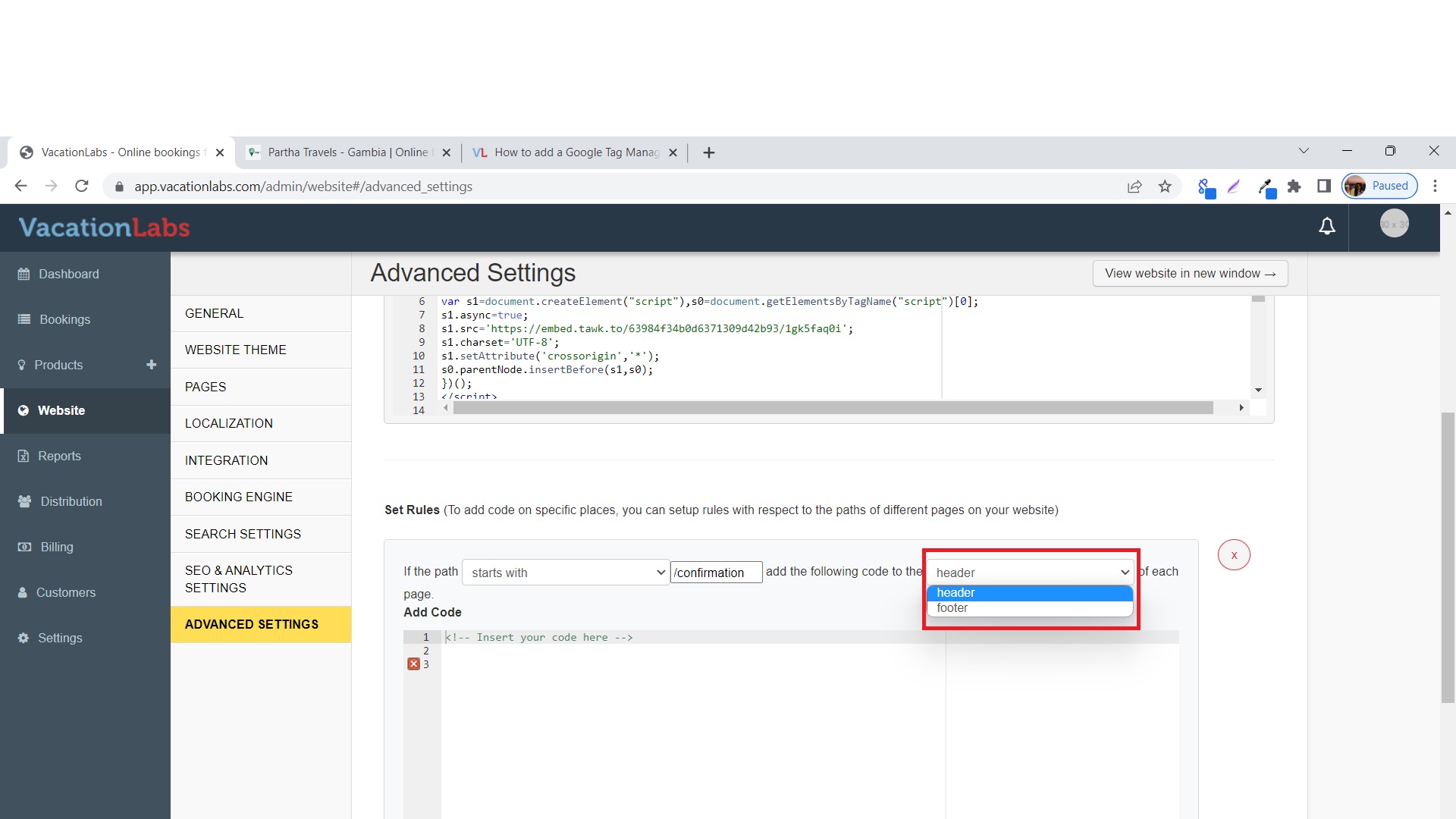
5. Paste the Tracking Conversion Script in the Empty Box Below
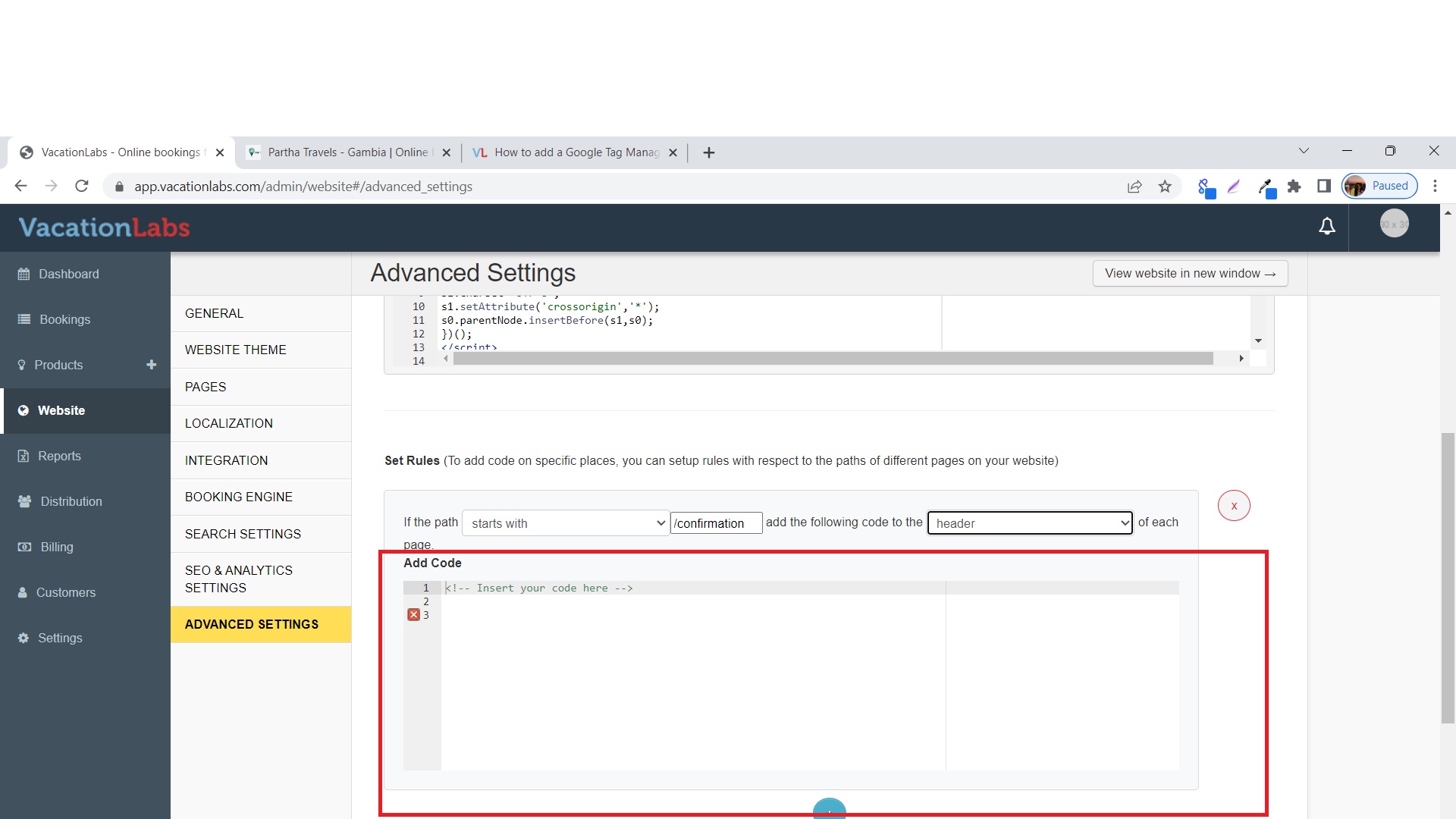
6. Don’t forget to SAVE the changes you have made.