Importing Tour Data in Accelerate sheet
Please follow these steps to access accelerate:
- Login to Vacation Labs
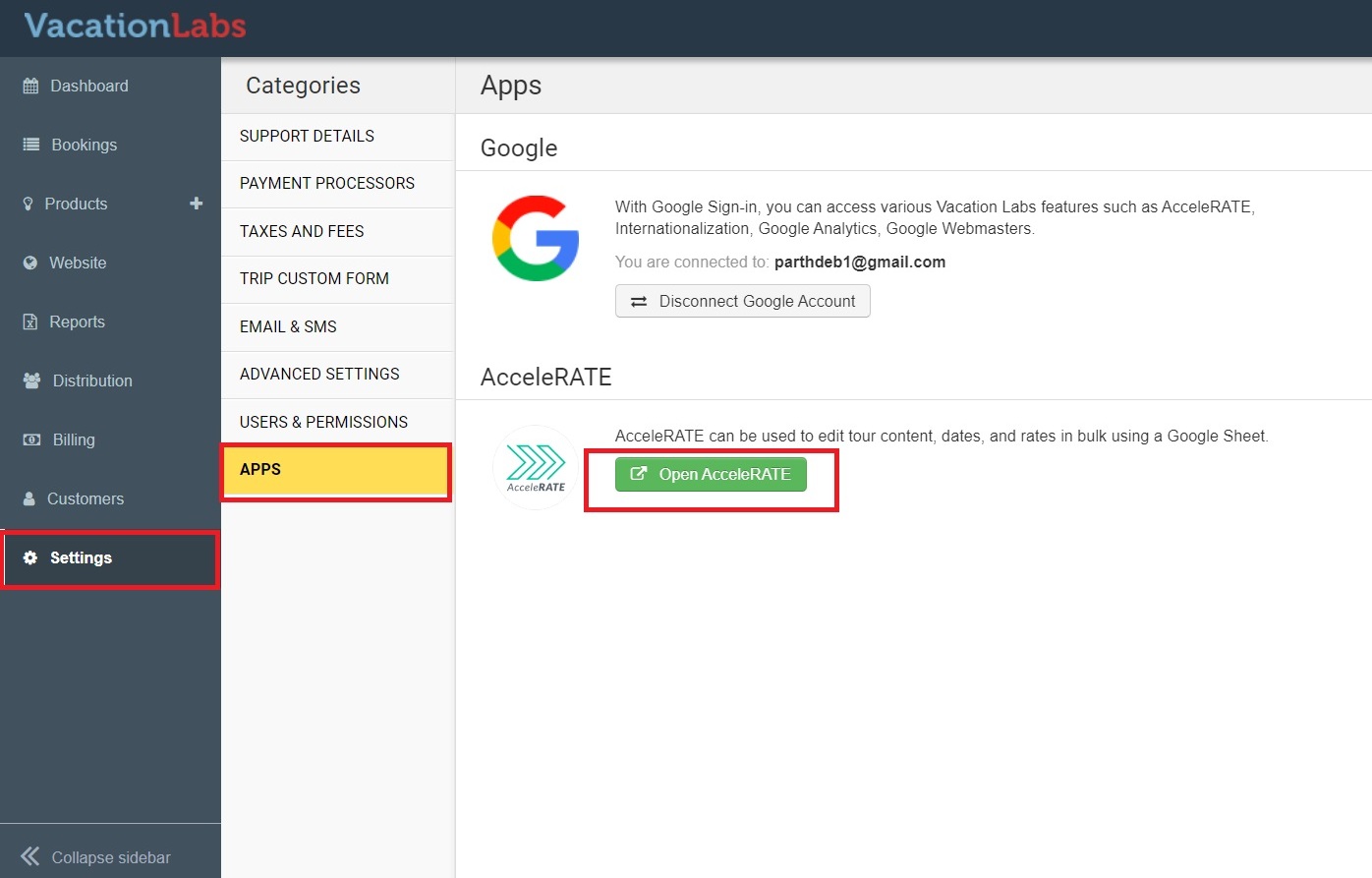
- Go to Settings > Apps section and click on open Accelerate (refer screenshot below)
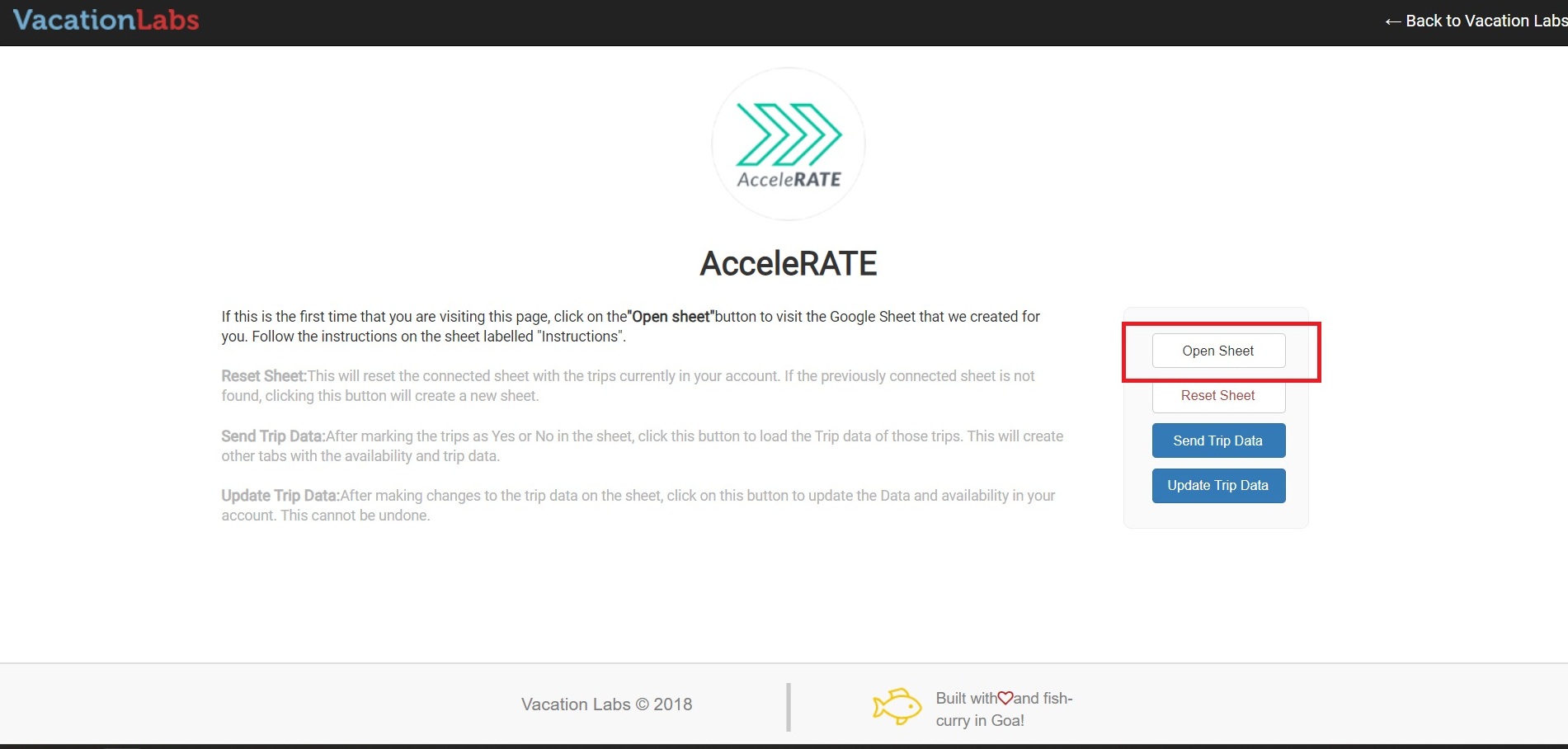
- A new page will appear, now click on Open Sheet (refer screenshot below)
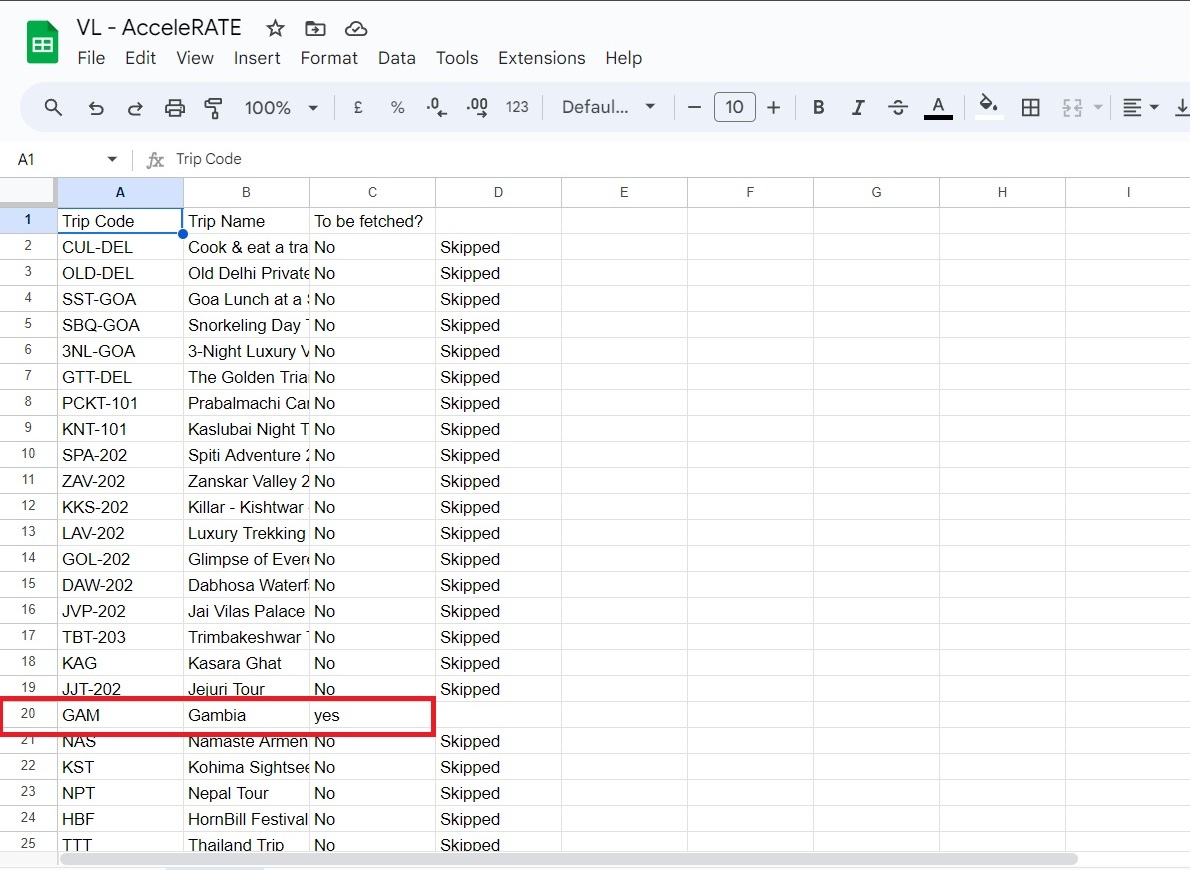
- This will open a google sheet which will contain the name of all your existing trips. The sheet will contain 3 columns namely - Trip Code, Trip name & To be Fetched.
- Please type in Yes in the To be Fetched column for the trip for which you want to push data in the sheet (in the screenshot below you can see that we want to push data of Gambia trip, so we have types yes for the Gambia trip)
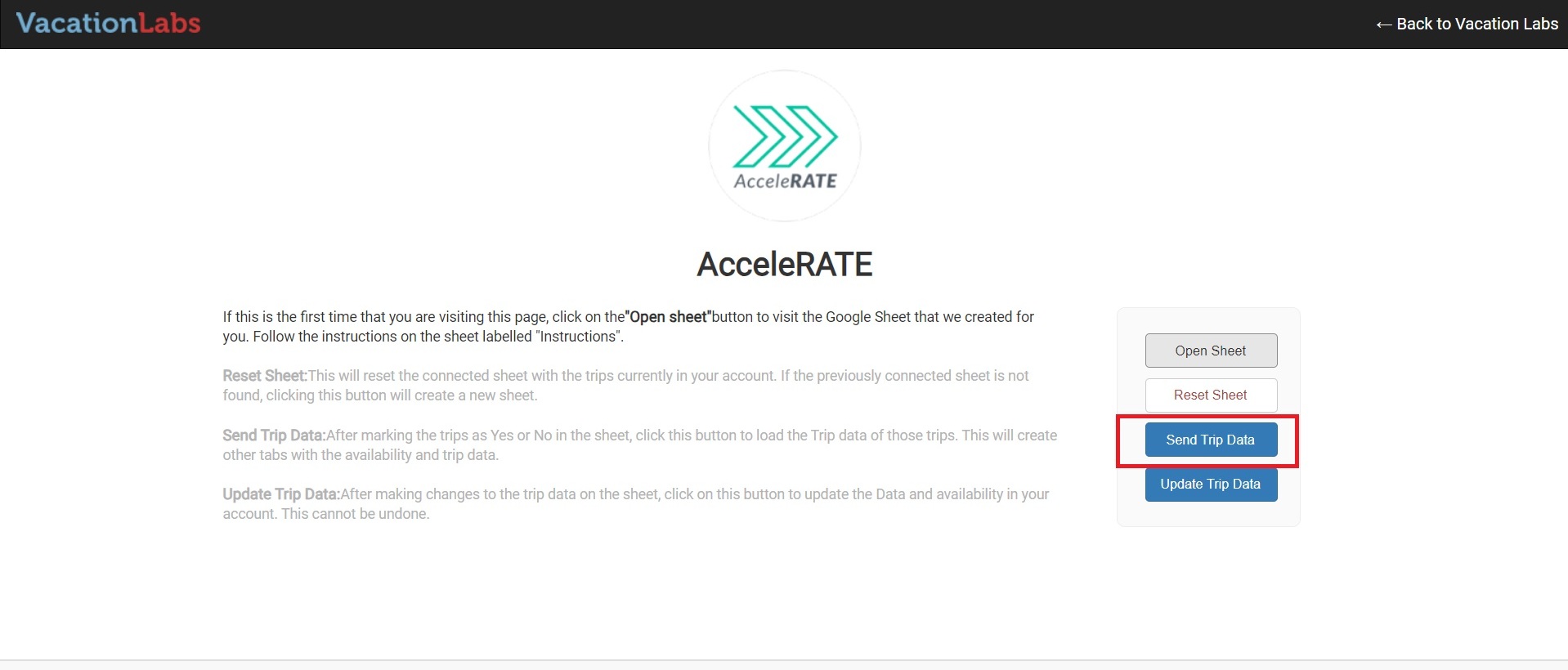
- Then go the Accelerate Plugin page again and click on Send Trip Data (refer screenshot below)
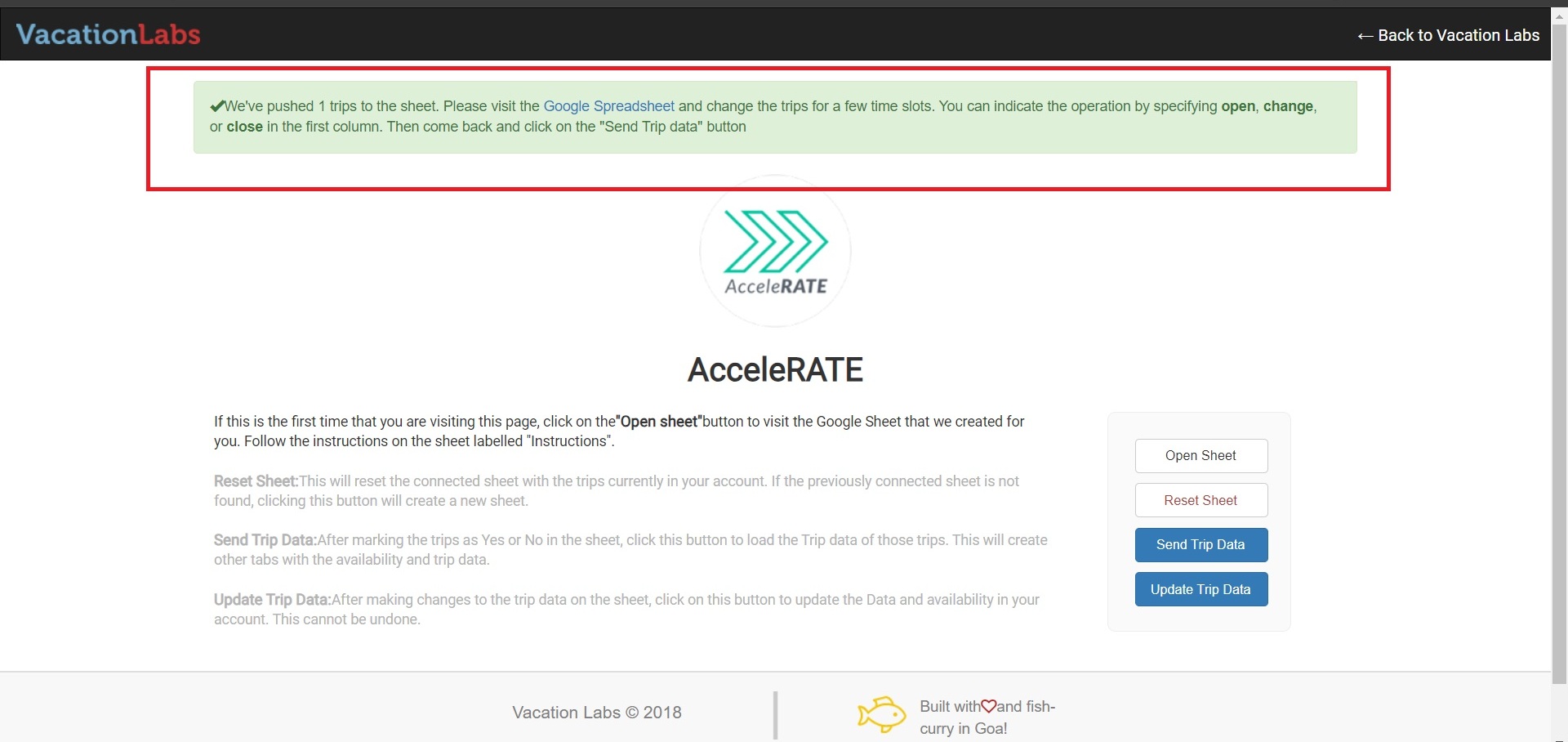
- You will see a message at the top like the one in the screenshot below, this indicates that the selected tour data has been successfully pushed to the sheet.
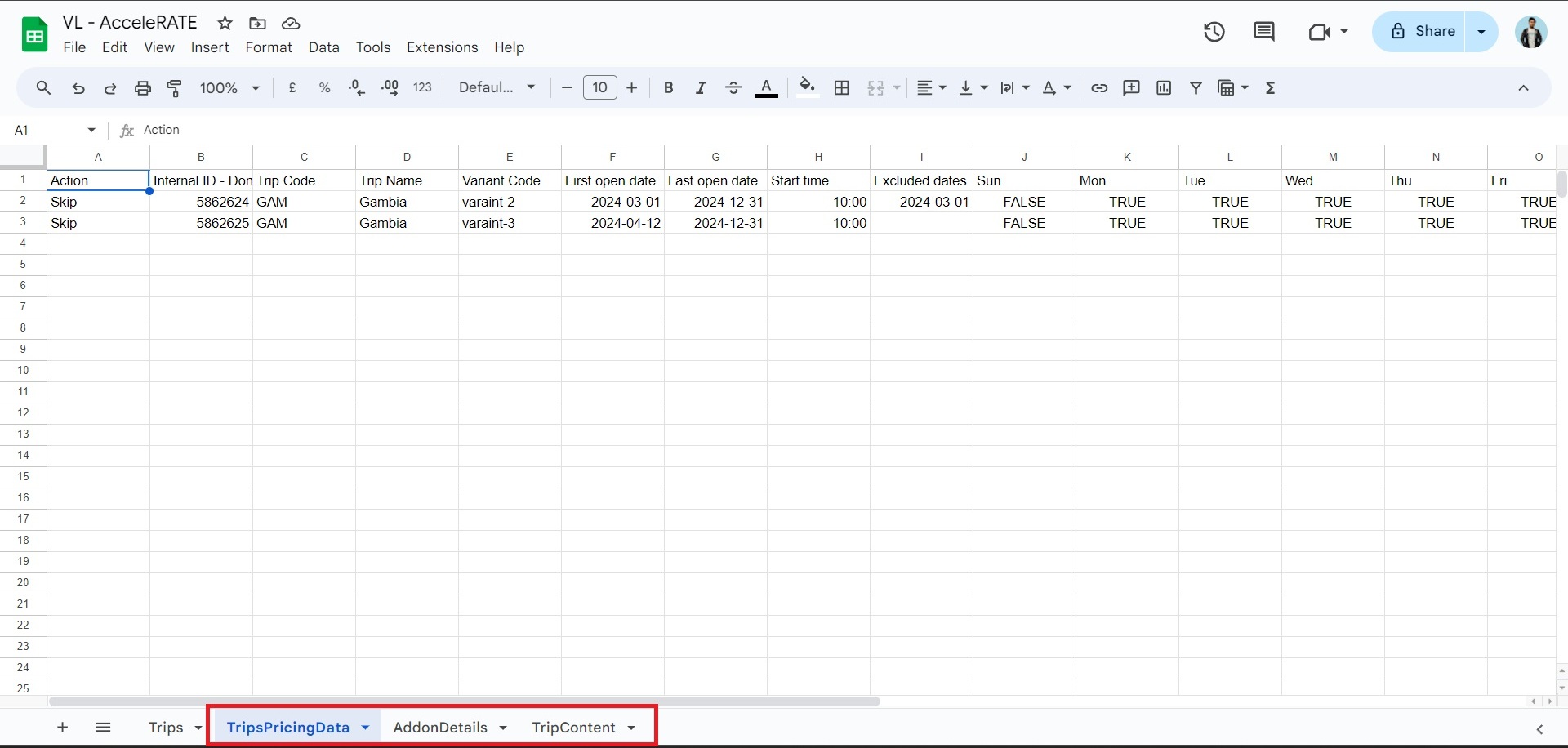
- Now you can go back to the sheet and you will notice three new sub-sheets (trippricingdata, addon details, tripcontent) they will contain all the data of your tours (refer screenshot below)
Please Note: only future dates and rates are pushed into the sheet and past dates and rates are not considered and not pushed into the sheet as well