Mapping trips in your Viator account to trips in your Vacatin Labs account
Please follow the following steps to Map trips from your Viator Account to your Vacation Labs admin panel:
Before mapping your trips from your Viator Account please verify if you have shared the trips with Viator from Vacation Labs admin panel.
Info
Tip: We recommend that you read our guide on Sharing your Vacation Labs trips with Viator.
Once you have shared the Trips, please follow the below steps in your Viator Account,
Please Note: You have to complete Product Creation and make them Active before you can map them to Vacation Labs Tours
- Login in to your Viator Account.
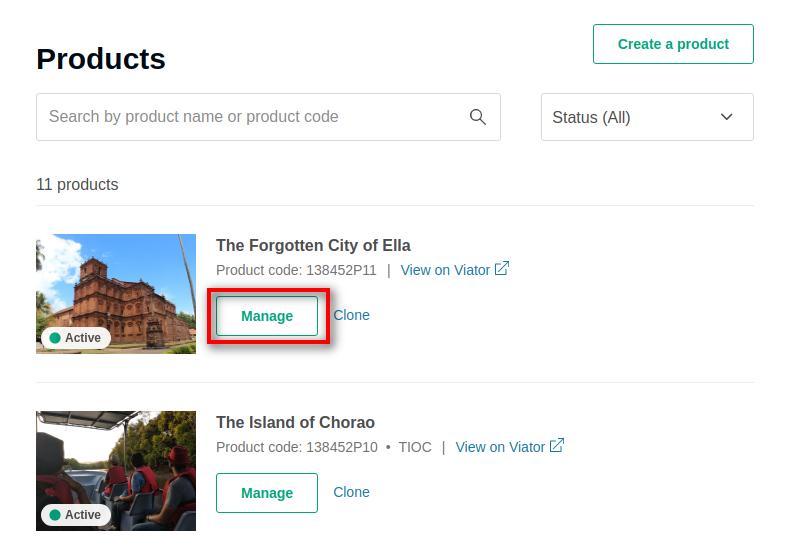
- Select the product you would like to Map with Vacation Labs.
- Click on the Manage product option available.
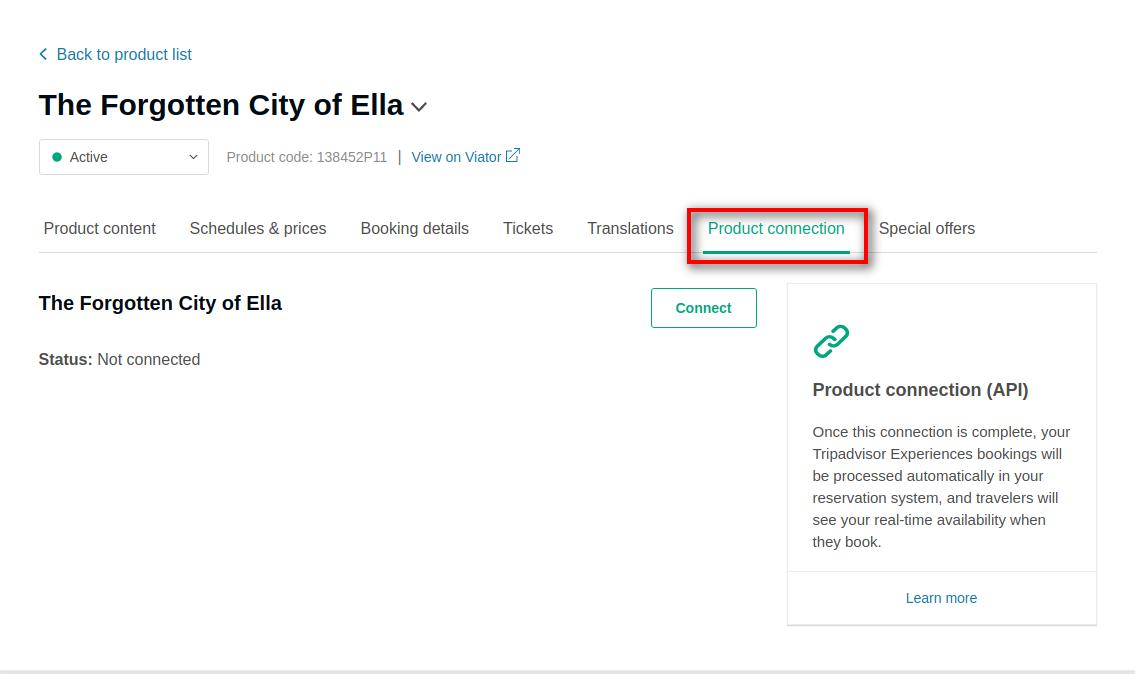
- Click on the Product connection link.
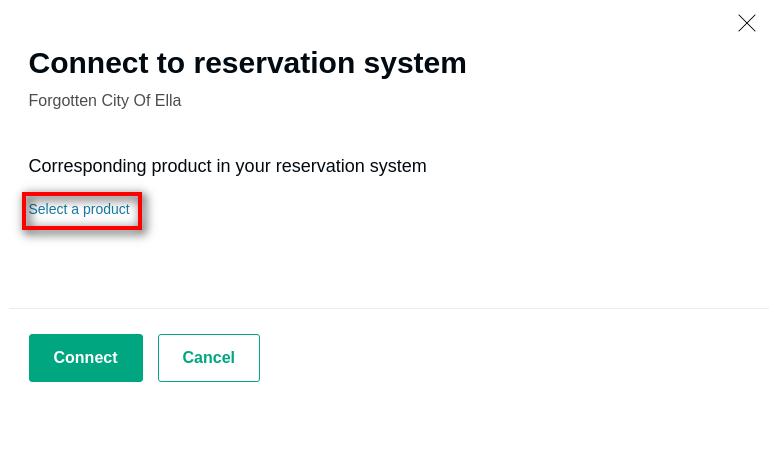
- Click on the Connect button which will open the connection module. This module is a link between your Viator account and your Vacation Labs account.
- Click on the Select a product link.
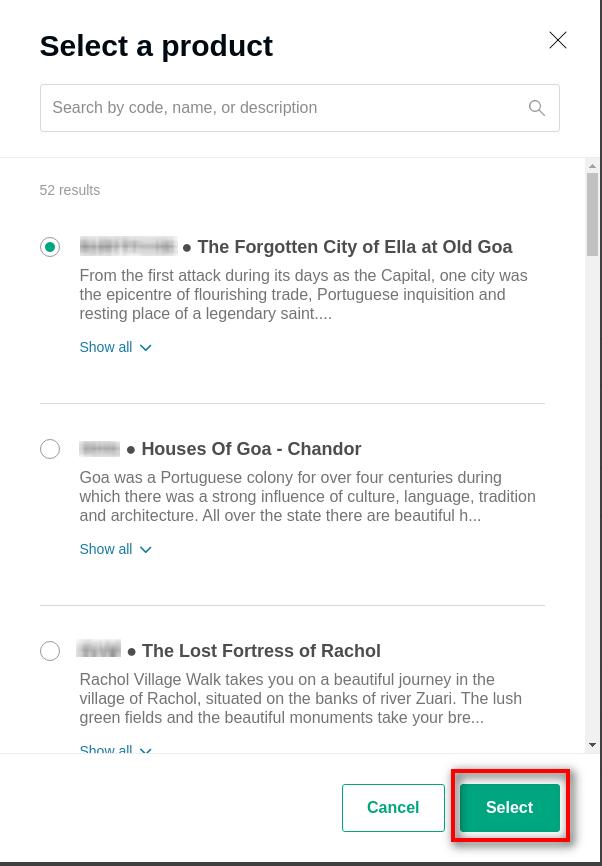
- If the trips are shared properly than you should be able to see all the trips shared from your Vacation Labs account.
- Select the Trip that you would like to Map.
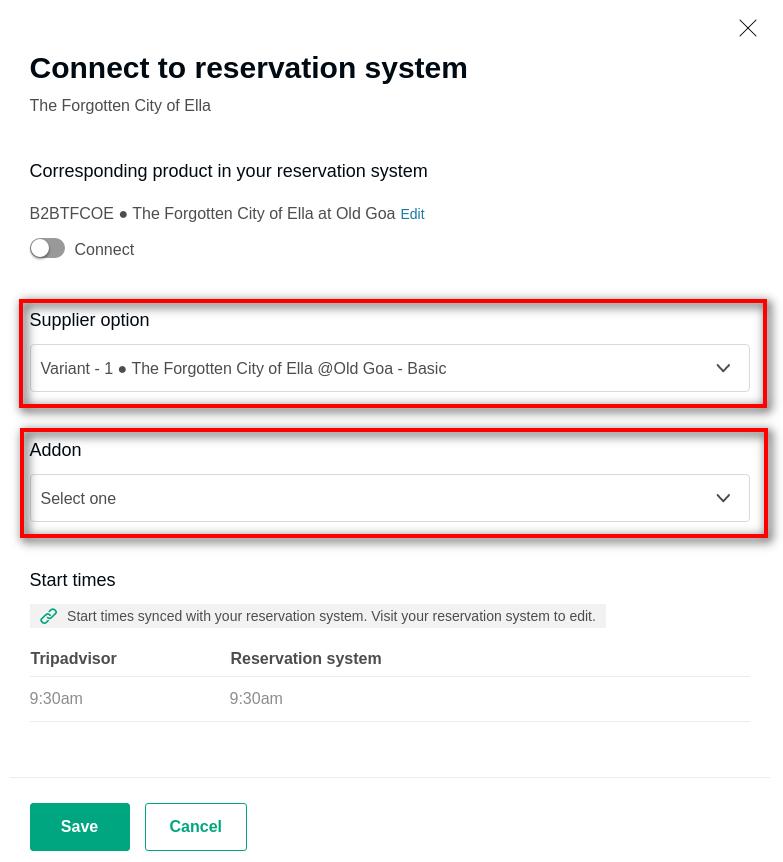
- Select the Supplier Variant and Addon (if any) that you would wish to connect with your Vacation Labs Trip.
Info
Please Note: The Variant and Addons are shown on the basis of the Variants and Addons created for the tour in the Vacation Labs panel.
Info
Note: Please make sure that you have the same slots created for a product on both Viator and Vacation Labs. E.g If you have created a tour having 3-time slots i.e 8 AM, 12 PM, 4 PM in Vacation Labs than you should have same time slots i.e 8 AM, 12 PM, 4 PM or even less i.e 8 AM, 4 PM for the product created in Viator. You might receive an error if none of the time slots are matching.
- Click on the Connect toggle button, to connect the tour.
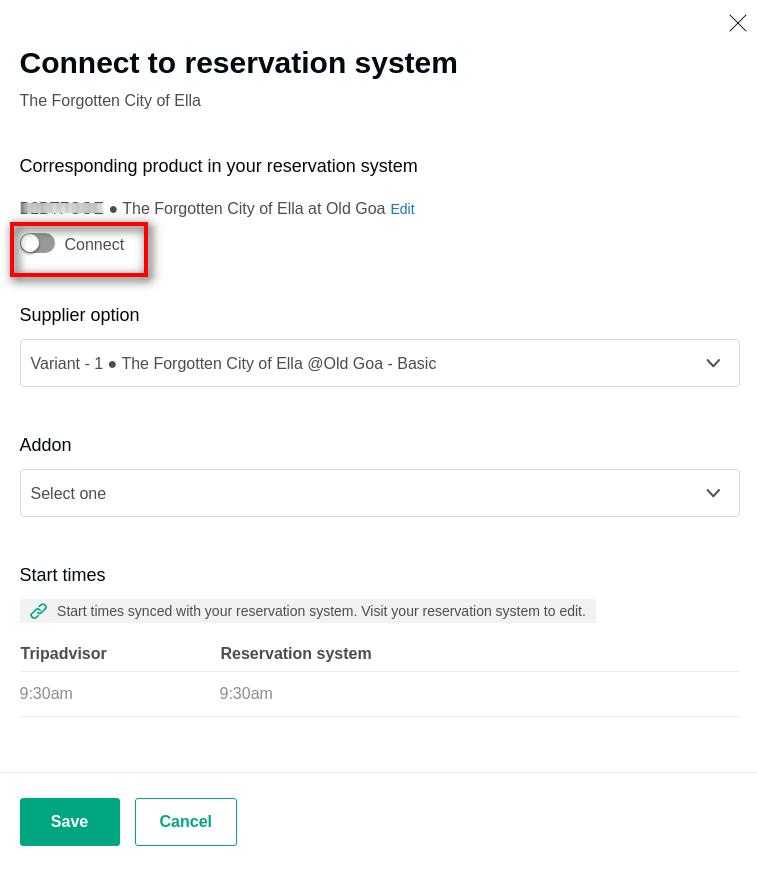
- Once successfully connected you should be able to see the below screen.
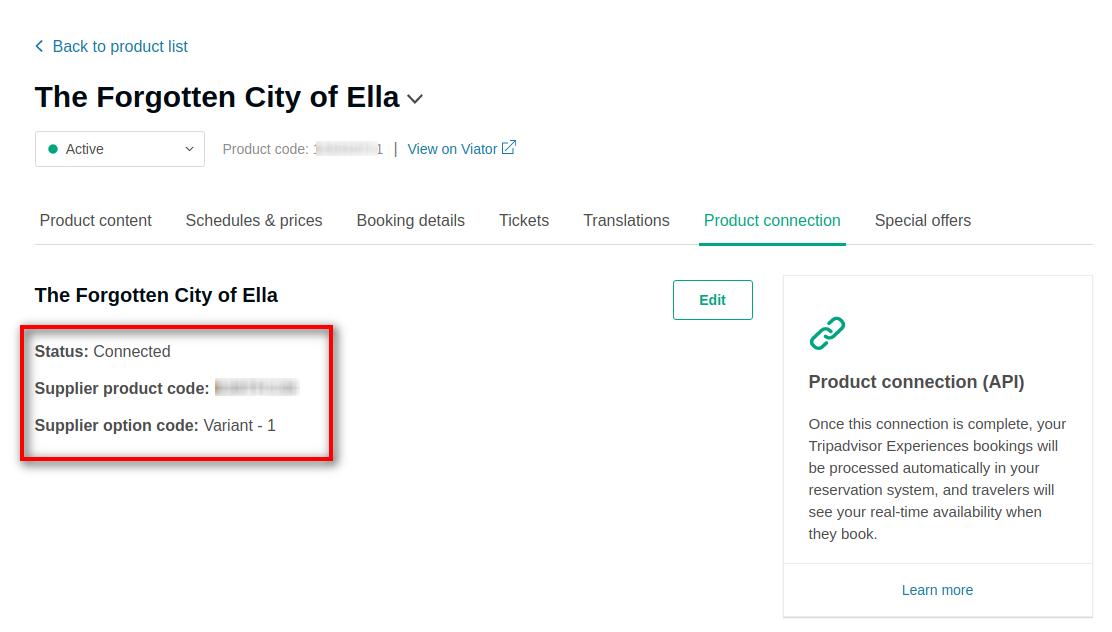
- Great now you have successfully mapped the trip from your Viator to your Vacation Labs.
Note: Once a product is mapped it is usually synced and ready within 24 to 48 hours, but can sometimes take longer. If it has been longer than 48 hours and your products are still not connected on Viator, click here to raise a support ticket.
Future changes to the product
Once connected, we strongly recommend that you reach out to your Viator Account Manager or Vacation Labs Account Manager directly prior to any changes to your product structure. Changing your product structure could possibly break the mapping and cause bookings to fail.
Changes include:
-
Adding/Removing/Updating tour types (e.g. Adult, Child, Infant, etc.)
-
Adding/Removing/Updating tour options (e.g. 9AM departure, 2PM departure, etc.)
Please check out this article for detailed guide on Connecting Vacation Labs to Viator: