Exploring Localization - Modifying the predefined sentences on your website
Looking for few sentences that are visible on your website and want to edit those? This may include all the Emails, Common Labels, Date and Time format, Currency formats, etc.
This article will help you modify many such predefined sentences on your website.
Exploring Localization
Common Labels
Common labels allows you to edit the basic keywords like Trip, Departure, Participant, etc for both Singular and Plural forms. The changes made here are global and will be modified throughout your website.
Please follow the below steps to make the changes,
-
Login to your Vacation Labs account
-
Click on **Website
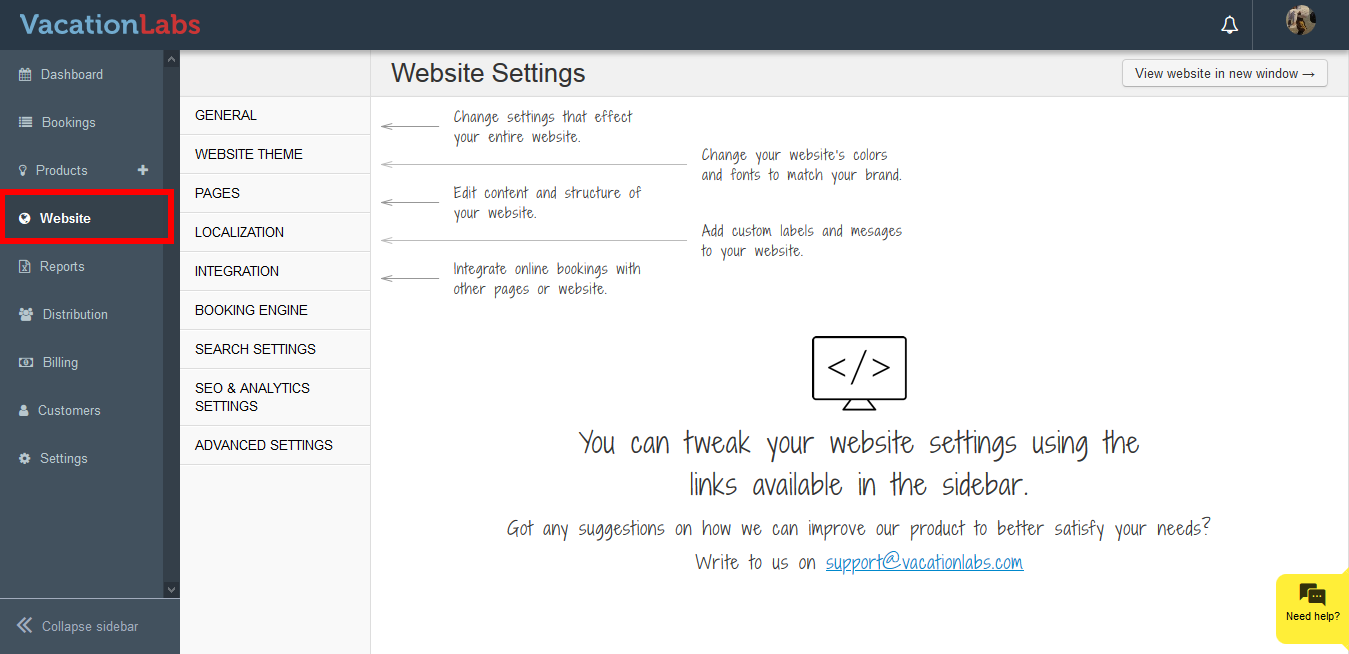 **
** -
Click on **Localization
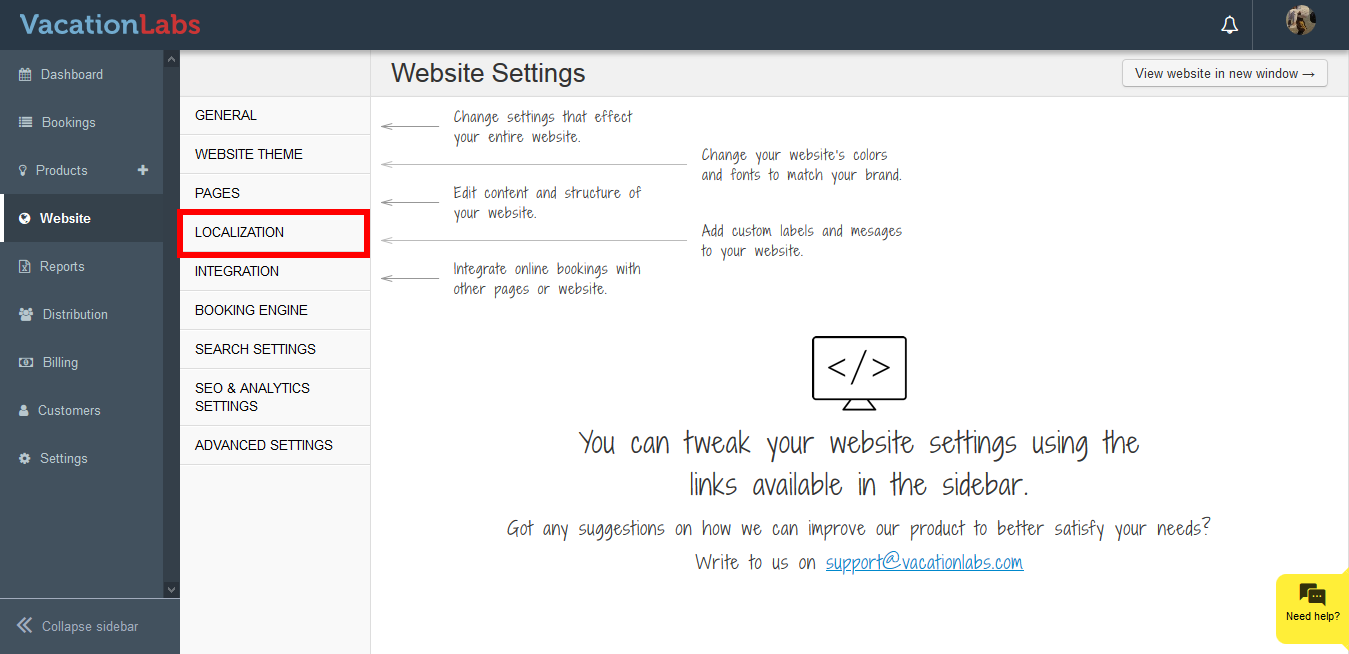 **
** -
Click on **Localization
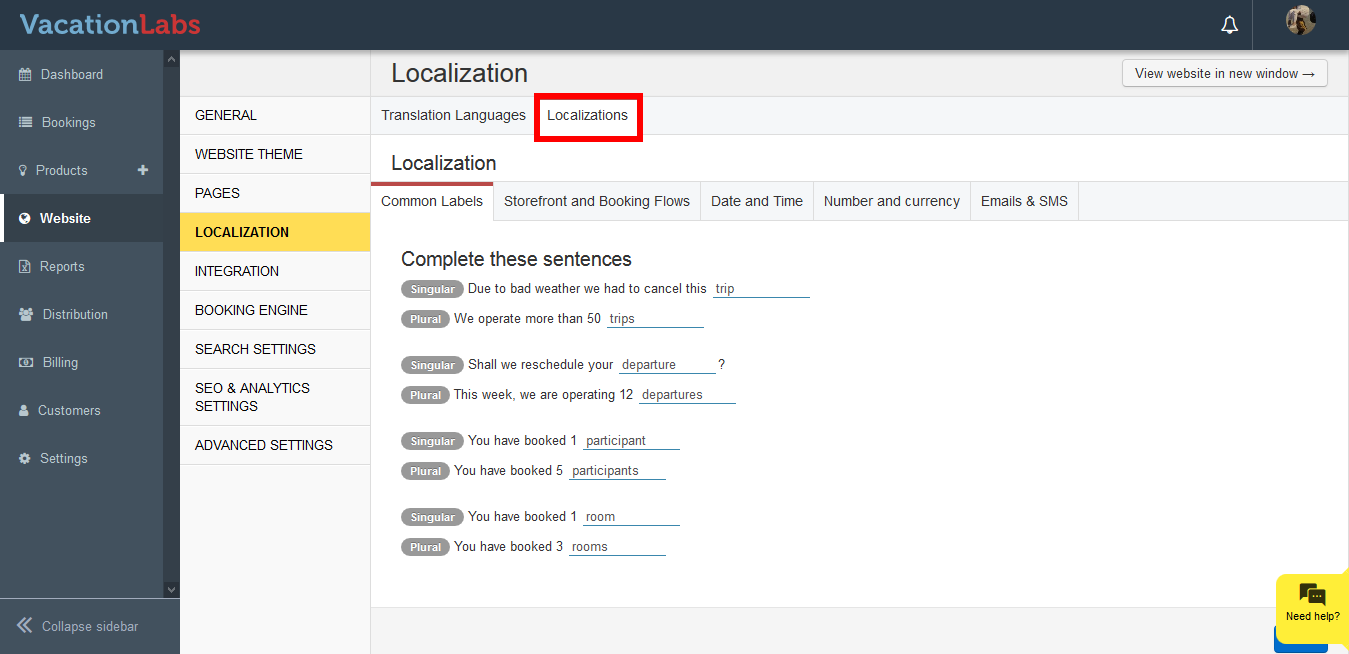 **
** -
Click on **Common Labels
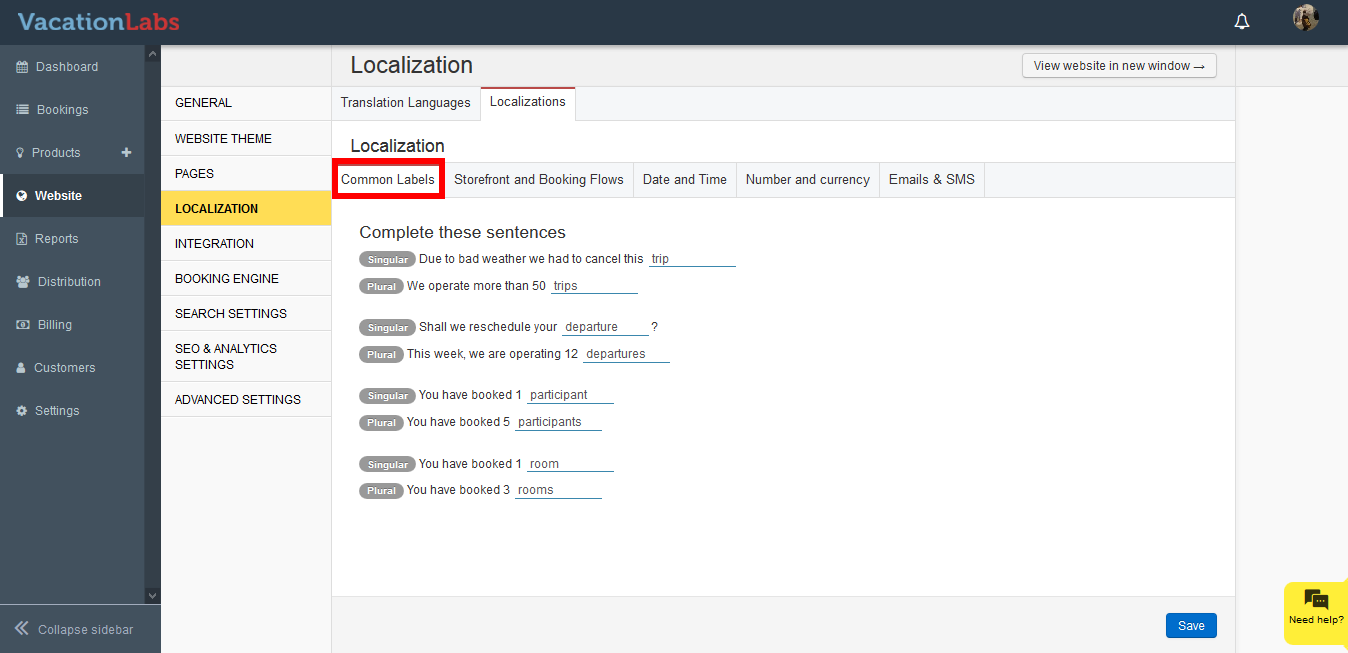 **
** -
Edit the sentence.
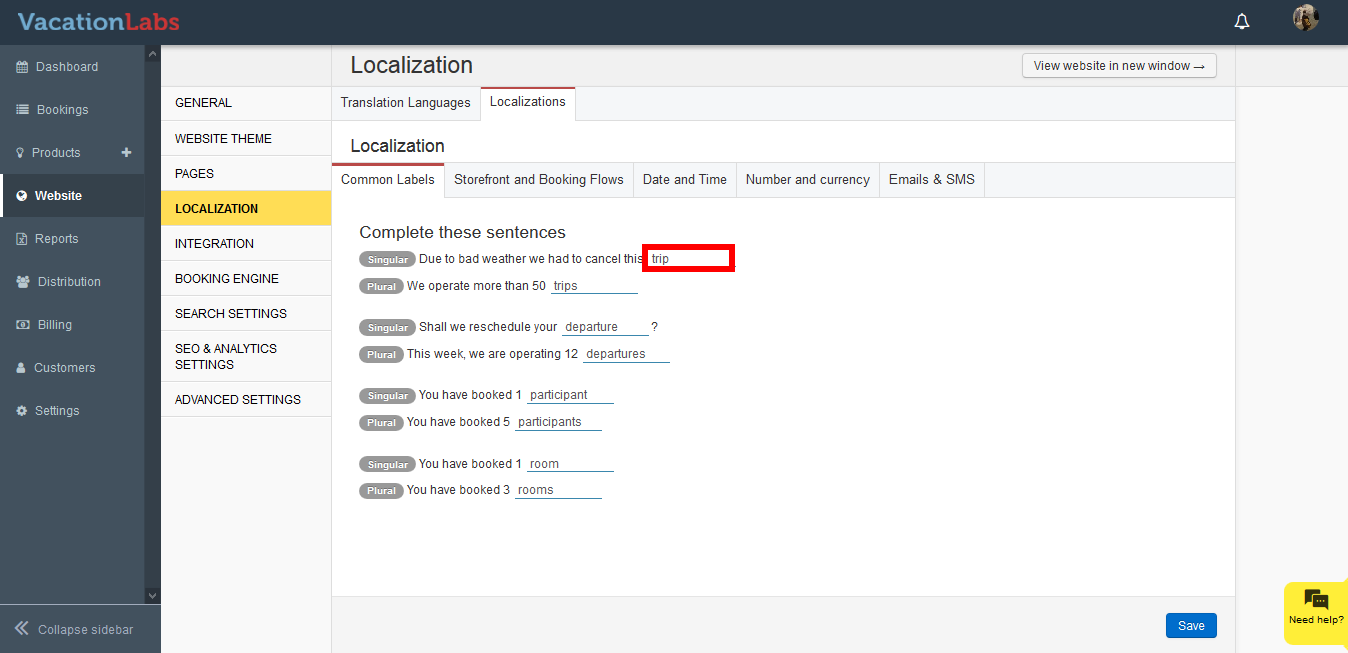
-
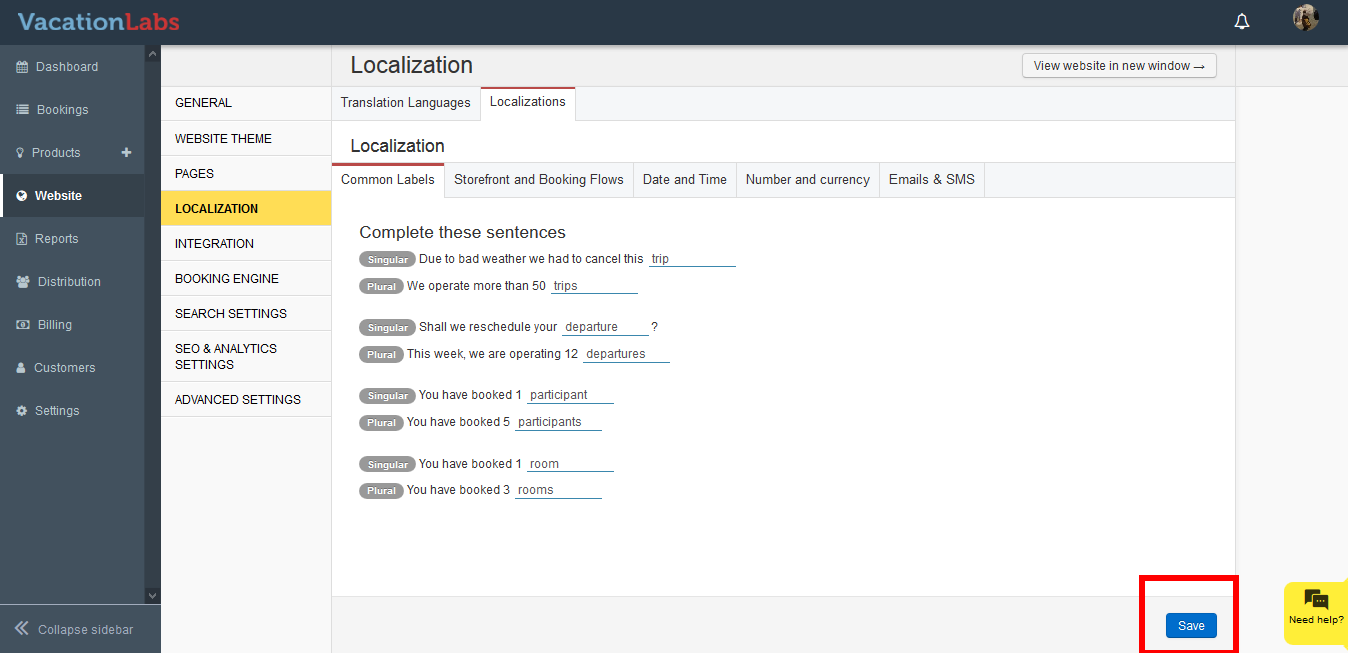
Scroll down to the bottom, and click on **Save **
Storefront and Booking Flows
Please follow the below steps to make the changes,
-
Login to your Vacation Labs account
-
Click on **Website
** -
Click on **Localization
** -
Click on **Localization
** -
Click on **Storefront and Booking Flows **
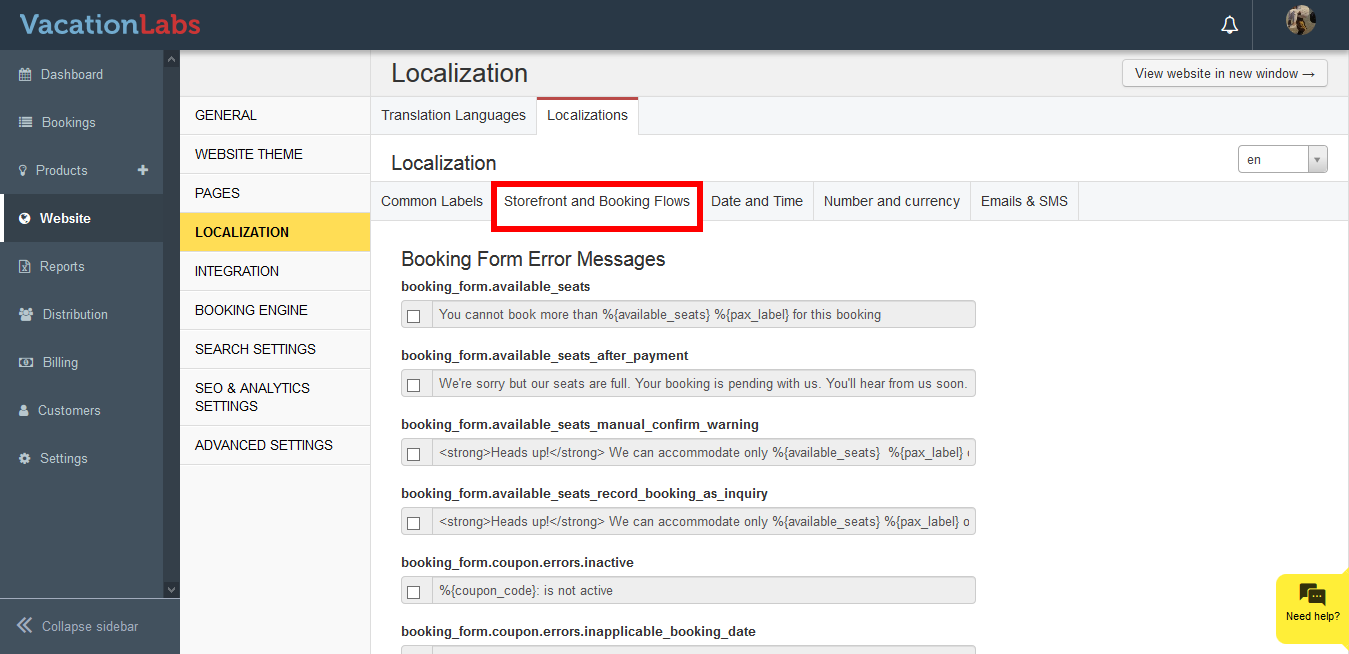
-
Press Ctrl + F, search for the required sentence
-
Click on the checkbox and edit the sentence.
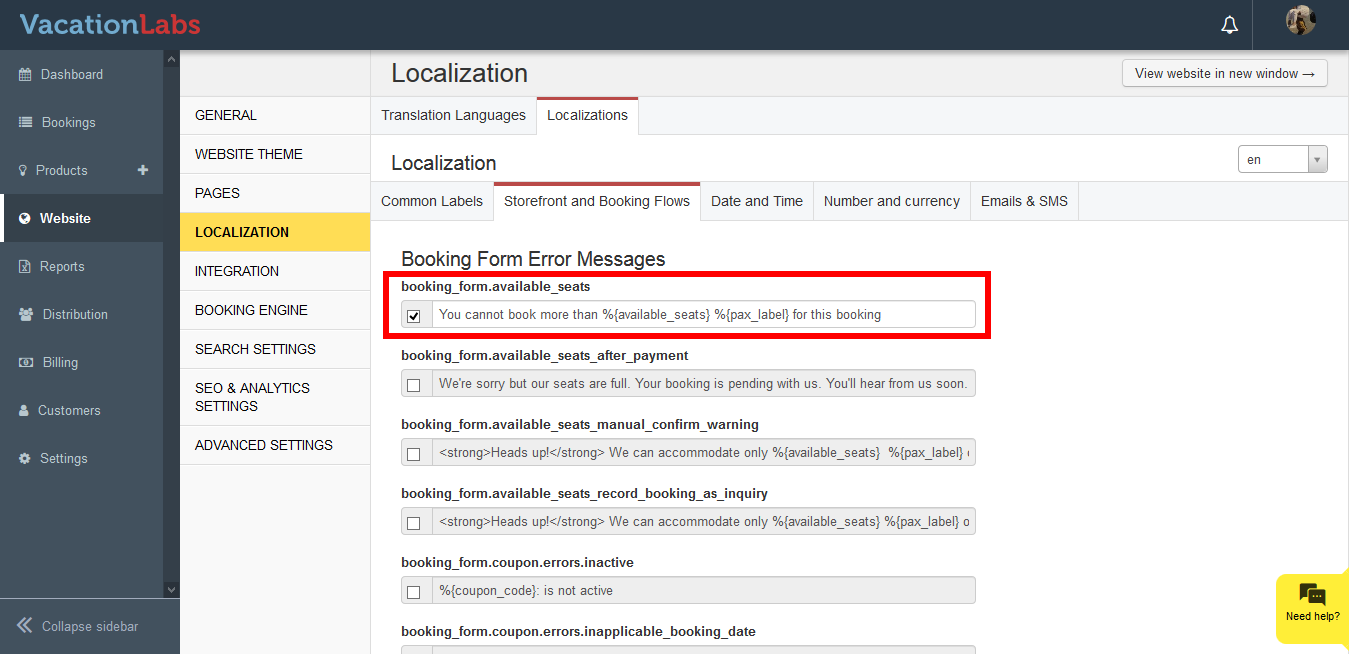
-
Scroll down to the bottom, and click on **Save **
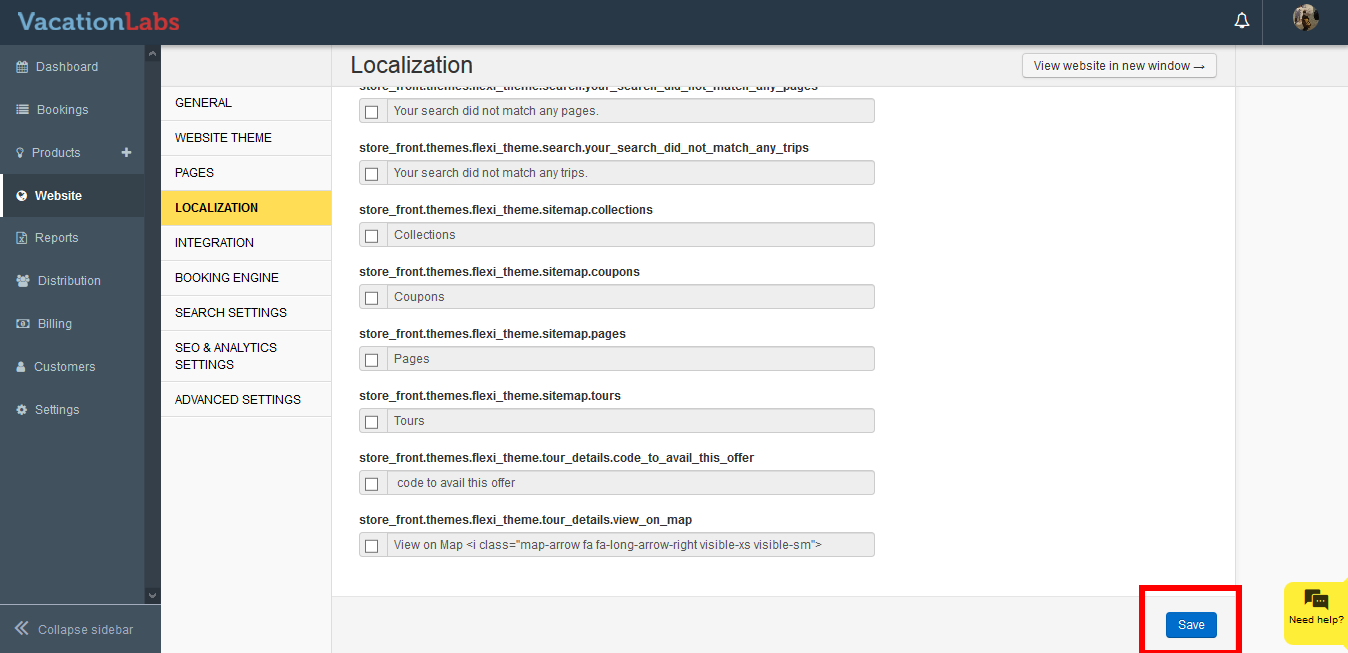
Please note: Never modify the keyword included in {}, for eg %{available_seats}. This are words are used to fetch data from your account and display them on your website. If this are modified there are high chances that this will cause an error on your website.
Date and Time
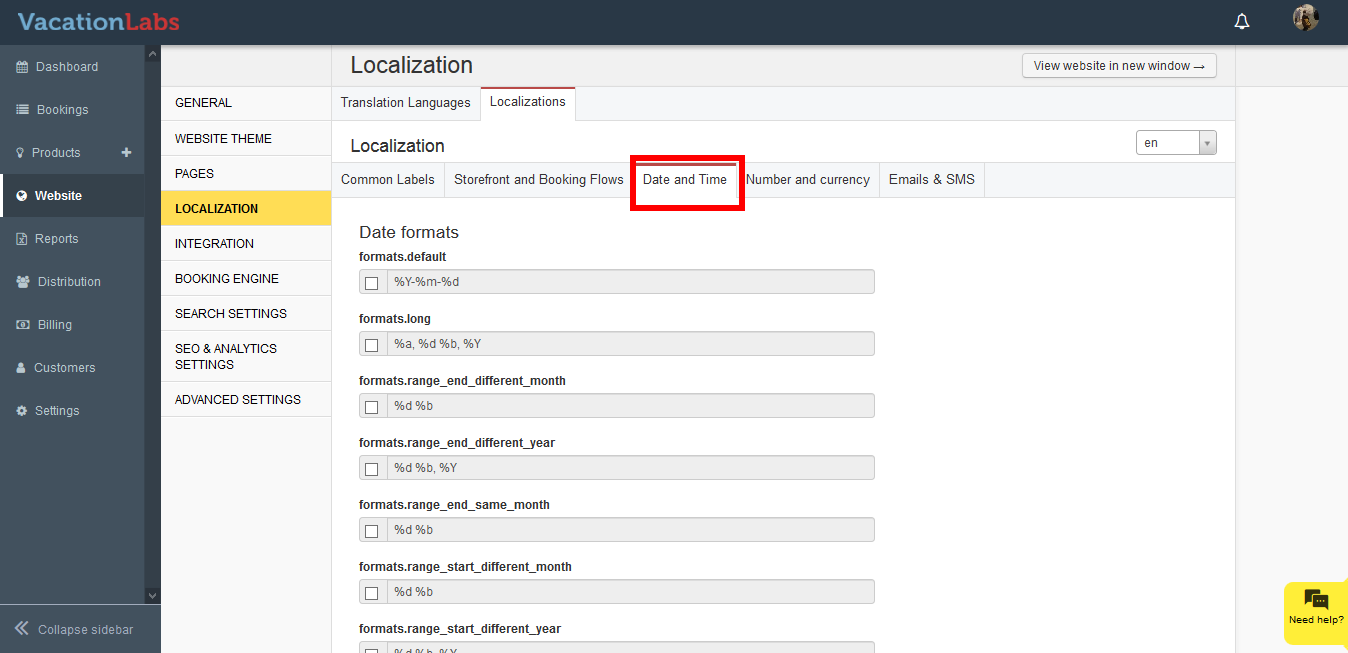
This section allows you to modify the format for Date and Time displayed on your website.
Please follow the below steps to make the changes,
-
Login to your Vacation Labs account
-
Click on **Website
** -
Click on **Localization
** -
Click on **Localization
** -
Click on Date and Time
-
Click on the checkbox and edit the sentence.
-
Scroll down to the bottom, and click on Save
Number and Currency
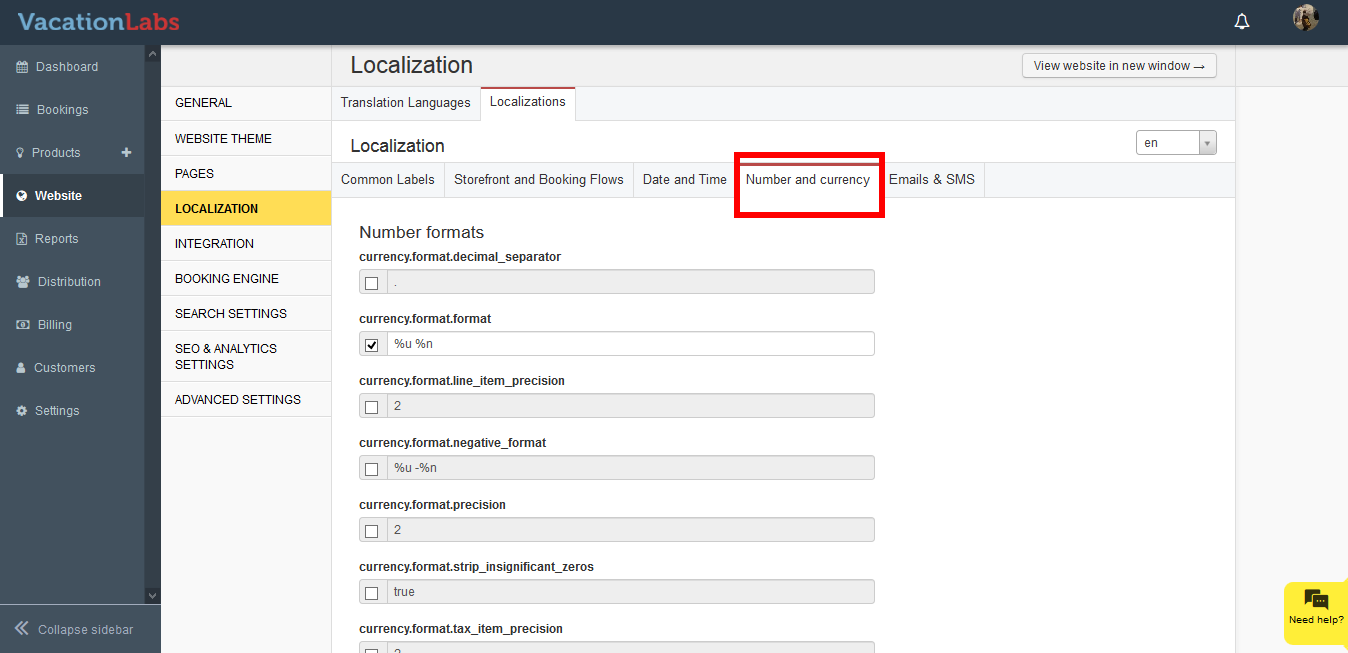
This section allows you to modify the currency formats for your website including the decimals, precision, thousands separator, etc
Please follow the below steps to make the changes,
-
Login to your Vacation Labs account
-
Click on **Website
** -
Click on **Localization
** -
Click on **Localization
** -
Click on Number and Currency
-
Click on the checkbox and edit the sentence.
-
Scroll down to the bottom, and click on Save
Emails and SMS
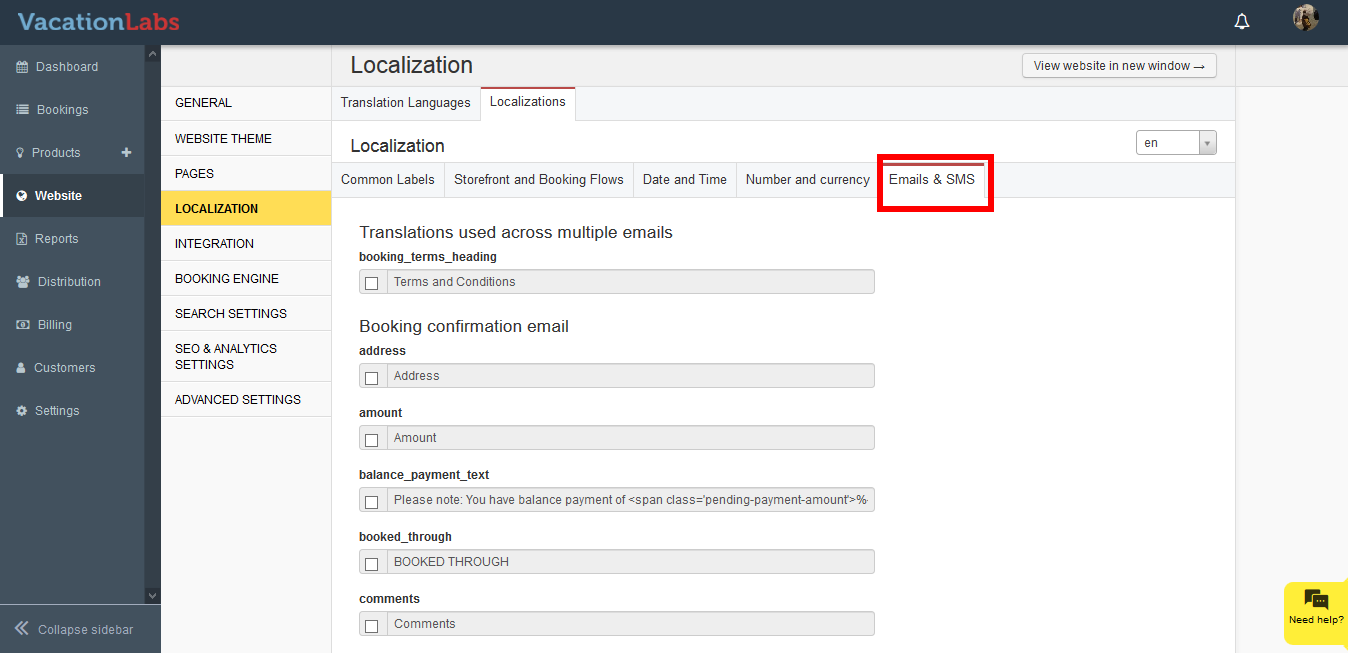
This section allows you to modify the text for the customer facing emails for eg Booking confirmation email, Booking modification email, Skipped Payment link email, Cancellation email, etc.
Please follow the below steps to make the changes,
-
Login to your Vacation Labs account
-
Click on **Website
** -
Click on **Localization
** -
Click on **Localization
** -
Click on Emails and SMS
-
Click on the checkbox and edit the sentence.
-
Scroll down to the bottom, and click on Save
What’s next?
You can also get the SMS sender ID modified. For changing the SMS template or Sender ID, drop us an email at support@vacationlabs.com.