Adding additional directive to your Robots.txt file
Overview
The robots.txt file controls how search engines access and index pages on your website. Vacation Labs provides a default robots.txt to maintain functionality, but you can add custom rules to refine search engine behavior.
Why Add Custom Rules?
Adding custom directives helps optimize SEO by guiding search engines to focus on important pages while avoiding unnecessary ones. This improves crawl efficiency and protects sensitive information.
Default Robots.txt in Vacation Labs
The default robots.txt file in Vacation Labs includes essential rules to prevent indexing of pages that should not appear in search results.
Default Robots.txt Content:
User-agent: *
Disallow: /itineraries/bookings
Disallow: /search
Disallow: /*/dates_and_rates
Disallow: /*/date_based_upcoming_departures

Sitemap: https://www.econatuarls.life/sitemap_index.xml
Default Rules and Their Purpose:
-
Disallow: /itineraries/bookings – Prevents search engines from indexing itinerary booking pages to avoid cluttering search results with transactional pages.
-
Disallow: /search – Blocks search result pages to prevent indexing of duplicate content that can dilute SEO value.
-
Disallow: /*/dates_and_rates – Stops indexing of real-time pricing pages, which can change frequently and are not useful for search engine results.
-
Disallow: /*/date_based_upcoming_departures – Prevents indexing of date-based departure pages to avoid outdated or irrelevant pages appearing in search results.
Warning
The default robots.txt file cannot be modified or removed. However, you can add additional directives to customize search engine behavior.
How to Add Custom Rules
To refine the robots.txt file further, follow these steps:
-
Go to the Vacation Labs dashboard.
-
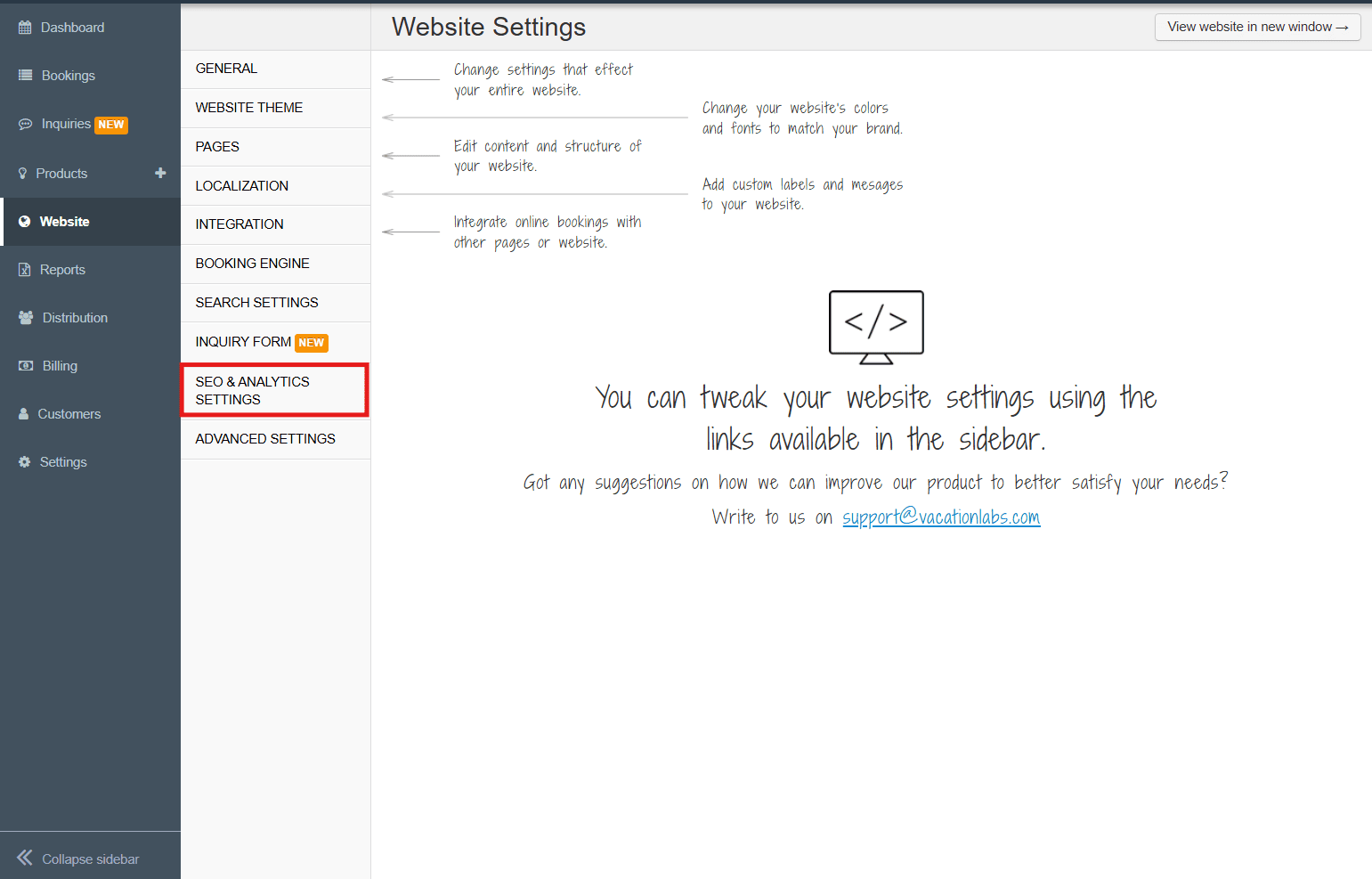
Navigate to SEO & Analytics Settings.
-
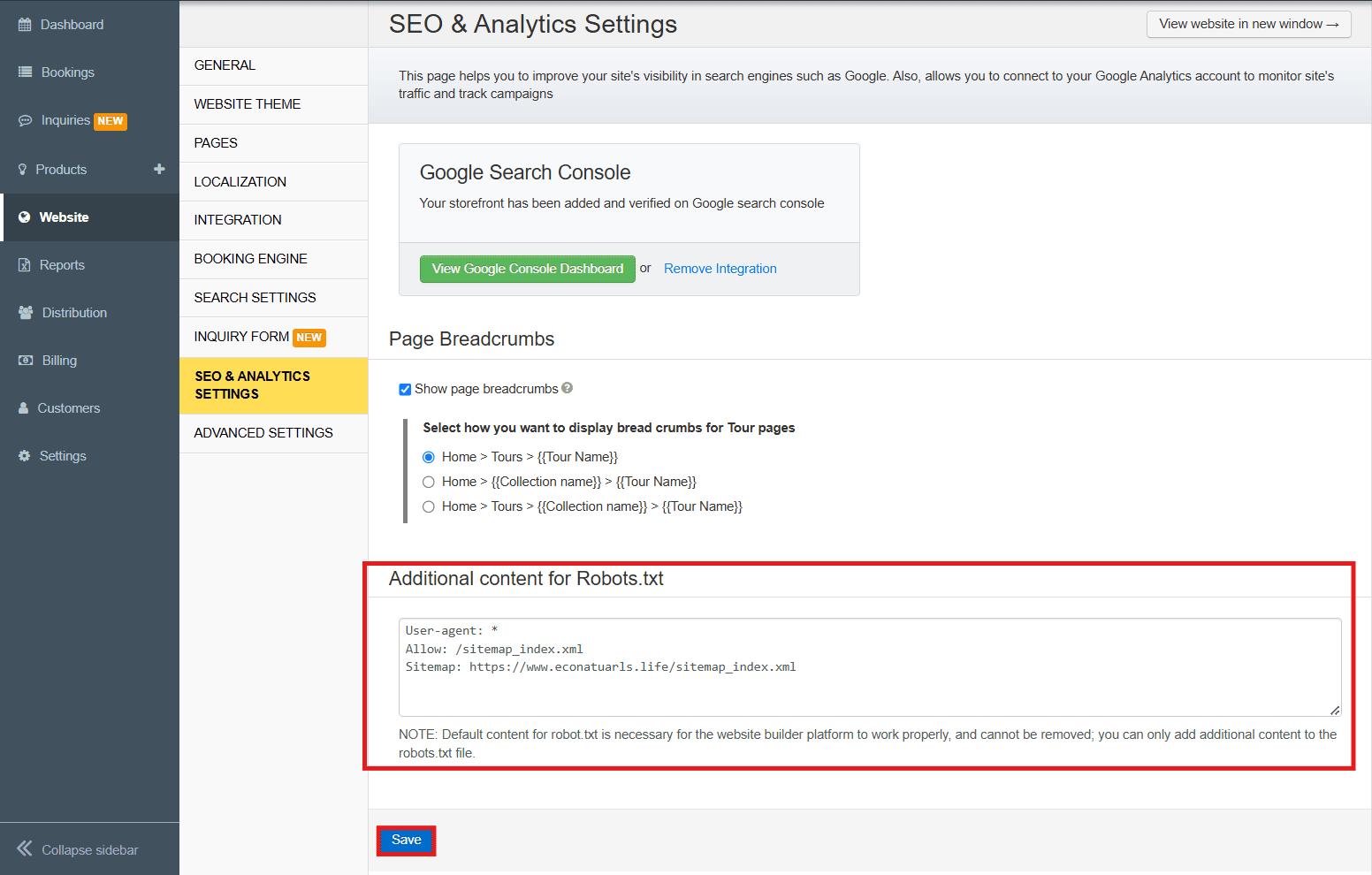
Locate the Additional Content for Robots.txt section.
-
Add your custom rules.
-
Save changes. Search engines will update during their next crawl.
Example Custom Rules
-
Blocking unwanted crawlers:
User-agent: BadBot Disallow: /pricing -
Allowing specific search engines:
User-agent: Googlebot
Allow: /
User-agent: Bingbot
Allow: /
Note
Tip: Avoid blocking critical pages, such as product listings or key content, to maintain a strong SEO presence. Blocking important pages may reduce visibility in search results and impact traffic.