Enabling email notifications for Viator API failures
Viator
Updated
Info
It is strongly recommended that you enable error notifications for Viator API calls. If something is not working right win the Viator <=> Vacation Labs integration / sync, you will be notified at most once every 24 hours via email
In order to receive the Viator API calls failure message via Email please follow the steps listed below:
-
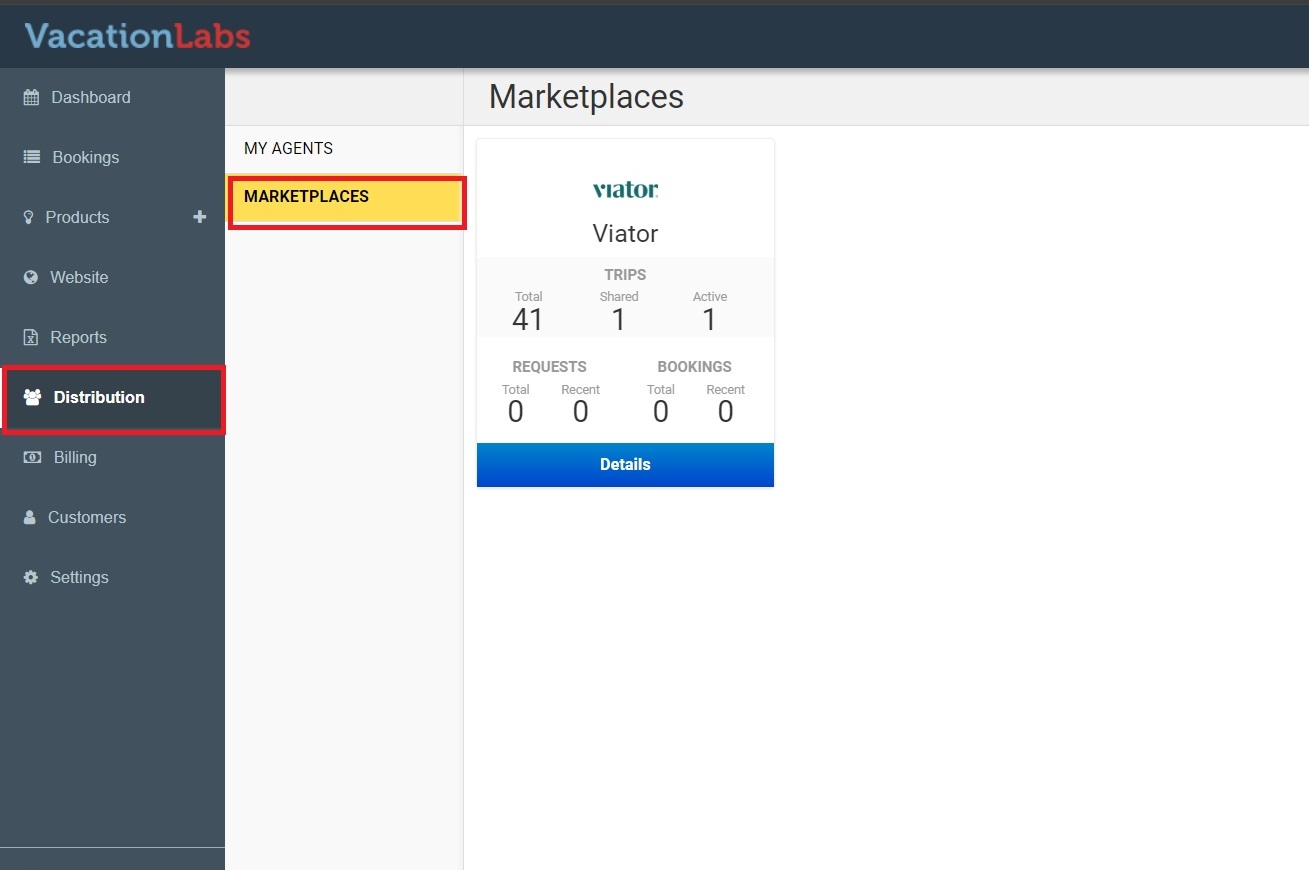
Sign to Vacation Labs and go to Distribution > Marketplaces (refer screenshot below)
-
Click on Details
-
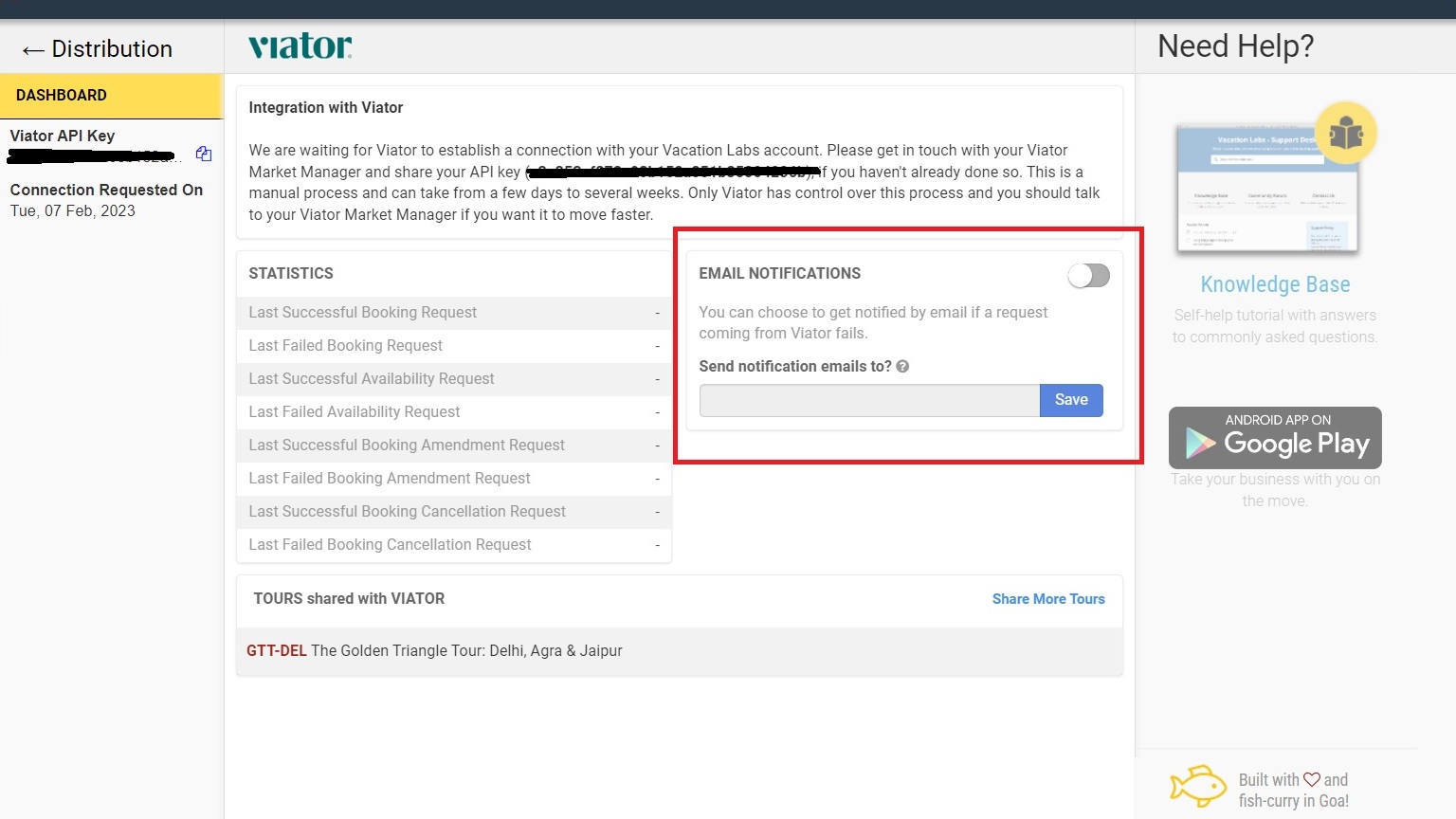
You will find a box with heading Email Notifications, (refer screenshot below)
-
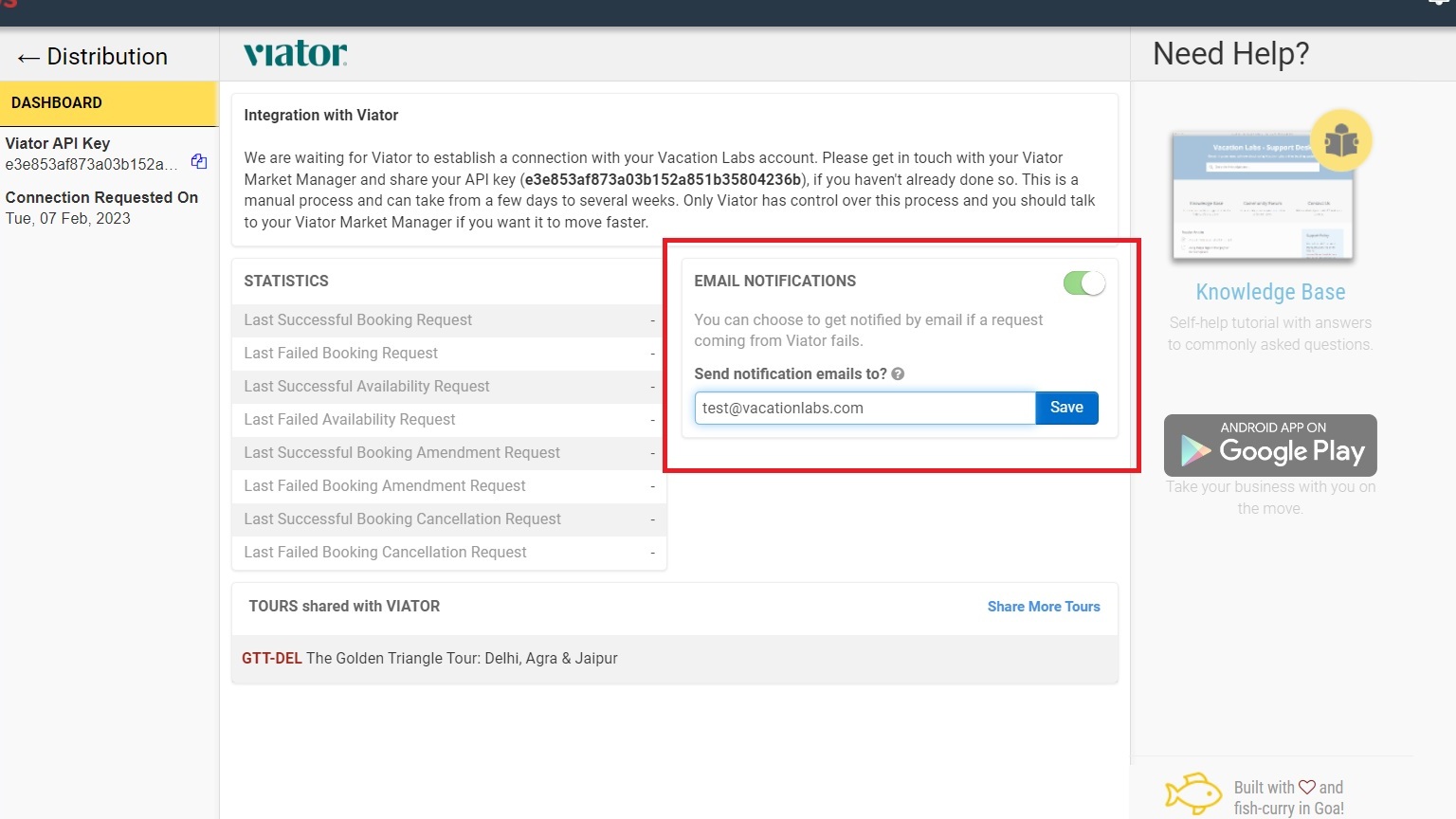
Turn the toggle to Green position and add the Email ID where you want to receive the Error warnings and Save it (refer screenshot below)
Please check out this support article for detailed guide on Connecting Viator and Vacation Labs