Working with Viator bookings in your Vacation Labs backoffice
Overview
-
Identifying bookings made via Viator
-
Editing bookings made via Viator
Identifying Bookings made via Viator in the Vacation Labs System
-
Login to Vacation Labs and go to Bookings section
-
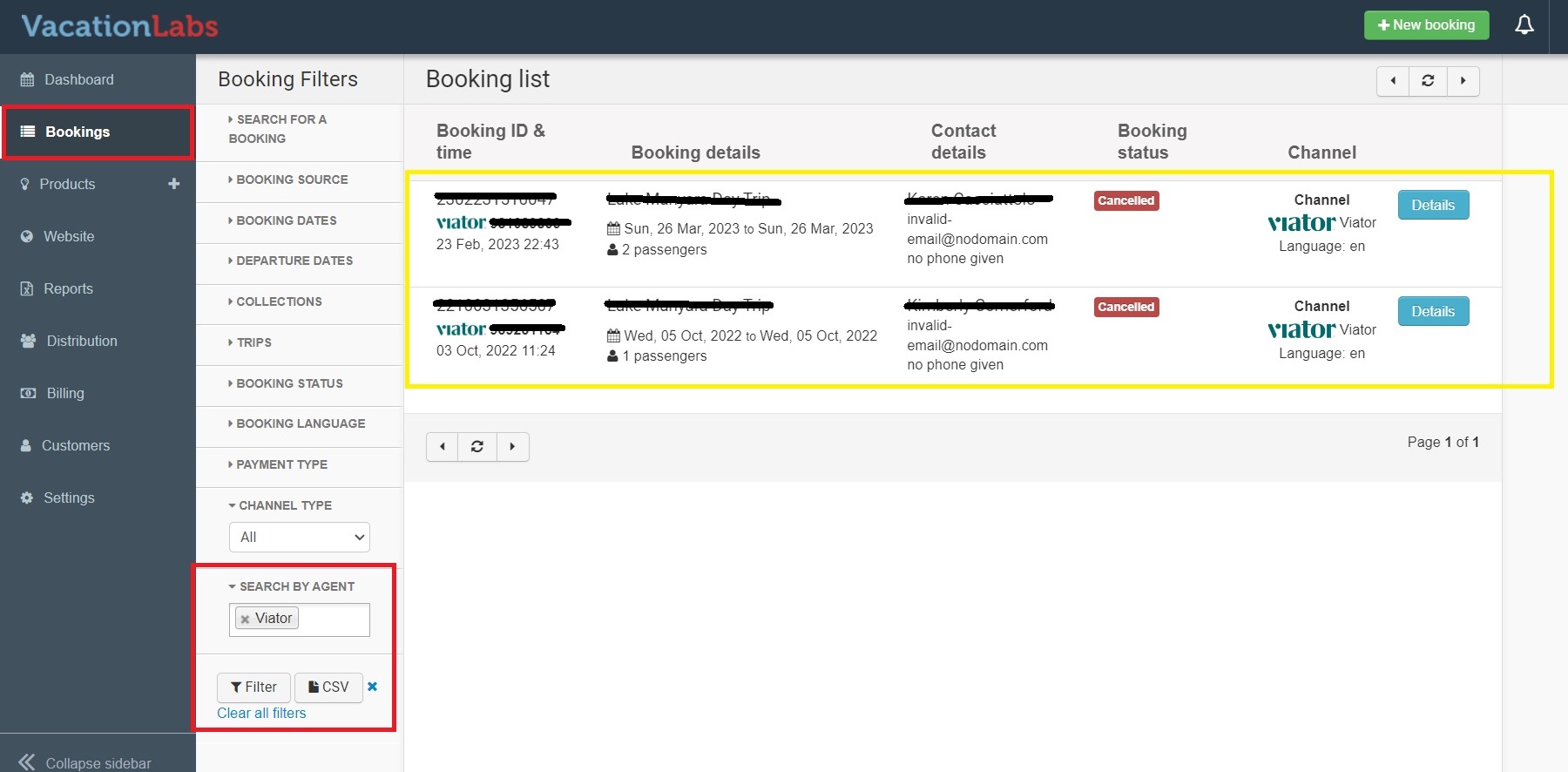
On the left hand side there are filters, the bottom most filter is Search by Agent, in this box select VIATOR and then click on Filter and you will get a list of the Bookings made via Viator (refer screenshot below)
-
Click on DETAILS to view all the details related with this Booking.
Editing Bookings made Via Viator
You can edit the bookings made via Viator in Vacation Labs but we would recommend not doing so and we would instead suggest to make all changes to the booking in Viator console itself and in a few minutes the changes will show up in Vacation Labs as well.
Info
You can identify the booking in Viator using the ref number which you can find in Vacation Labs inside booking details (refer screenshot below)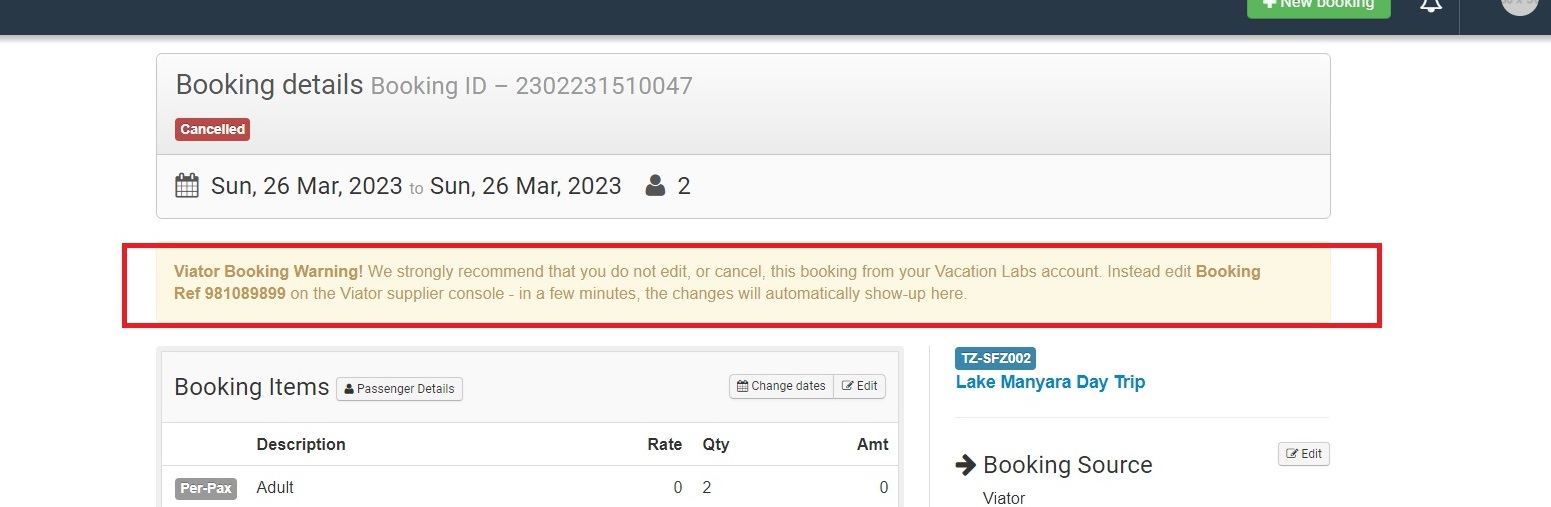
Now to edit the bookings in Viator please follow the steps below:
For amending/editing of Bookings you will need to contact the customer care team because they are the one who amends or change booking details on Viator. Here is the best way to get in contact with the Customer service team: 1-866-648-5873 (Toll Free; within US only) 702-648-5873 (International) Customer.care@viator.com (e-mail)
Please follow this support article on how to contact viator support: https://help.supplier.viator.com/en/articles/161-contact-support
Here is the other best way to get in contact with the Customer service team (recommended):
1. Log in to the Management Center and go to the Bookings tab 2. Find the booking you’d like assistance with 3. Select Show Details on the booking card 4. right side click on Contact Customer Care at the bottom of the Show Details Section 5. Enter your name, the reason for your contact and a description of the issue 6. Send the form