Create a Dynamic Slideshow by Enabling Auto-Play in Banner Slides
Auto-play for your website banners
With this update to our website builder, you can now enable auto-play on your banner slides. This adds gentle motion to your hero sections and helps you showcase multiple tours, promotions, or visuals without requiring customers to manually scroll through the slides. The feature works across all four header styles and is available on all plans. You can also decide how often the slide should change — for example, every 5 seconds. The moment a visitor interacts with the banner (click, tap, or swipe), the auto-play pauses automatically. This ensures full control for the customer and avoids any rushed or disruptive transitions. 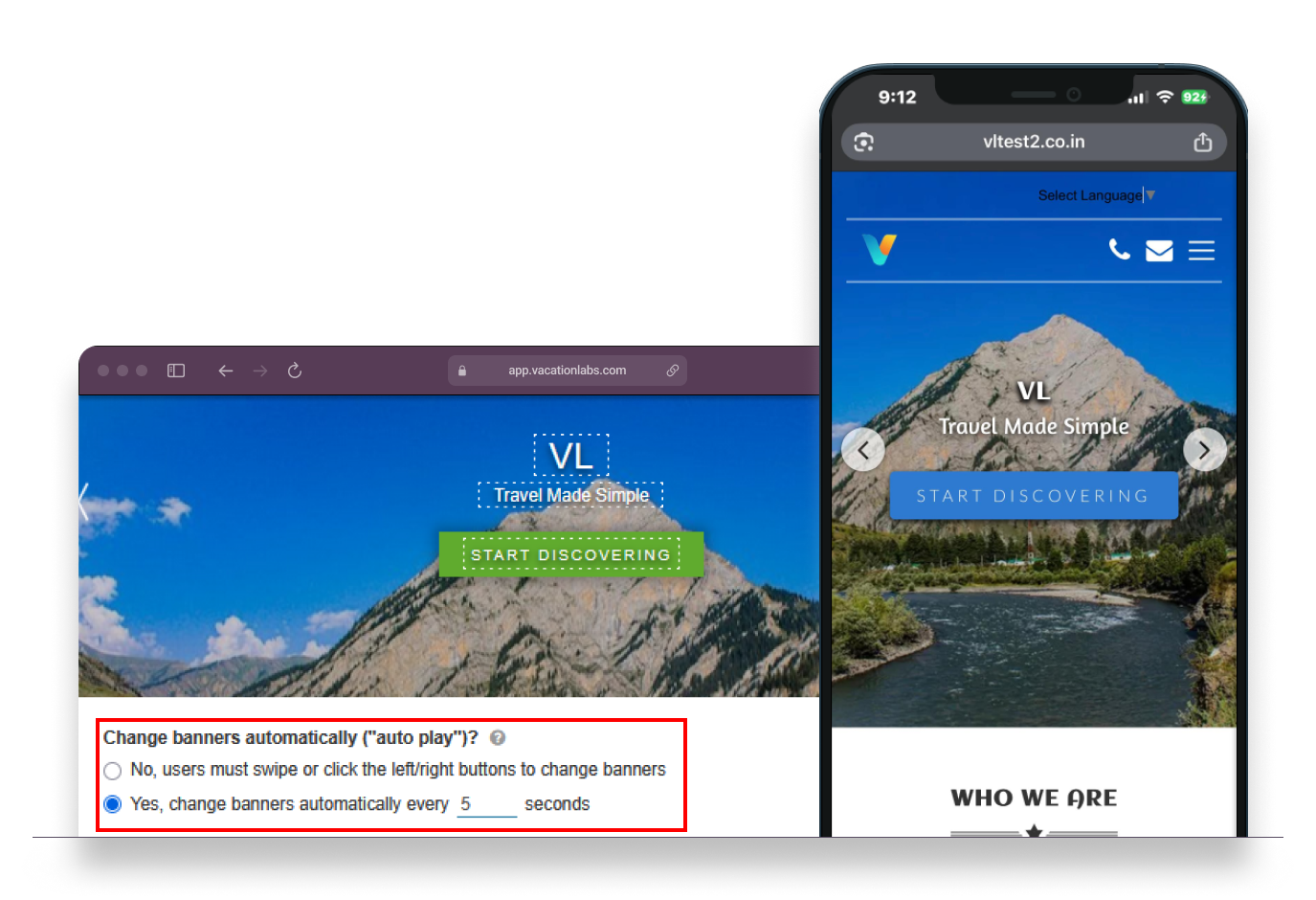
Enable auto-play: Turn on auto-play for your Banner
Choose your timing: Set how many seconds each slide should appear before the next transition
Works on all devices: Fully supported across desktop and mobile header styles
Interaction-aware: Auto-play pauses instantly when visitors interact with the banner