
Capture phone, WhatsApp, and email inquiries in the Backoffice
Add inquiries manually — anytime from the backoffice
You can now create inquiries manually from the Vacation Labs backoffice, without waiting for customers to submit an inquiry form on your website. This is ideal for capturing leads that come in via phone calls, WhatsApp, walk-ins, or emails — and managing them alongside your website inquiries. The new New Inquiry flow is designed to be quick and flexible. You can record an inquiry with whatever information you have at hand — even if it’s incomplete — and edit and enrich it later as you learn more from the customer. You can also log a general inquiry without selecting a tour, or optionally associate it with a specific tour if the customer already knows what they’re interested in.
This is the second part of a larger upgrade to the Inquiries Dashboard. You can read the first part here. We’ll be rolling out more improvements over the coming weeks — stay tuned.
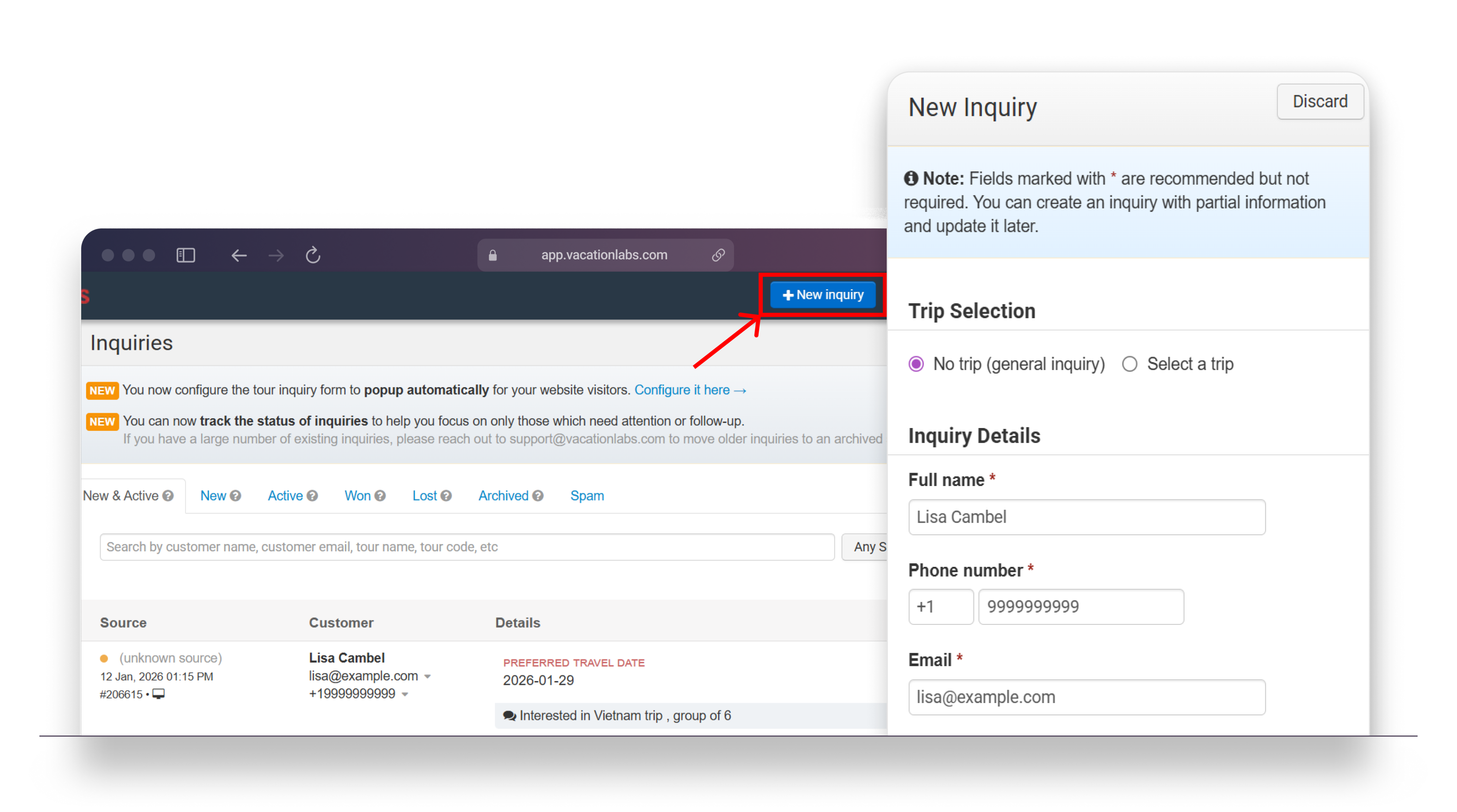 Once created, manually added inquiries behave exactly like website inquiries. They appear in your Inquiries list, can be assigned to team members, tracked using inquiry statuses, and followed up until they’re marked as won, lost, or archived. You can also send acknowledgement emails to customers, ensuring they receive a prompt response even for inquiries recorded offline.
Availability: This feature is available on all Vacation Labs plans and is enabled by default. No setup required.
Go to Backoffice → Inquiries
Click New Inquiry (top-right)
Record the inquiry with the details you have
Edit later, assign it, and follow up as usual