Manage and convert customer inquiries with the new Inquiries Dashboard
A dedicated command center for all your inquiries
We’ve introduced a new Inquiries Dashboard in the Vacation Labs backoffice — built to help you move beyond a messy email inbox and manage every customer inquiry in a clear, structured, and action-oriented way. Instead of juggling emails, spreadsheets, or manual follow-ups, you now get a single place to track inquiry progress, quickly find the right inquiries, review customer details, and take action without friction.
This is the first part of a larger upgrade to the Inquiries Dashboard. We’ll be rolling out more improvements over the coming weeks — stay tuned.
Visual sales pipeline for inquiry follow-ups
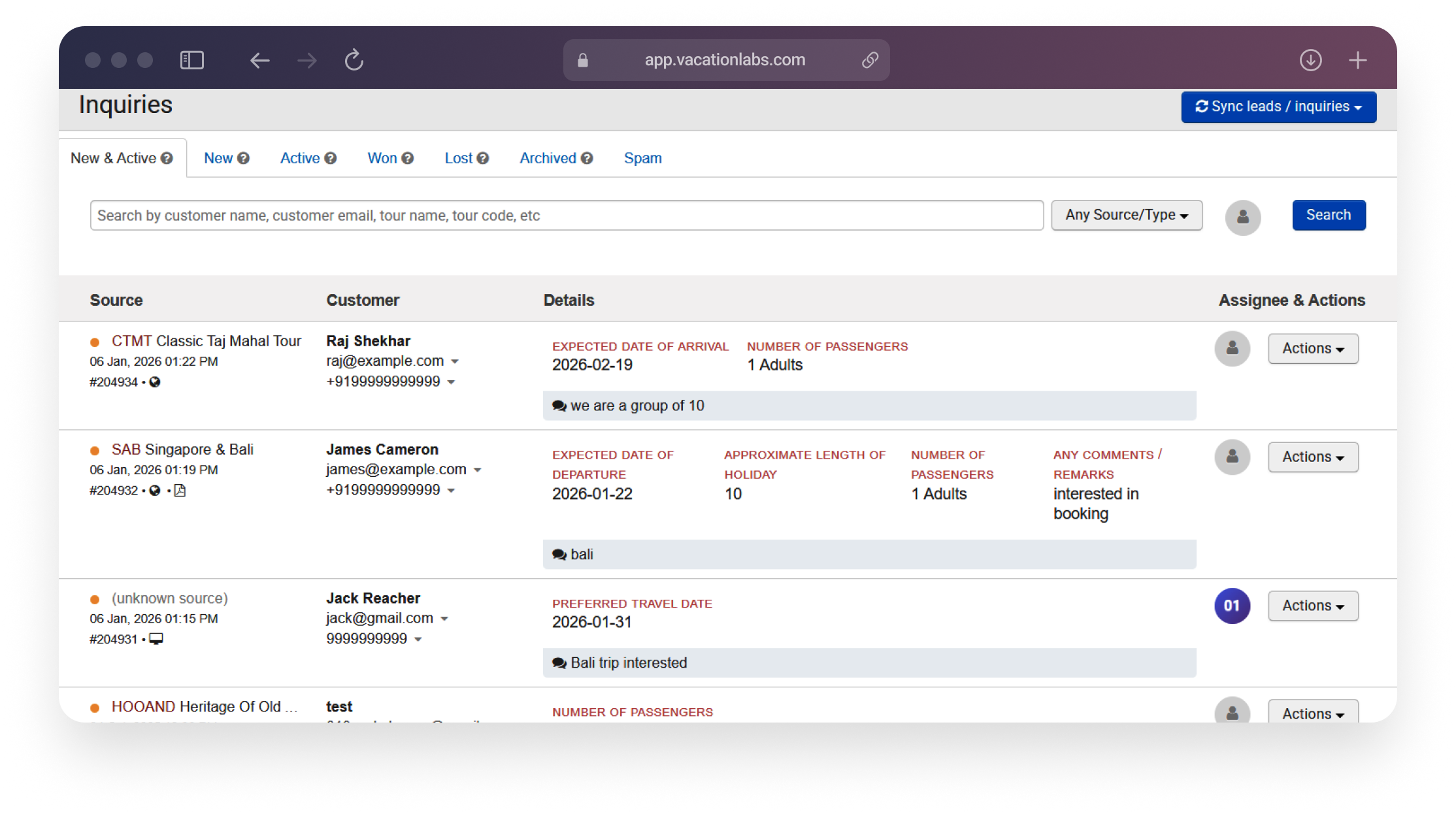
The new dashboard introduces a visual sales pipeline for inquiries, making it easy to see where each potential customer stands and what needs attention next.
New & Active: Focus on inquiries that are fresh or currently being followed up
Won: Clearly track inquiries that have converted into bookings
Lost, Spam & Archived: Keep your workspace clean while preserving history
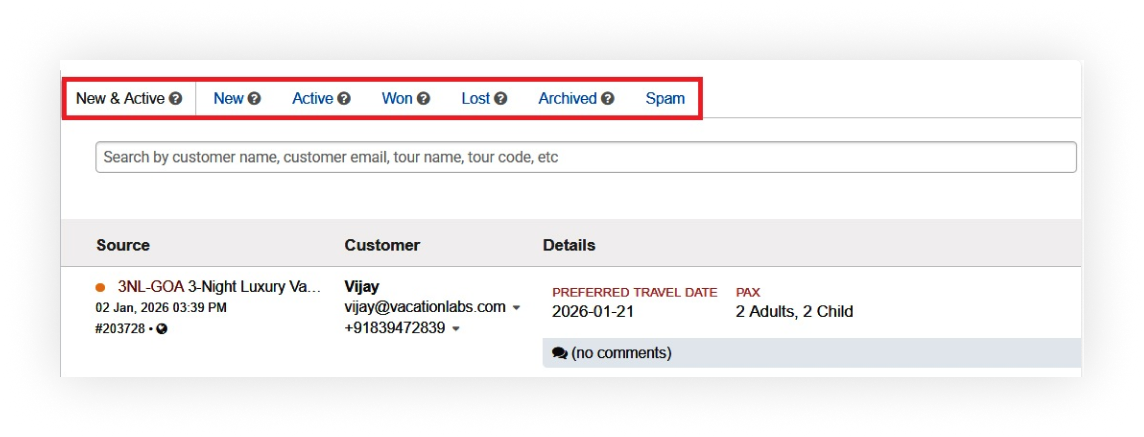 Inquiry statuses can be updated directly from the list view, ensuring no opportunity slips through the cracks.
Smart search and filters to find exactly what you need
As inquiry volumes grow, finding the right inquiry quickly becomes critical. The Inquiries Dashboard includes smart, fuzzy search that works even when you don’t remember exact details.
Search by customer name, email, or phone number — even with partial matches
Search by trip name or internal trip code using the same search bar
Use filters and tabs to focus only on inquiries that matter today
 Inquiry data is also displayed in a clean, human-readable format, automatically extracting travel dates, number of travelers, and key contact details from the inquiry form.
An action-oriented dashboard built for speed
The Inquiries Dashboard is designed as a true action hub for your team. From a single screen, you can review full inquiry details, update statuses, and take action without page reloads. A built-in WhatsApp action lets you instantly message customers with a pre-filled note referencing their inquiry, making it easy to move from inquiry to follow-up in a single click. 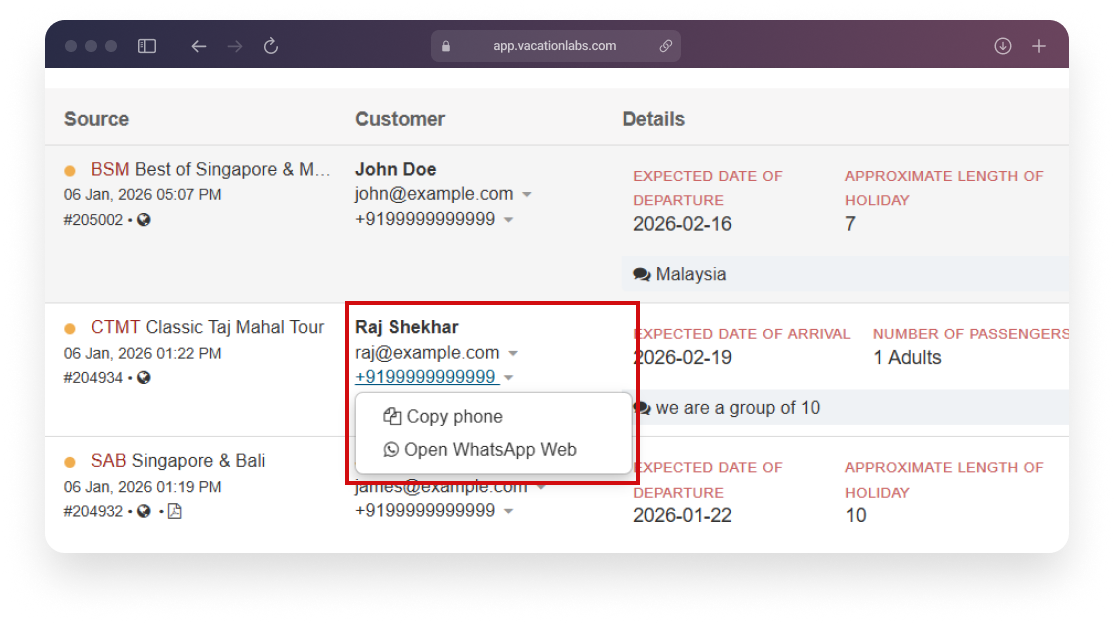
Available on all Vacation Labs plans. Access it from Backoffice → Inquiries.