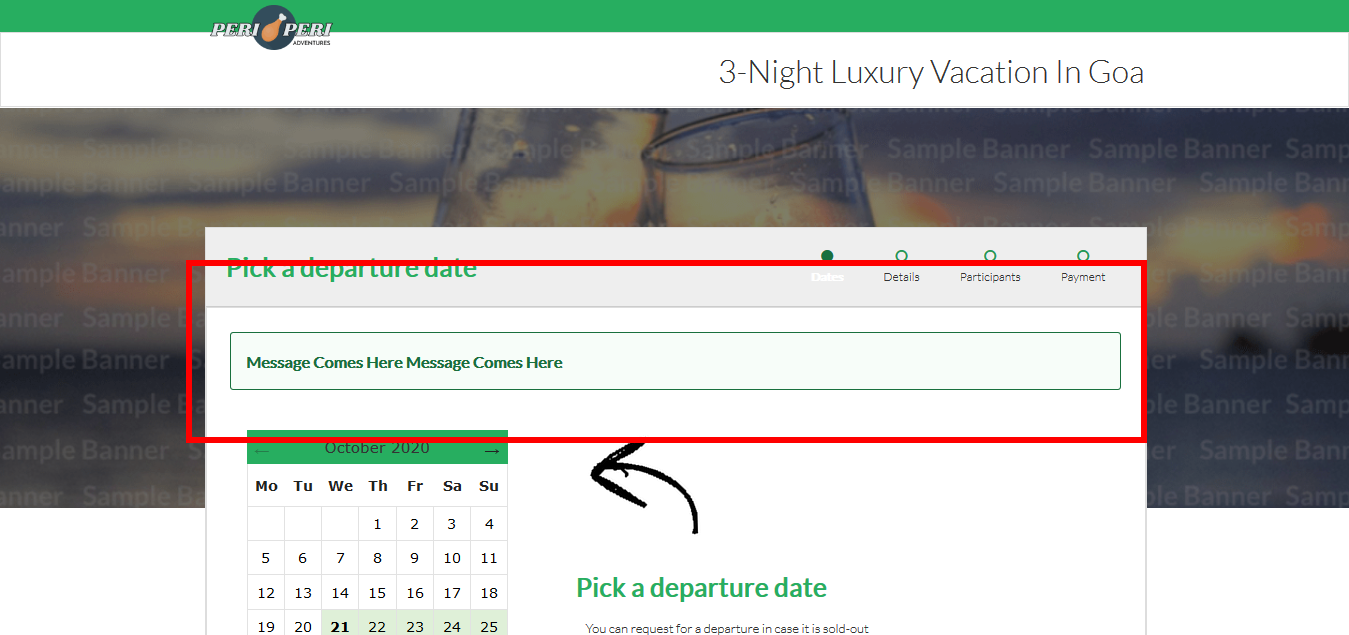
Adding booking form message
Vacation Labs system allows you to display a message on the booking form, either for all trips, or specific trips. You can, for example, use this to communicate specific instructions related to the booking process, or promote a special coupon/discount. This is displayed in box container on top of the booking form.
Please follow the below steps,
-
Login into Vacation Labs
-
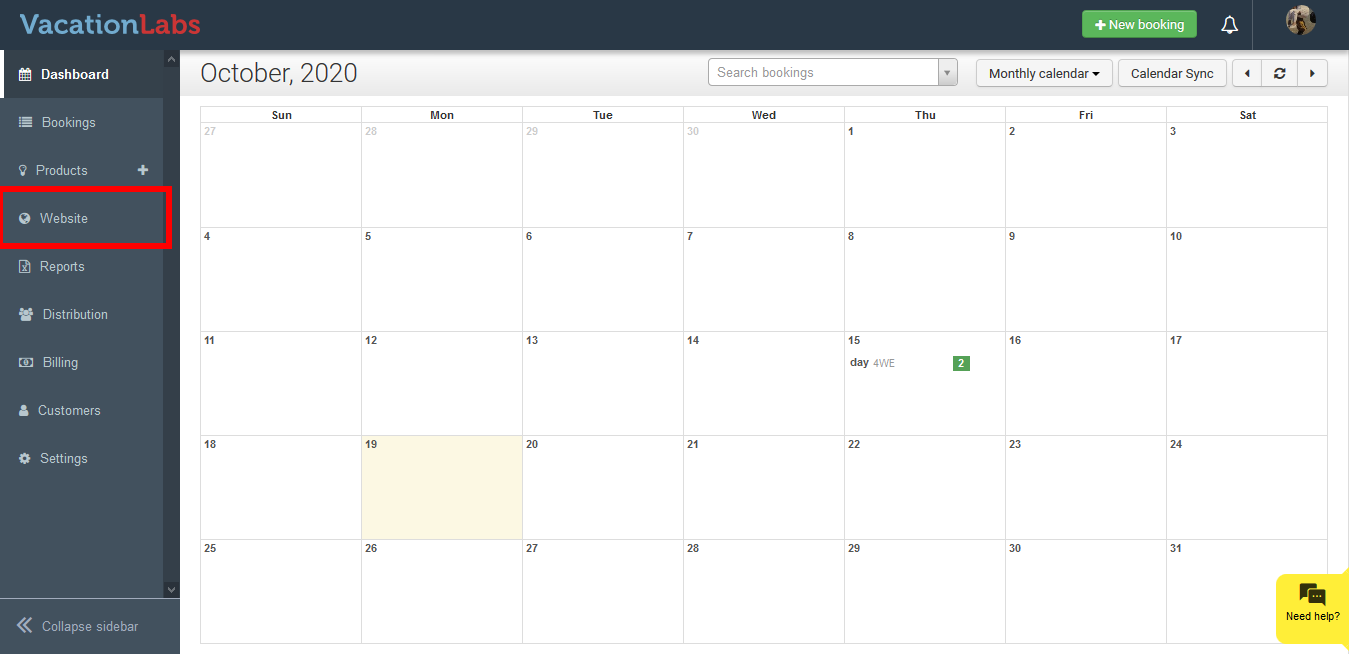
Click on **Website
 **
** -
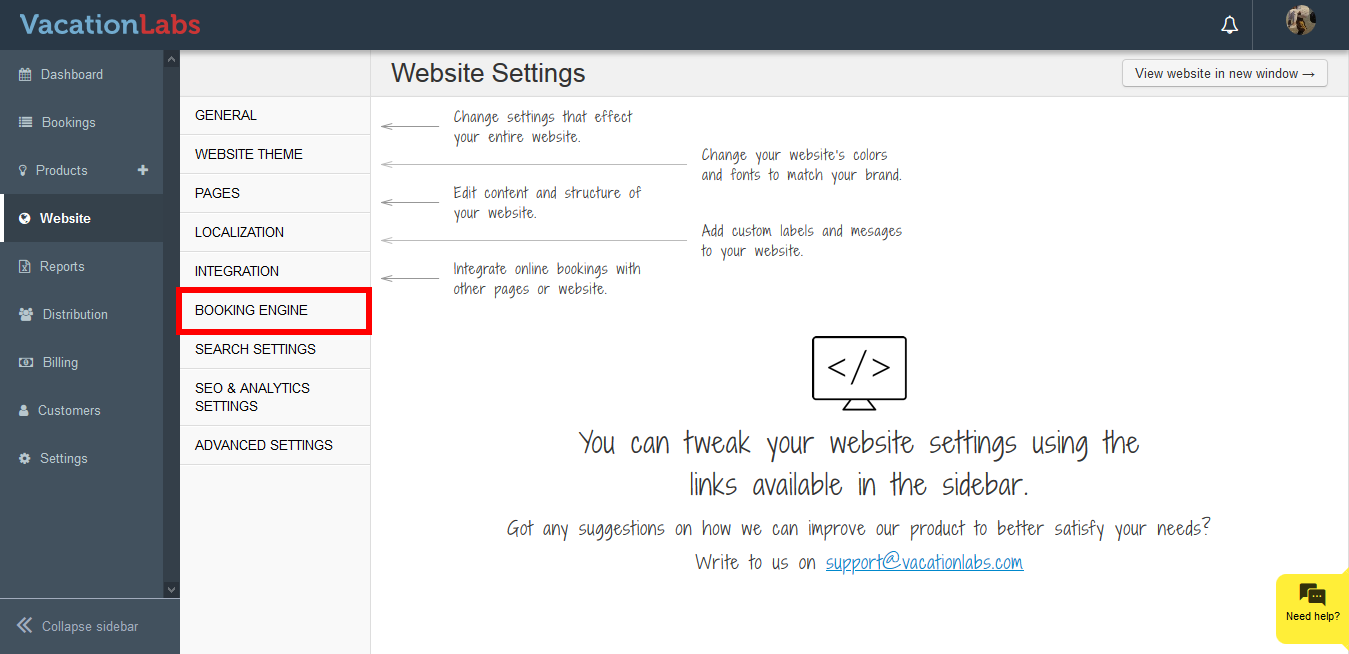
Click on **Booking Engine
 **
** -
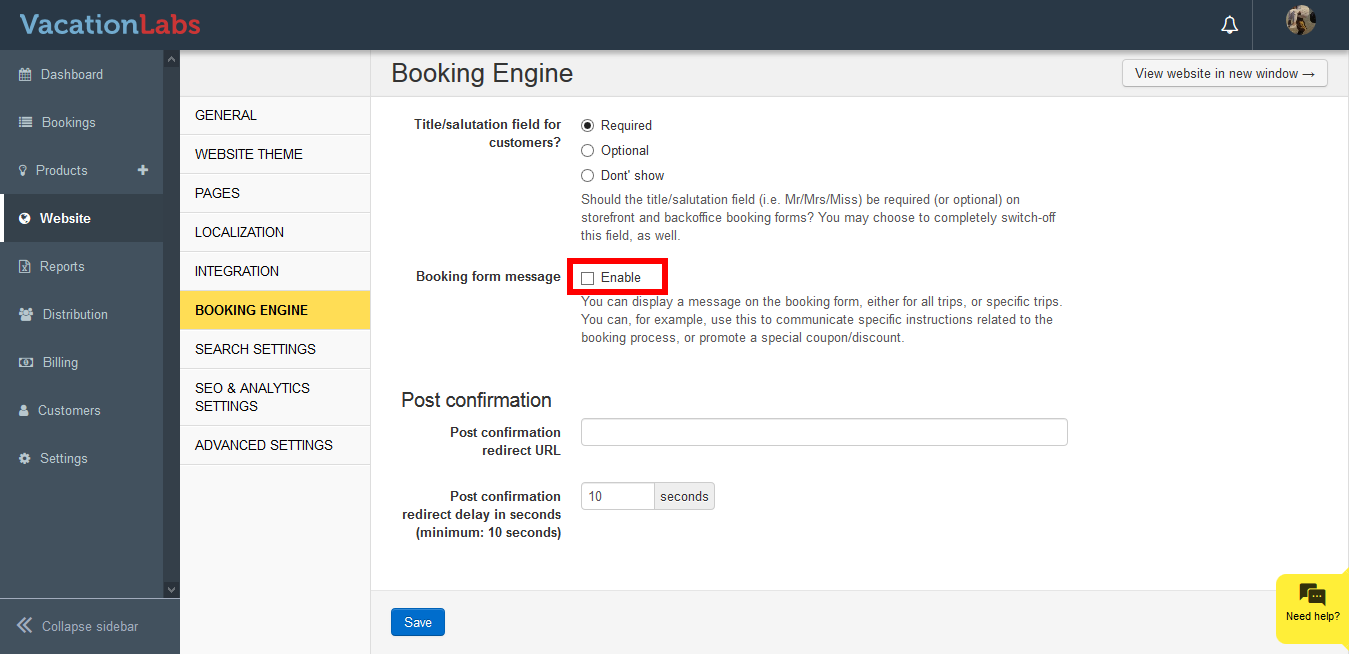
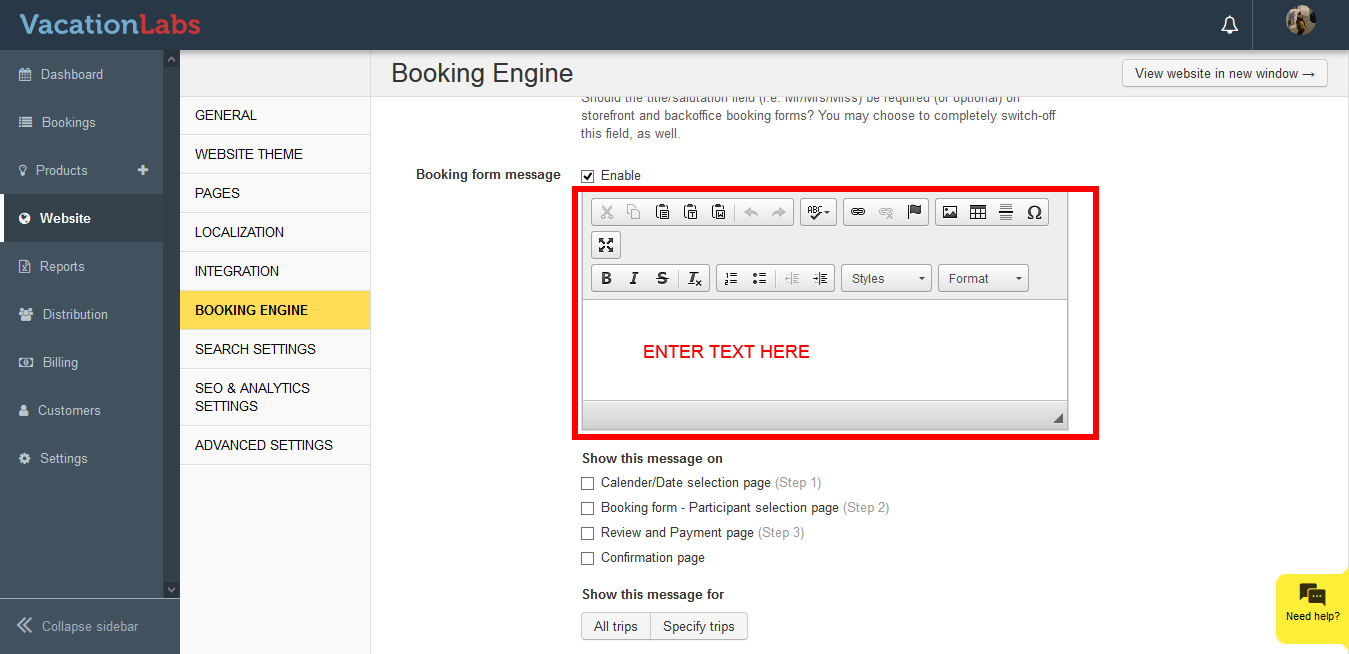
Click on the checkbox to enable Booking Engine message
-
Enter the message in the **Text editor
 **
** -
Select whether you wish to display the message on, Calender/Date selection page (Step 1)
Booking form - Participant selection page (Step 2)
Review and Payment page (Step 3)
Confirmation page
-
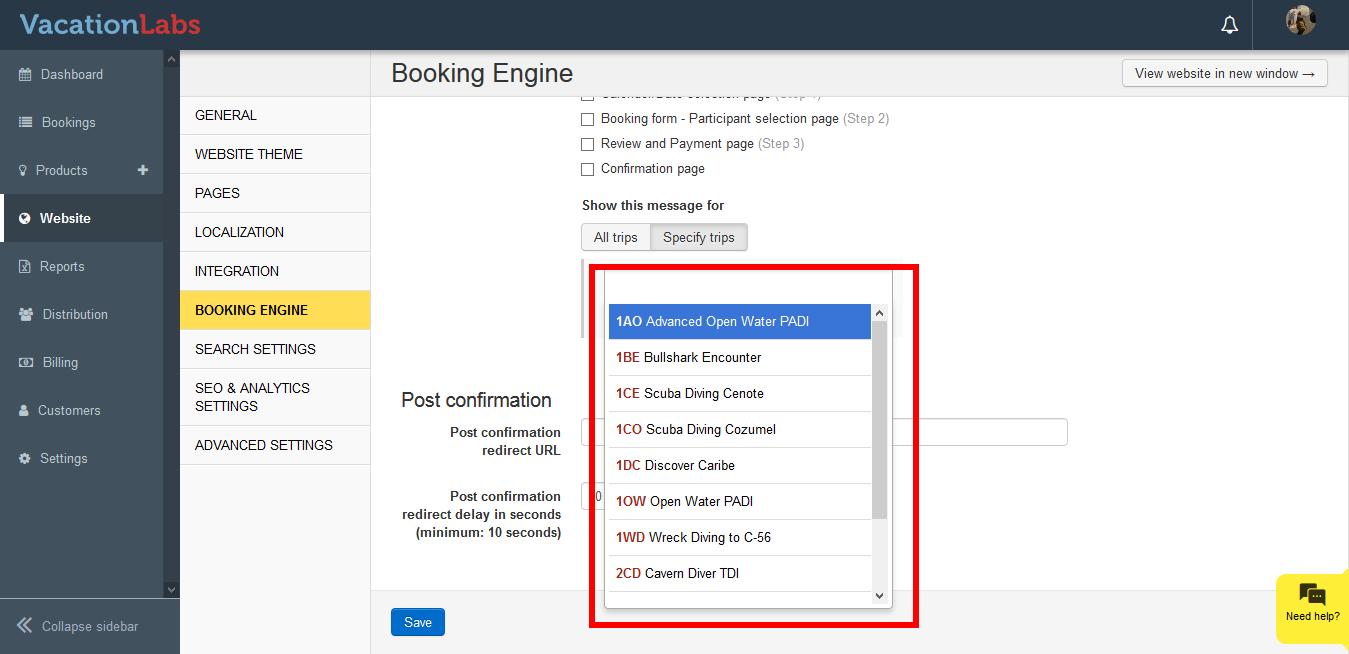
You can also specify the trips on which the message needs to be displayed on the Booking form.
-
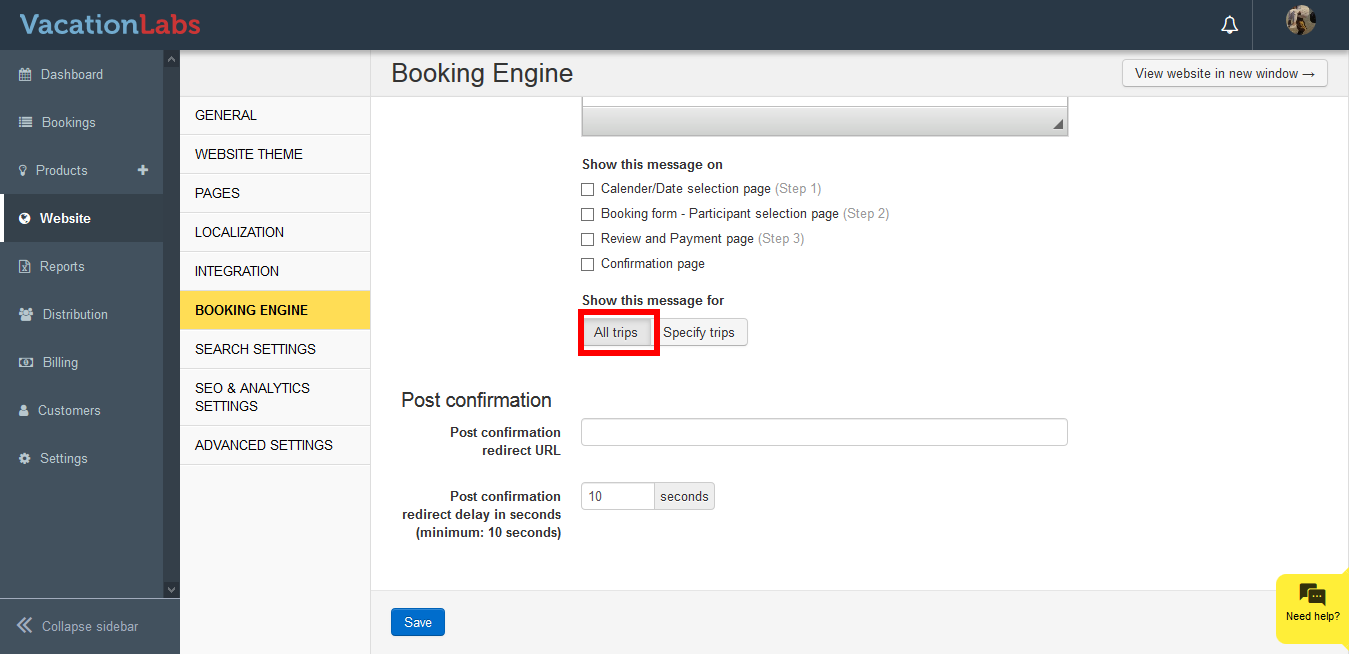
If you wish to display on all trips please opt for All Trips
Message displayed on Website: