Advanced: Sharing seats across different trips
Overview
The option to share seats across trips becomes essential in scenarios where the booking for one trip directly influences the availability or inventory of another trip. This situation commonly arises when multiple tours share common resources such as guides, instructors, bikes, diving gear, or other equipment.
For example, if you offer several tours and all of them require bikes, but you have a limited number of bikes available, the ability to share seats ensures efficient utilization of resources. This feature helps optimize resource allocation, preventing overbooking and ensuring that each trip has the necessary equipment and personnel without exceeding capacity limits.
How to Set it up in Vacation Labs
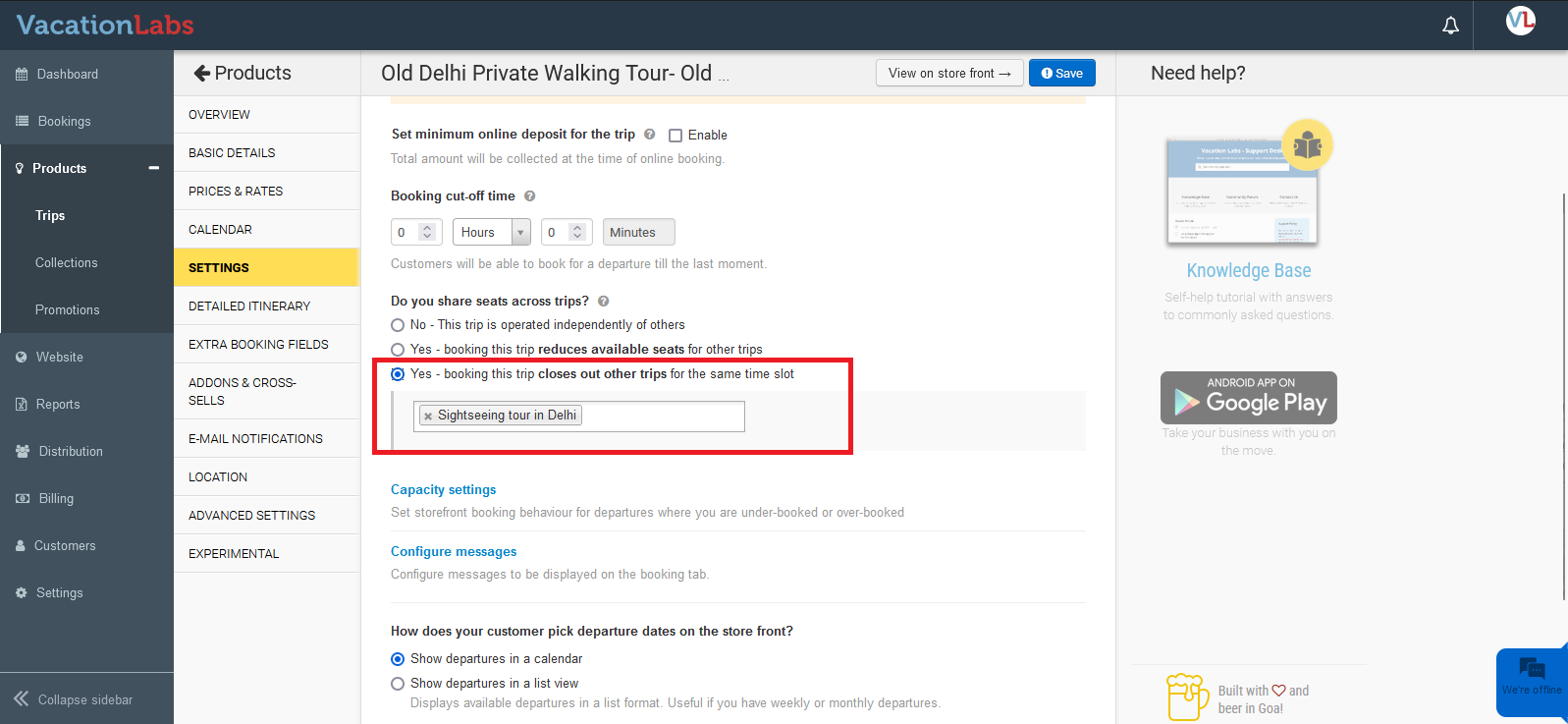
Navigate to Products > Trips > Edit Trip > Settings. Under the section ‘Do you share seats across trips?’ you will find the options to configure it.
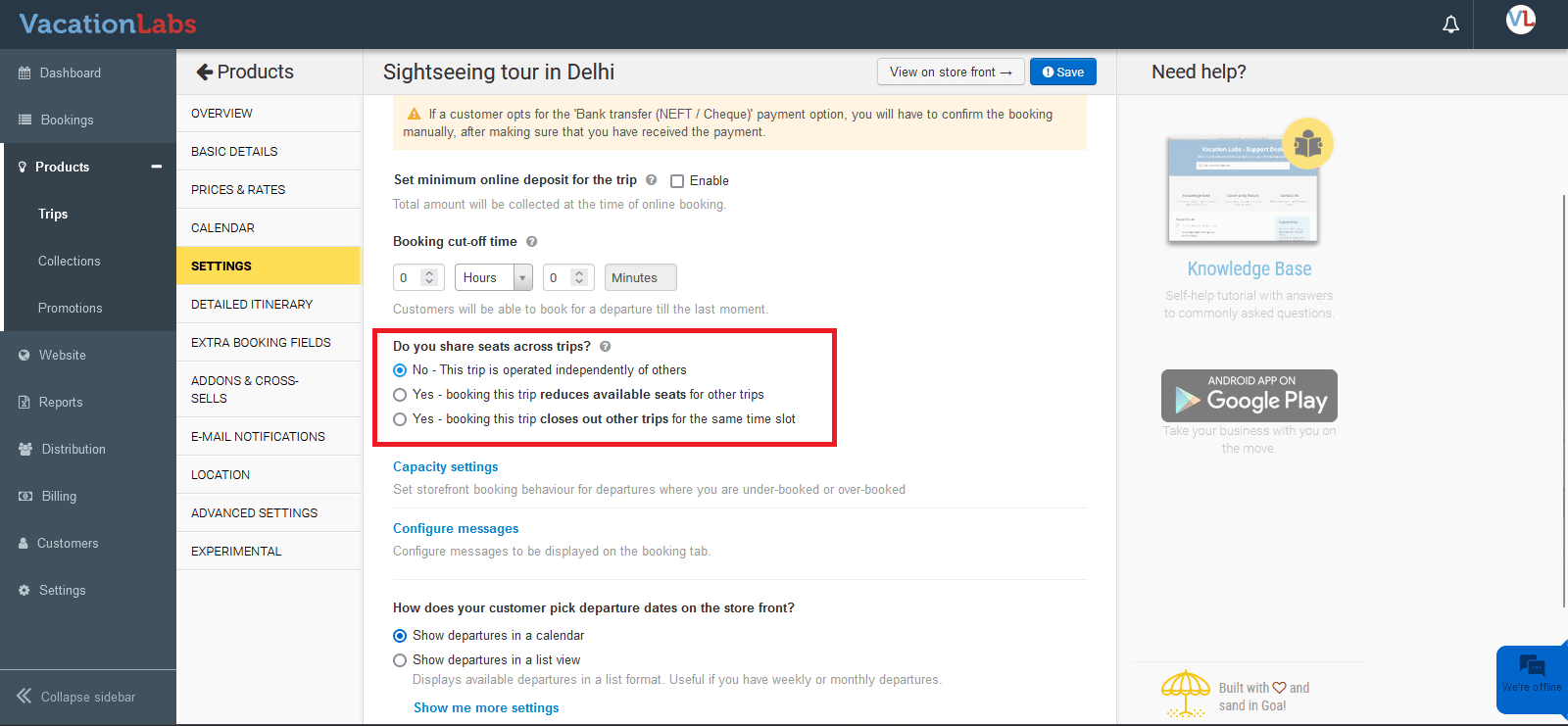
Here you have 3 options to select:
1. No - This trip is operated independently of others
This option is selected by default when you choose a specific trip as a shared trip, and the trip will be operated independently of others, i.e. when a booking is made for this trip, it will not reduce the available seats for any other trip.
2. Yes - booking this trip reduces available seats for other trips
When you select this option, you need to choose the trips whose seats will reduce as and when bookings are received for the current trip. Please remember, this is a “vice-versa” behavior, i.e. if a booking is received for the other trip, seats will reduce for the current trip, as well.
For example, if you have 10 bikes operating for 2 tours, and 4 bookings are made for Tour A, you will have 6 bikes remaining. If both tours share the same time slots and you have enabled this option, the available seats for Tour B will also be reduced to 6. Vice versa, if 4 bookings are received for Tour B, the available seats for Tour A will decrease to 6 as well. This ensures you won’t end up with overbooking, allowing you to utilize your resources in this scenario better.
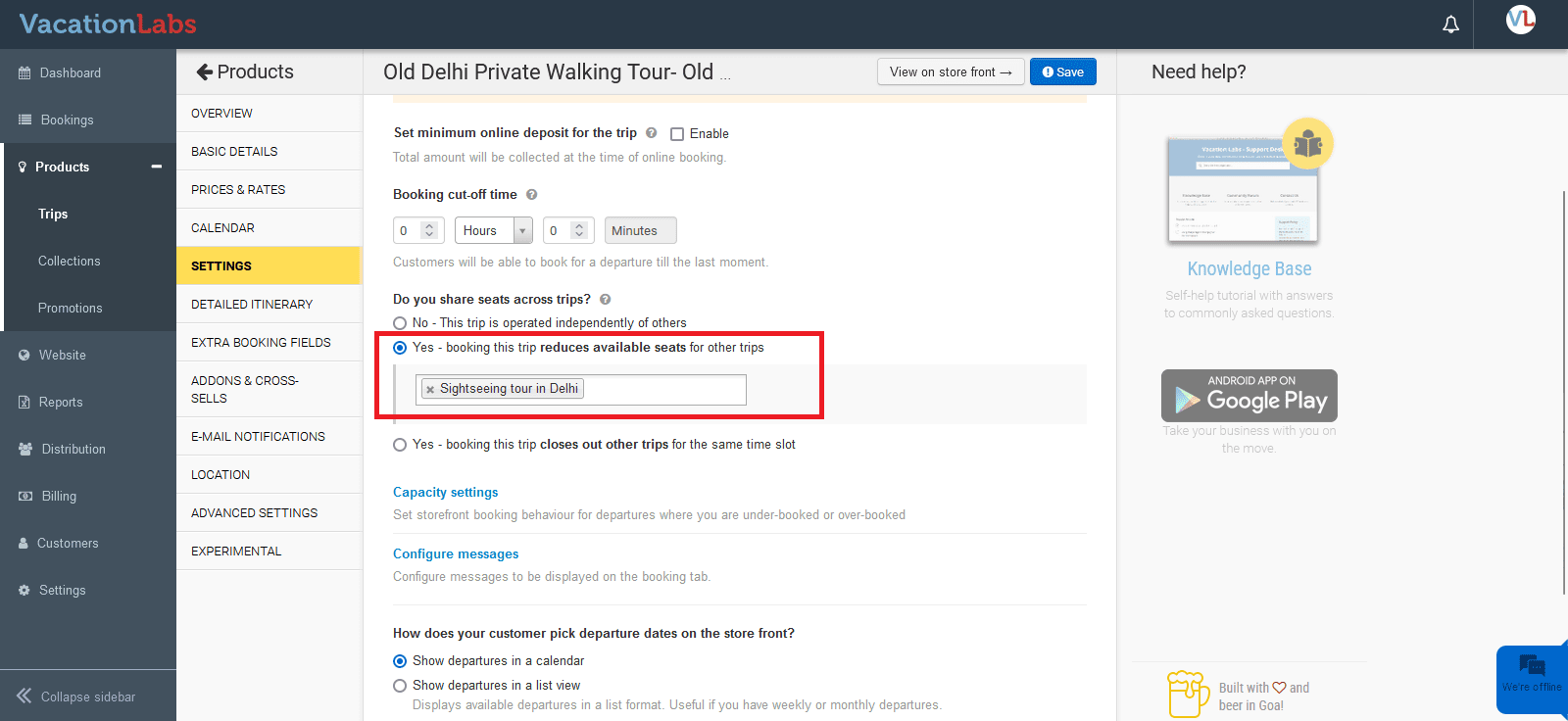
You can observe that when you configure trips that share seats using this option, the available seats for all such trips will reduce when bookings are made for any one trip.
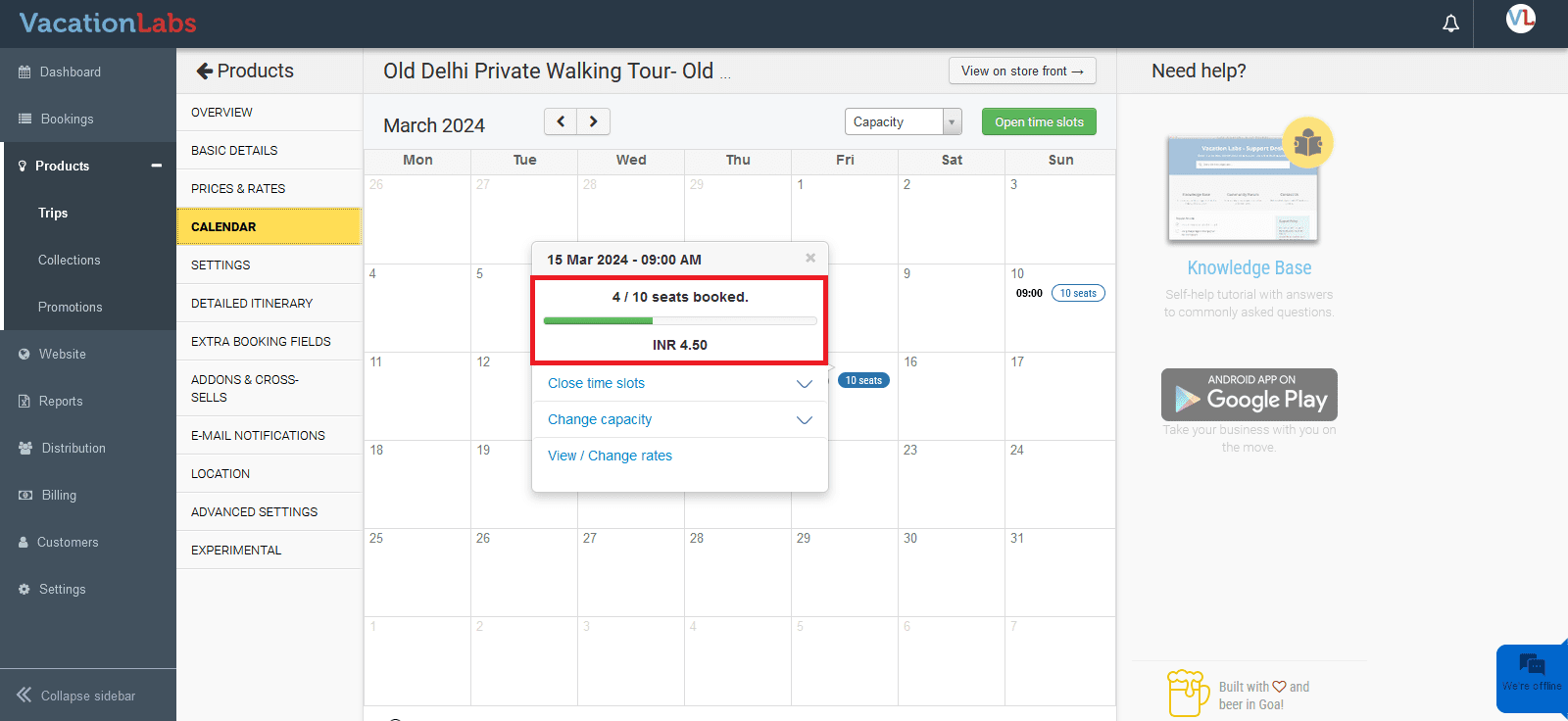
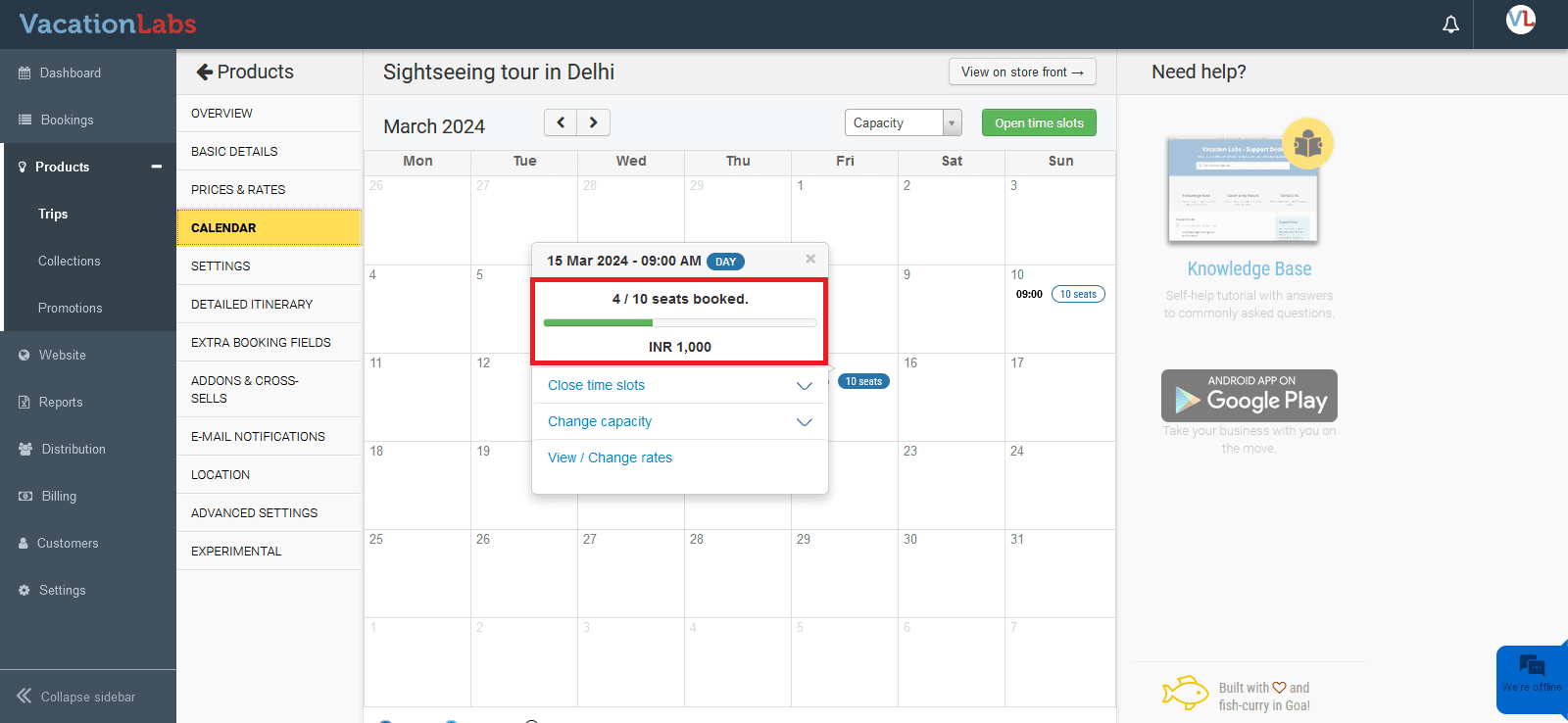
Notice that the number of available seats has been reduced for the other tour as well
3. Yes - booking this trip closes out other trips for the same time slot
When you select this option, you need to choose the trips. As bookings are received for the current trip, the other trips for the same time slots will be closed. Please remember this is a “vice-versa” behavior, i.e., if a booking is received for the other trip, the slots will be closed for the current trip as well.
If you have two trekking tours at the same time, and only one guide is available, you can run only one tour. Enabling this option means that if a customer books a slot for Tour A, the Tour B slots will be closed. Vice-versa, if the customer books a slot for Tour B, then the Tour A slots will be closed. This way, you can start the booked tour with the available guide.
You can observe that when bookings are made, other trips for the same time slots will be closed.
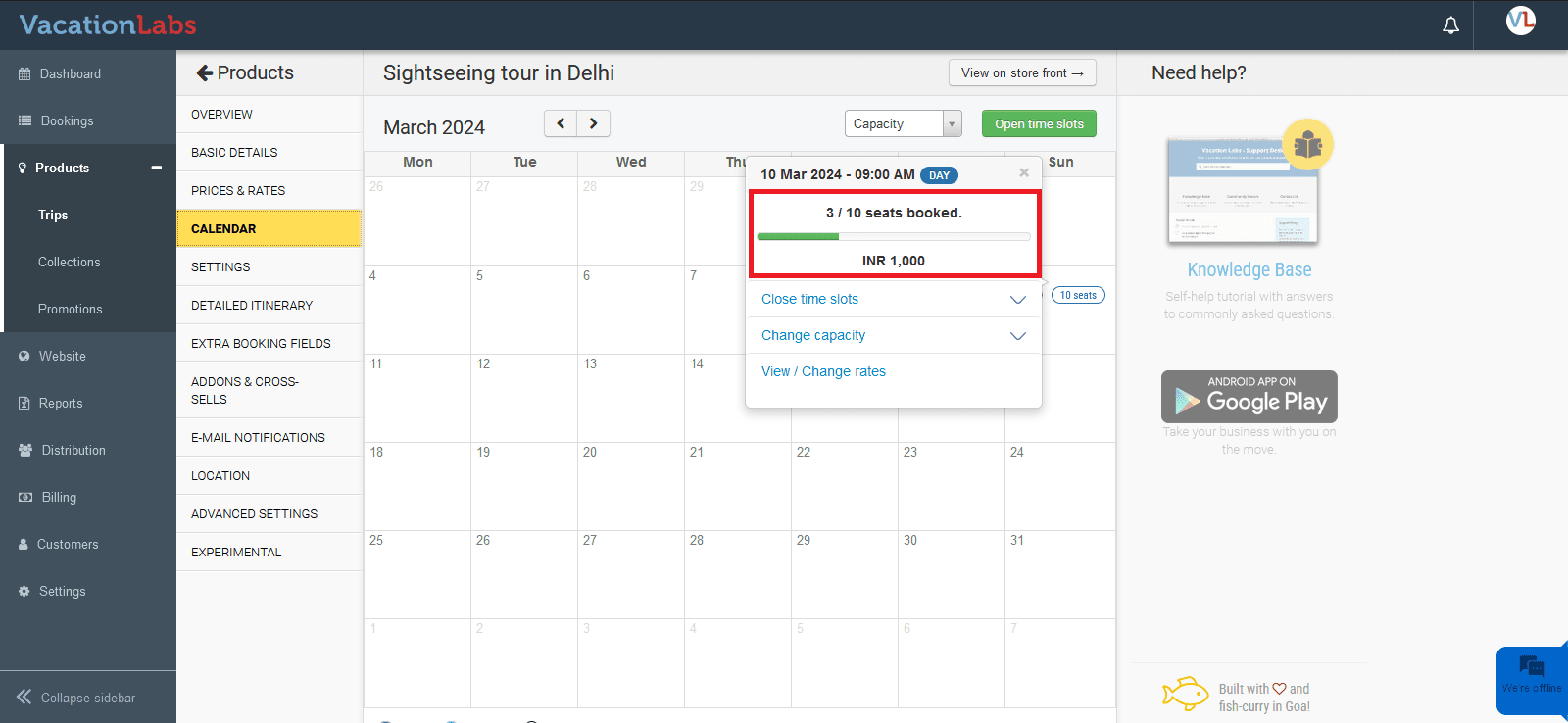
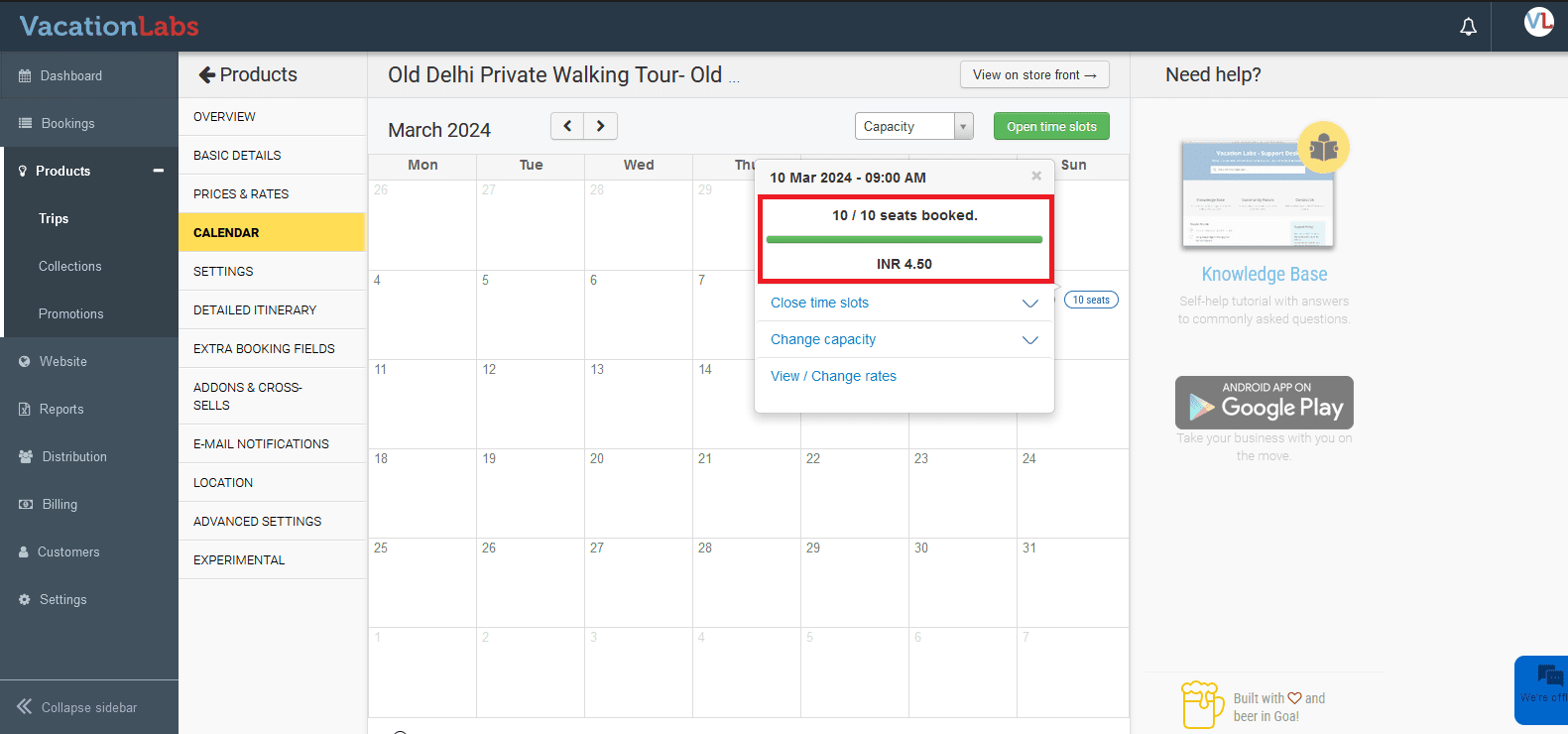
Notice that the other tour has been marked as completely SOLD OUT