Cancelling or rejecting bookings
Vacation Labs allows you to have full control on the bookings and cancel/reject the bookings with one single click if you want.
Please follow the below steps to cancel the bookings,
-
Login into Vacation Labs
-
Click on **Bookings
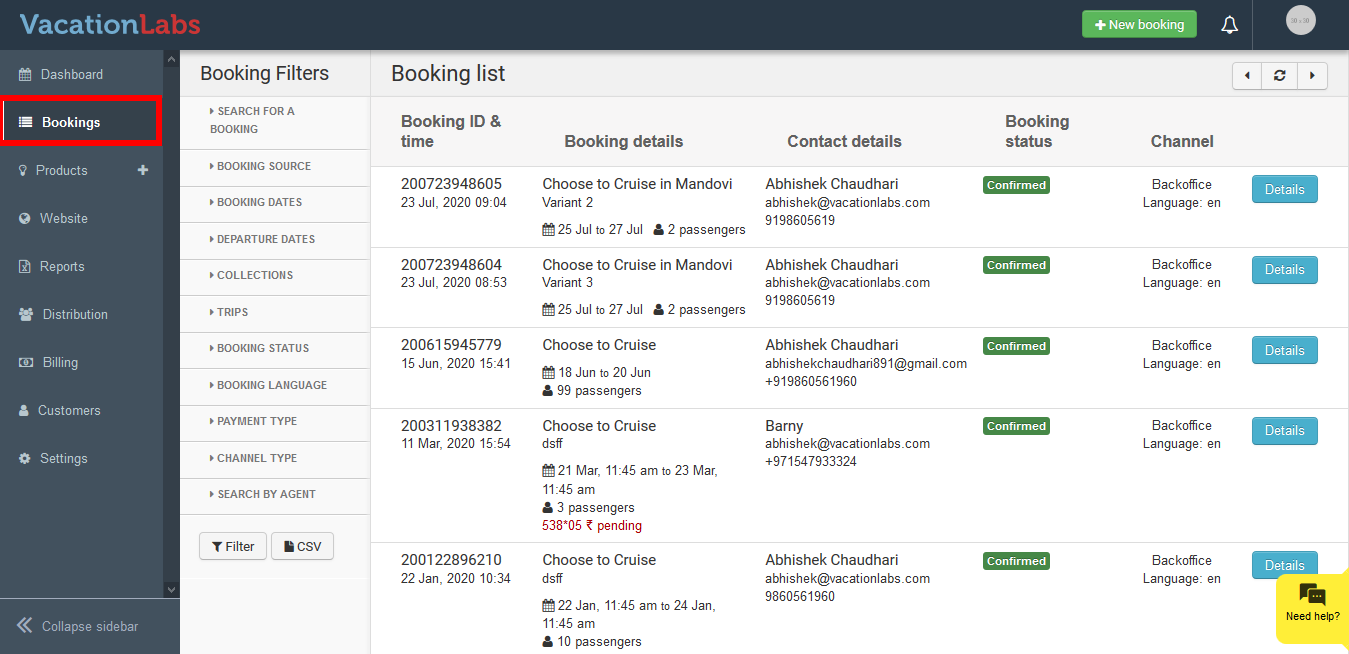 **
** -
Select the booking which you wish to cancel
-
Click on **Details
 **
** -
Click on **Cancel
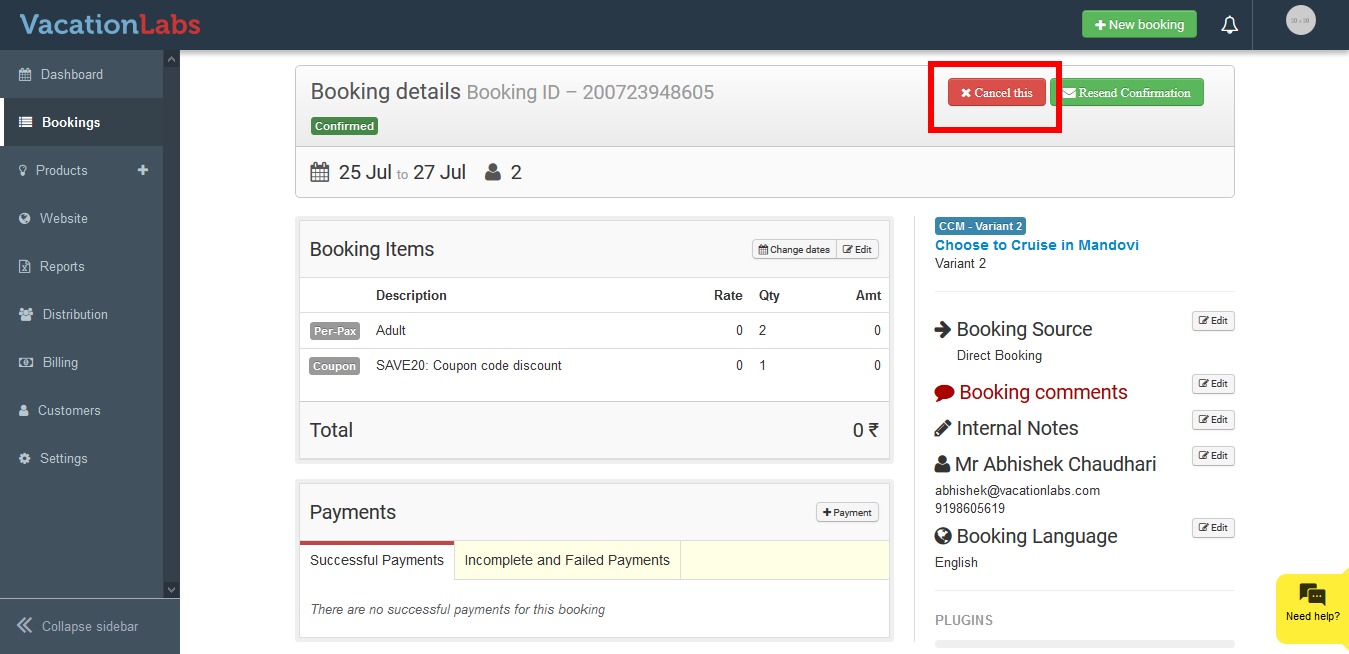 **
** -
Enter any reason you wish to inform the customer for rejecting the booking
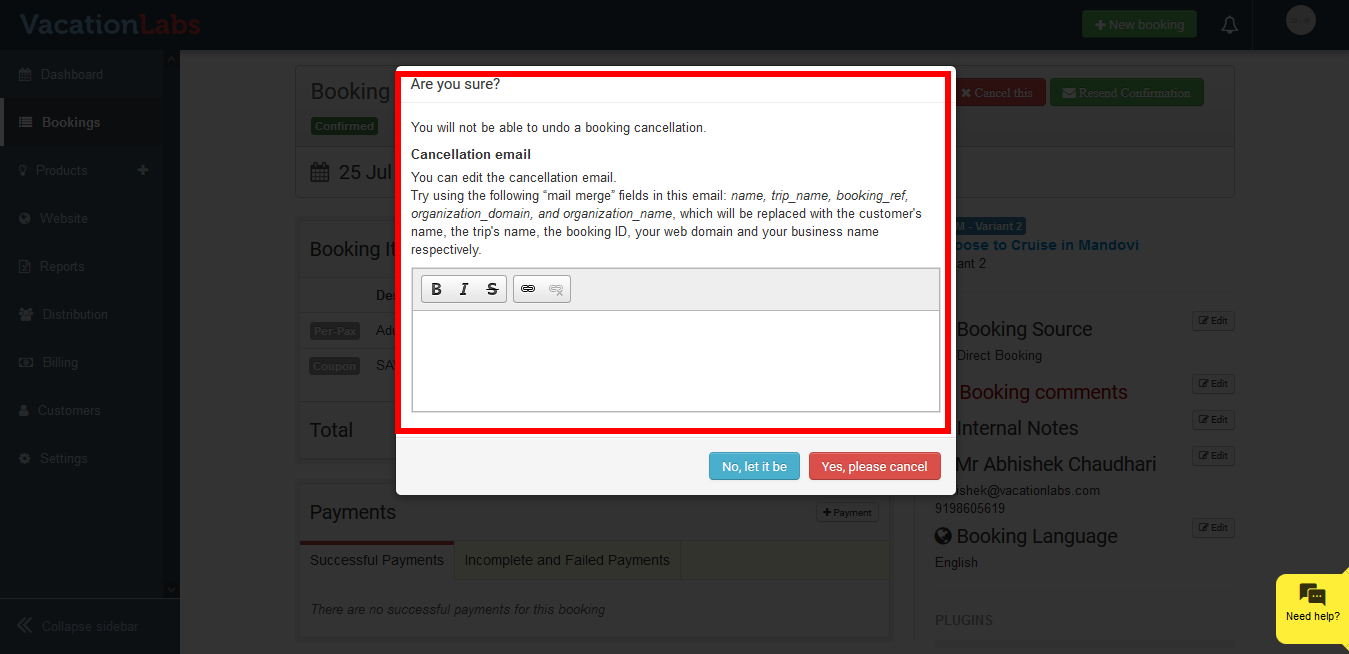
-
Click on **Yes, please cancel
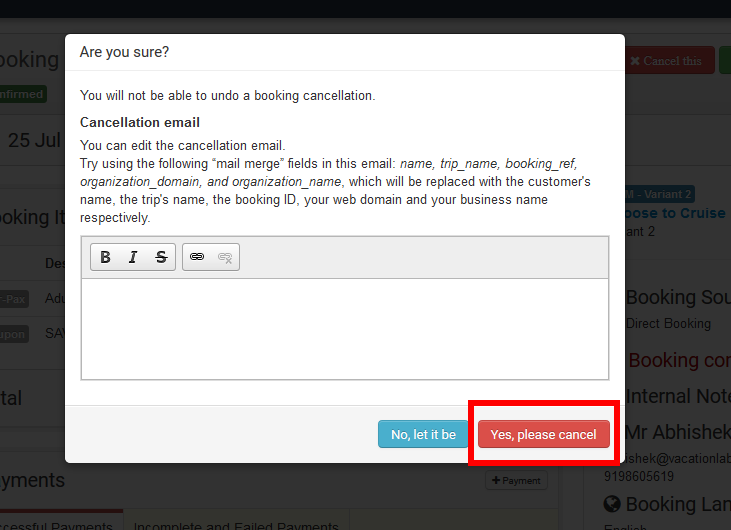 **
**
Tip
Please note: In case you have received the payment for the booking, and wish to refund the same after cancellation, please read our support article on How to refund a payment amount?
Please follow the below steps to reject the bookings,
-
Login into Vacation Labs
-
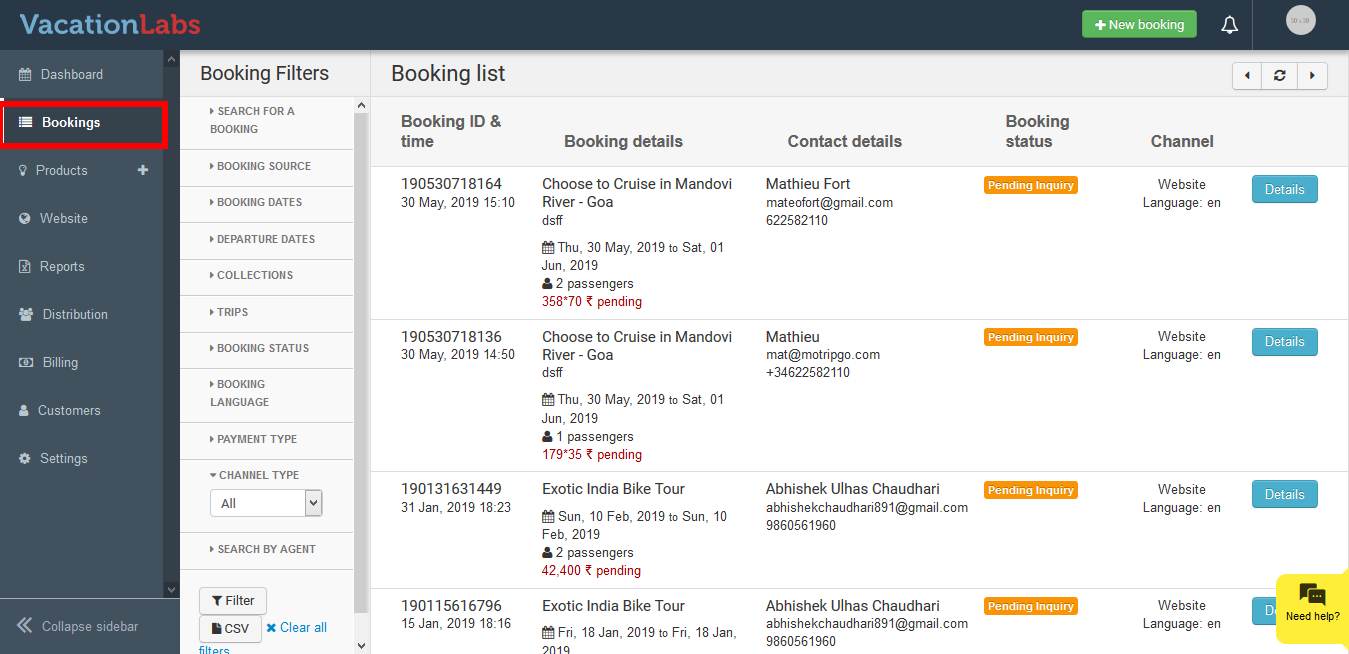
Click on **Bookings
 **
** -
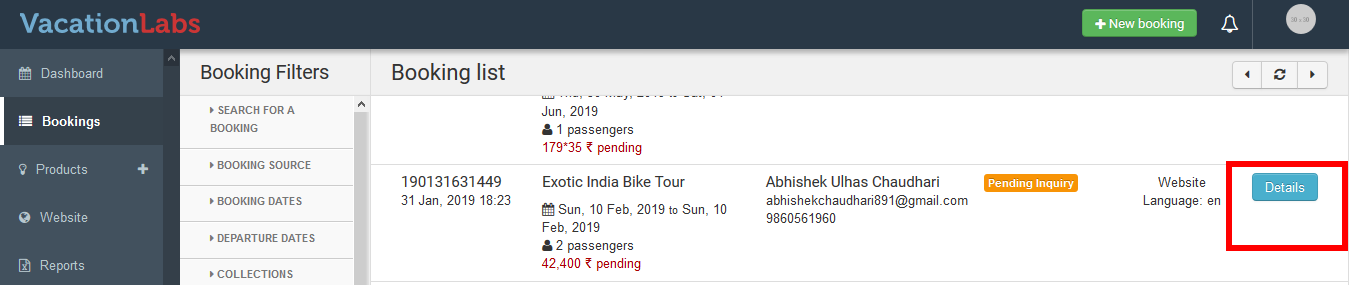
Select the booking which you wish to reject.
-
Click on **Details
 **
** -
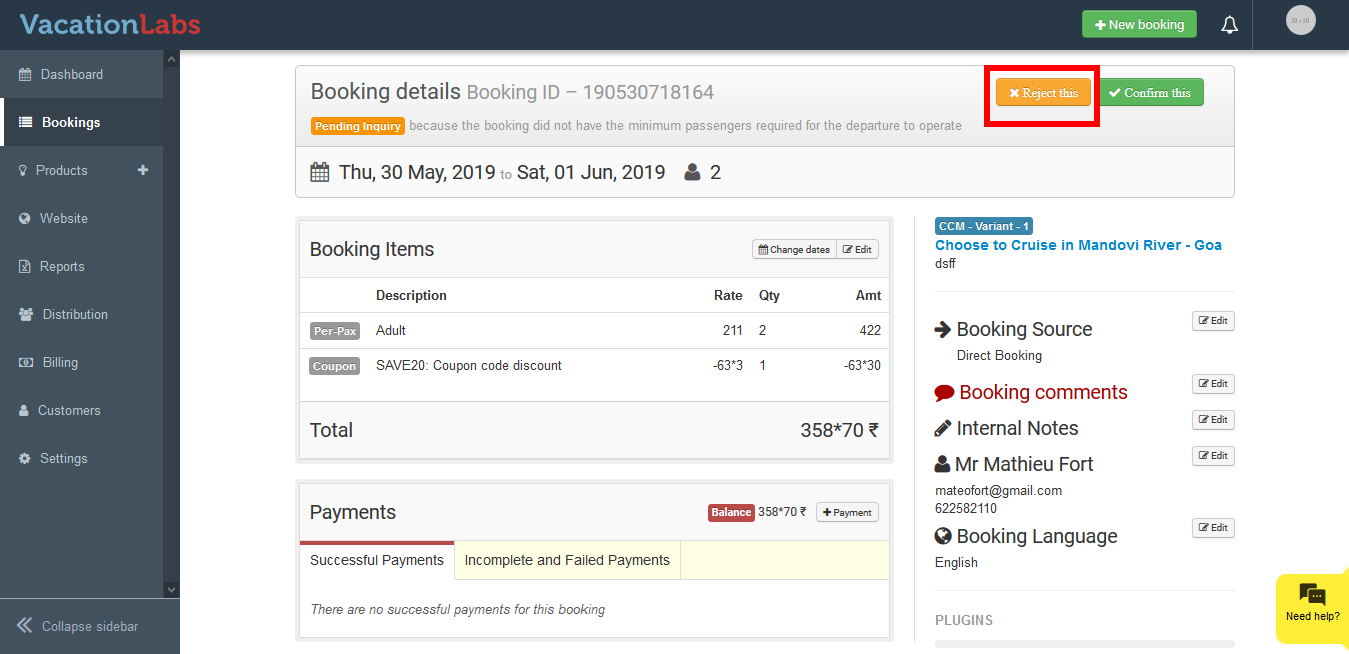
Click on Reject this
-
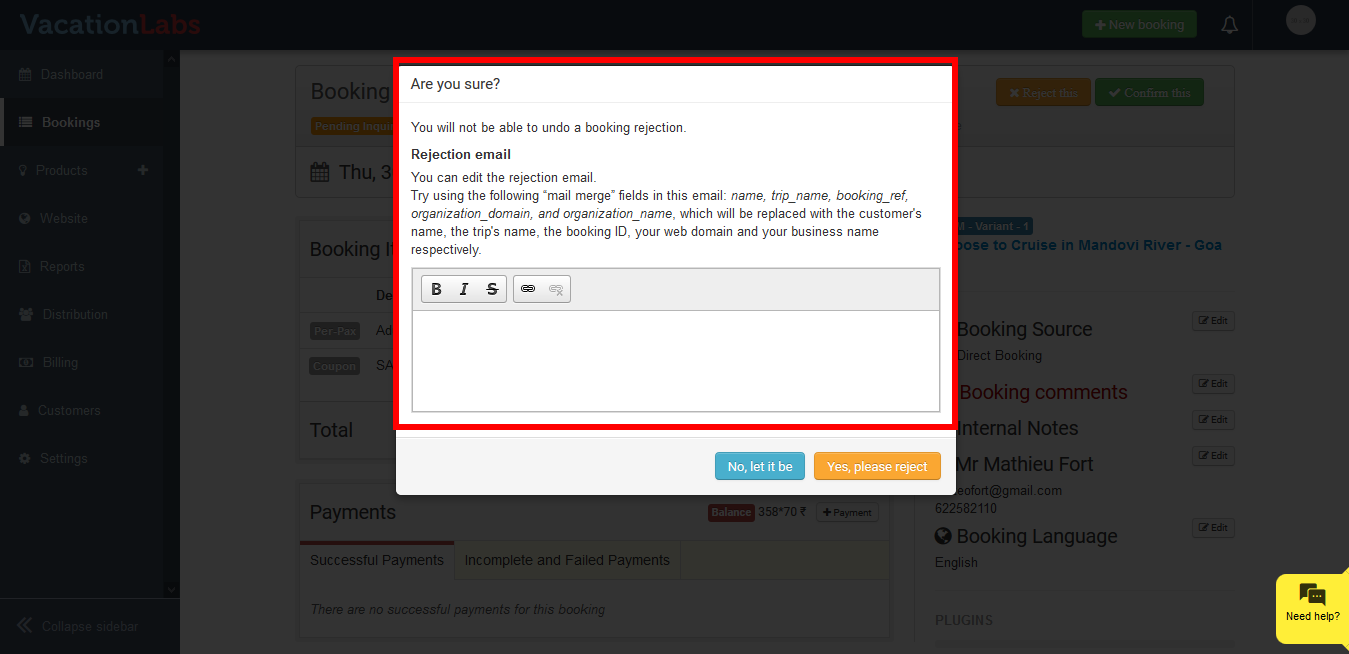
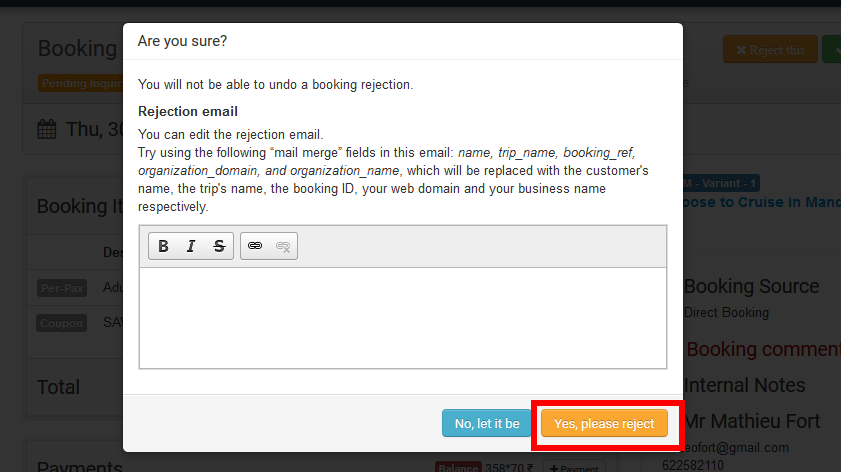
Enter any reason you wish to inform the customer for rejecting the booking
-
Click on **Yes, please reject
 **
**
Info
Please Note: Unconfirmed and Cart Abandoned Bookings cannot be Cancelled or Rejected.
What’s Next?
We would recommend you to read our article on Modifying Email Templates, to modify the email content.