Customer tags for Coupons and Discounts
A Customer Tag is used to classify or organize your customers into groups for example: Premium members, Frequent buyers, Trekkers etc. Tagging customers helps you in creating discount coupons so that you don’t lose your frequent customers and offer amazing discounts.
For example if you have 500 customers listed in your Customer Database, out of which 200 may be frequent buyers whereas other 300 can be Premium members. With the help of tags you can tag these customers and offer them discounts.
Steps to create customer tags:
-
Login into Vacation Labs
-
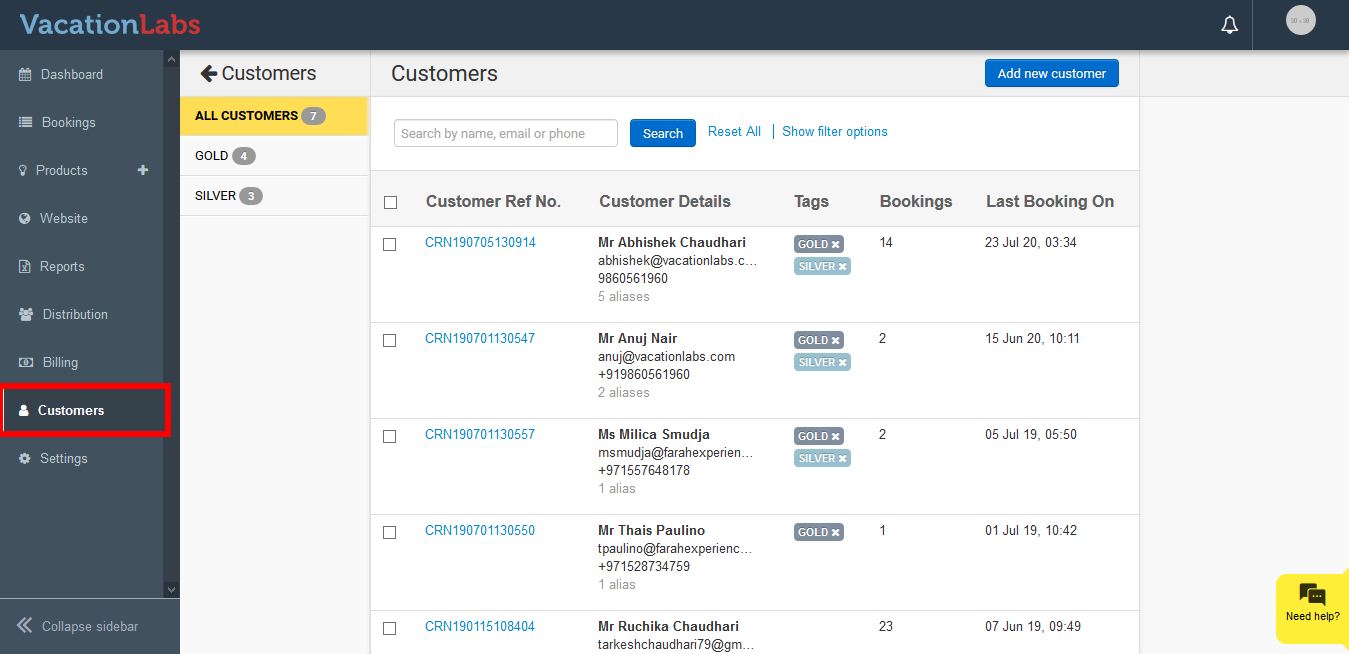
Click on Customers Tab
-
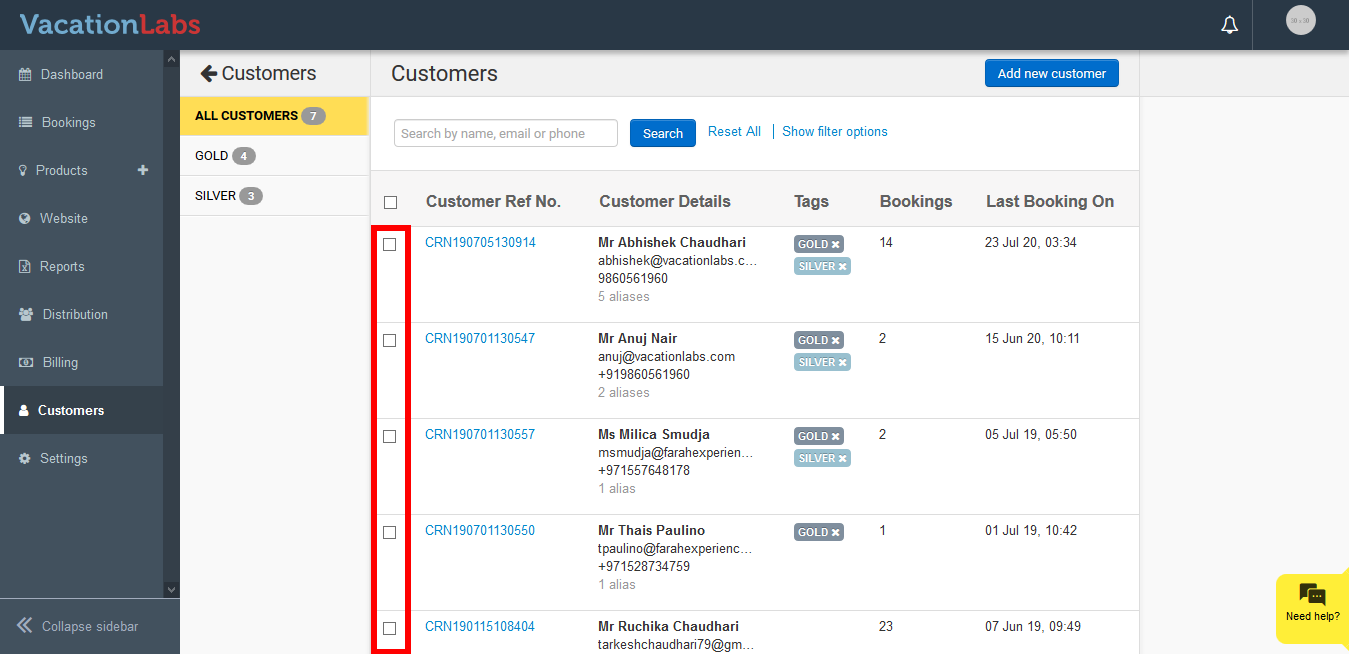
Now click on checkbox to tag the customers.
-
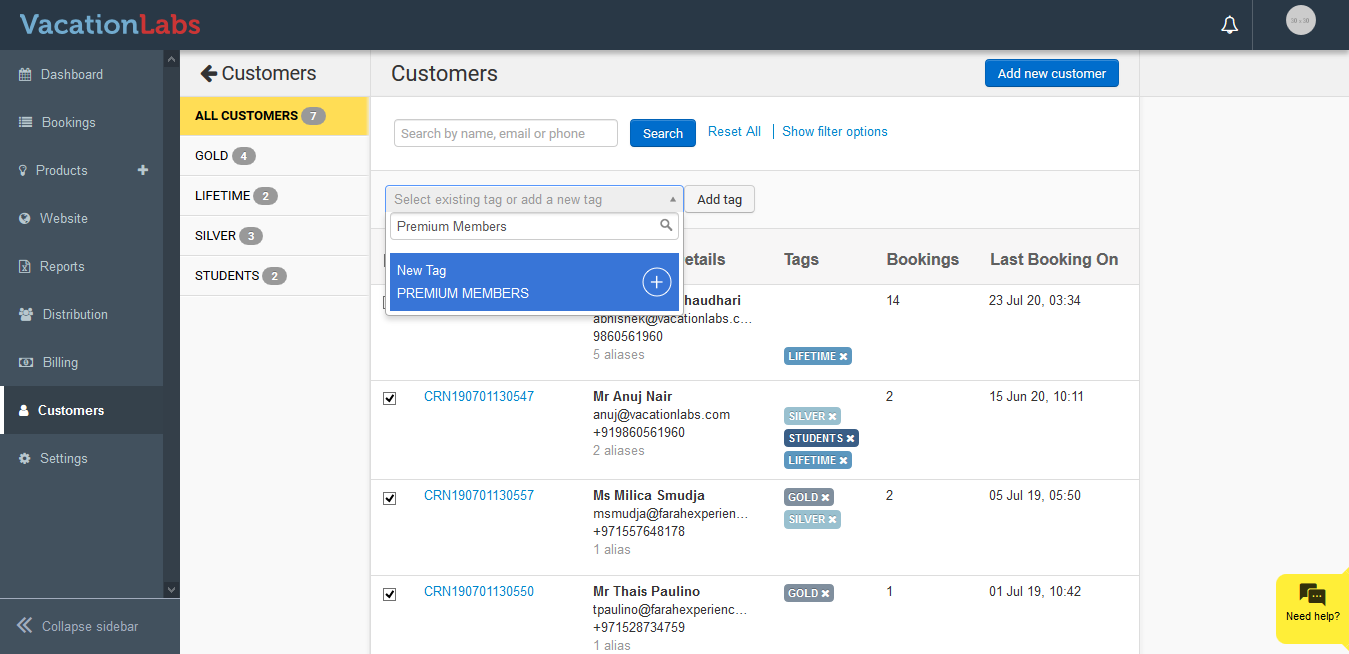
Once you have selected the required customers, give a name ( eg Premium Members) to the tag and click on +.
-
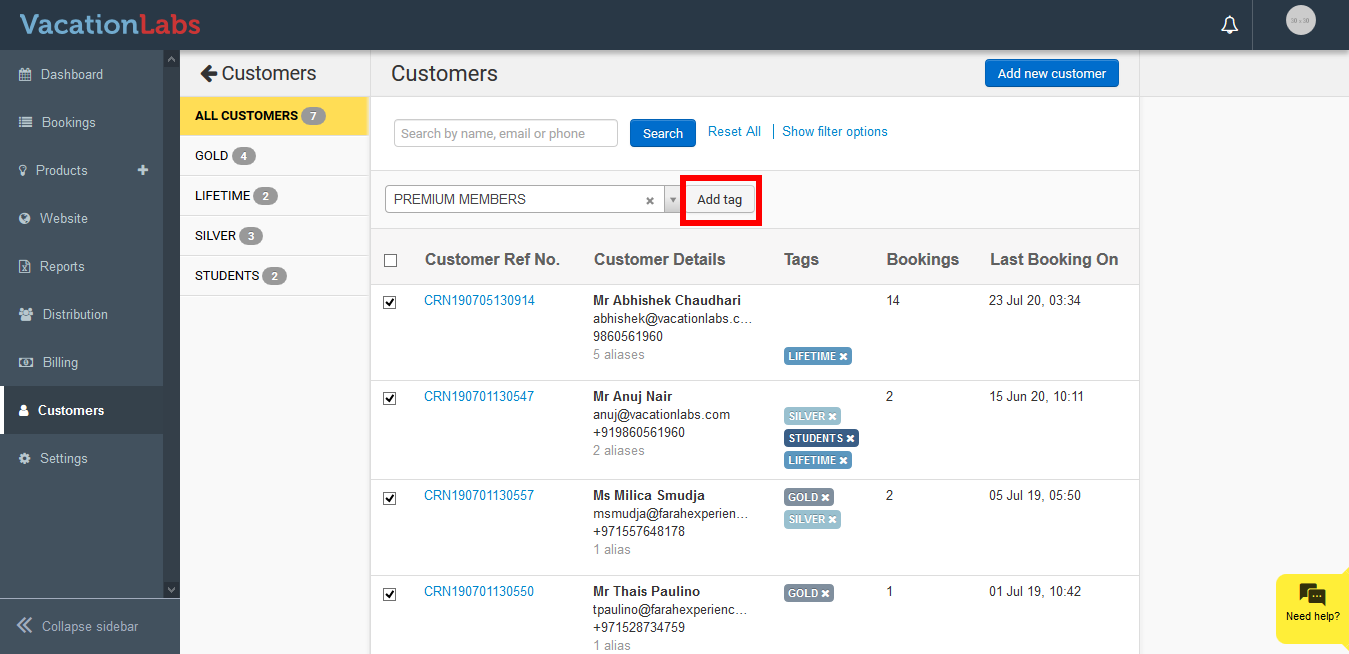
Click on Add tag to tag the selected customer
-
Once the page is reloaded the new customer tag will be visible on the sidebar.
Info
Please note: Once a tag is created it can’t be deleted or disabled, but you can simply remove an existing tag by clicking on “X”. Additionally, multiple tags can be added to a customer.
Offering discounts based on Customer tags
Once the customers are tagged, you can provide them with amazing discount coupons. This helps you to offer great deals and discounts to your different types of customers. If you restrict this coupon to one or more customer-tags, then any customer with that tag will be allowed to use the coupon. The system will recognize the customer based on the Email, Phone entered while making a booking. If the customer has made a booking previously and is tagged to a specific category (for example Premium Members) then the coupon would be applied.
Please follow the below steps to offer discounts to tagged customers
-
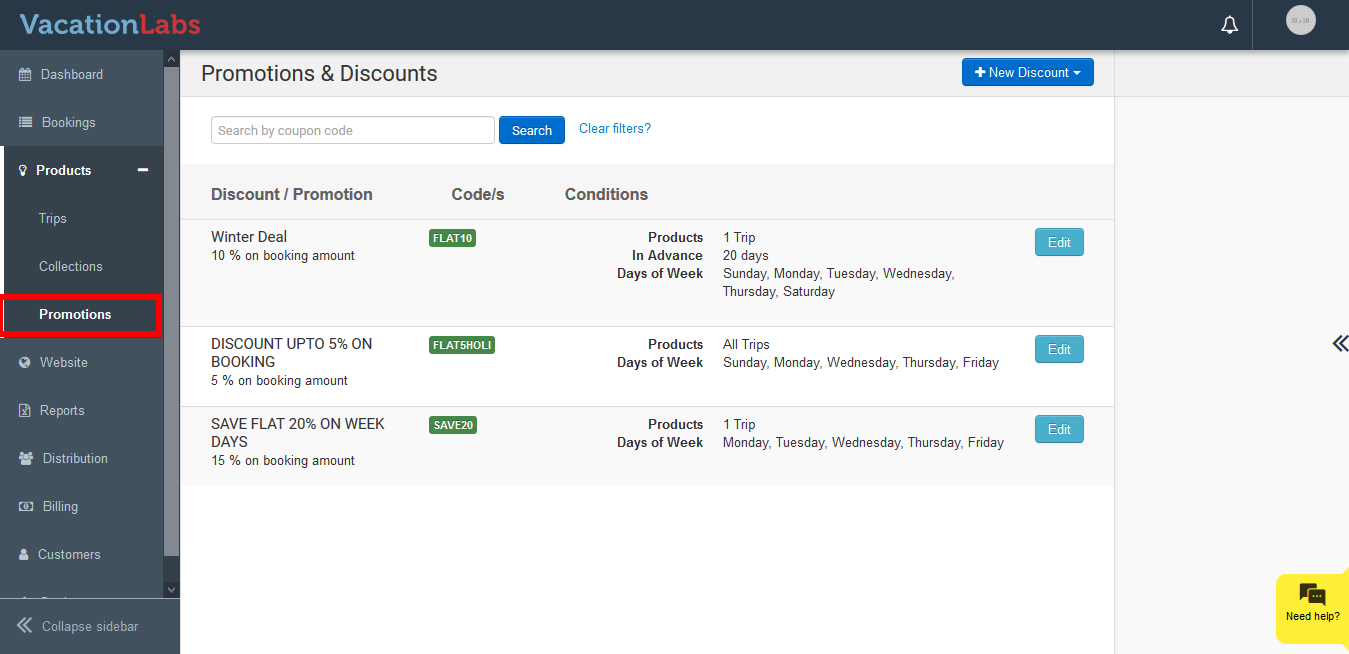
Click on Products
-
Click on Promotions
-
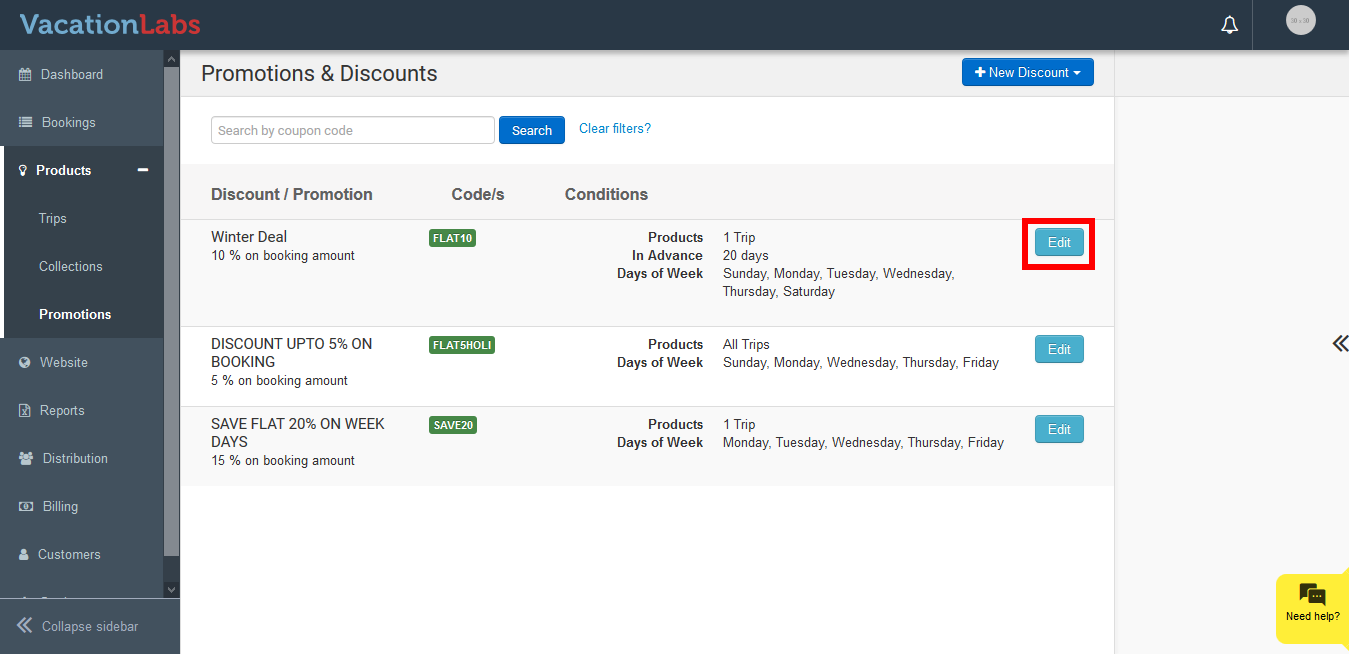
Edit the coupon
-
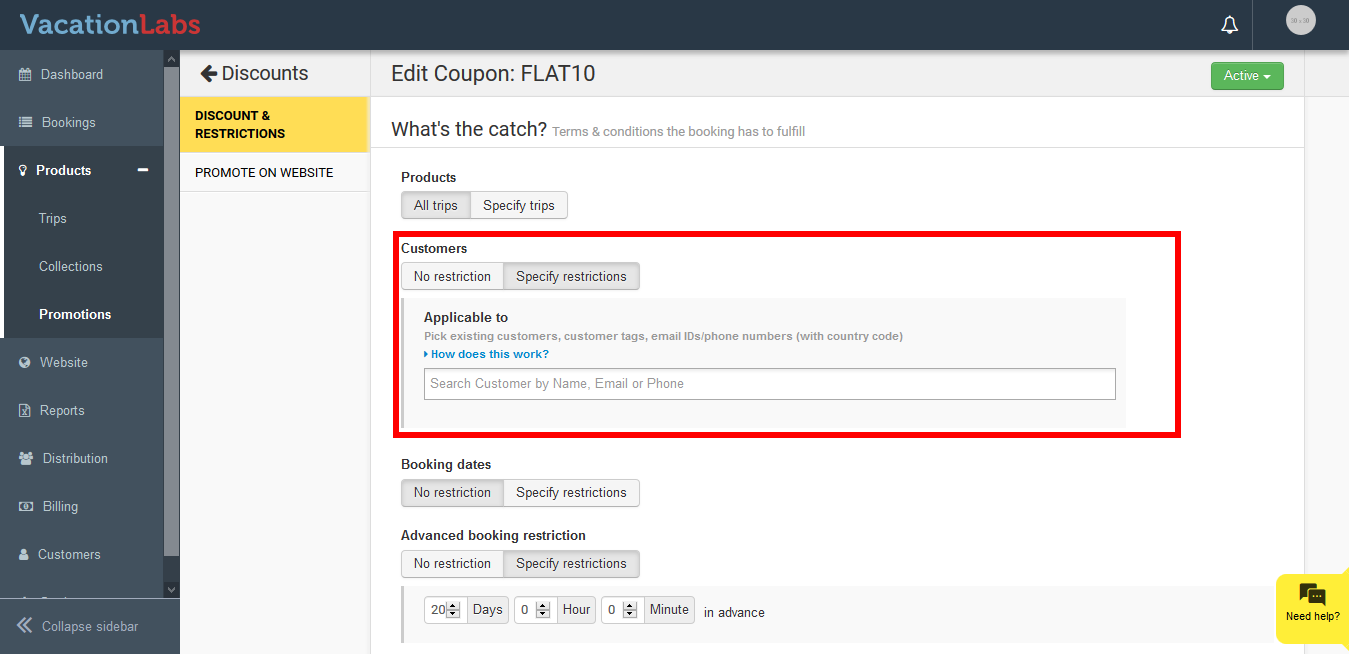
Scroll down to Customers under What’s the noise?
-
Click on Specific Customers
-
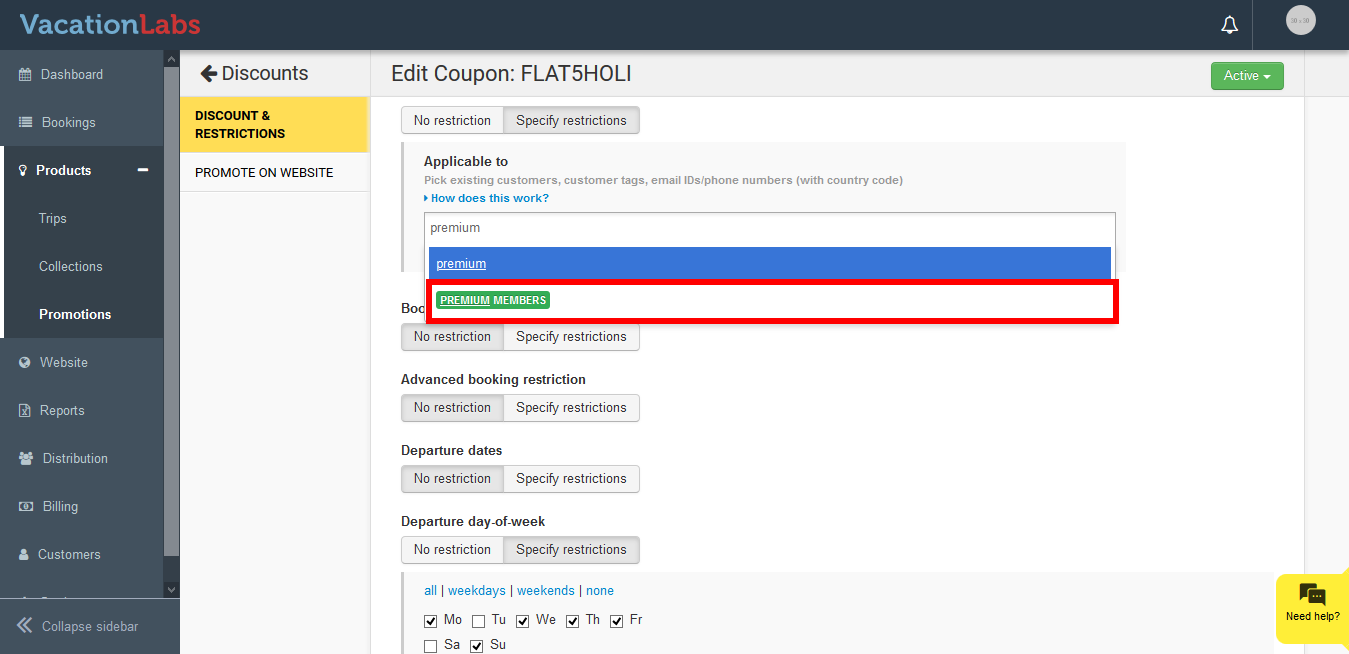
Enter the Customer tag name that you had created
-
Click on tag name
-
Click on Save
What’s Ne****xt?
Planning to create coupons and offering discounts on your products, checkout our article on Creating coupons & managing discounts and offers