Deactivating the Website Sections in Vacation labs
Basic Settings
Updated
You can deactivate a particular section if you don’t want to display or hide that section for some time. You may not always have to delete a section if you don’t want to show it to your visitors.
Please follow the below steps to deactivate/hide section
- Login into Vacation Labs
- Click on **Website
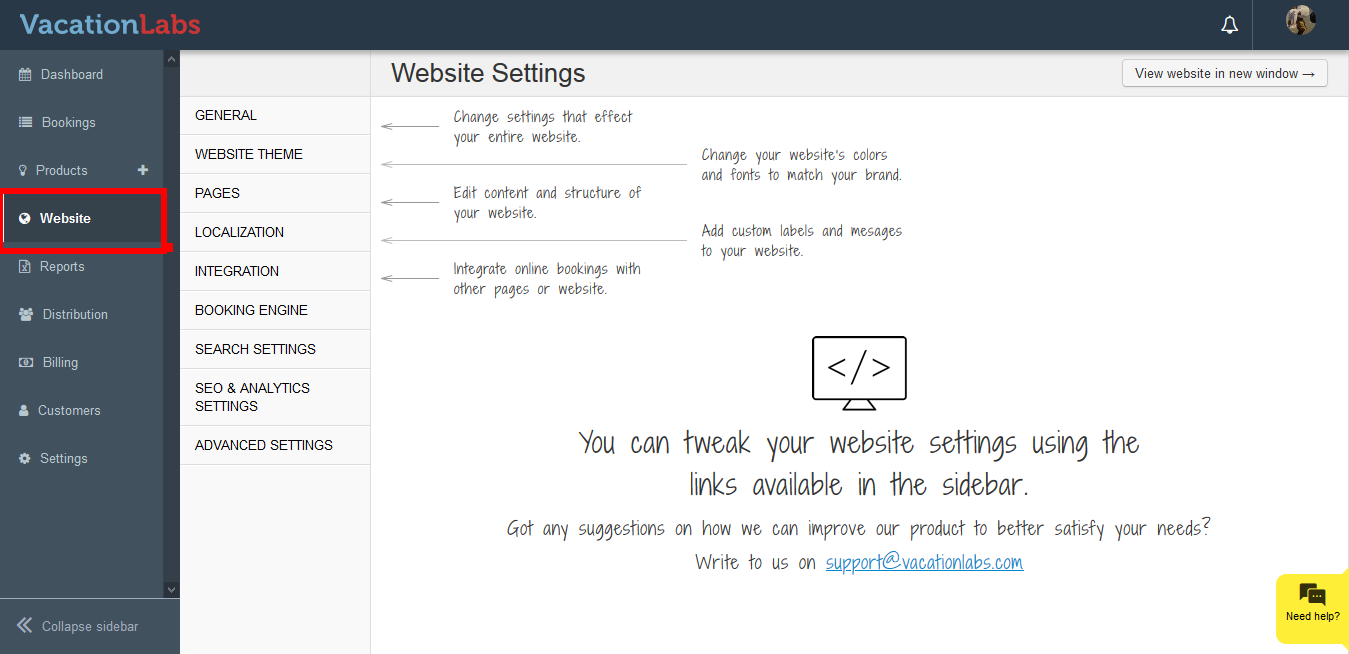 **
** - Click on **Pages
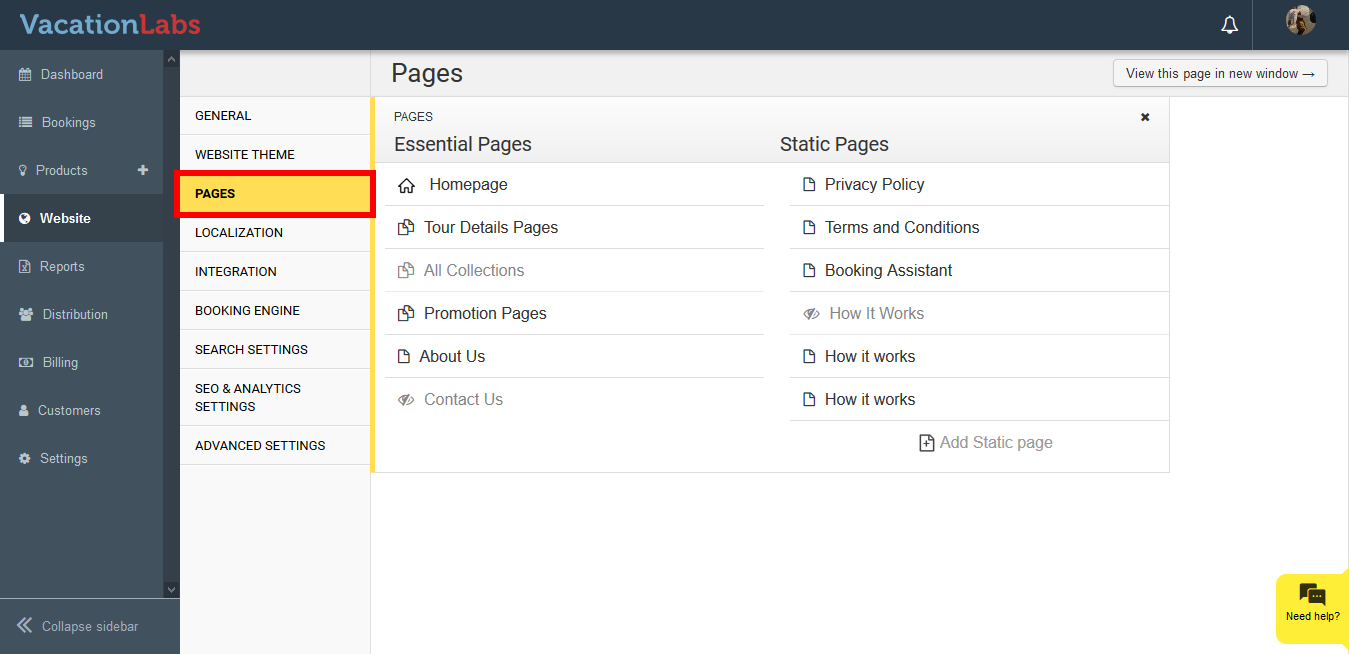 **
** - Select the page, from which the section needs to be deactivated
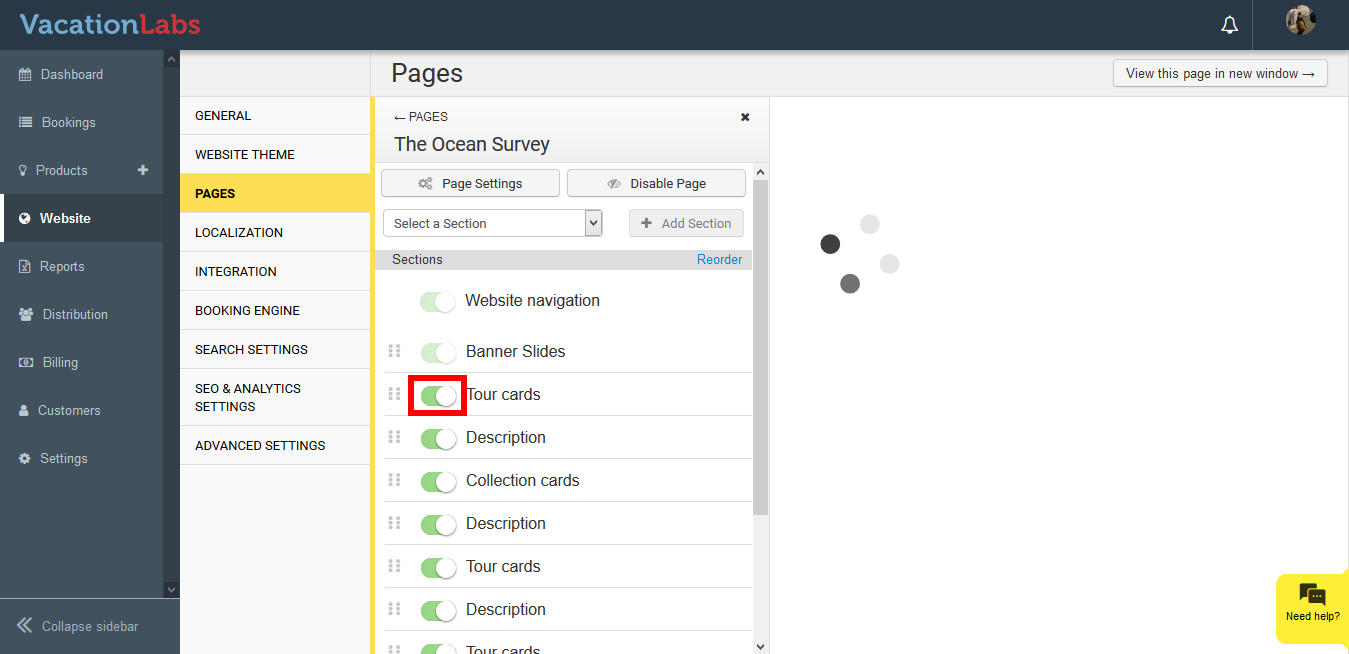
- Simply click on the toggle button to deactivate the section
Tip
Please Note: Deactivating the section doesn’t delete the content present in that section, it just hides the section. You can always come back and activate it.
Info
A green color depicts that the section is active and visible on the website. A gray color depicts that the section is not active on website.
What’s Next?
If you wish to delete the section entirely from your back office, we recommend you to read our article on Deleting the website section