How to make your website live? (Required DNS settings and records)
Overview
Once you have completed your work on your website on Vacation Labs, you can connect your custom domain with the website by taking the following steps:
-
Adding A record & CNAME record in your DNS
-
Remove IPv6 DNS entries ONLY if they are found
-
Adding a custom domain to your Vacation Labs Backoffice
Adding A Record & CNAME Record
Info
We need to add a A record for yourdomain.com which points to 13.232.79.15
Next, we need to add a CNAME for www.yourdomain.com which points to sf.vacationlabs.com
The steps given below walk you through this process
-
Login into the admin interface account of your domain provider and look for DNS/DNS ZONE/DNS EDITOR.
-
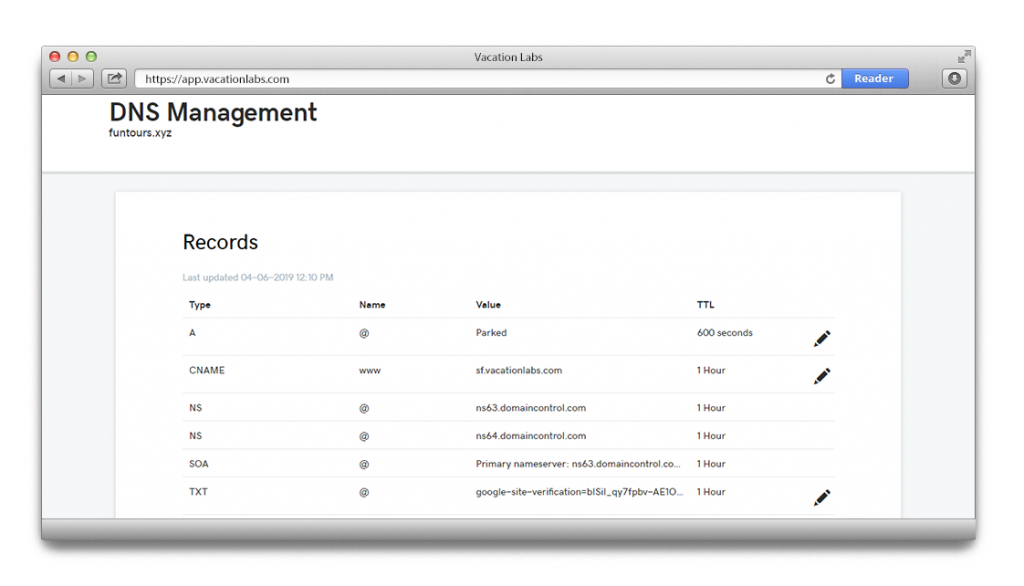
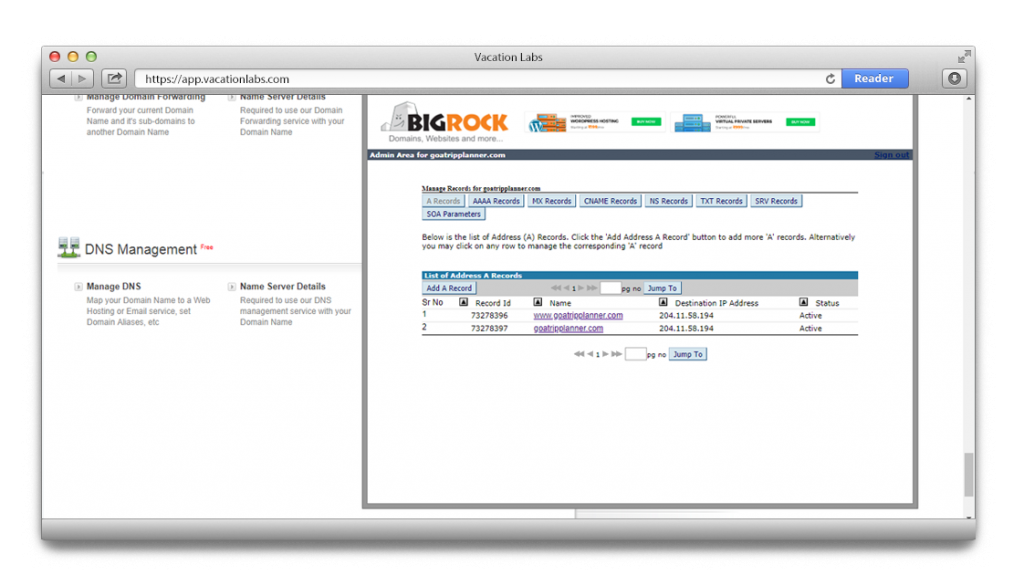
Here you will be able to see a bunch of preexisting DNS records (A, MX, CNAME, TXT etc)
-
Here is an example from Godaddy:
- Similarly, here is an example from Big Rock:
-
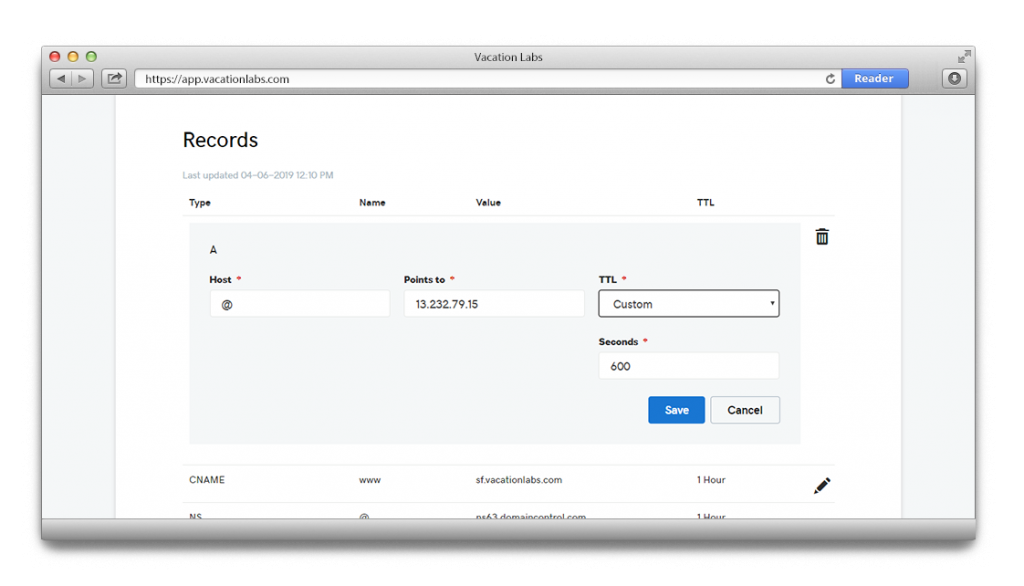
Create a new A record with following data:
-
Host/Host Name: @
-
Value/Destination/Points to: 13.232.79.15
-
TTL: leave it as whatever is default configured. If there is no value configured then use : 38400 (seconds)
-
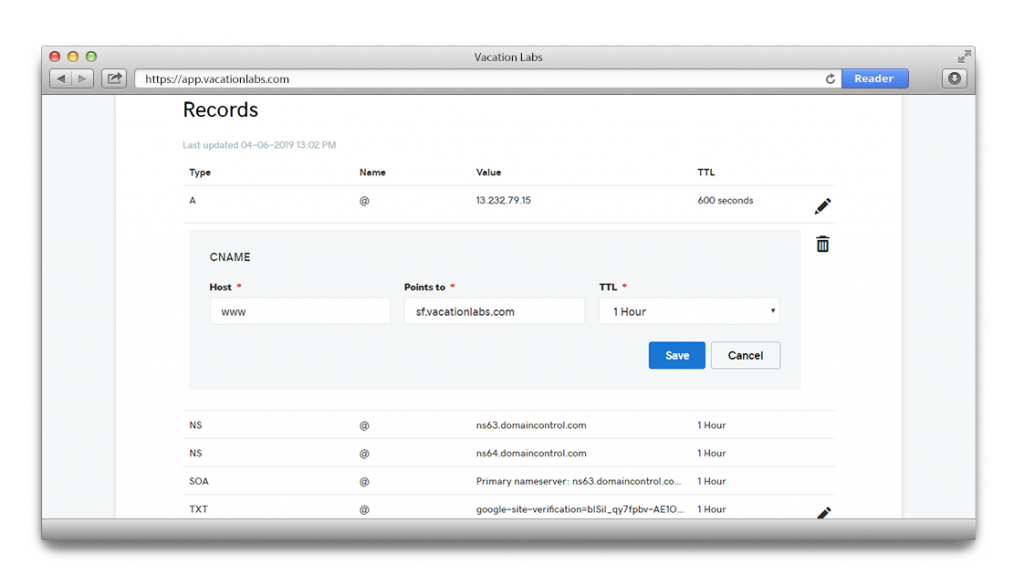
Create a new CNAME record with following data:
-
Host/Host Name: www
-
Value/Destination/Points to: sf.vacationlabs.com
-
TTL: leave it as whatever is default configured. If there is no value configured then use : 38400 (seconds)
- Once you have made the above mentioned changes the domain host would take at least 48-72 hours to update them and once they are updated you will be able to see your Vacation Labs website on your custom domain.
- The location of DNS records and in some cases the steps may vary in different domain host providers. Please feel free to get in touch with our support team for any further help.
Remove IPv6 DNS entries ONLY if they are found
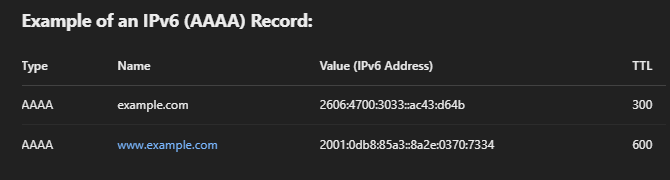
After adding the above-mentioned A and CNAME records, please check if an IPv6 (AAAA) entry is present in the DNS records. If found, kindly remove it before configuring the domain in VL, as it may cause issues in generating the Let’s Encrypt SSL Certificate. Example of IPv6 (AAAA) Records:
Warning
If you find any of IPv6 (AAAA) entries, please REMOVE them:
Add your custom domain on the Vacation Labs Backoffice
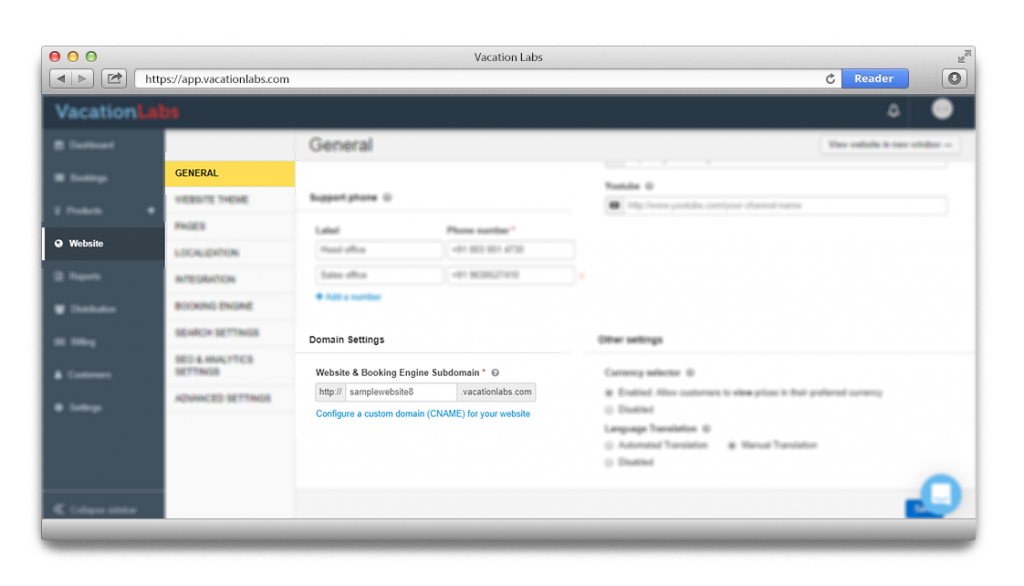
- Once you have added the required DNS records, login to your Vacation Labs account and go to WEBSITE > GENERAL
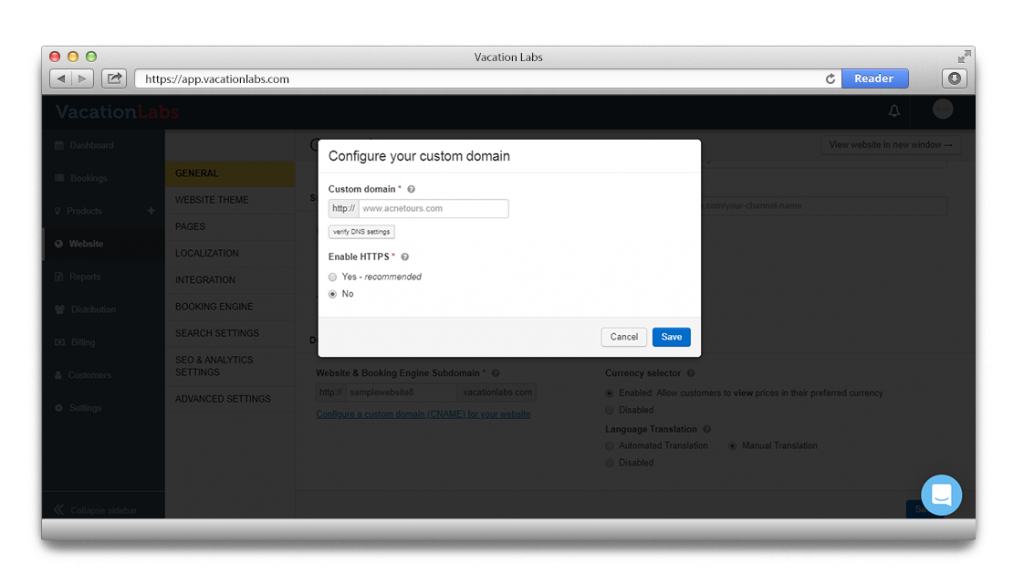
- Here scroll down for Domain Settings and click on Configure a custom domain (CNAME) for your website
-
Add your custom domain here with www:
-
If you have an SSL certificate ready with you then choose: Enable HTTPS(How to install an SSL Certificate on Vacation Labs) else let be No and proceed with SAVE.
Once the DNS records are updated the website will be visible on custom domain.