Managing Confidence Boosters Under Book Now Button
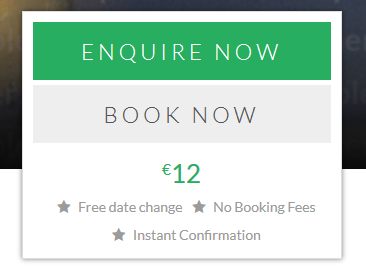
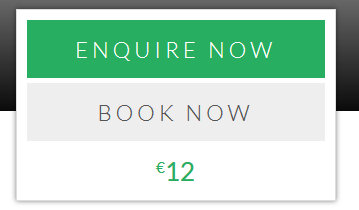
Confidence boosters are small phrases that can be shown to your customers when they are on the product page, just below the Call to Action(Book Now/Enquire Now) button. You can select from the predefined phrases or also add your own phrases.
Confidence Boosters when enabled:
Confidence Boosters when disabled:
Please follow the below steps to modify Confidence Booster.
-
Login into Vacation Labs
-
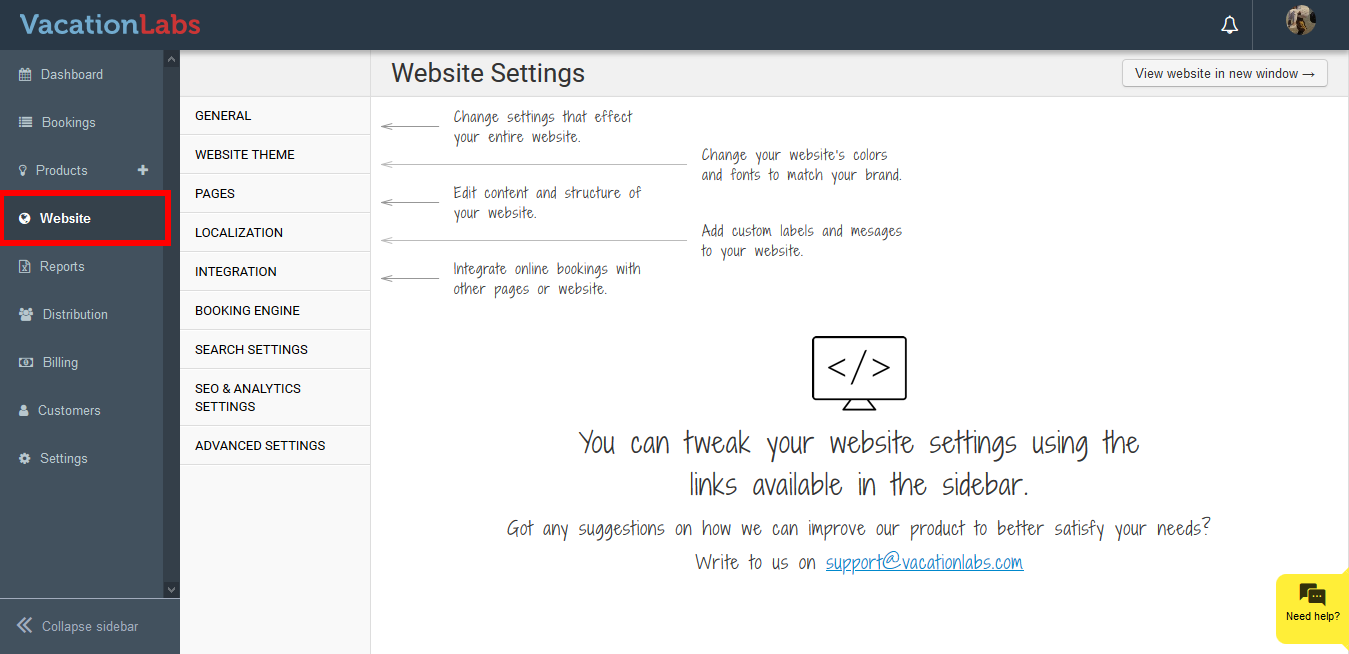
Click on **Website
 **
** -
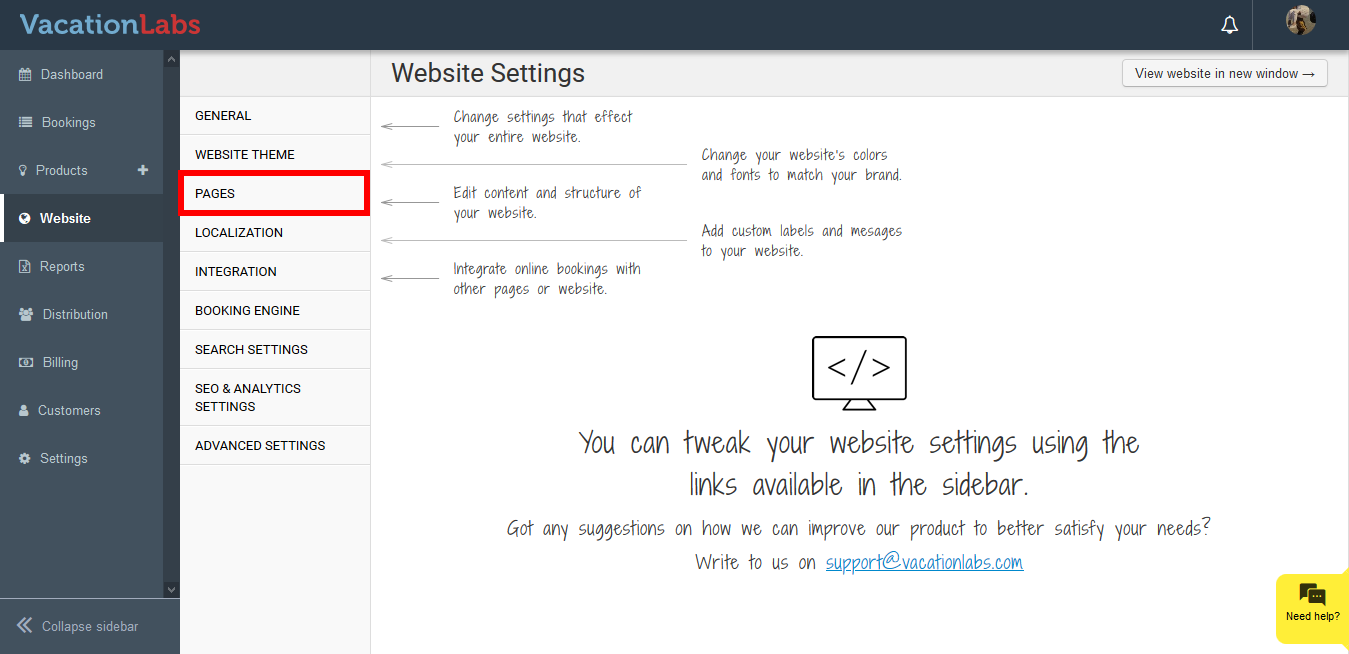
Click on **Pages
 **
** -
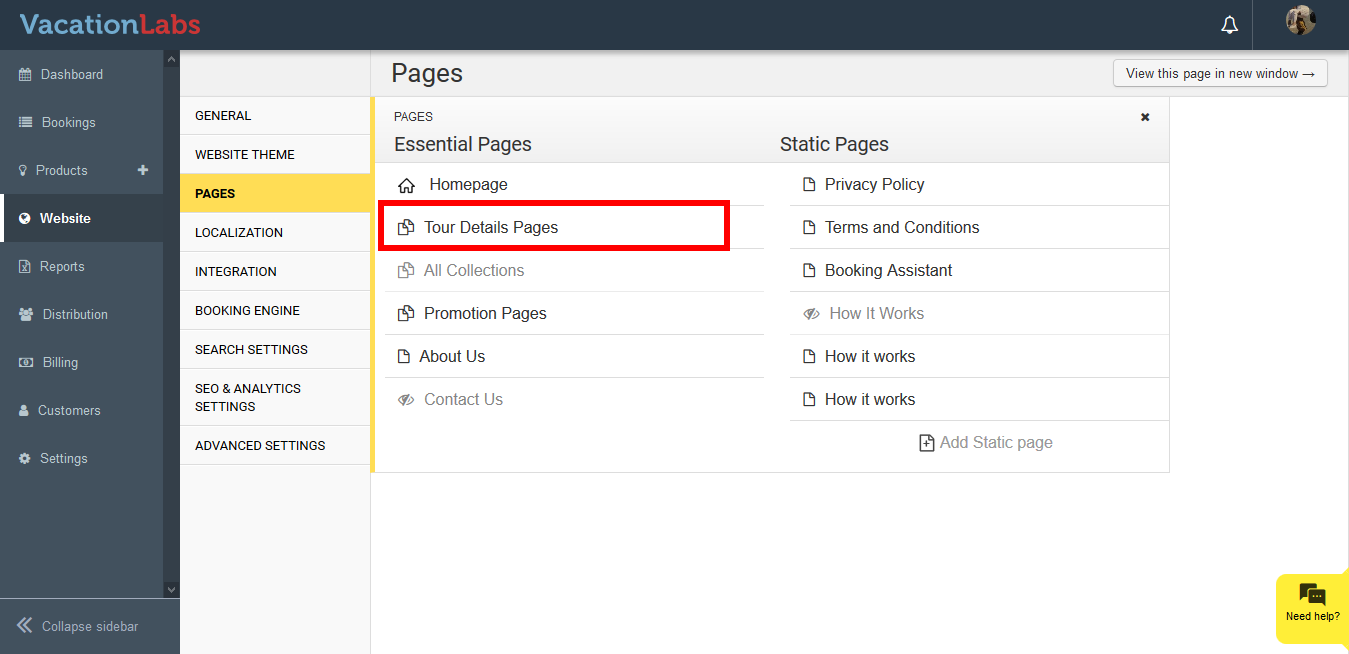
Click on **Tour Details Pag****e
 **
** -
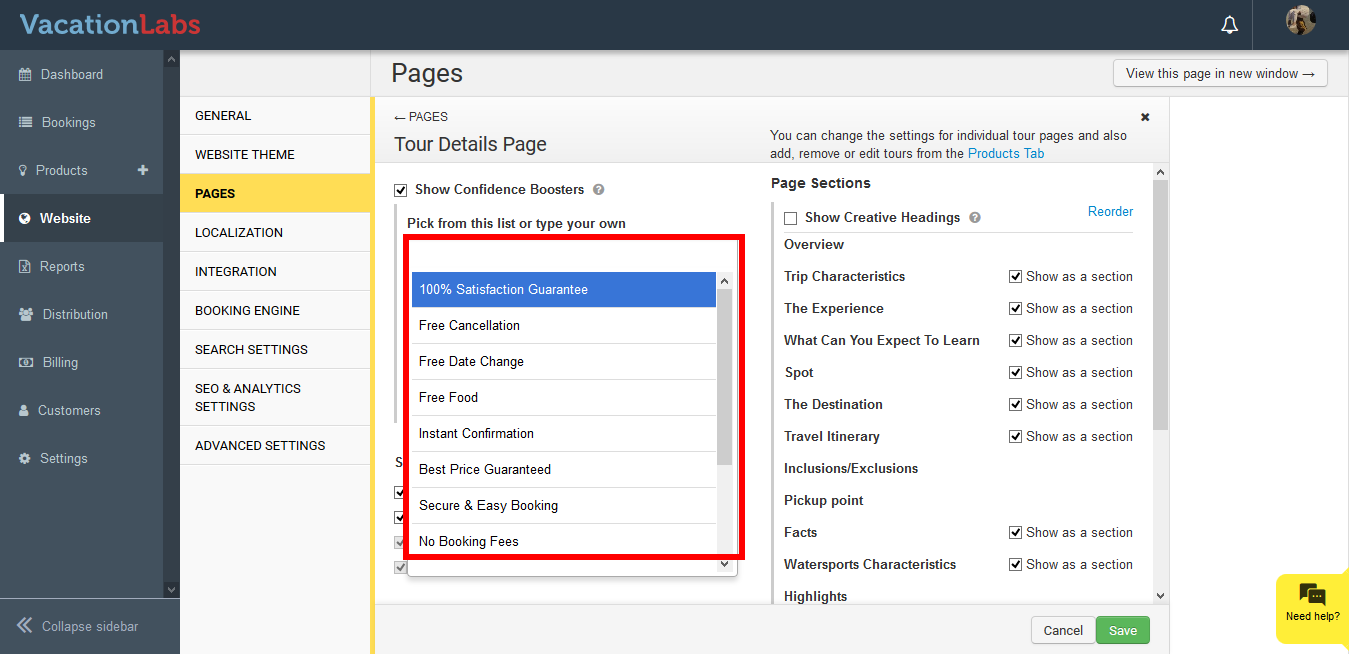
Click on text box to select from the existing phrases
-
You can also type in your own phrase and click on it to add it
-
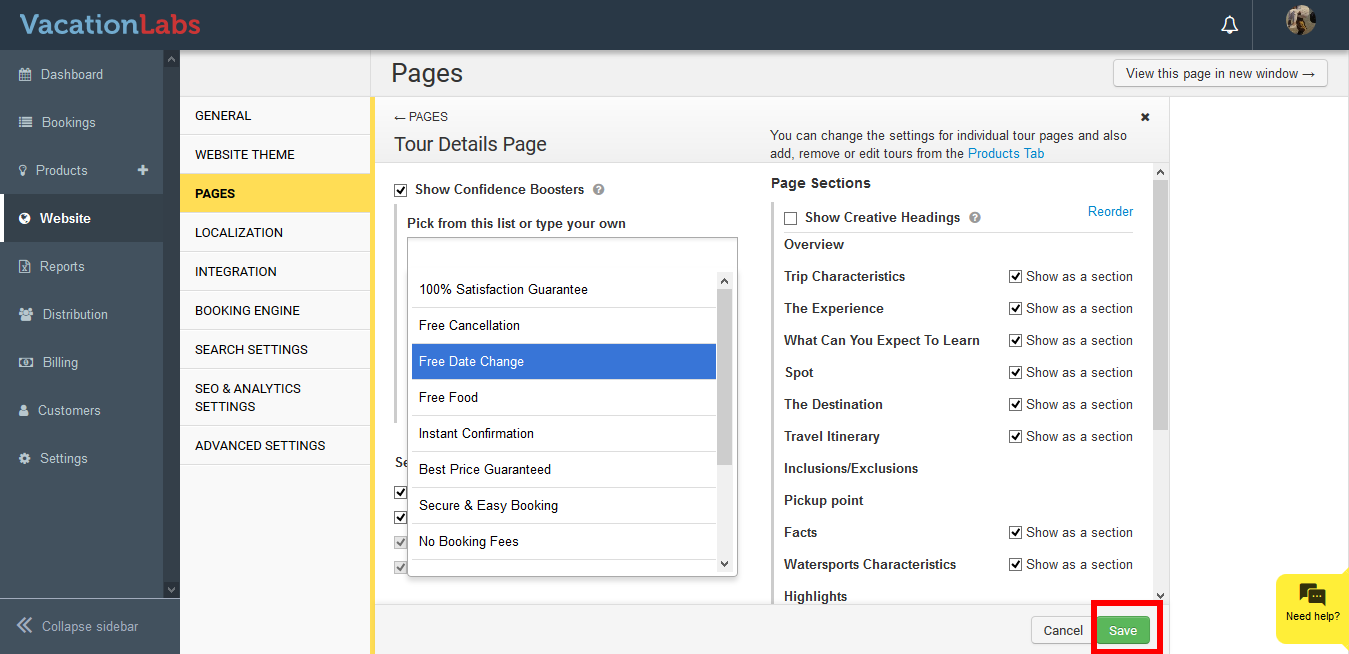
Click on **Save
 **
**
Hiding the Confidence Boosters:
You can always hide the confidence boosters if you wish to not display them. To hide them please follow the below steps,
-
Login into Vacation Labs
-
Click on Website
-
Click on Pages
-
Click on Tour Details Page
-
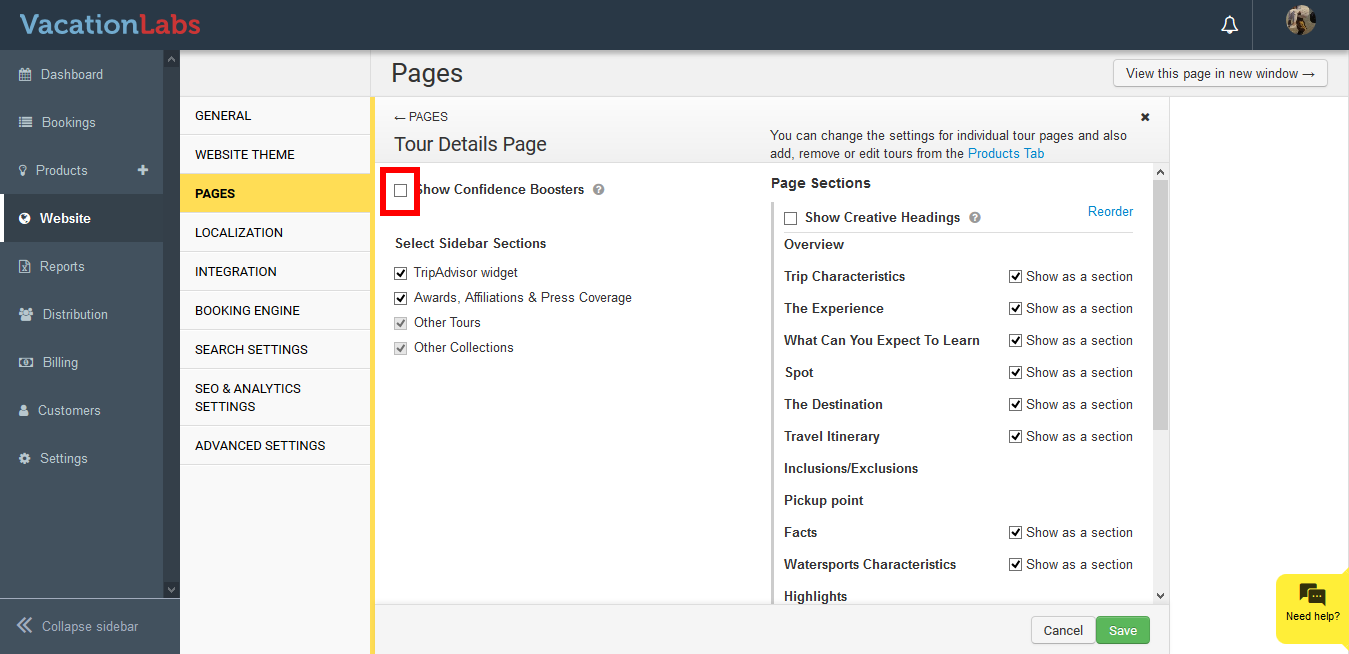
Uncheck the box to hide the confidence booster
-
Click on Save
Deleting Confidence Boosters:
You can always hide the confidence boosters if you wish to not display them. To hide them please follow the below steps,
-
Login into Vacation Labs
-
Click on Website
-
Click on Pages
-
Click on Tour Details Page
-
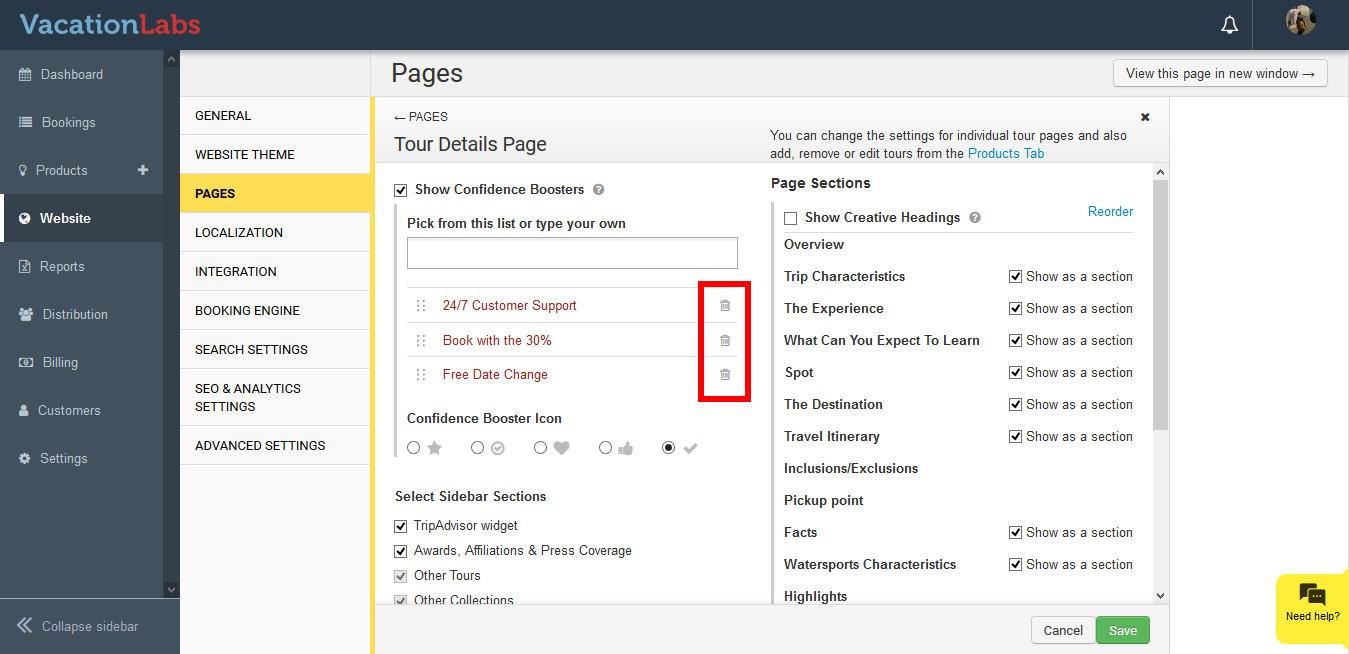
Click on the delete icon to delete the confidence boosters
-
Click on Save