Managing Tour Page Sidebar
The sidebar on the Tour Page allows you to display sections like TripAdvisor widget, Awards, Affiliations & Press Coverage, Other Tours, Other Collections. This helps the website visitor to know more about your Reviews, Awards and Press coverage, etc. Also, this sections displays the other relevant tours and collections with respect to the page the visitor is viewing.
Steps to Manage the Tour Page Sidebar
-
Login into Vacation Labs
-
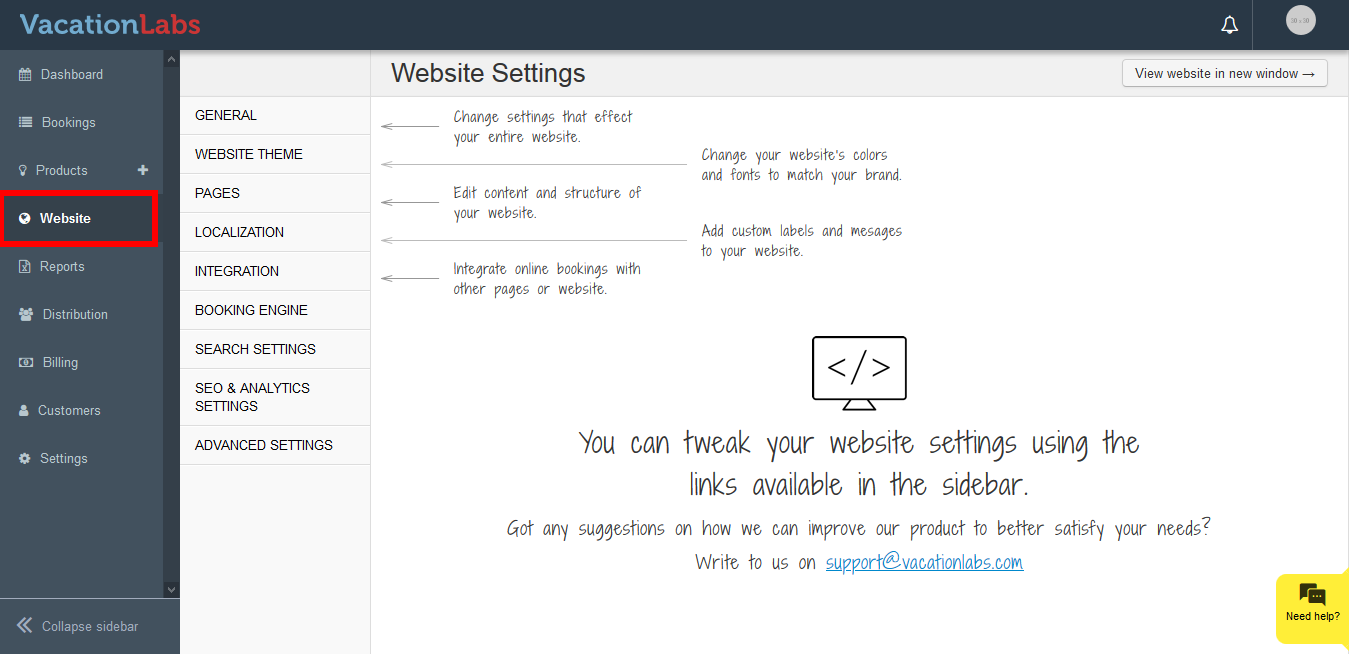
Click on Website tab
-
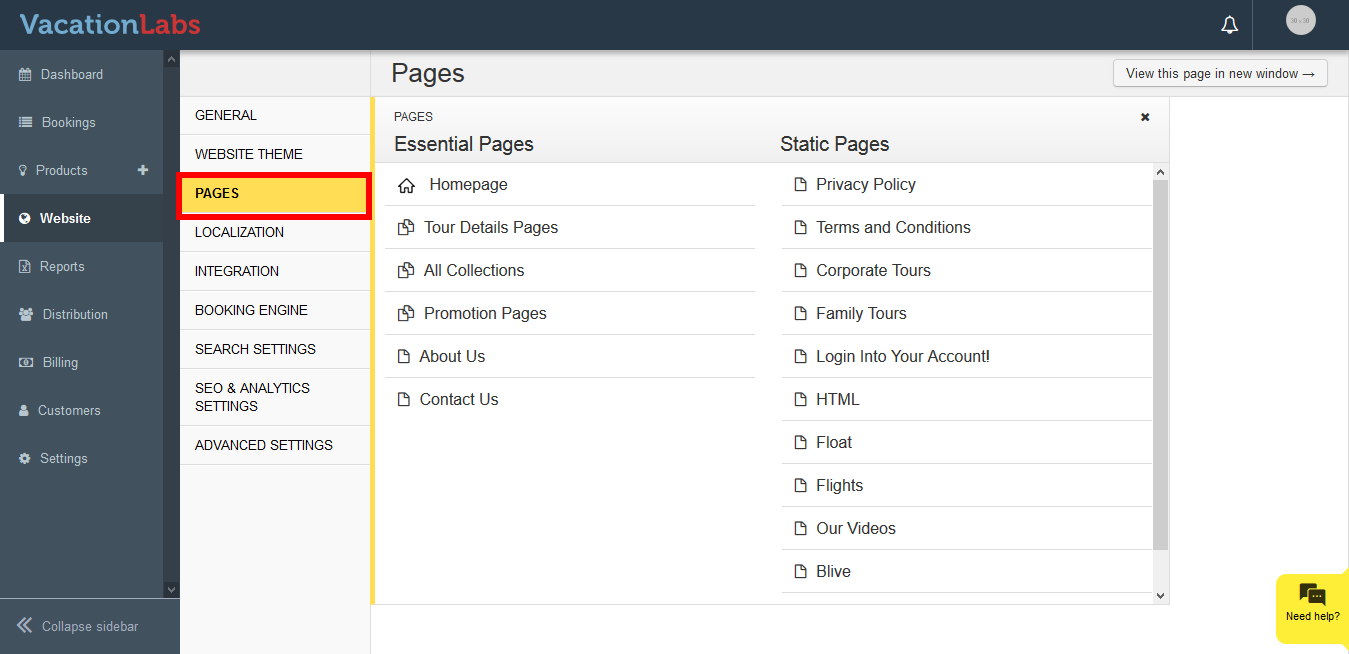
Click on **Pages
 **
** -
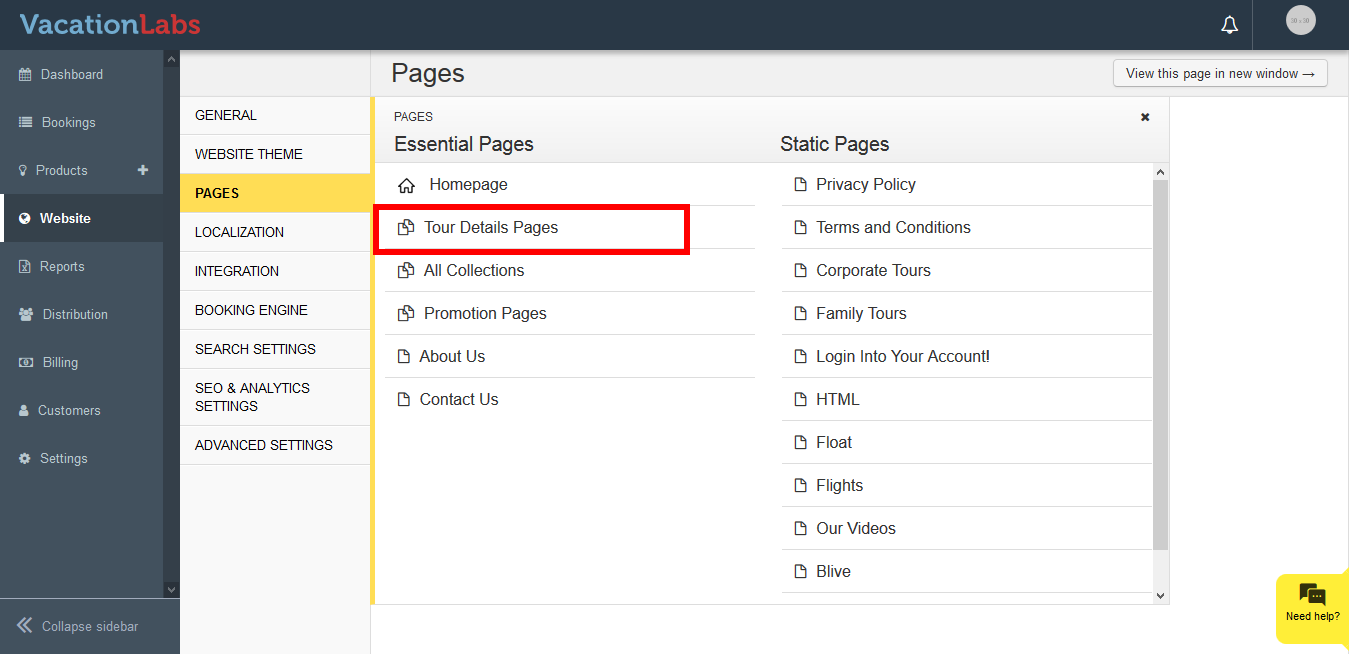
Click on **Tour Details Page
 **
** -
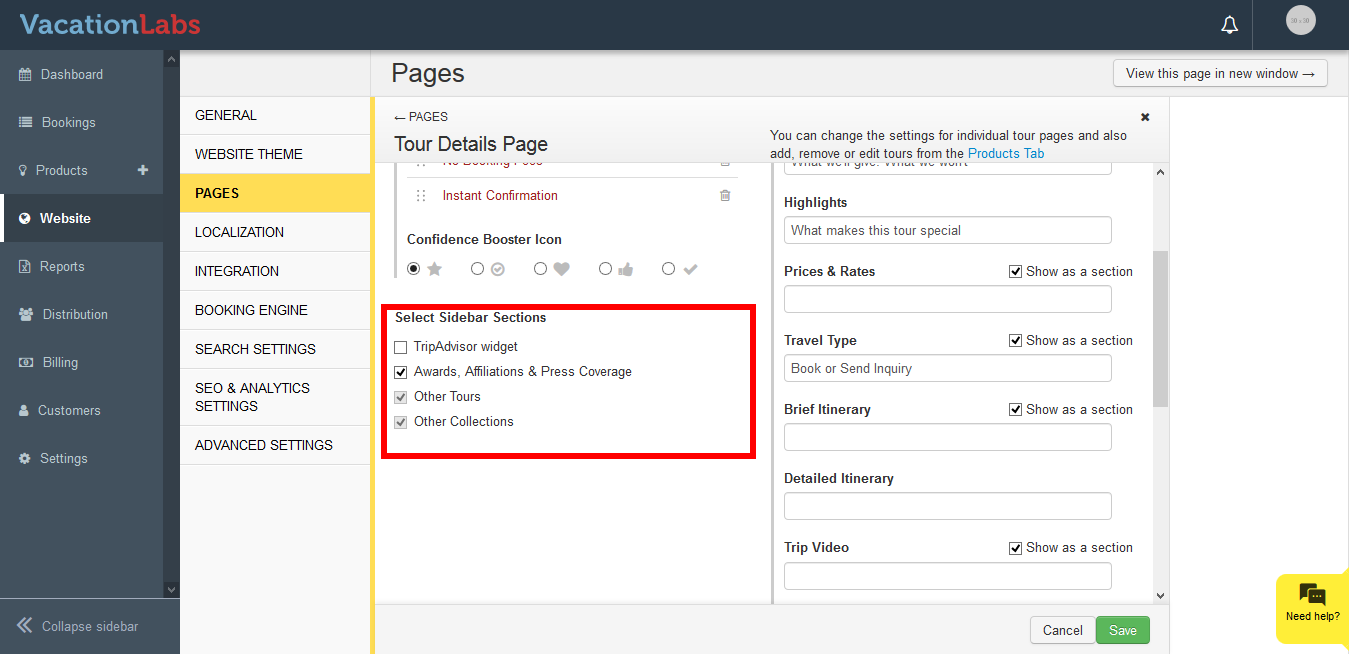
Under Select Sidebar Sections, simply check/uncheck the checkbox.
-
Click on Save
Info
Please Note: You are only allowed to check/uncheck TripAdvisor widget, Awards, Affiliations & Press Coverage. To keep your visitor’s engaged on website and explore more tours, collections simultaneously we don’t allow to remove Tours and Collections from sidebar
The system automatically picks up the Other Popular Tours and Other Collections itself based on the the tour the visitor is viewing.
.
What’s Next?
Planning to modify the the Phrases like Other Collections, Tours etc? We would recommend you to read our article on Exploring Localization - Modifying the predefined sentences on your website