Modifying a Static Page URL
Basic Settings
Updated
To modify the URL for any Static Page, please follow the below steps
-
Login into Vacation Labs.
-
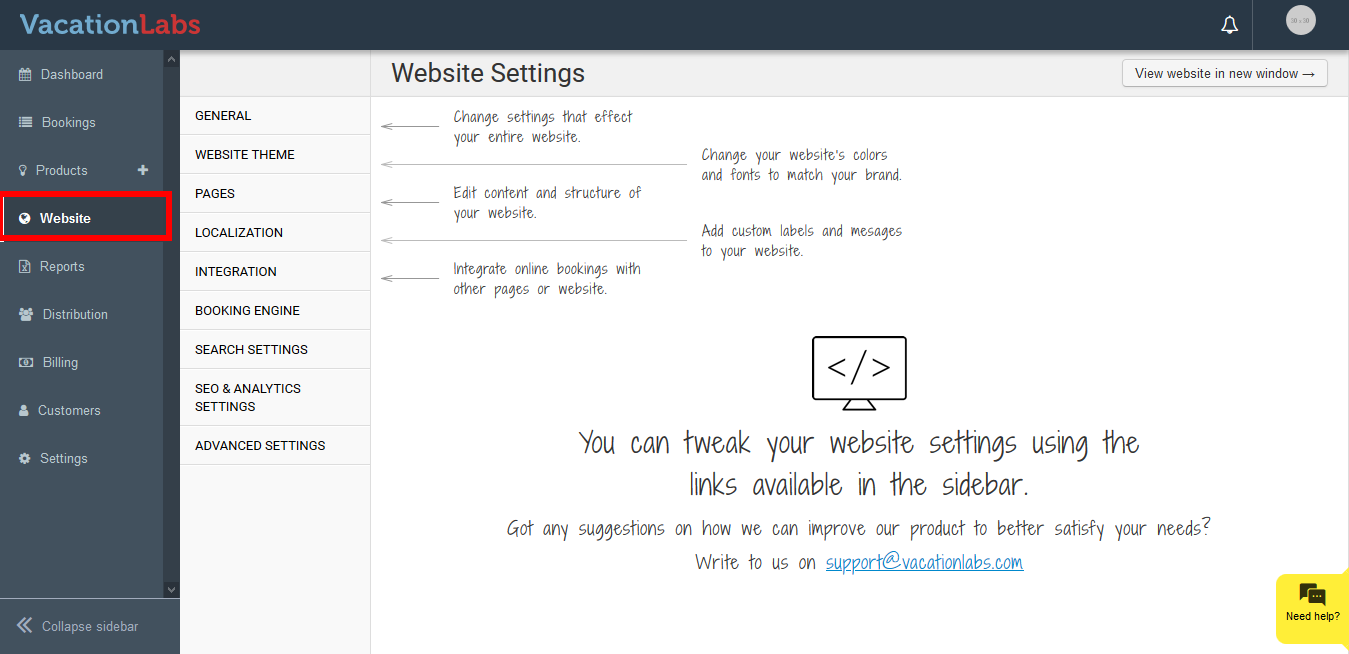
Navigate to Website Tab
-
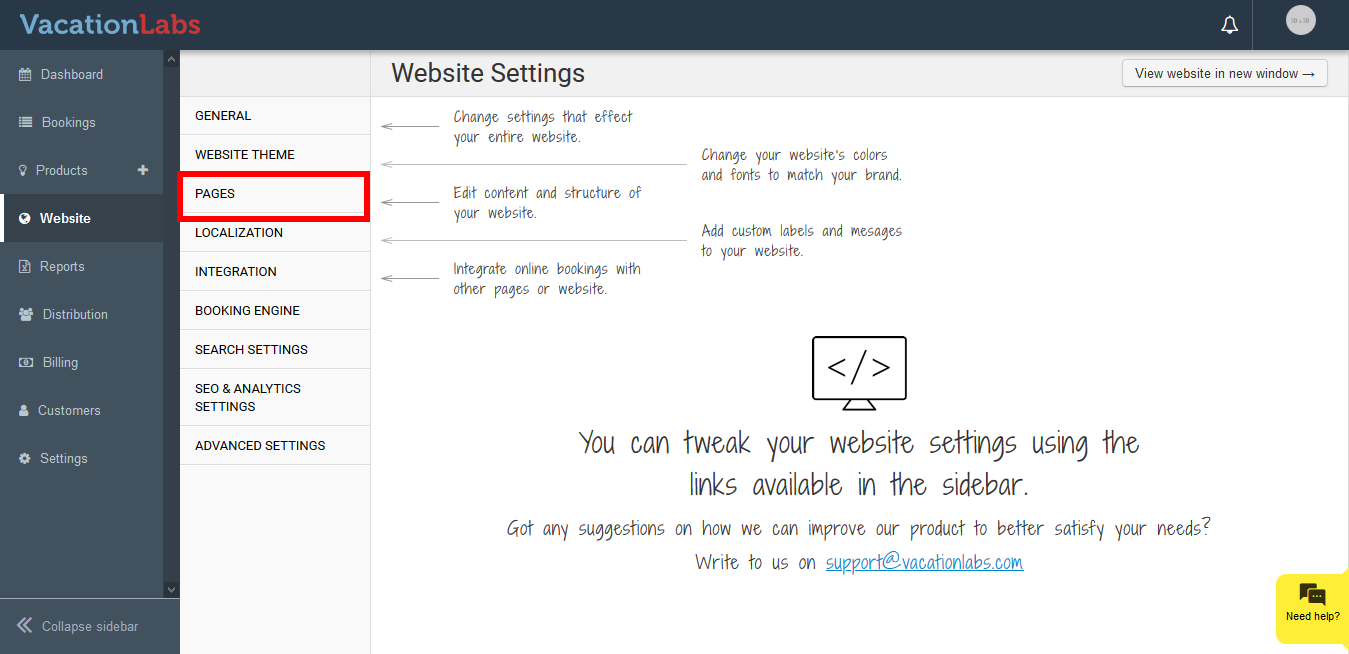
Click on Pages.
-
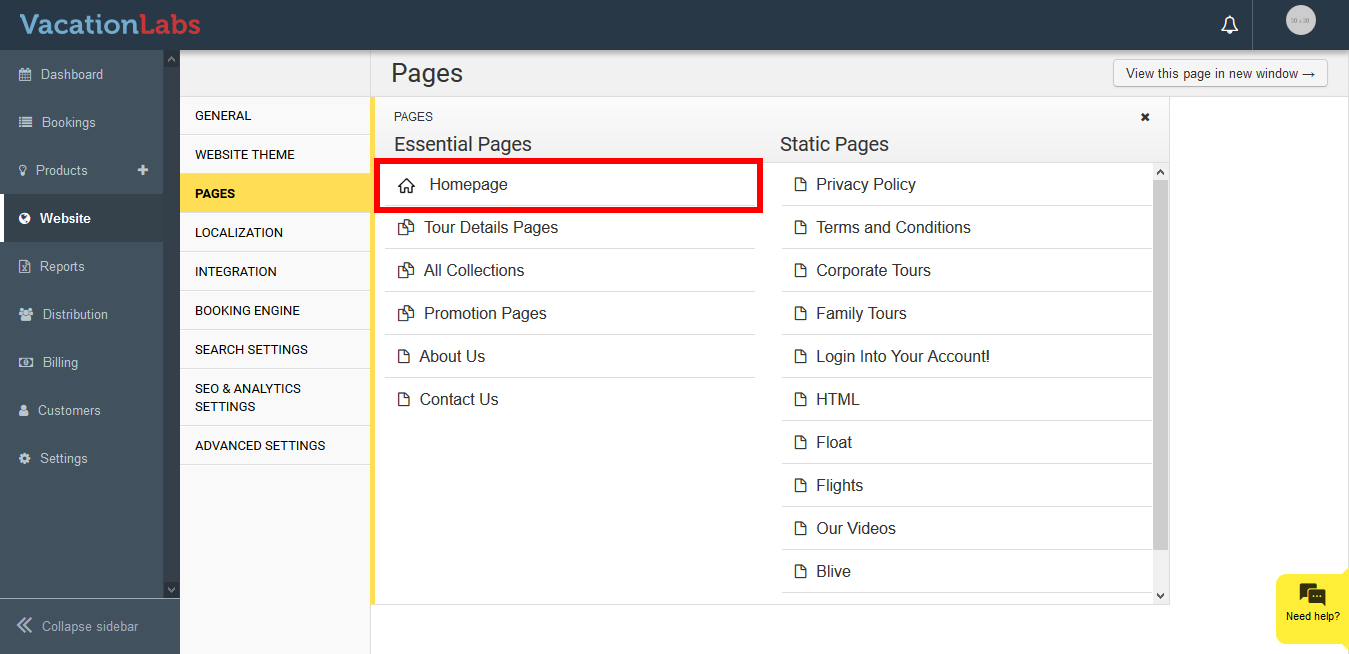
Select the Page for which the url needs to be modified.
-
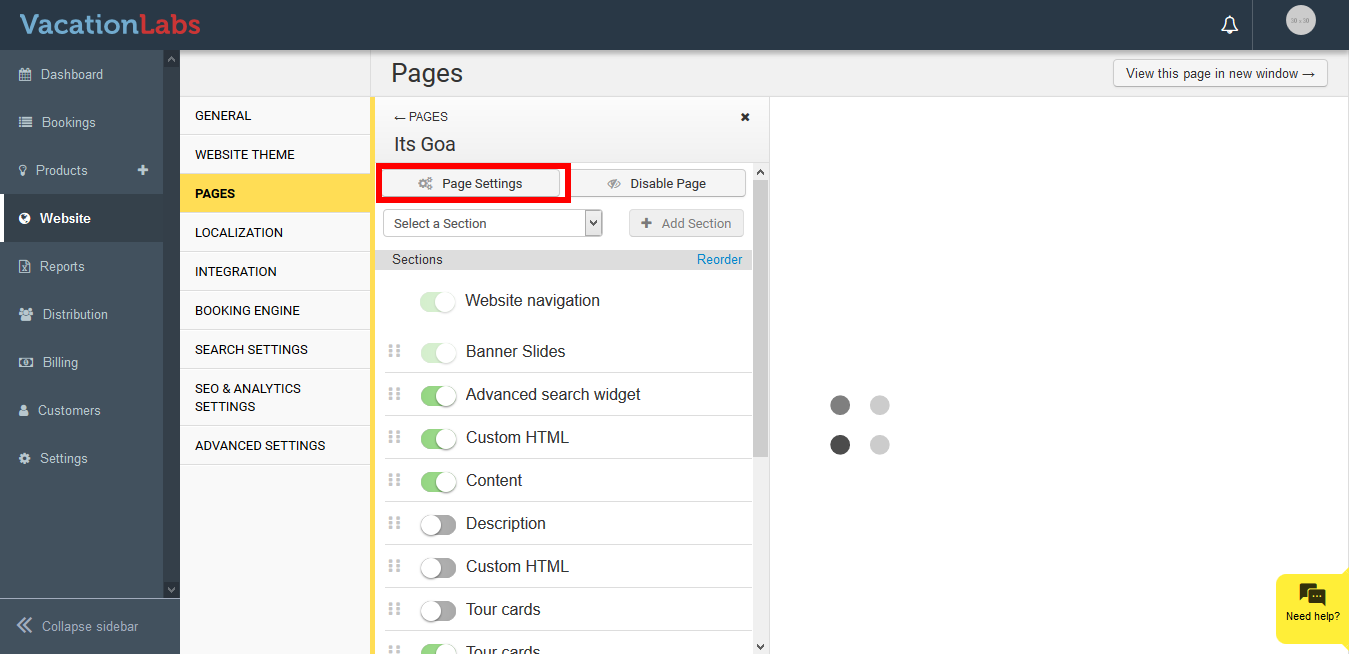
Click on the Page Settings Option on the top.
-
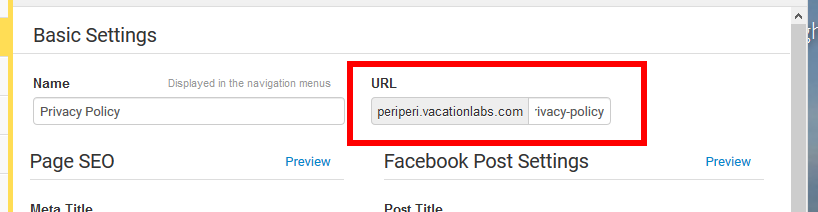
You can find the option to modify the *URL
 *
* -
Update the content.
-
Click on Save.
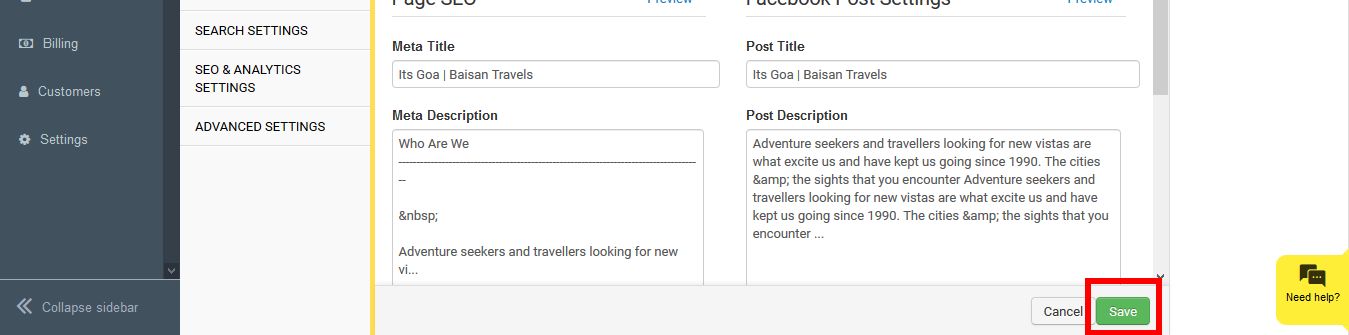
Please Note: if the url is edited it automatically creates permanent 301 redirect from the old one.
What’s Next?
We would recommend you to check our article on Adding/Modifying Meta Title & Meta Description (Page SEO) for Tour Pages to enhance your collection page SEO.