Sending invites to Agents
Vacation Labs allows you to create Agent accounts so that these agents can sell your tours and activities on your behalf. All the bookings recorded by any agents are synced automatically in your main admin account, so need not worry about which booking is recorded by which agent.
Once the agent is created he has the access to real-time inventory & prices for all products.
Tip
In case the agents are not activated for your account please get in touch with our support team .
Please follow the below steps to invite agents,
-
Login into Vacation labs
-
Click on **Distribution
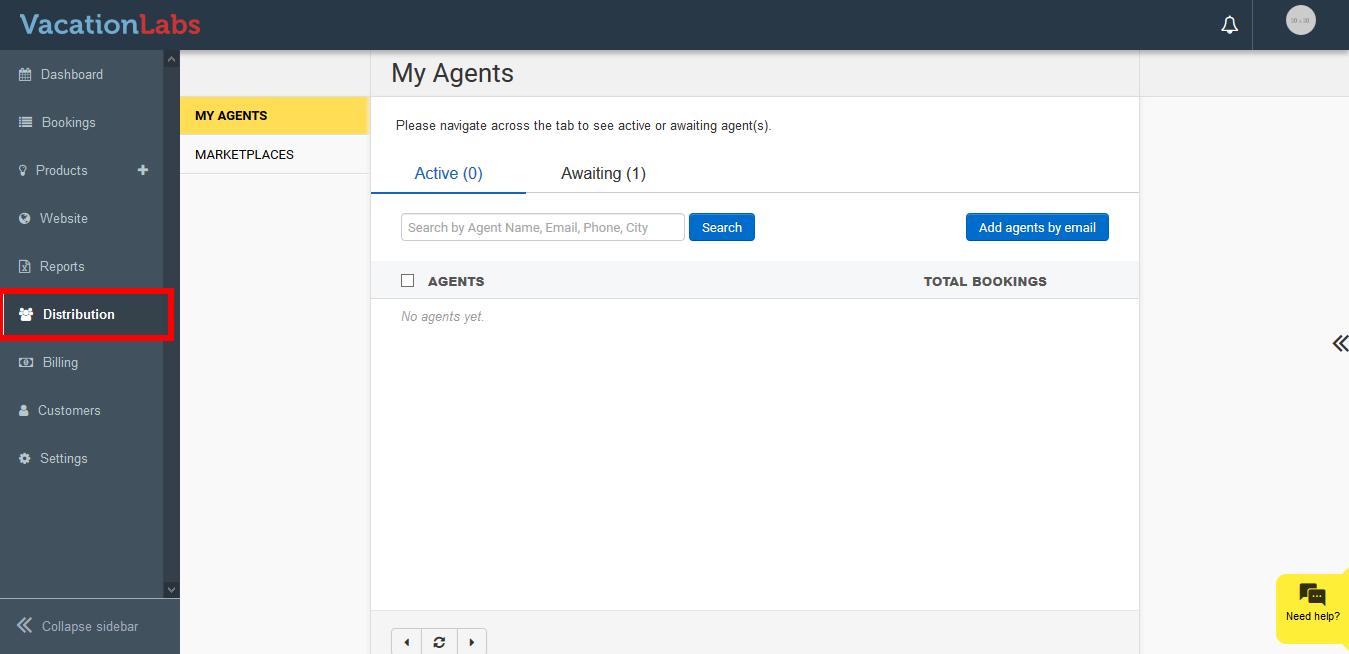 **
** -
Click on My Agents
-
Click on Add Agents via email
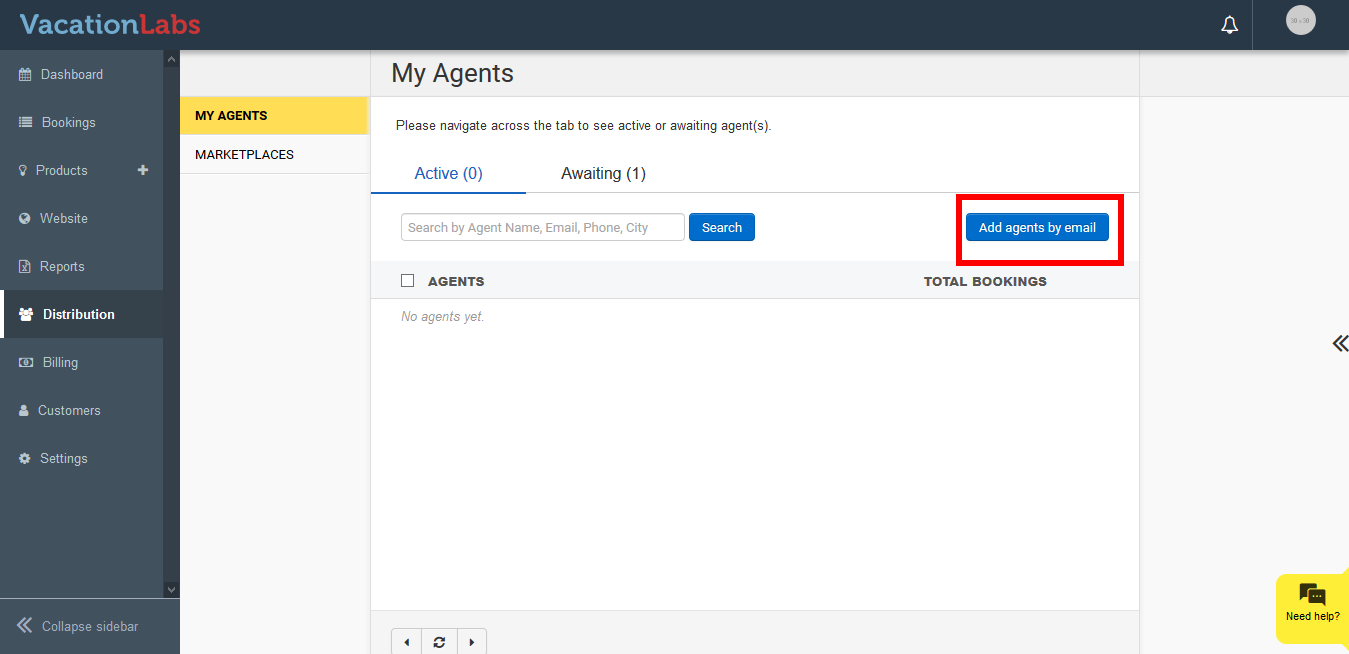
-
Click on **invite your agents
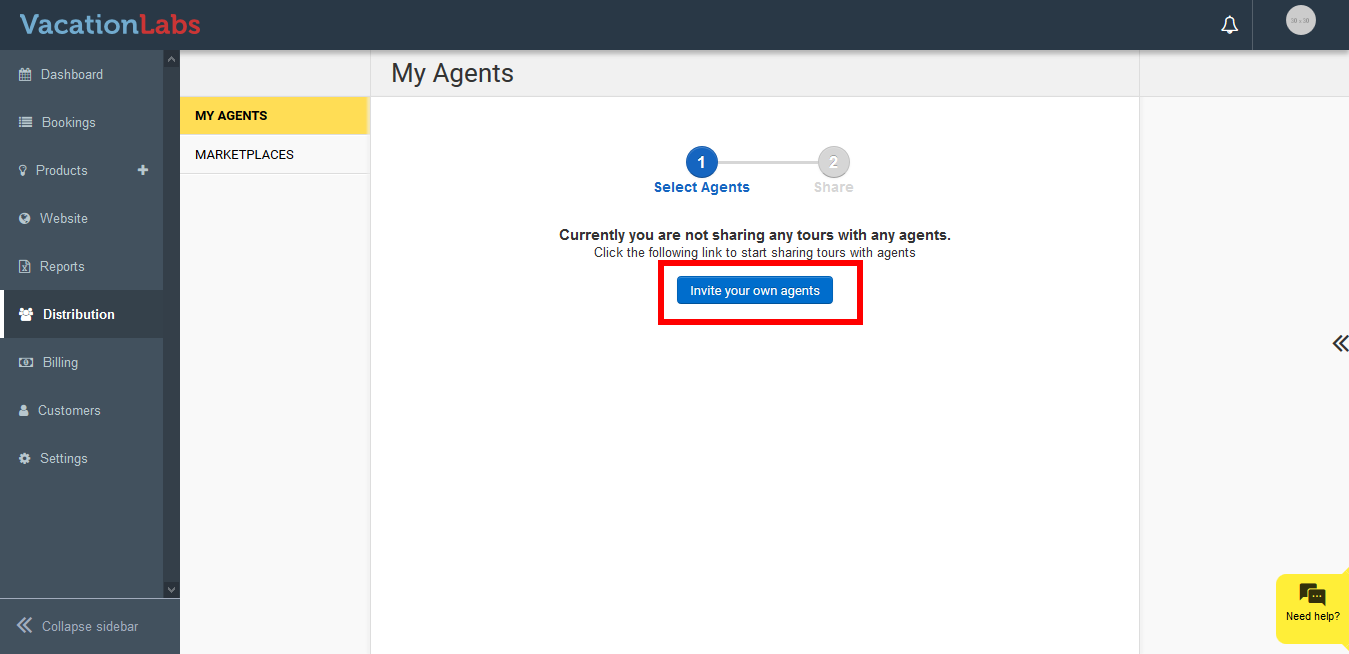 **
** -
Provide email IDs to invite new agents. Provide as many emails as you like, separated by comma or new line.
-
Click on **Proceed
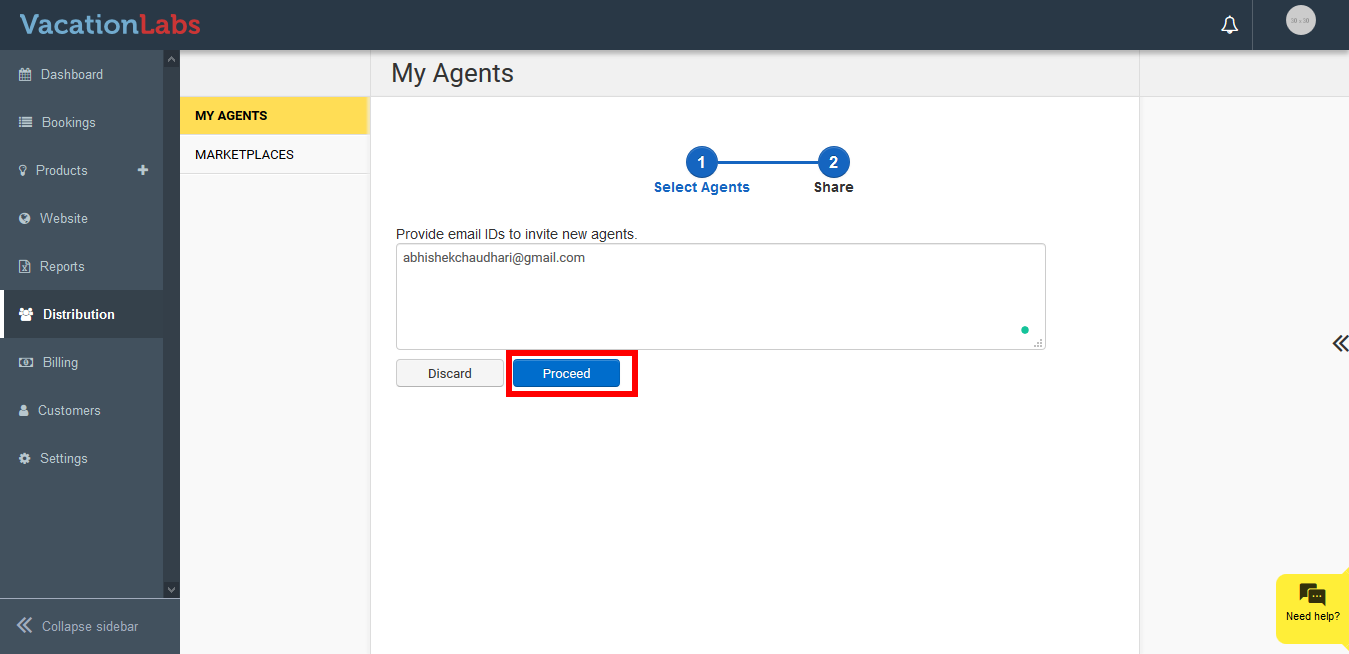 **
** -
Modify the email content *if required
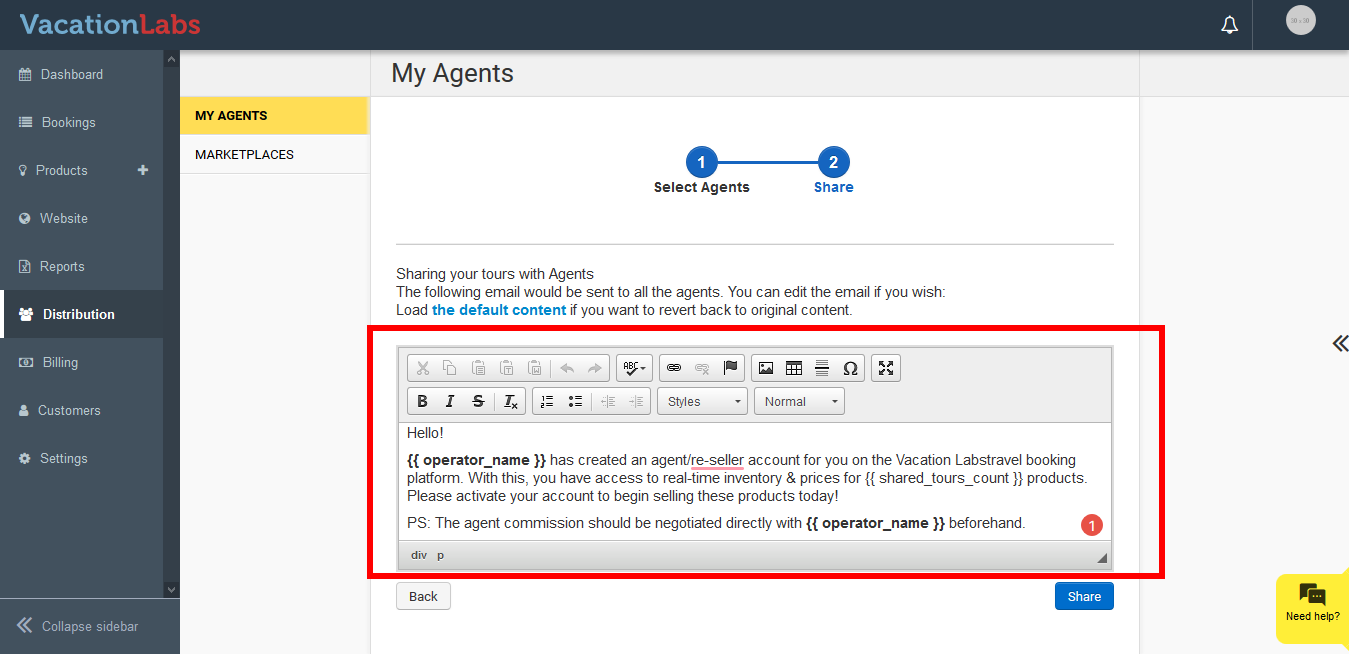 *
* -
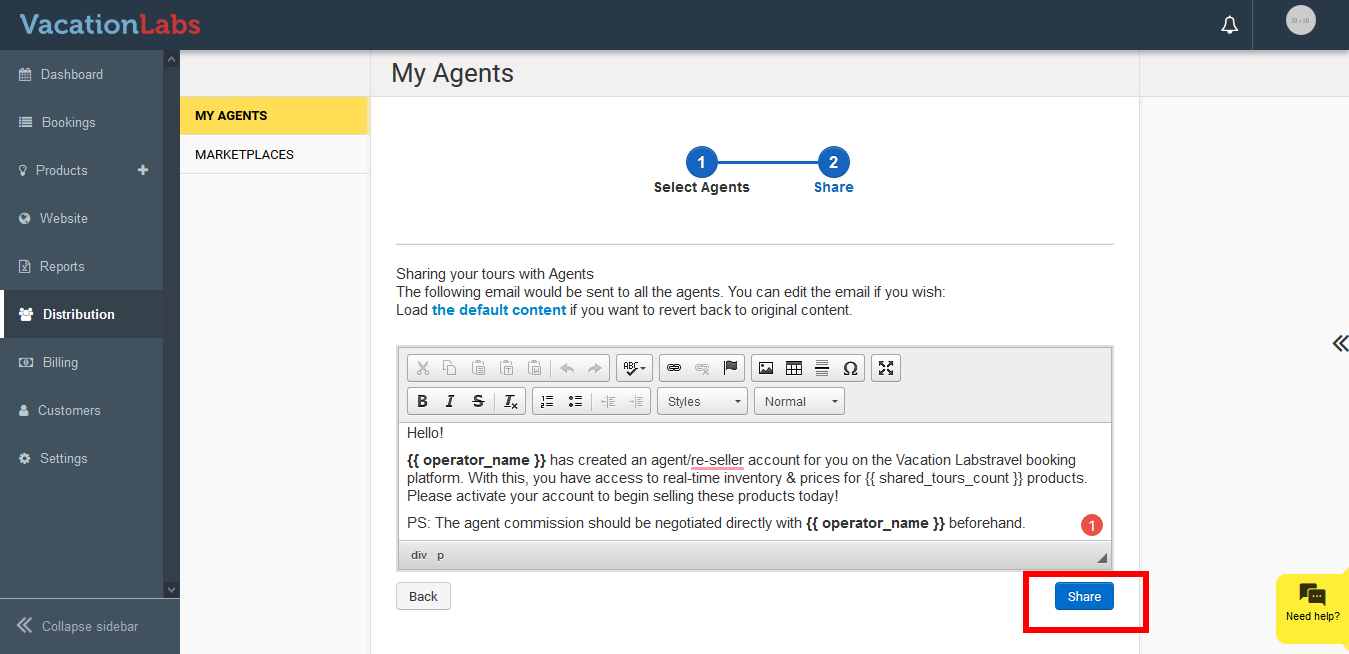
Click on Share
Info
Please note: At the moment the agent are just allowed to create booking, you can’t setup the commission for the agent bookings. The agent commission should be negotiated directly with you beforehand.
Also, all the Active tours are shared with the agent once the account is created, you can’t specifically share few tours with the agent.