Setup taxes or fees for bookings
Booking Engine
Updated
Here’s how you can setup taxes or service fees for your trips in Vacation Labs:
-
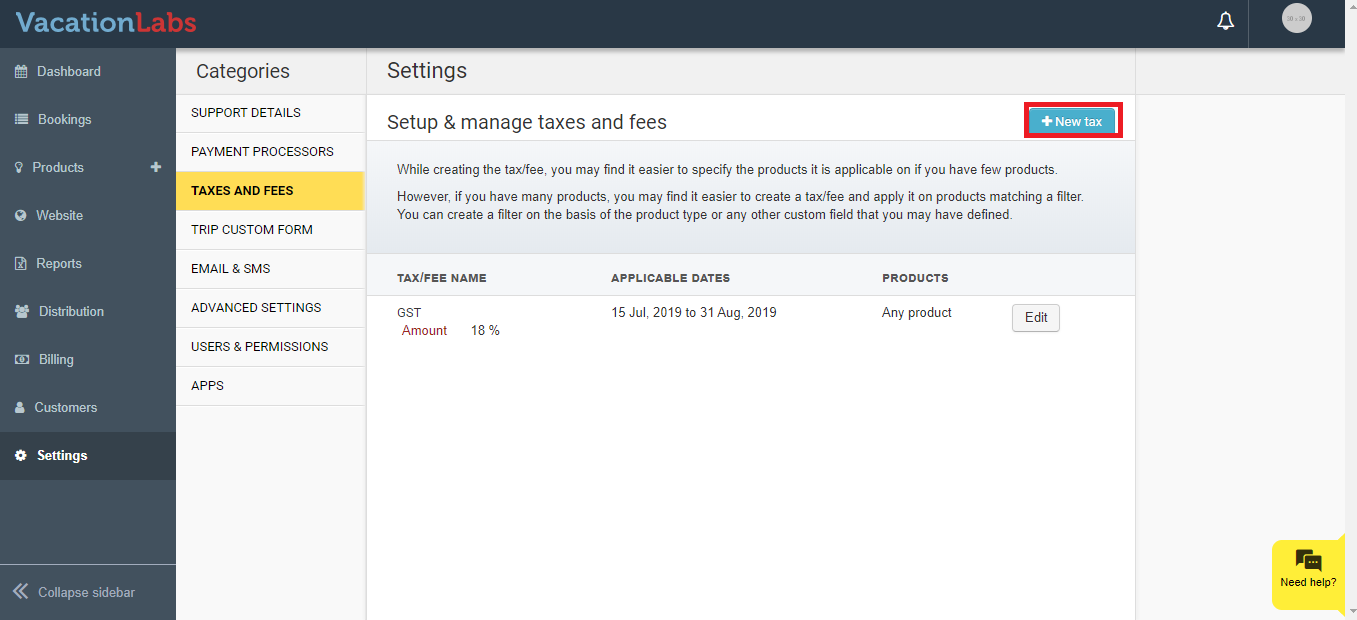
While logged into your Vacation Labs account, click on Settings and then Taxes and Fees
-
Click on the New Tax button on the top right
-
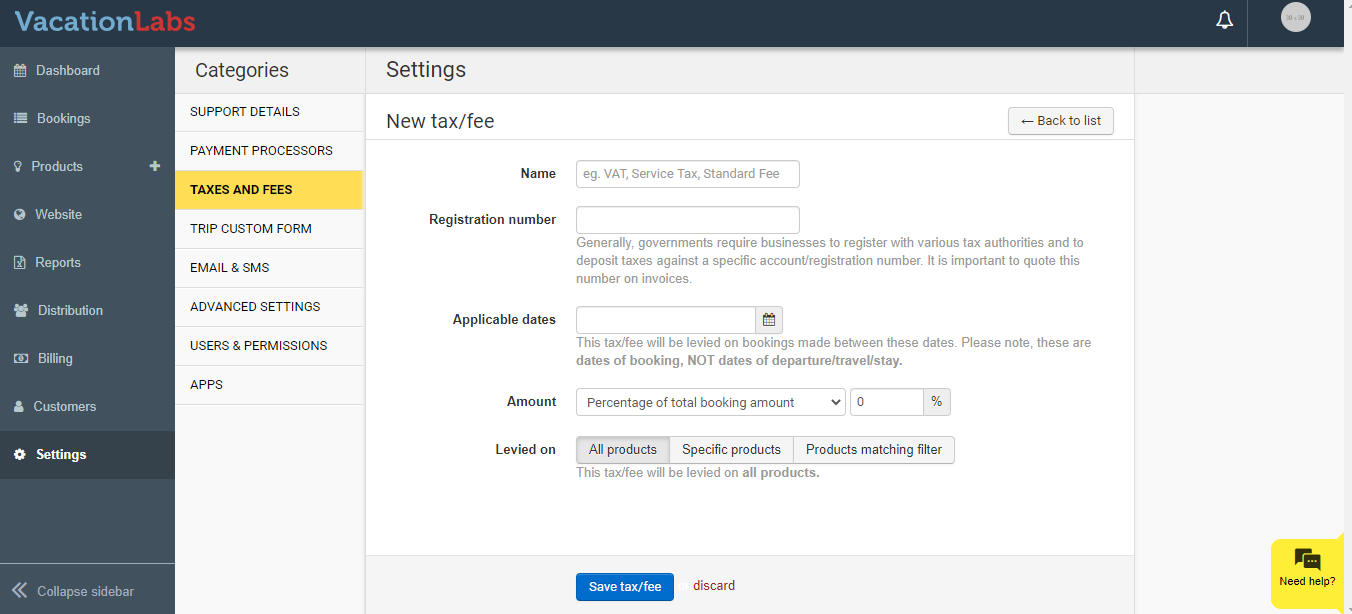
Next, you can give it a name and enter the registration number.
-
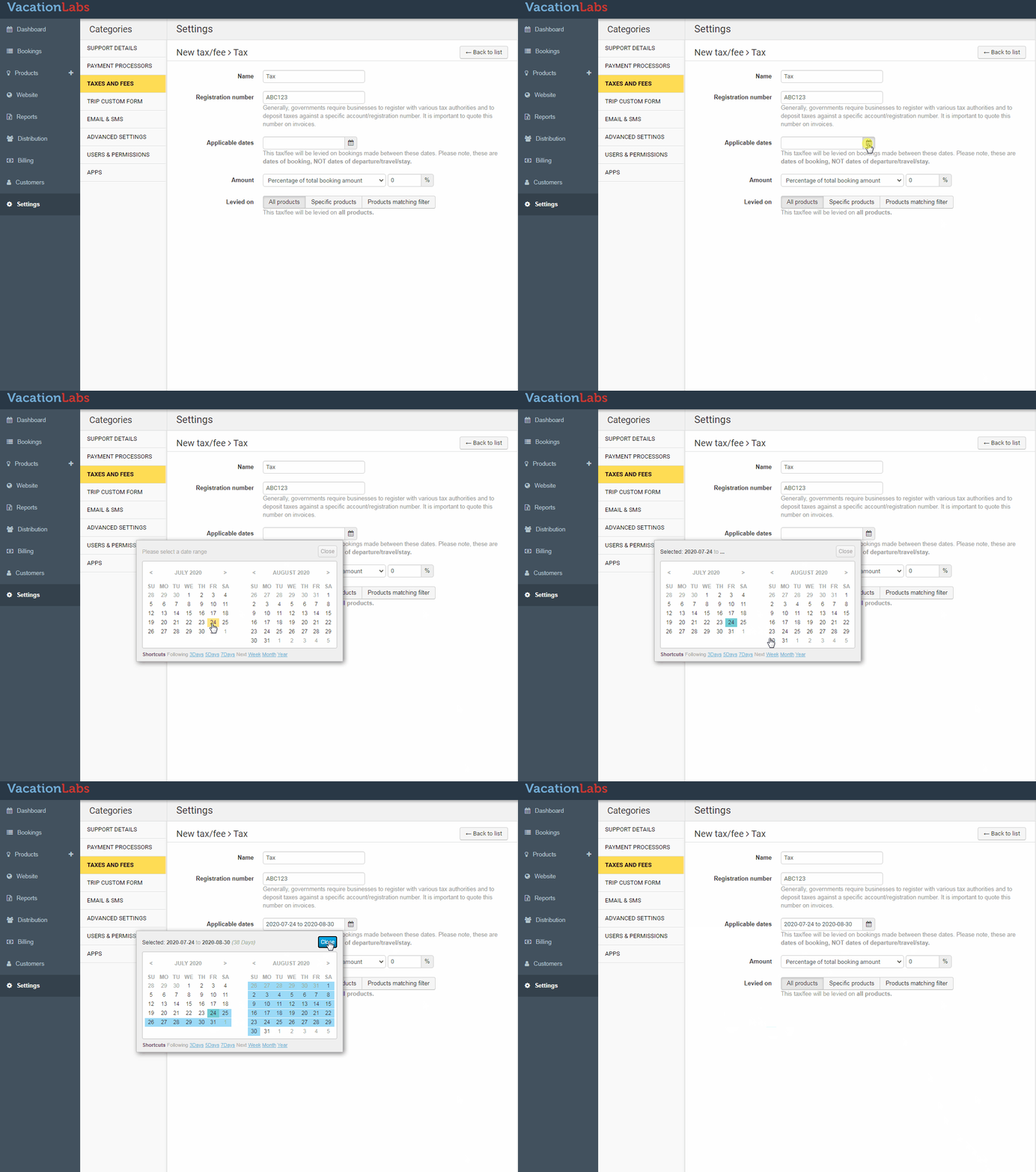
Please mention the applicable dates for which the tax would be in effect. This is a mandatory field and the tax would stop working once the applicable date range has passed. The tax can be setup as a percentage of the booking amount or as a flat rate.
-
You can also configure if the tax is applicable on all products, specific products or products matching a certain filter.
-
Once done, please click on save.