Release Notes
New features, improvements, and fixes shipped to your Vacation Labs account.
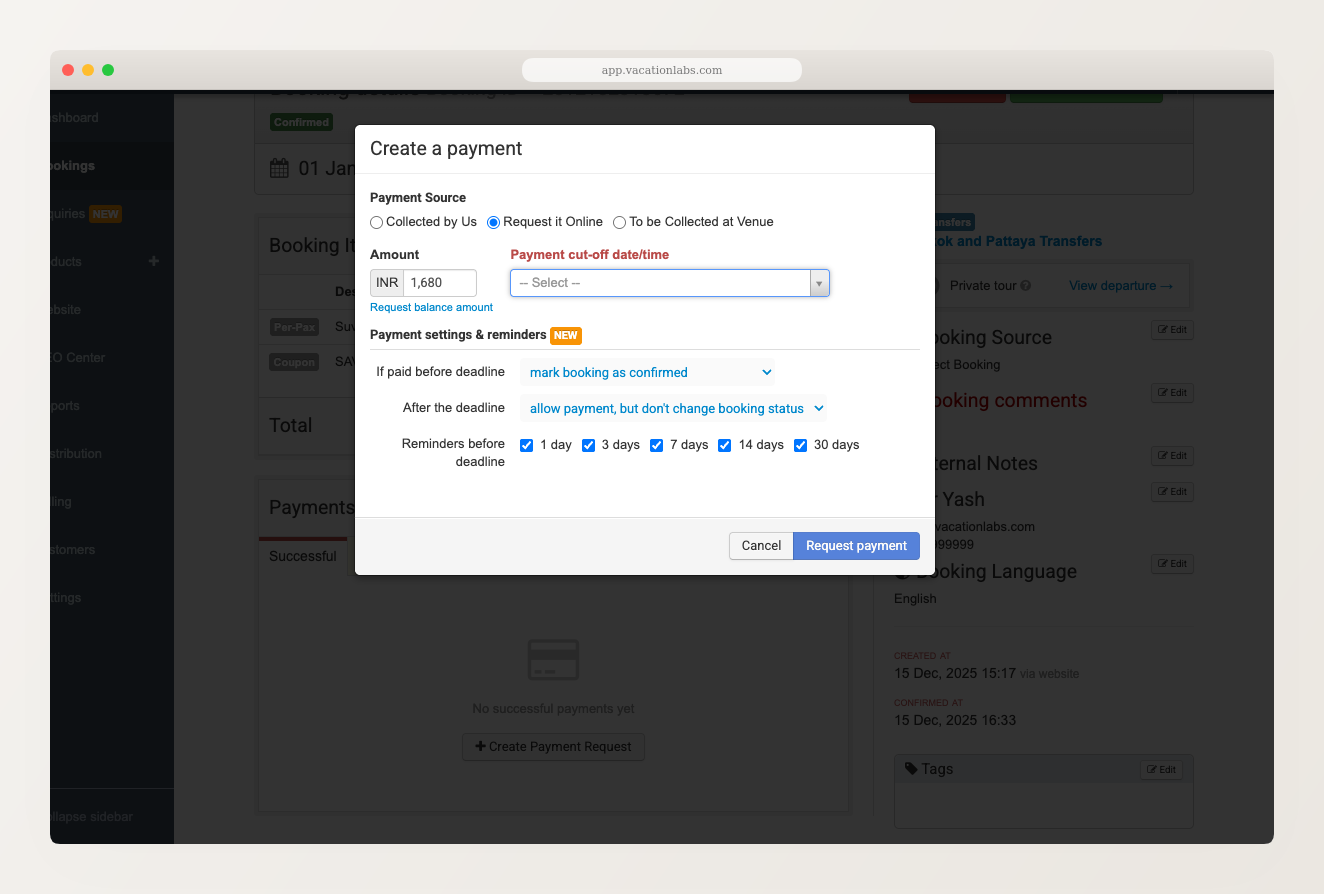
Payment Request: Default Action Now Matches Trip Configuration Fix
When you send a payment request to a customer, the “If paid before deadline” dropdown now automatically matches your tour’s confirmation mode. For example, if your tour is set to auto-confirm bookings on payment, this dropdown will default to “mark booking as confirmed.” If your tour uses manual confirmation, it will default to “move to pending confirmation” instead.
Previously, this dropdown always defaulted to the first option regardless of how the tour was configured — which meant you had to remember to change it manually every time.
Pax Count Field: Validation Fix Fix
Fixed an issue where a “Pax Count” field on inquiry or booking forms could be saved without selecting any passenger types (e.g. Adults, Children), resulting in a broken field on the storefront. The form builder now validates that at least one passenger type is selected before saving, and shows which specific field has the problem.
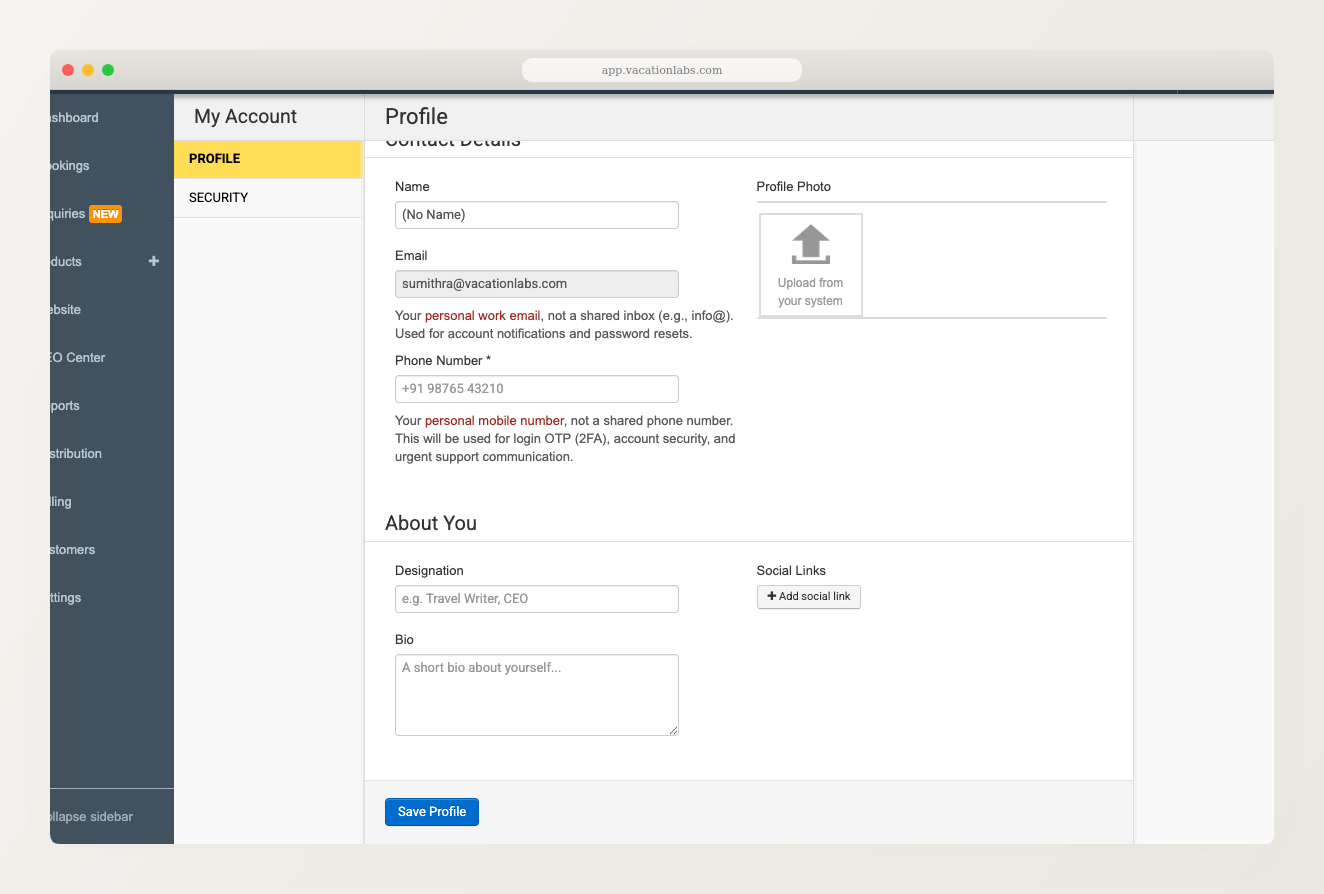
New “My Account” Page Improvement
The My Account page in the backoffice has been redesigned with a cleaner layout, splitting your profile and security settings into separate tabs for easier navigation.
Booking confirmation page fix Fix
Fixed an issue where customers could briefly see a “payment successful, but booking confirmation pending” message due to a timing issue between the payment gateway confirming the payment and the customer’s browser loading the confirmation page.
Meta Lead Ads: Sync Error Handling Fixes Fix
Fixed an issue where the Meta Lead Ads sync could silently fail without showing an error message, and where certain lead form submissions with non-standard fields would fail to import as inquiries.
Blog: Faster Images, Richer Author Profiles, and Better SEO Improvement
Your blog just got faster and more search-friendly. We’ve rolled out a set of improvements to the native blog platform that boost page speed and strengthen your blog’s SEO.

Upload Images Directly in the Rich Text Editor
Upload images directly in the rich text editor Adding images to your website content just got a lot easier. You can now upload images directly from the rich text editor — no more switching between tabs, copying URLs, or using external image hosting services. Previously, inserting an image into a content area (like a tour […]
Read more →
Take Control of Your Website’s SEO with the New SEO Center
Manage all your SEO settings from one place We’ve added a new SEO Center to your backoffice — a single dashboard where you can manage everything related to your website’s search engine optimization. Instead of hunting through different screens to update meta tags, set up redirects, or check your Google Search Console connection, you can […]
Read more →Inquiry Form Loading Fix Fix
Fixed an issue where the inquiry form on tour pages would fail to load after a recent platform update, showing a blank section instead of the form.