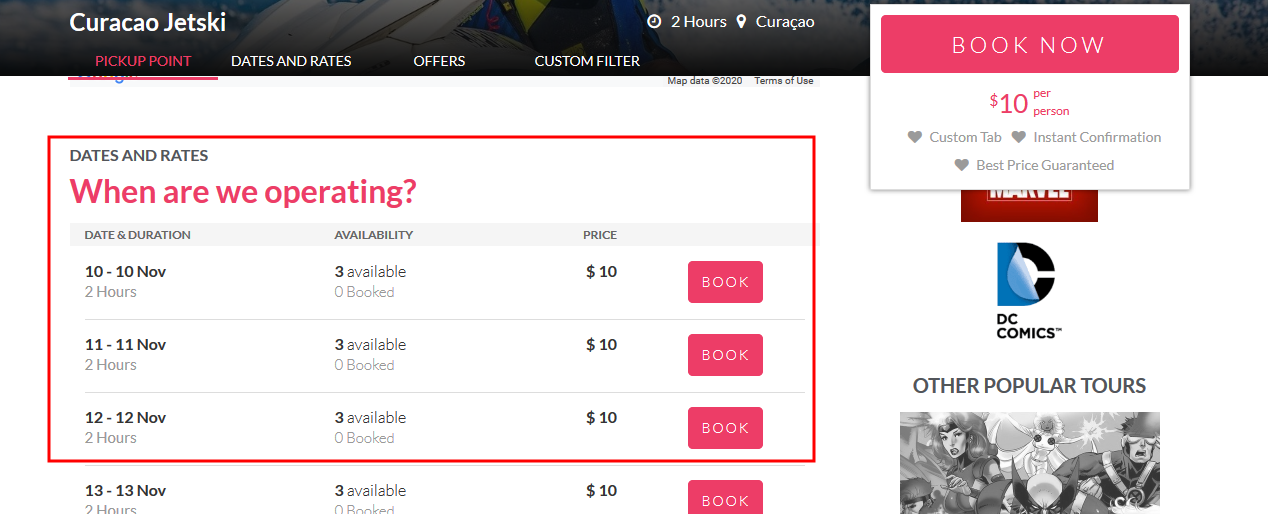
Activating dates and rates section on tour page
Managing Pages
Updated
The feature of DATES & RATES allows you to display the available departure dates of the tour on the tour page itself. . Please follow the below steps,
-
Login into Vacation Labs
-
Click on Products
-
Select the product for which the Dates and Rates section needs to be activated
-
Click on Edit
-
Click on **Settings
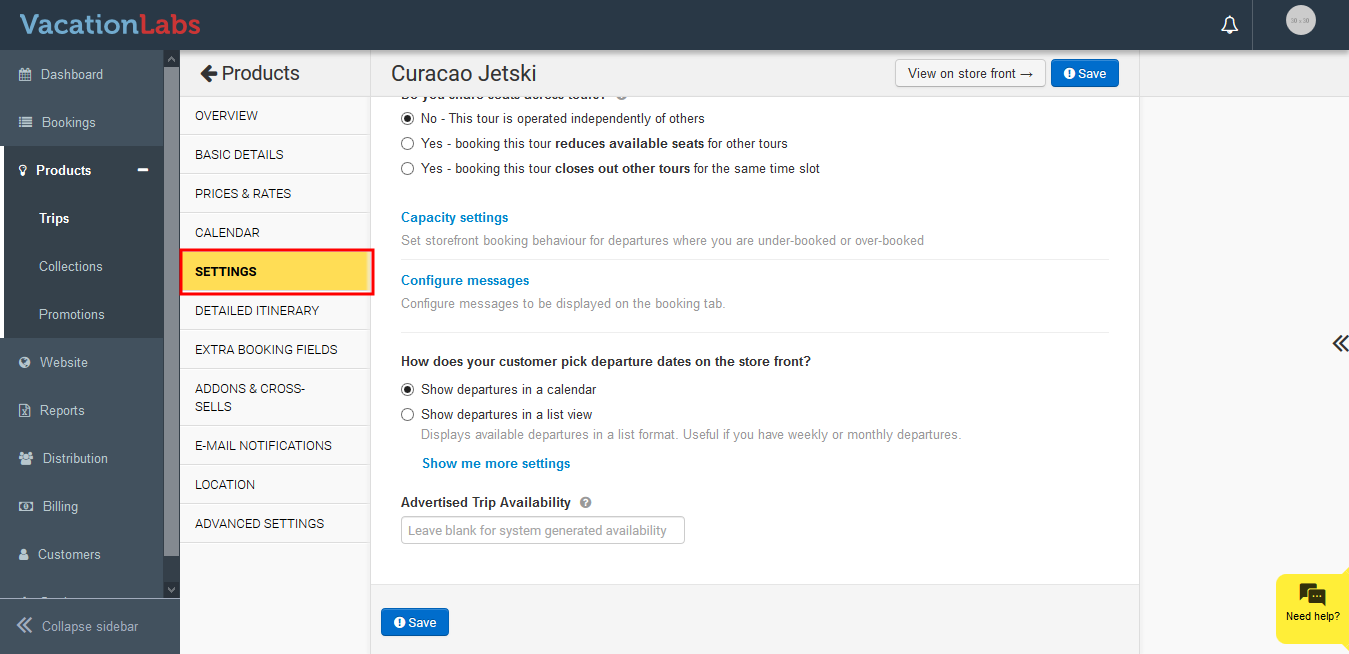 **
** -
Under How does your customer pick departure dates on the store front? click on *Show departures in a list view
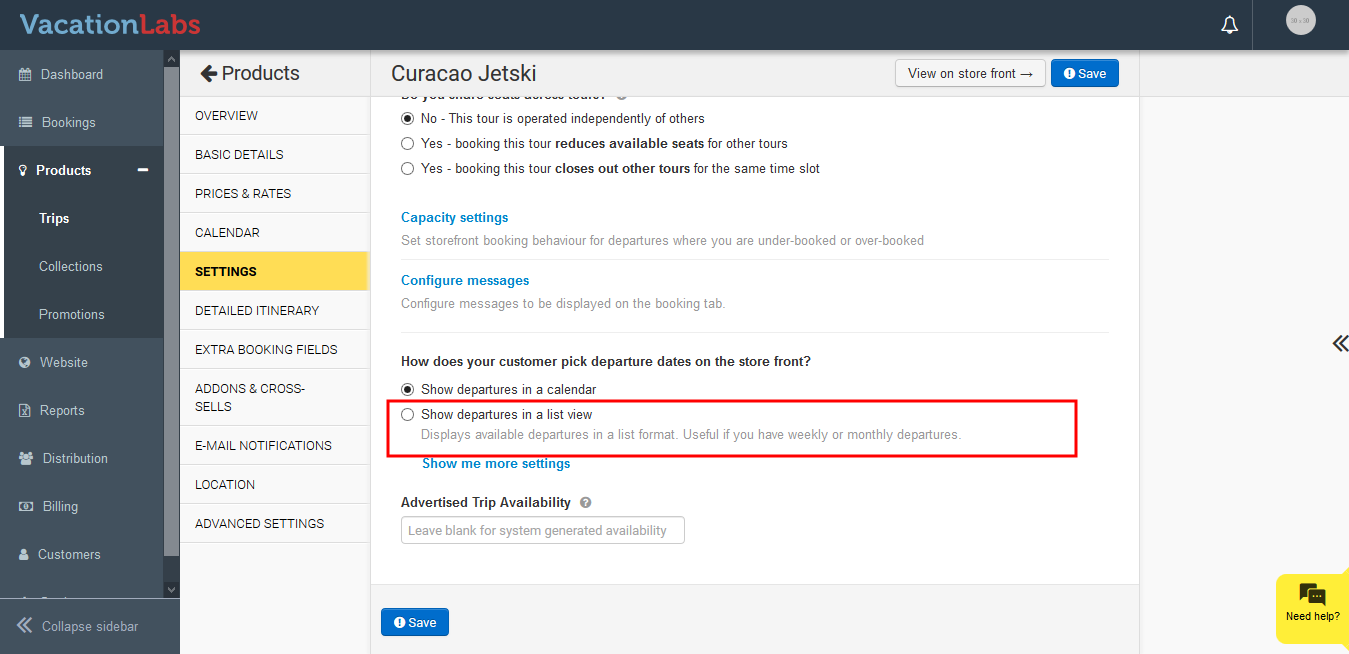 *
* -
Now click on Display a section with upcoming departures on the tour details page to enable it
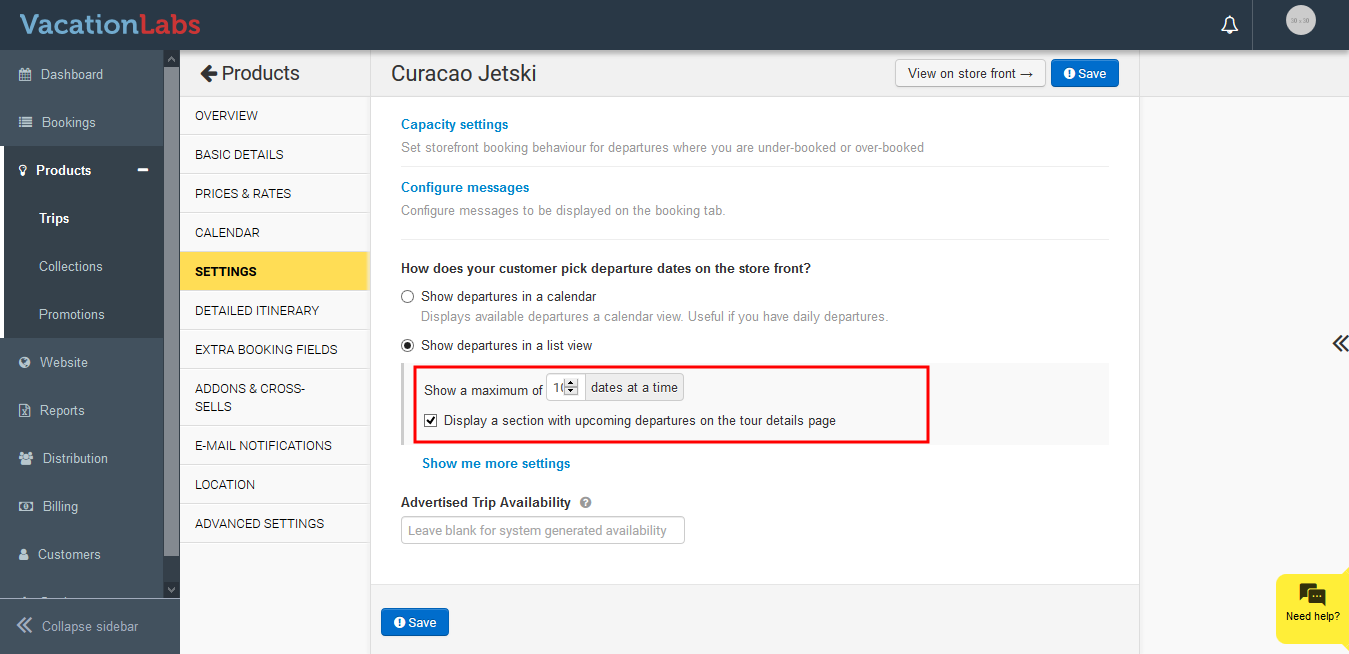
-
Click on Save
Once its activated it would like like the below,