
Modifying a Collection Page URL
Every collection page on your website has its own URL. By default, this URL sits under /collections/ — for example, /collections/winter-deals. You can change it to any path you like, such as /winter-deals or /europe-tours, to keep it short, memorable, and easy to share.
Changing a collection page’s URL
- Go to Products and click Collections.
- Find the collection you want to edit and click Edit.
- Open the SEO Settings tab.
- In the URL field, enter the path where you want the page to live.
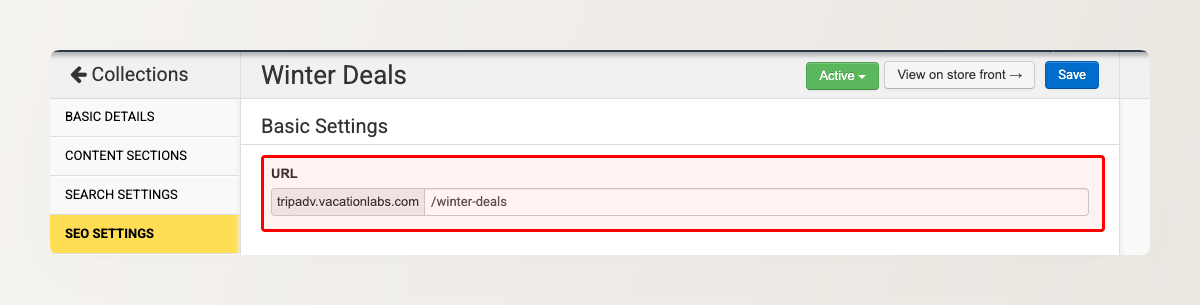
- Click Save.
When you change a collection page’s URL, the old URL automatically redirects to the new one (a permanent 301 redirect). Existing links and search rankings carry over, so you can rename a page’s URL without breaking anything.
Choosing a good URL
Short, descriptive paths are easier for visitors to remember and tend to perform better in search results. Use words that describe the collection — /winter-deals reads better than /collection-2. Stick to lowercase letters, numbers, and hyphens between words.