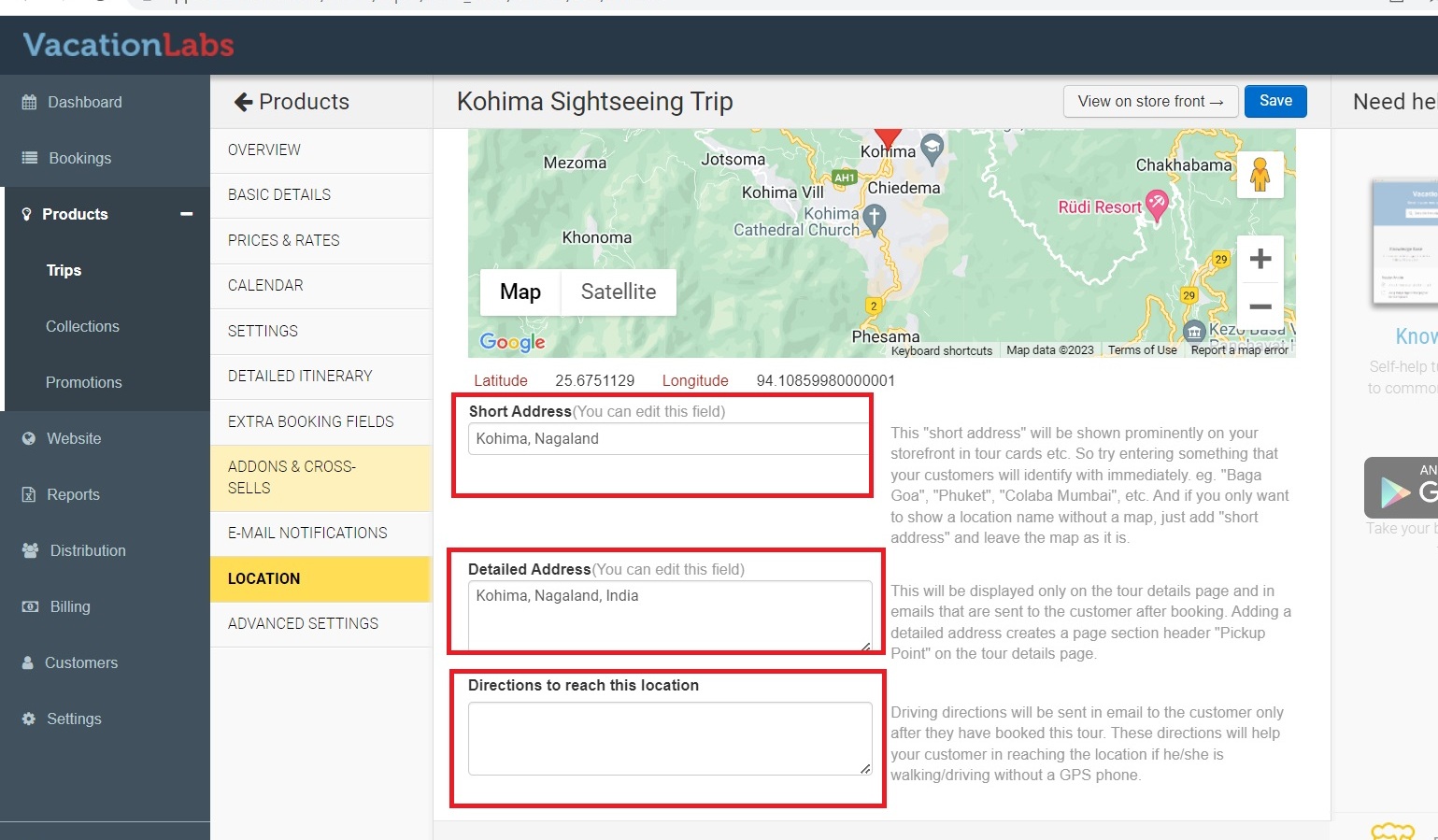
How to add location/pick up point on a trip via google map
Managing Pages
Updated
To add Google Map directions (Location or a pick-up point) on a tour page, click on the Products section in your dashboard and select Trips and Edit the trip you want to update. In the Location settings, type the name of the place into the search bar to see it on Google Maps. You can also move the map cursor to mark the exact location.
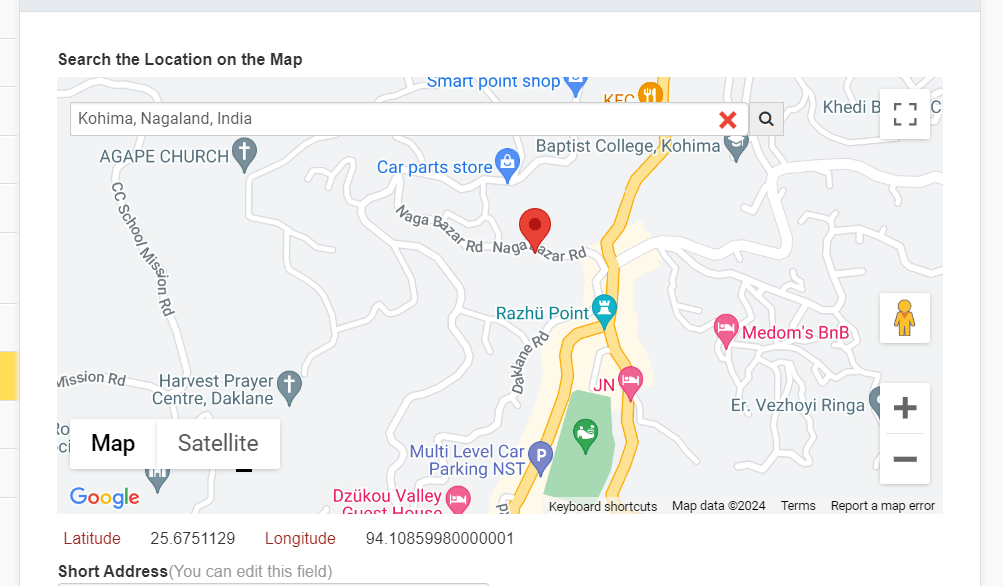
You can also update the text fields below if needed. When finished, make sure to save your changes so they appear on the tour page.