Promoting Coupons on the Trip and Collection Page
Once the coupons are created you might also like to display the coupons on your website. This will help your website visitors know about the offers on your website. Before promoting the coupons you will have to create them. We would recommend you to read our article on Creating coupons in Vacation Labs. Please follow the below steps to promote the coupons,
-
Login into Vacation Labs
-
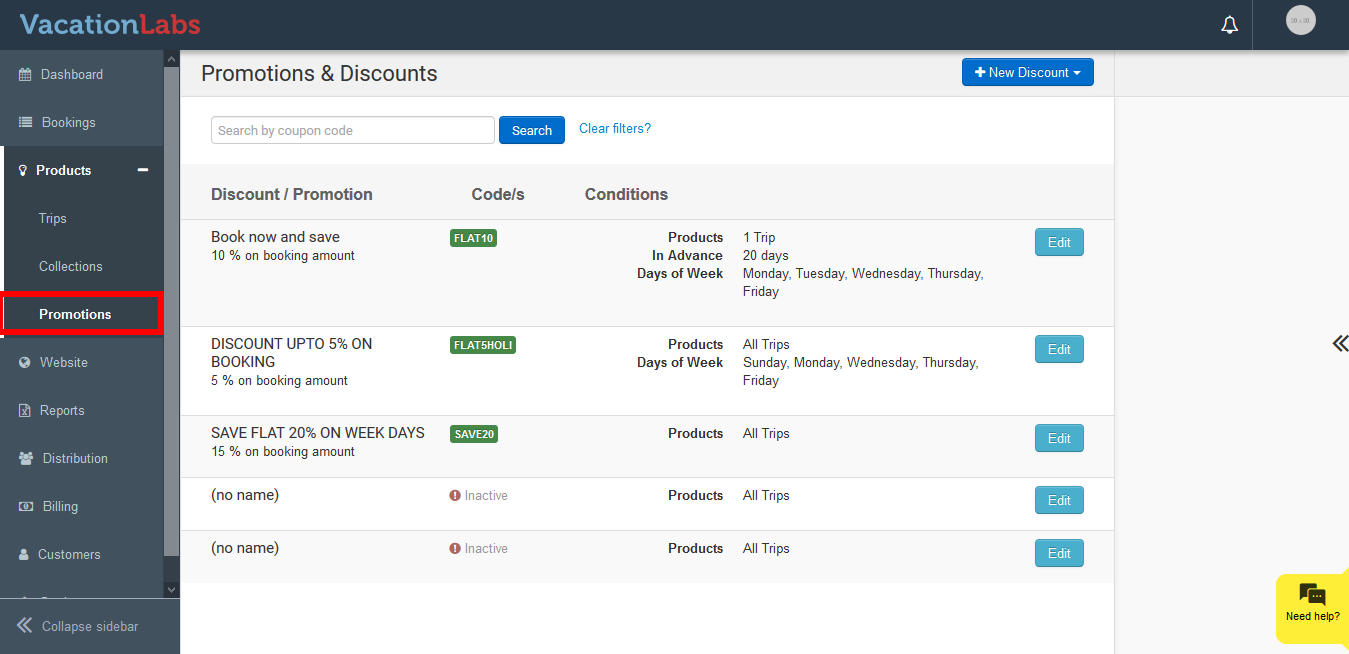
Click on Products
-
Click on Promotions
-
Select the Coupon
-
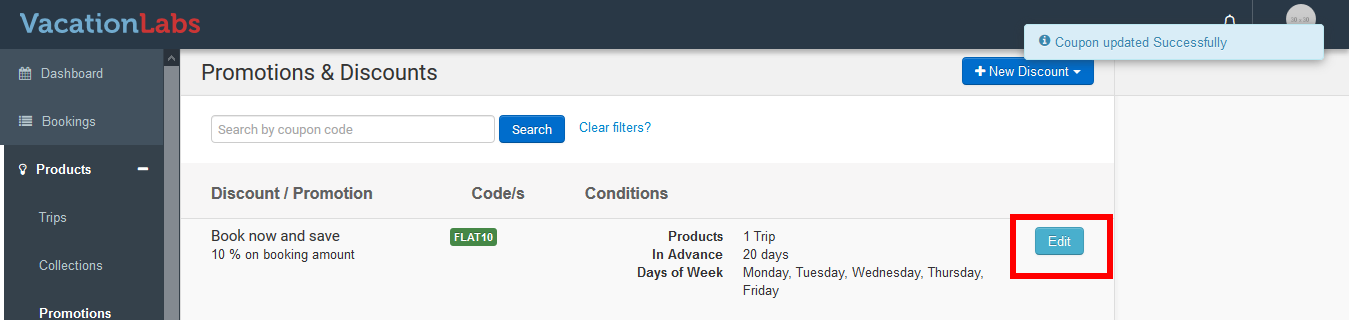
Click on Edit
-
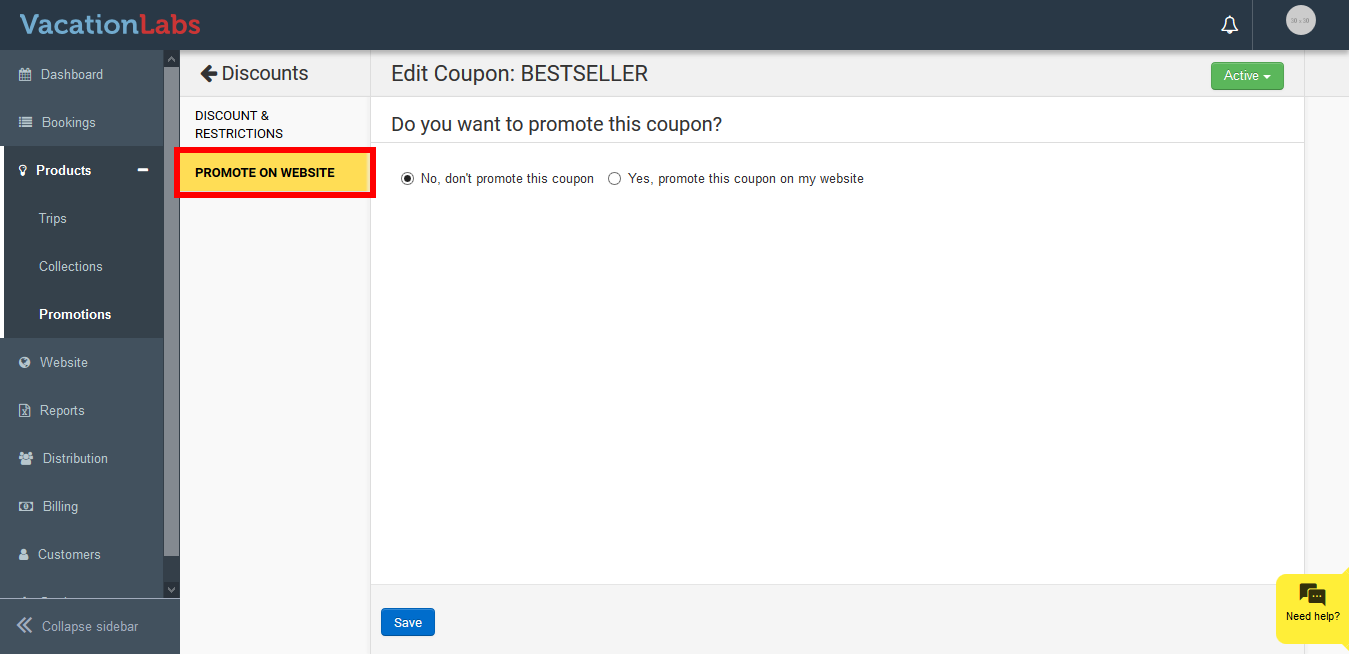
Click on Promote on Website
-
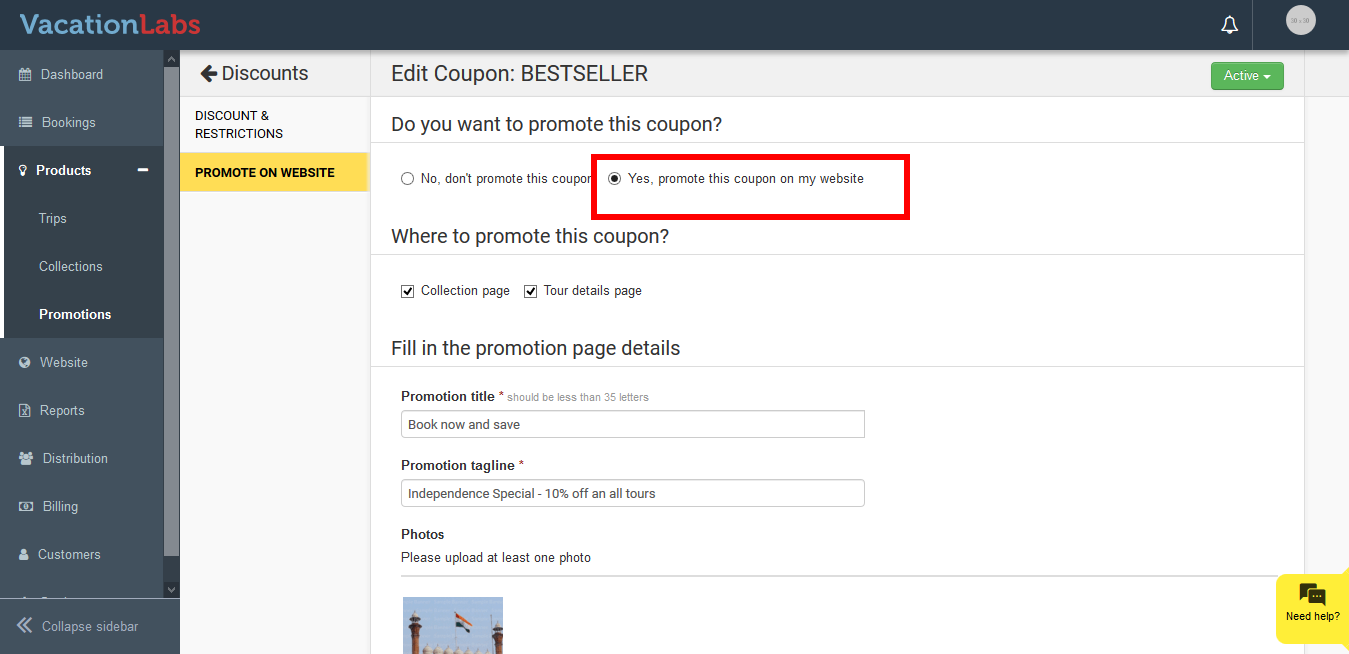
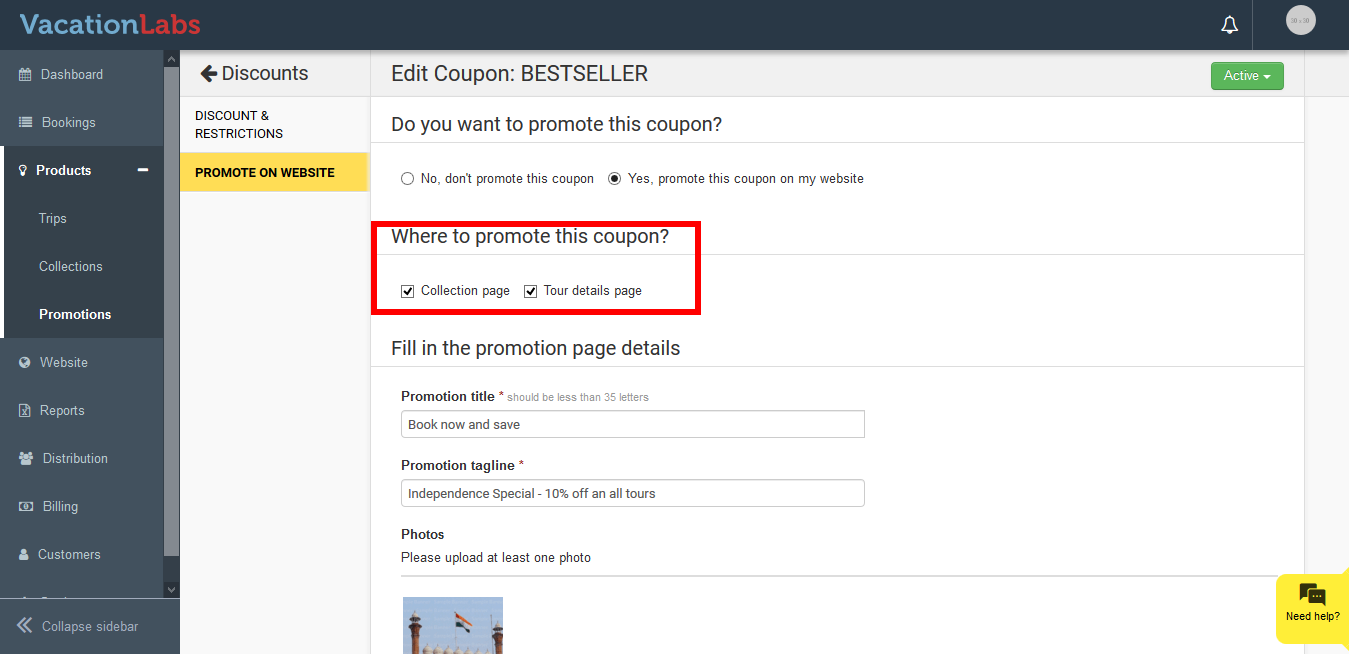
Now to enable promoting on website click on Yes, promote this coupon on my website
-
Under Where to promote this coupon? select the pages where you would like to promote the coupons You can check on the checkbox for collection page and trip page individually.
-
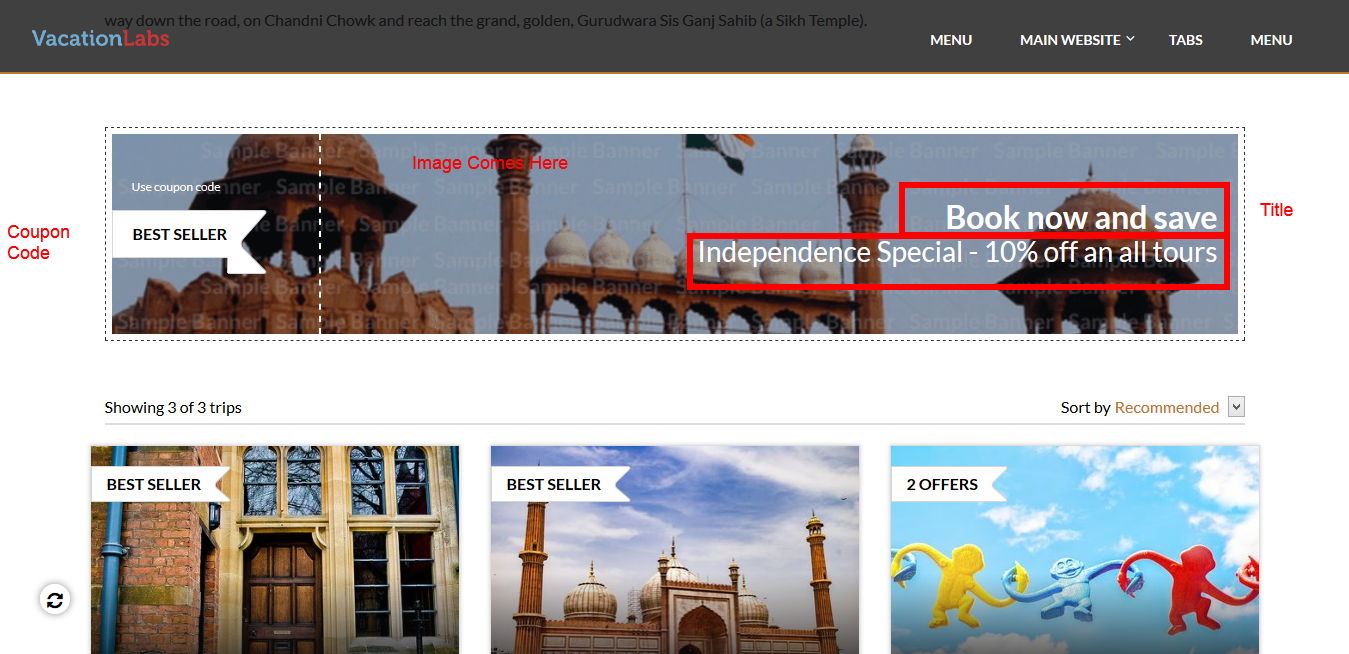
Please enter the Promotion Title, Tagline, Description and photo, to make the coupon look attractive. Below screenshot depicts where the above content will be displayed on the coupon strip.
-
Click on Save
What’s Next?
We recommend you to read our article on Promoting coupons on individual static pages on website