Removing Google Map from the tour pages
You can remove the Google Map directions from the tour pages by following the steps listed below:
1. Go into the Products section
2. Click on EDIT button of the tour in which you want to remove the Google Map
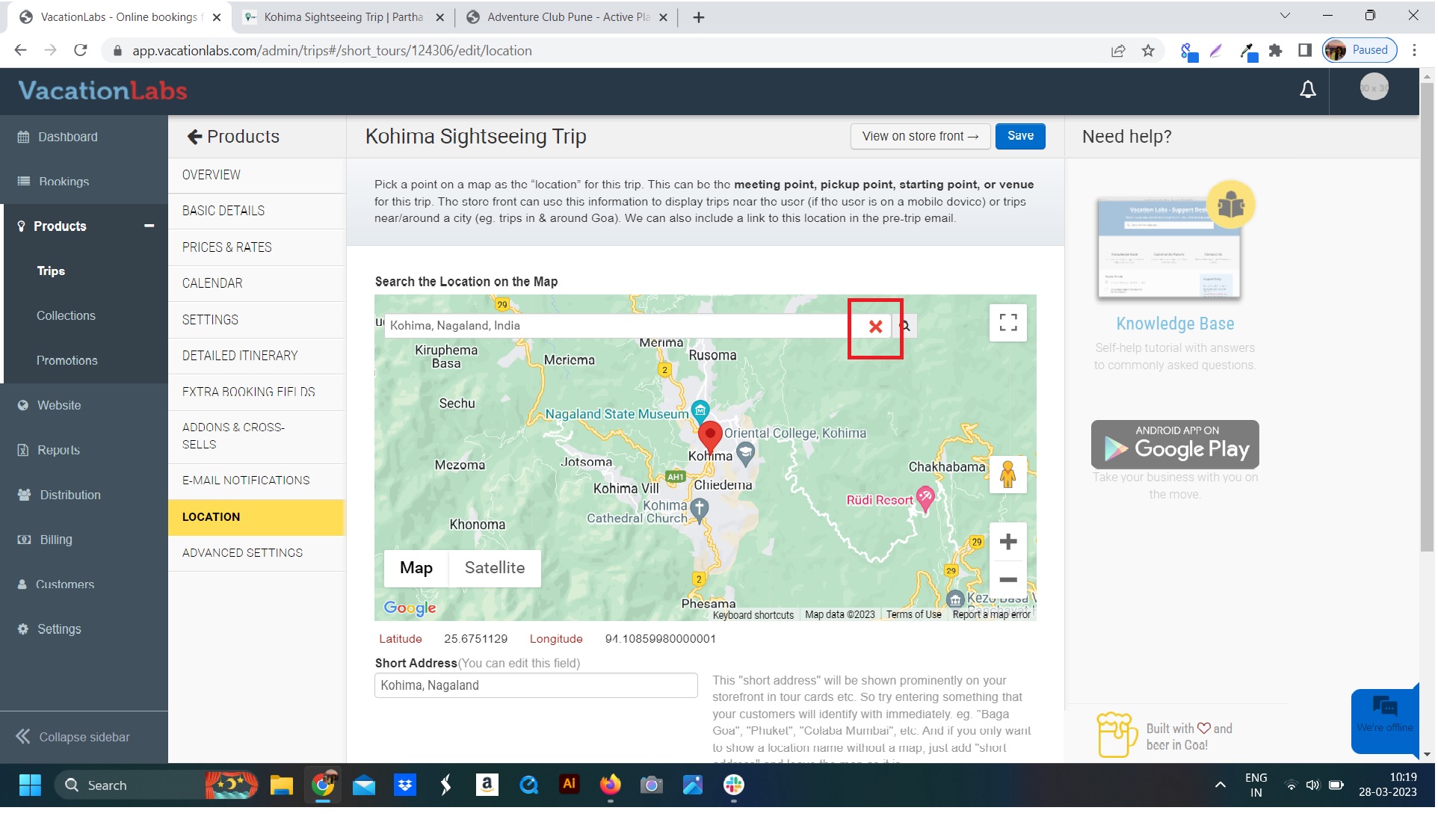
3. Go into the Location settings of the tour
4. Click on the ‘X’ to remove the Google Map (refer screenshot below)
 6..You can also remove/edit the texts in the below fields as you desire.
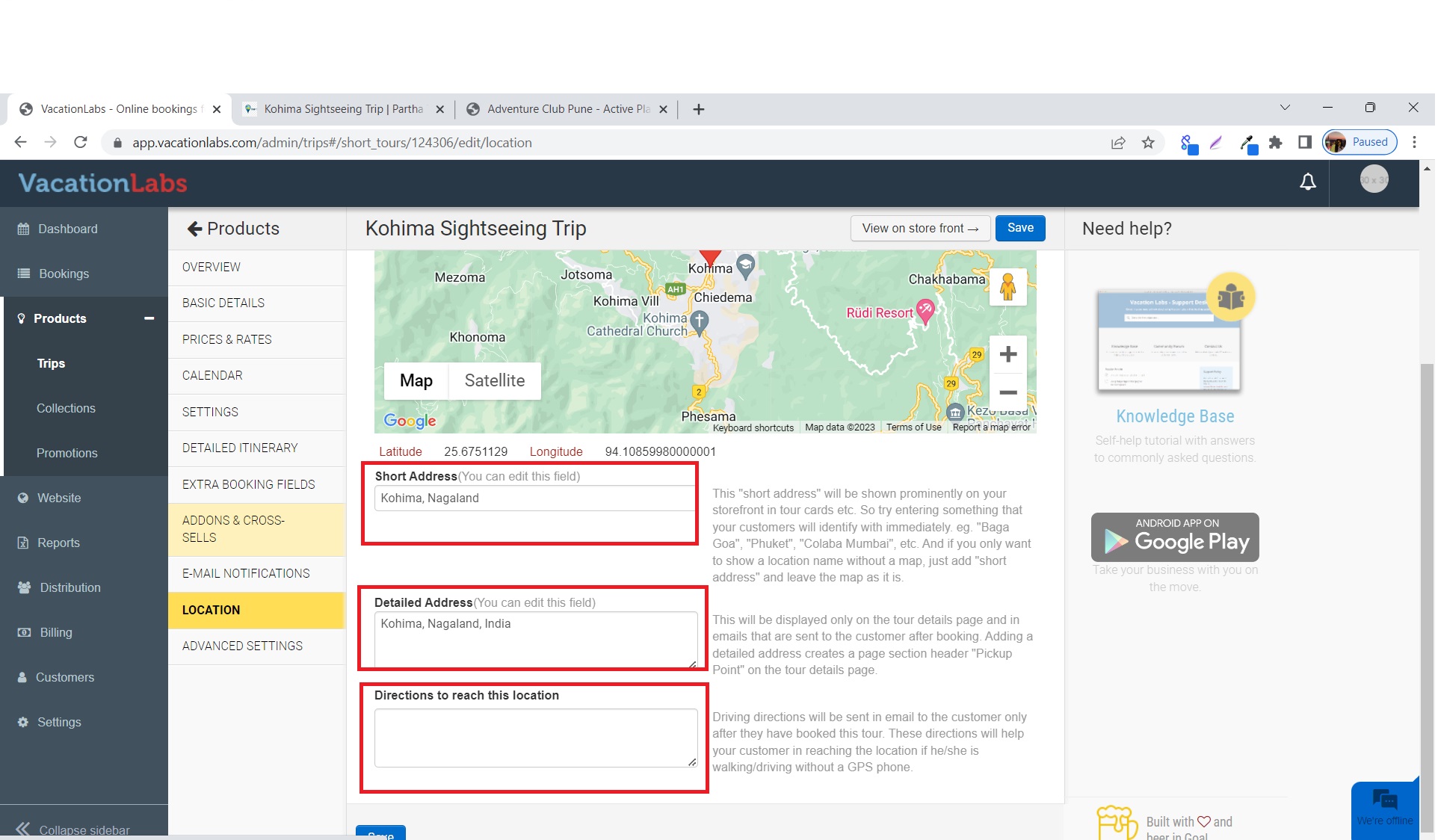
7.Don’t forget to SAVE the changes you have made.