Updating/Adding address on the Contact us page
Updating address on Contact Us Page
Please follow the below steps to Update address on Contact Us Page.
-
Login into Vacation Labs
-
Click on Website tab
-
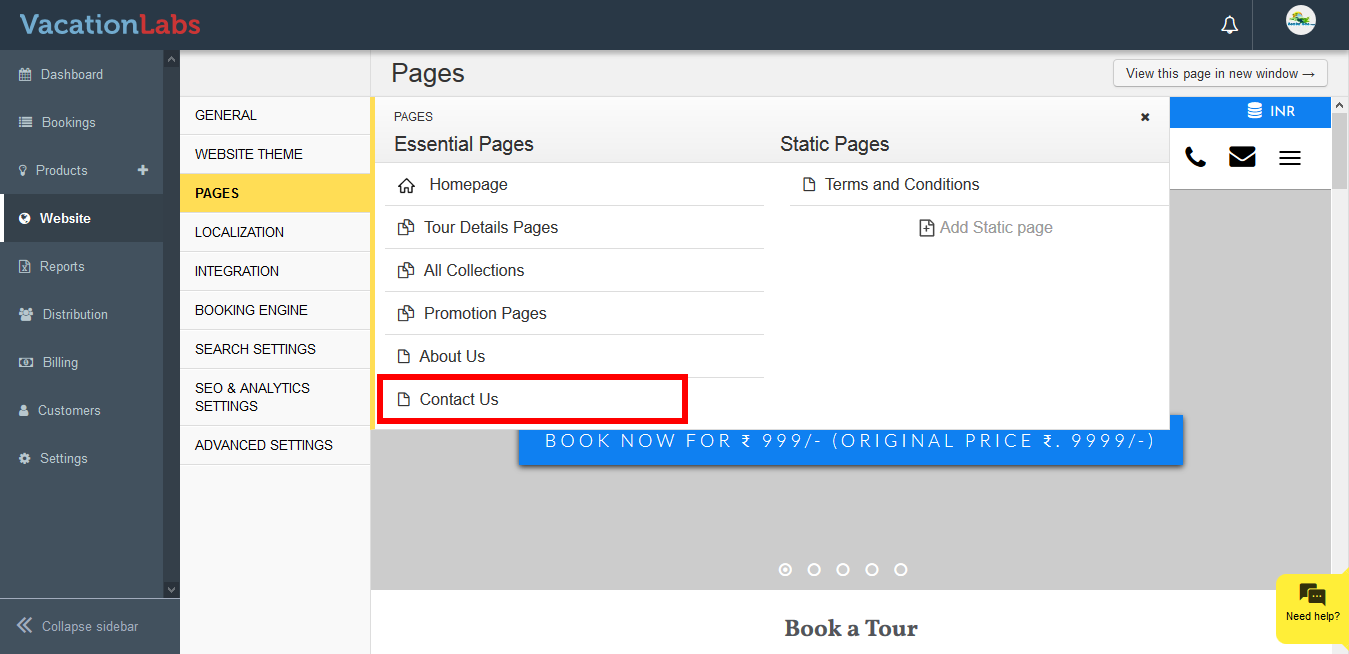
Click on Pages
-
Select Contact Us page
-
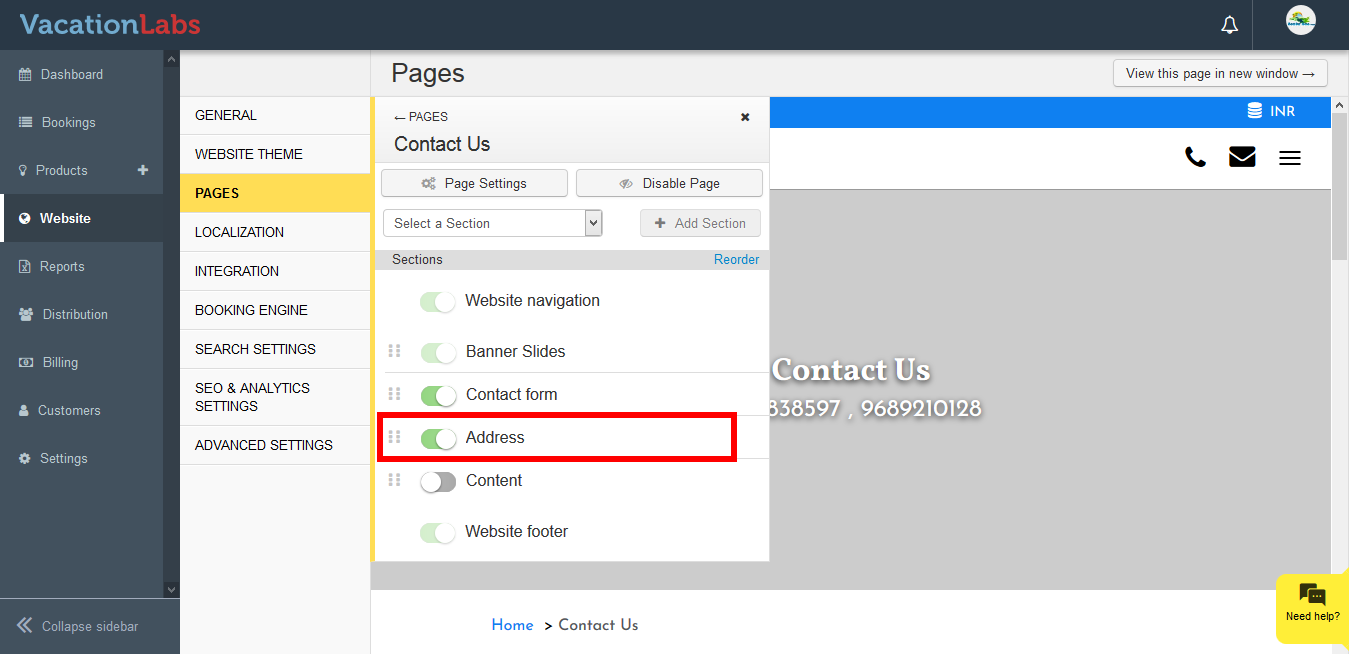
Locate Address section and click on it.
-
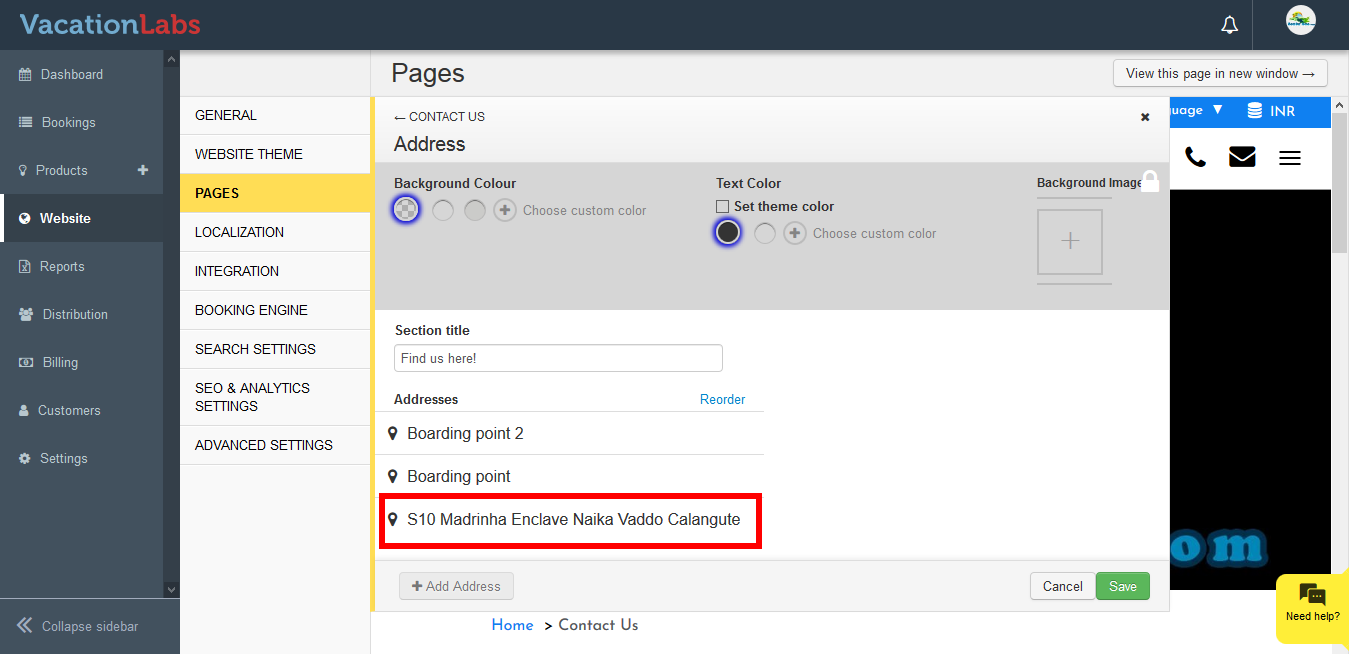
Click on the Location name to update it further
-
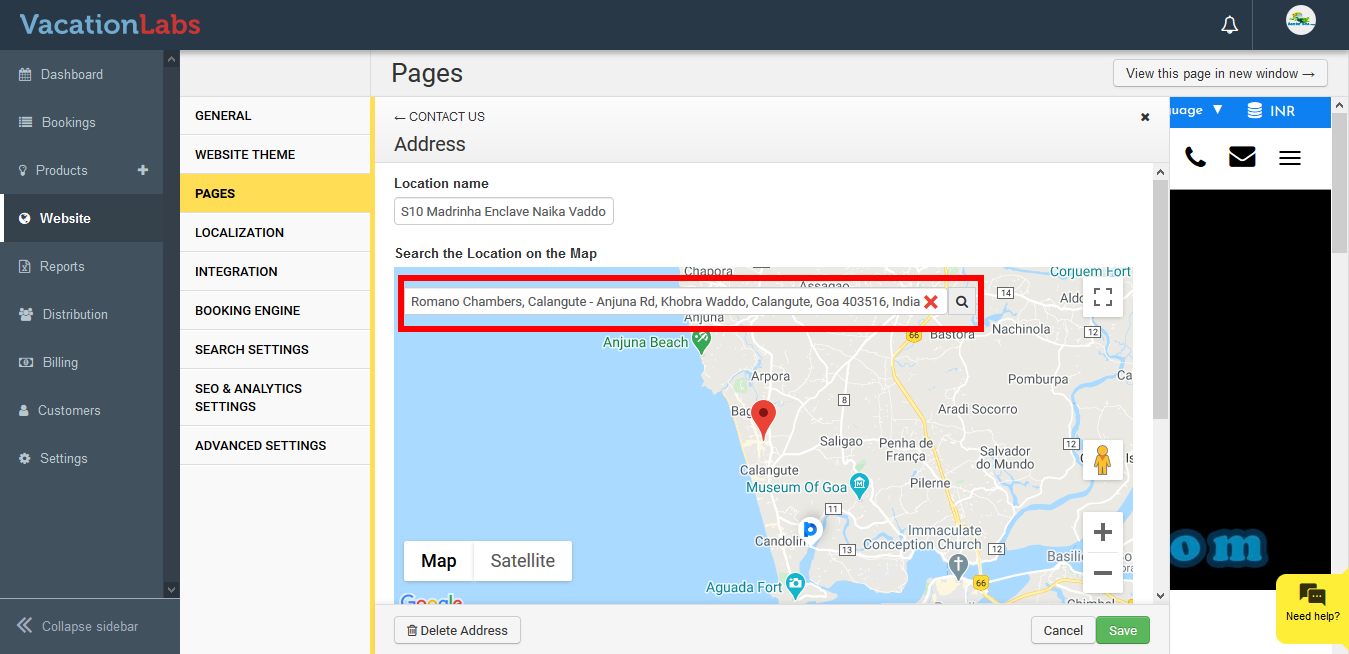
Remove the current location by clicking on X button and add the new address. You can also use the pin on the map to locate the exact address on Google map.
-
Update the Details such as Location name, detailed address, phone number, email as well***
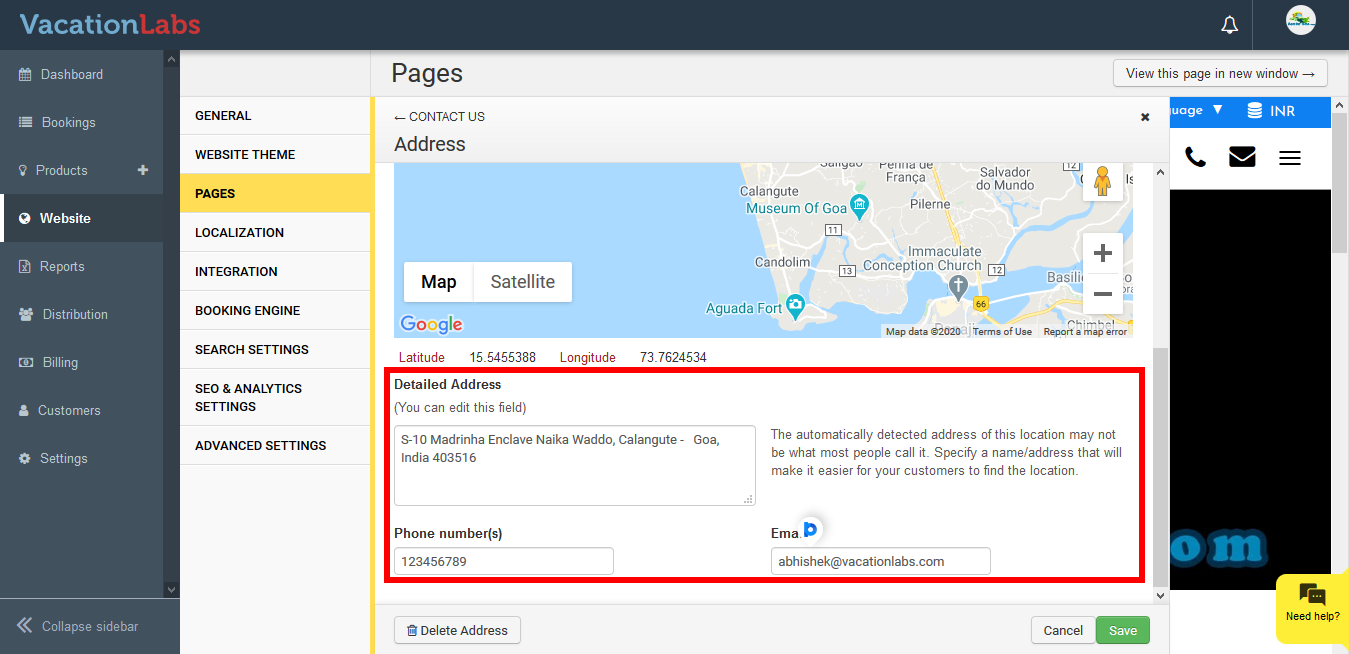 ***
*** -
Click on Save
Adding Multiple Address
Please follow the below steps to add multiple address,
-
Login into Vacation Labs
-
Click on Website tab
-
Click on Pages
-
Select Contact Us page
-
Click on Address section
-
Click on +Add Address
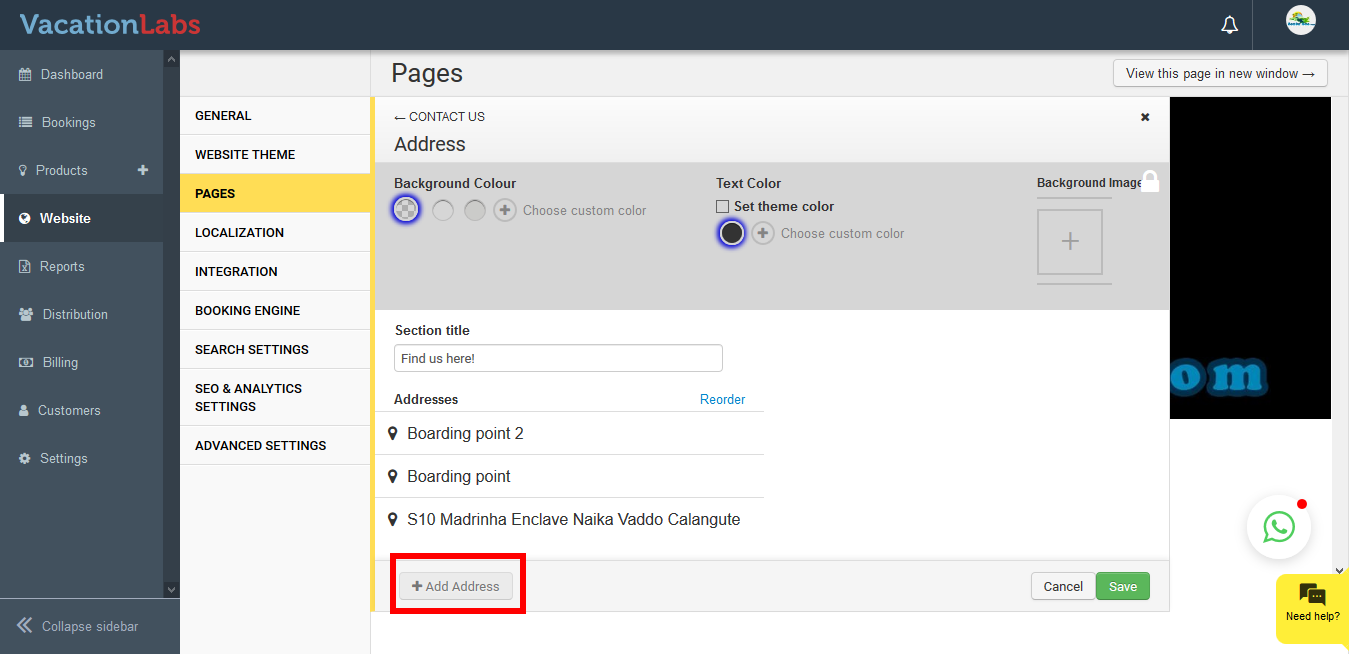
-
Add new address and click on Save
Info
Please note: You are allowed to add only 3 addresses in a single section. If you have more address please add one more address section.
Once you have added 3 addresses it will be displayed on website like the below,
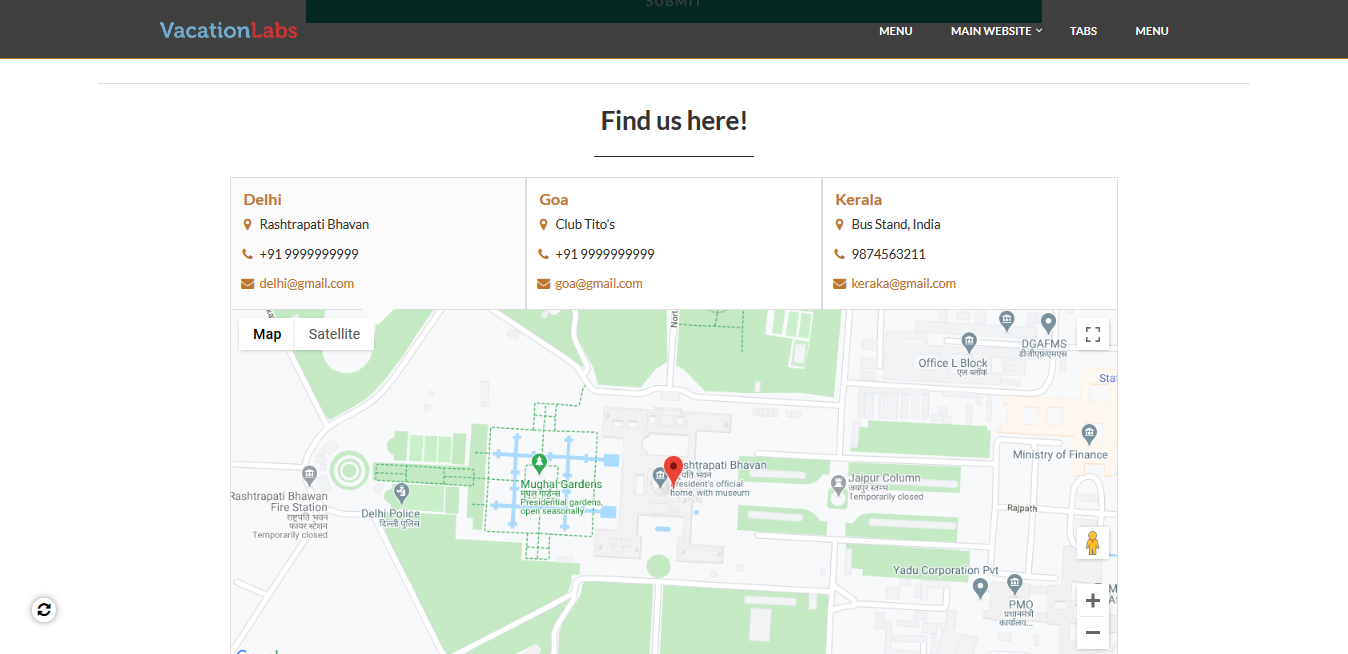
What’s next?
Please read our article on How to edit/modify Footer in Vacation Labs to update the links and text in footer.