How to add Collections in collection cards carousel?
Managing Pages
Updated
To add collections in Collection card carousel follow the below steps,
-
Login into Vacation Labs
-
Click on **Website
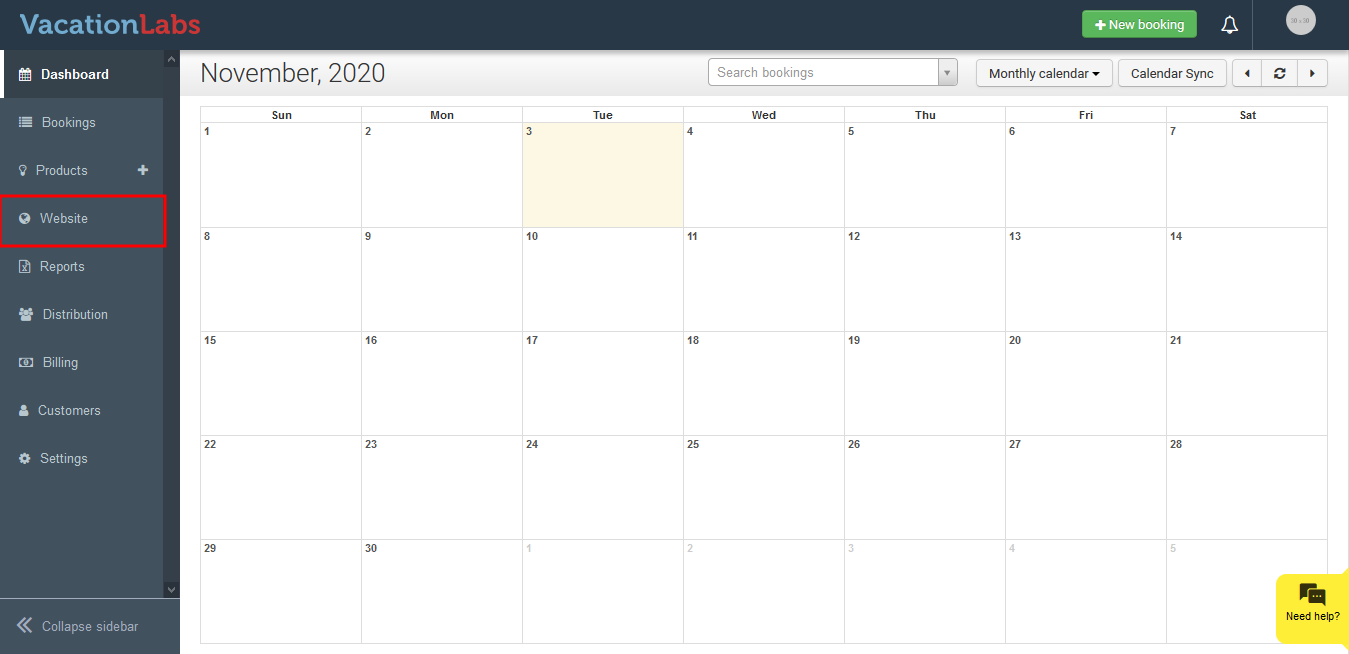 **
** -
Click on **Pages
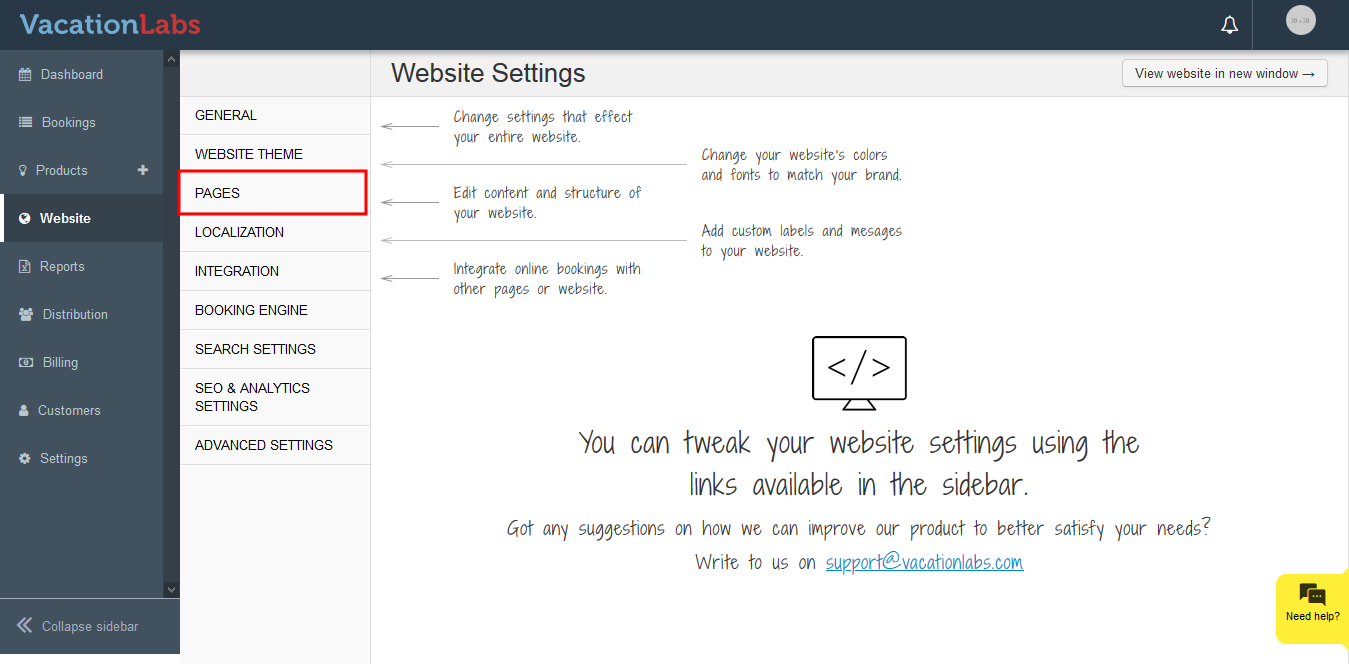 **
** -
Select the page on which the collection need to be added in Collection Card Carousel
-
Click on **Collection Card
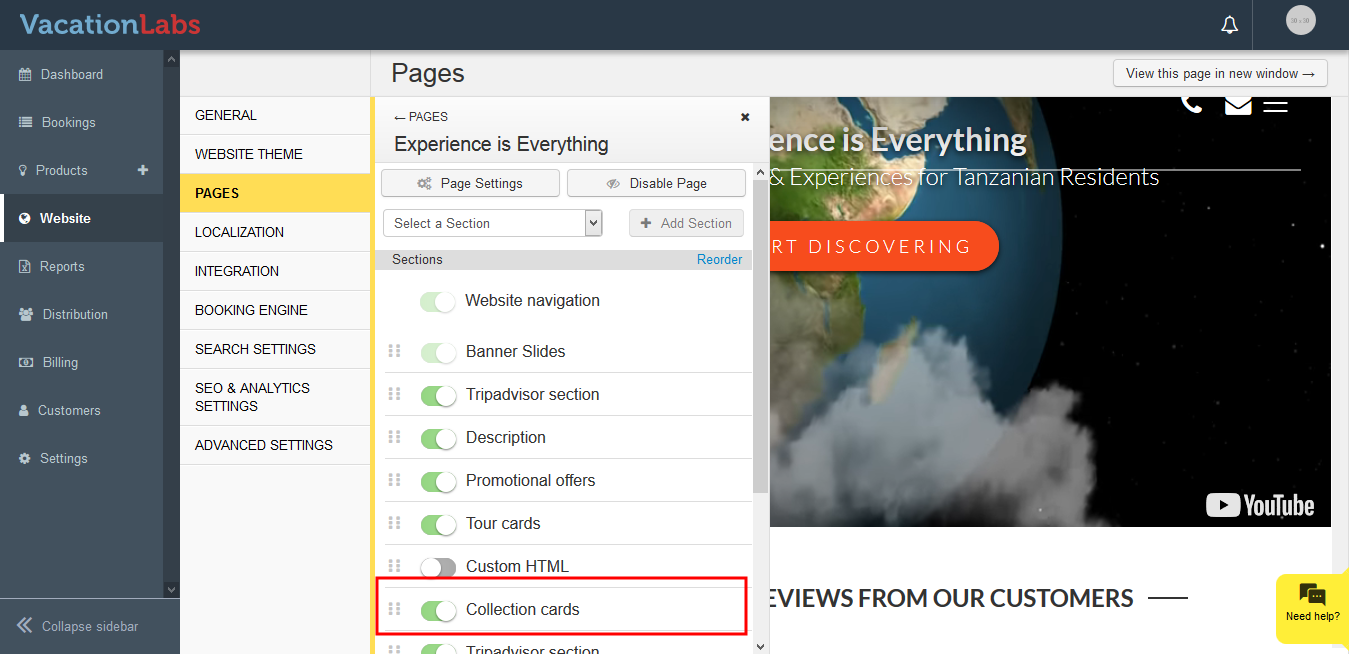 **
** -
Click on Search box
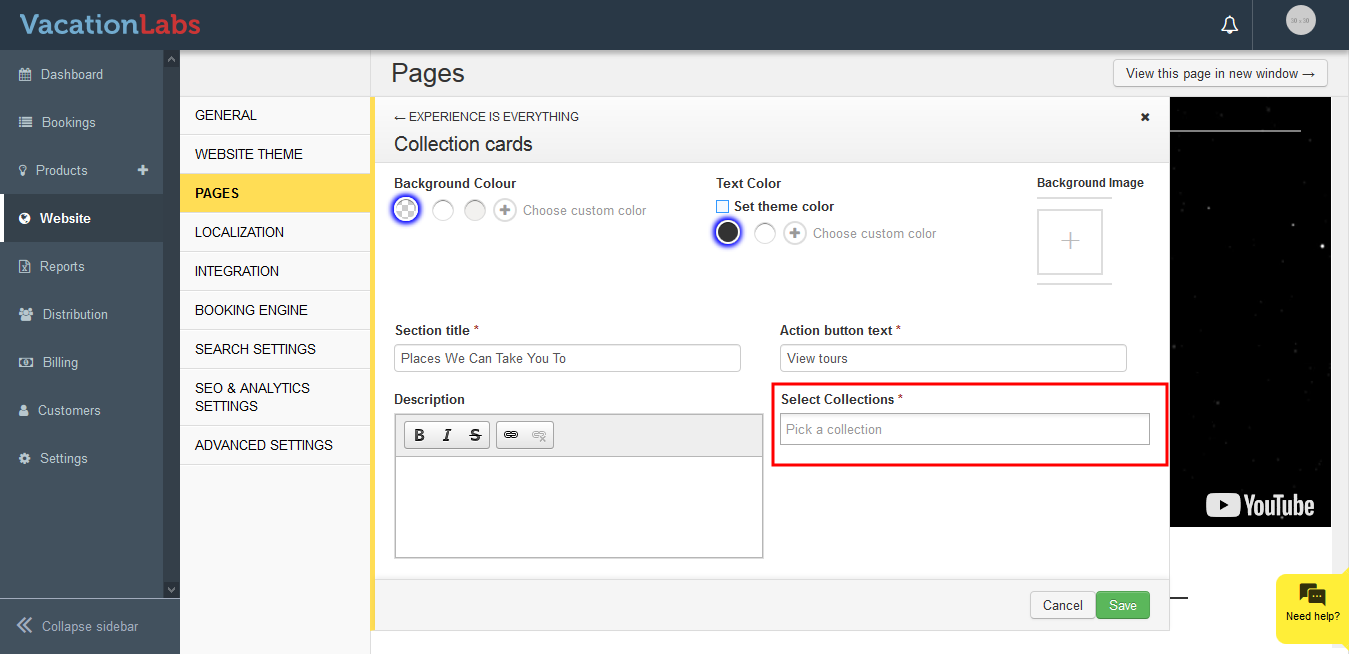
-
Select the Collections from Drop down
-
Click on **Save **
To change Collection card layout click here and read our article on managing themes.
Collection Card View: